
02.02.2026
1 хв
700



Mozilla оголосила про запуск нового глобального перемикача в Firefox, який дозволить користувачам повністю вимикати всі AI-функції браузера або керувати ними вибірково. Нововведення з’явиться 24 лютого 2026 року та стане відповіддю на зростаючу критику нав’язування AI-можливостей без згоди користувачів.

Новий перемикач під назвою “Block AI enhancements” з’явиться в налаштуваннях десктопної версії Firefox. Він дозволяє одним кліком відключити всі поточні та майбутні генеративні AI-функції браузера. За бажанням користувач зможе залишити окремі можливості активними, наприклад автоматичний переклад сторінок, і вимкнути решту.
На старті керування буде доступне для таких функцій, як AI-опис зображень у PDF-файлах для покращення доступності, інтелектуальне групування вкладок, попередній перегляд посилань і чат-бот у боковій панелі. Firefox підтримуватиме кілька AI-асистентів, серед яких ChatGPT, Claude, Copilot, Gemini та Le Chat від Mistral — кожен з них можна буде увімкнути або вимкнути окремо.
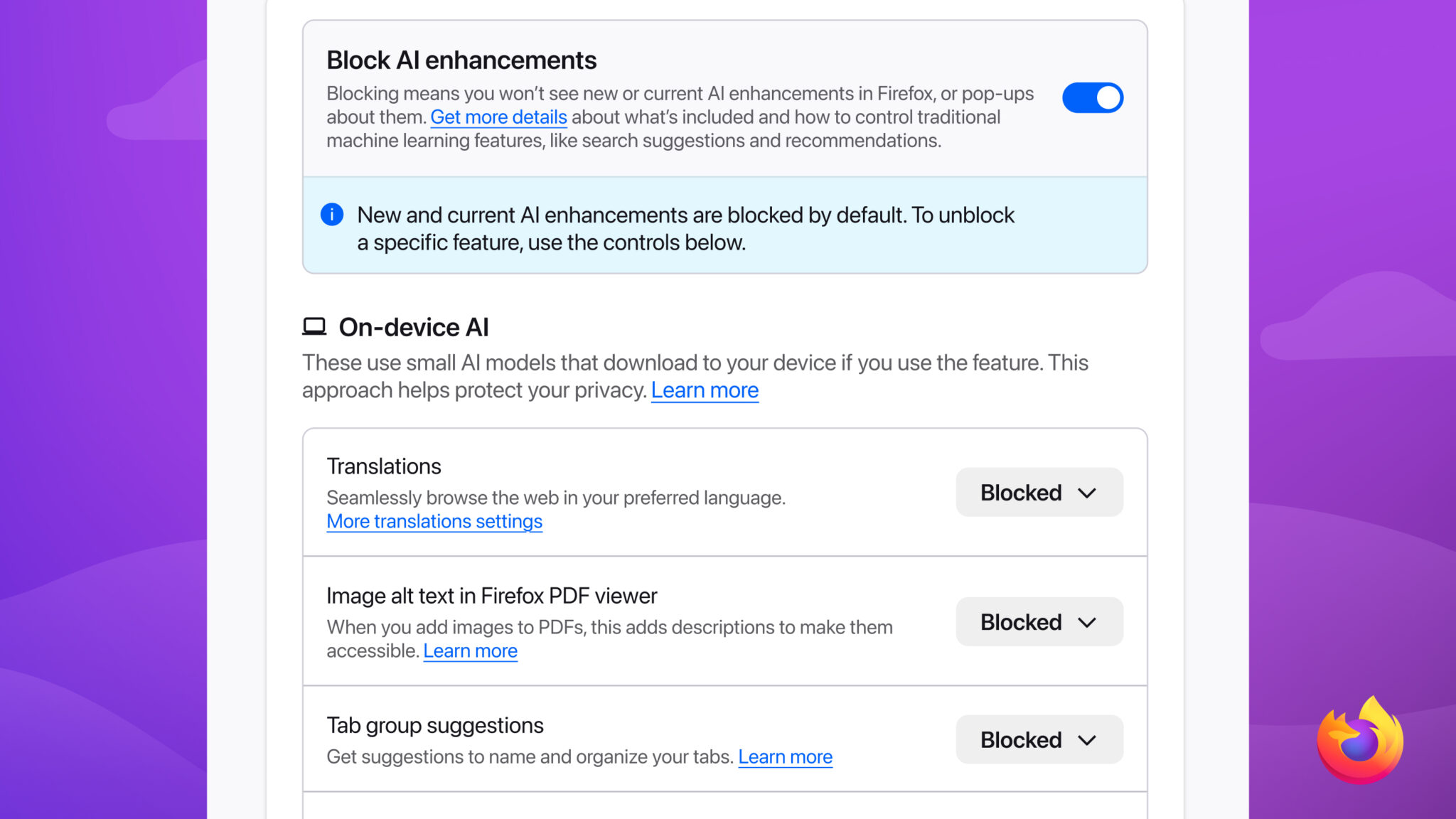
Mozilla наголошує, що ключова ідея — не відмова від AI, а контроль користувача. На тлі конкурентів, які поступово інтегрують AI без чіткого механізму відмови, Firefox робить ставку на прозорість і добровільний вибір.
Раніше користувачі, які прагнули мінімізувати або повністю прибрати AI з браузера, були змушені переходити на нішеві приватні браузери або використовувати сторонні інструменти та розширення. Хоча Chrome та Edge дозволяють обмежувати частину AI-функцій, єдиного централізованого перемикача до цього часу не існувало.
Запуск AI-kill switch робить Firefox унікальним серед масових браузерів. Це важливий крок у бік цифрової автономії, коли користувач сам вирішує, які технології працюють у його середовищі. На тлі зростаючої ролі штучного інтелекту Mozilla демонструє, що контроль і вибір залишаються ключовими цінностями.