18.06.2025
2 min
1025



Cheap routers from marketplaces with “lifetime VPN” can become a vulnerability in your network. In our article, we explain why popular models from AliExpress and other platforms actually open remote access, use a single VPN network for all users, and have default passwords that almost no one changes.
On online marketplaces, you can find routers with a pre-configured VPN service, which is advertised as “lifetime” — no subscriptions, no complicated settings. This offer looks attractive: just turn on the device — and you can use a secure connection without restrictions. At the same time, the cost of such devices is noticeably lower than classic VPN solutions.
However, an in-depth analysis of several popular models in different price categories (in particular, Cudy WR300, Keenetic Starter, Xiaomi AX3000T) revealed a number of critical shortcomings that jeopardize the security of the entire home network. The main problems include:
complete lack of segmentation in the VPN infrastructure (all users are on the same network),
open default passwords like admin:admin,
active SSH access, which allows third parties to control the device.
In addition, the server part of the “lifetime VPN” is often based on hosting services costing $2–3 per month, which indicates a low level of reliability and a potential risk of the device being exploited by third parties — for example, for surveillance or as part of a botnet.
The material explains in detail how such a scheme works, how it is dangerous for the user, and why saving on security can be too expensive.
Victim number one was the Cudy WR300. The factory seals and stickers were missing — a good sign, right?
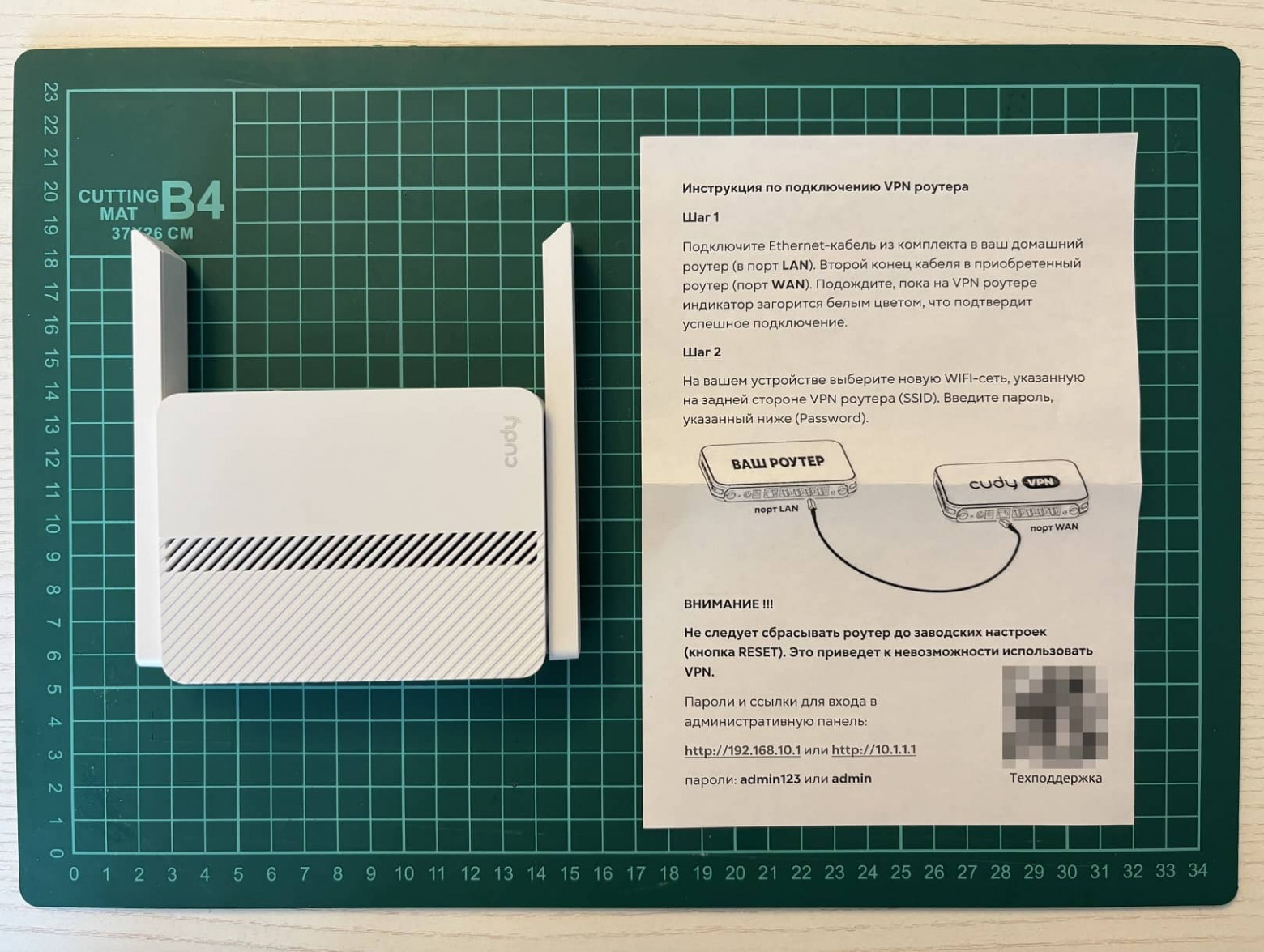
I connected, entered my login and password, and got to the control panel. So far, everything is predictable: the user is greeted by the native Cudy firmware.
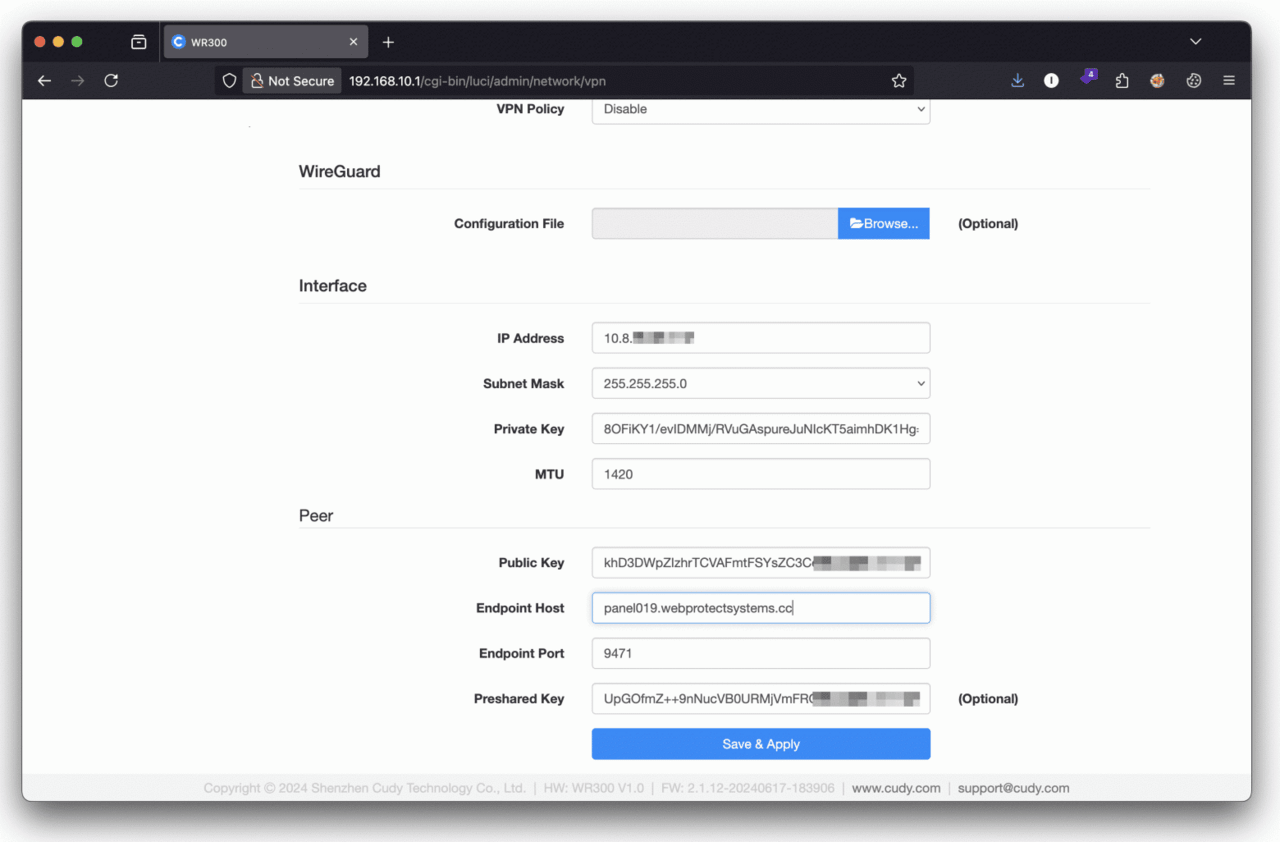
Immediately after turning on, the router automatically attaches to a private virtual network and begins to slowly communicate with an IP address somewhere in the Philippines.
I tried to resolve the address – it does not resolve. I went through whois and found out something interesting: the IP is registered to an ordinary Moscow entrepreneur. He has a whole pool of hosting addresses listed behind him, some of which were listed in AbuseIPDB – a database of IPs with suspicious activity.
A little OSINT on the last name, and I found the website of a small third-tier hosting provider. It provides servers in Latvia, France, Germany, Estonia and the Netherlands. Prices for VPS start at $ 2.5. For some reason, there were no exotic islands among the publicly available locations.
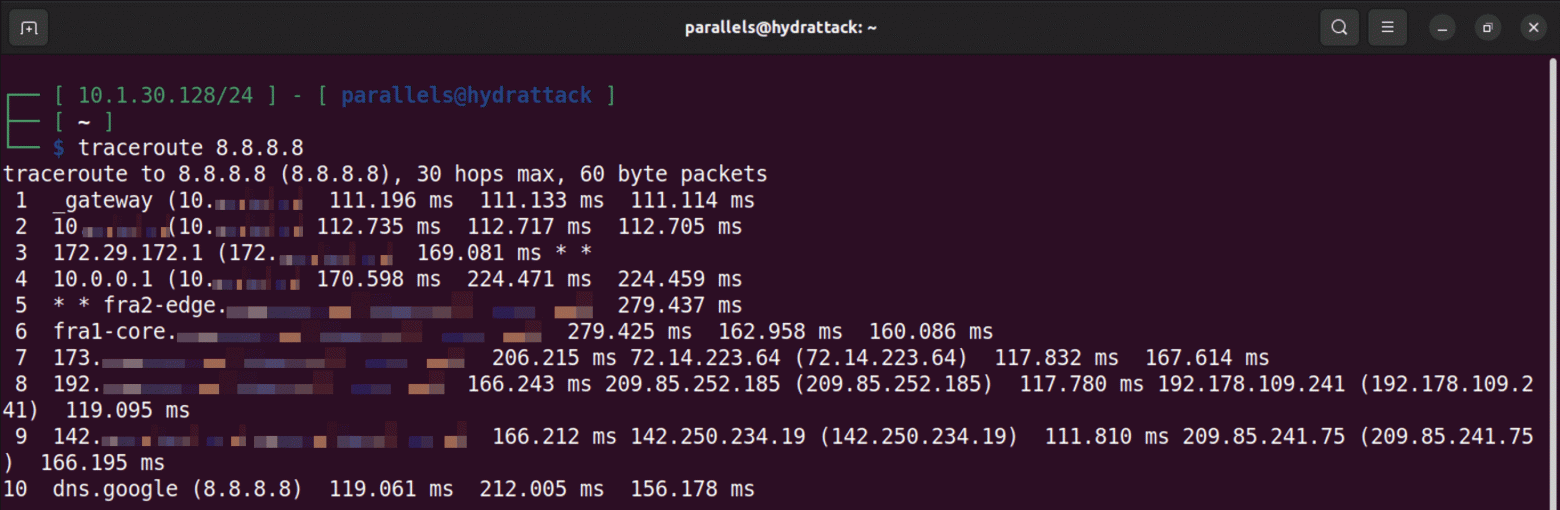
I ran traceroute to view the connection route. The first hop is the router’s IP, the second is the virtual network through which the traffic goes.
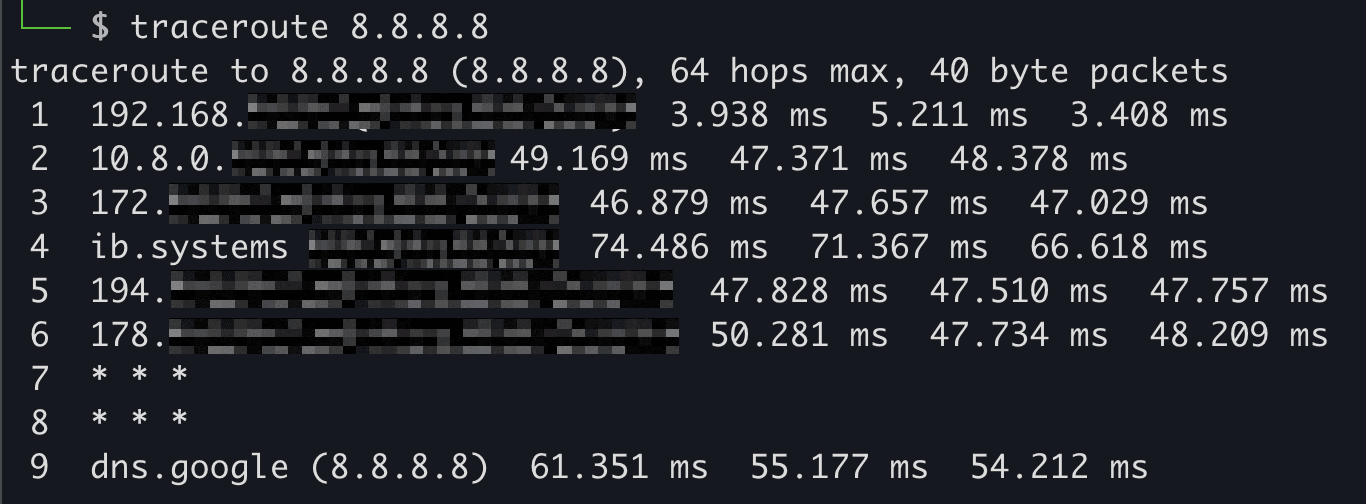
Scanning the second IP with Nmap initially yielded nothing. So I took the public and private keys with all the settings and saved them in a WireGuard configuration file to further investigate the connection.
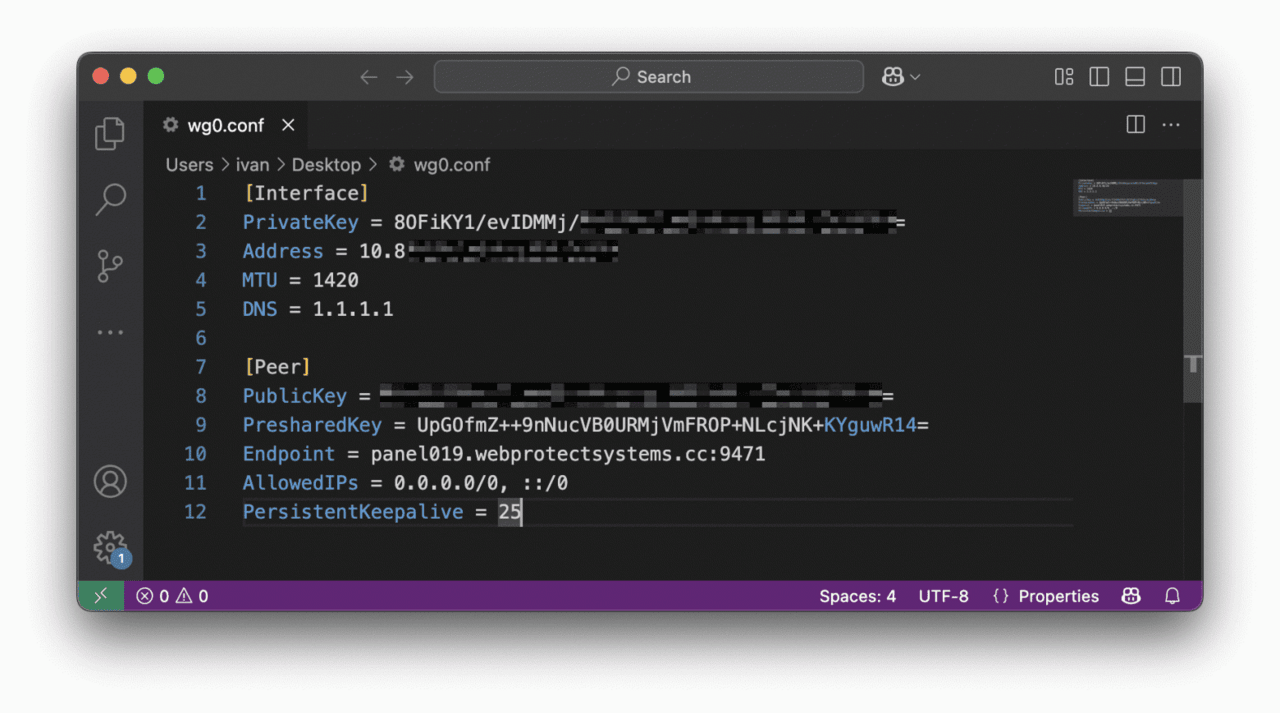
I installed WireGuard on a virtual machine, uploaded the config there, and got a direct connection to the virtual network. And then the fun began: it turned out that it was not segmented. Scanning around the router yielded results: Nmap found 35 IP addresses and, of course, open ports — without them. As you might have guessed, all the neighbors are other happy owners of secure routers from this vendor.
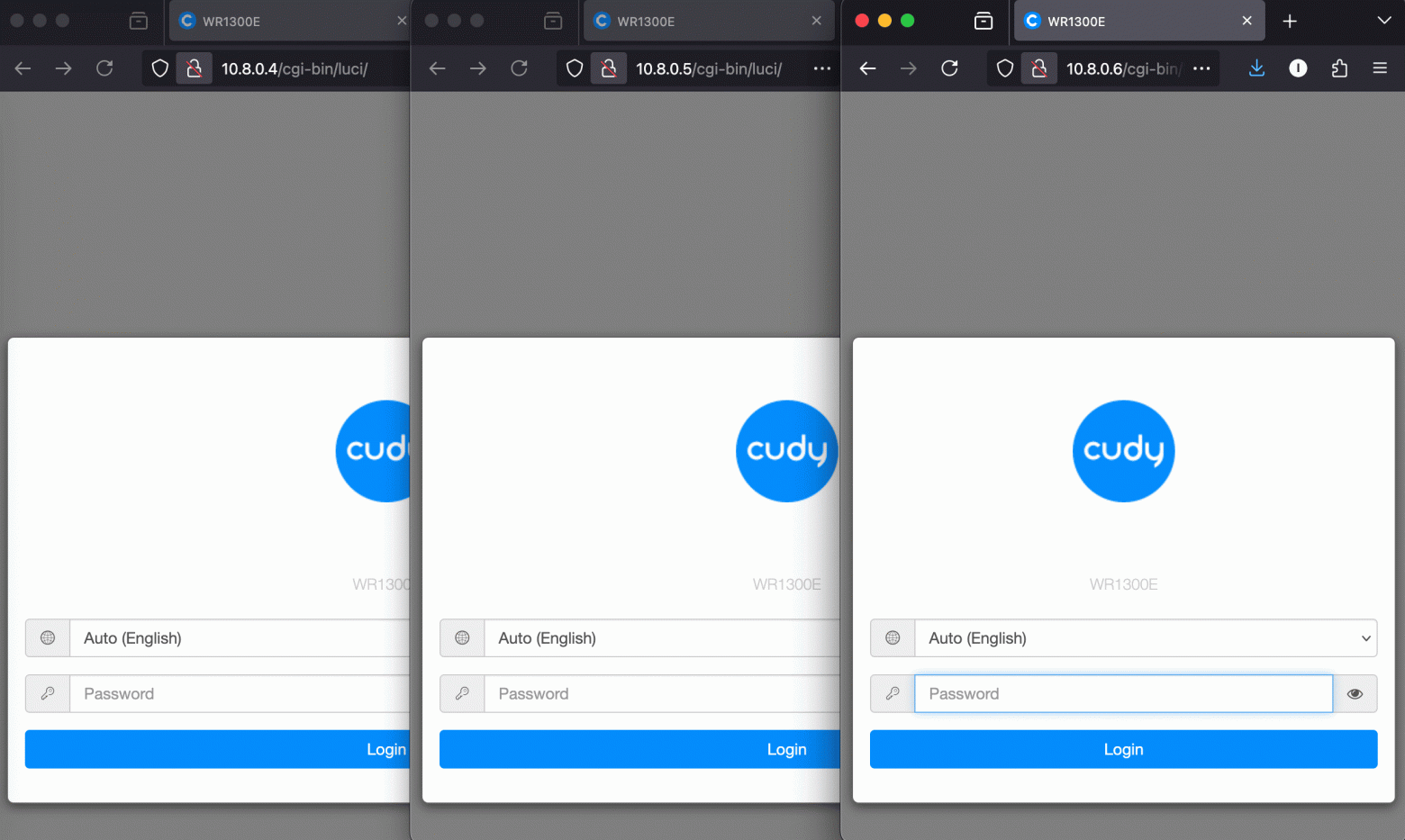
The admins are at your fingertips, and since the seller prohibits resetting the settings to factory defaults, they are all probably “reliably” protected by the admin password. In this situation, a hacker only needs to buy one router to easily gain direct access to dozens of similar devices.
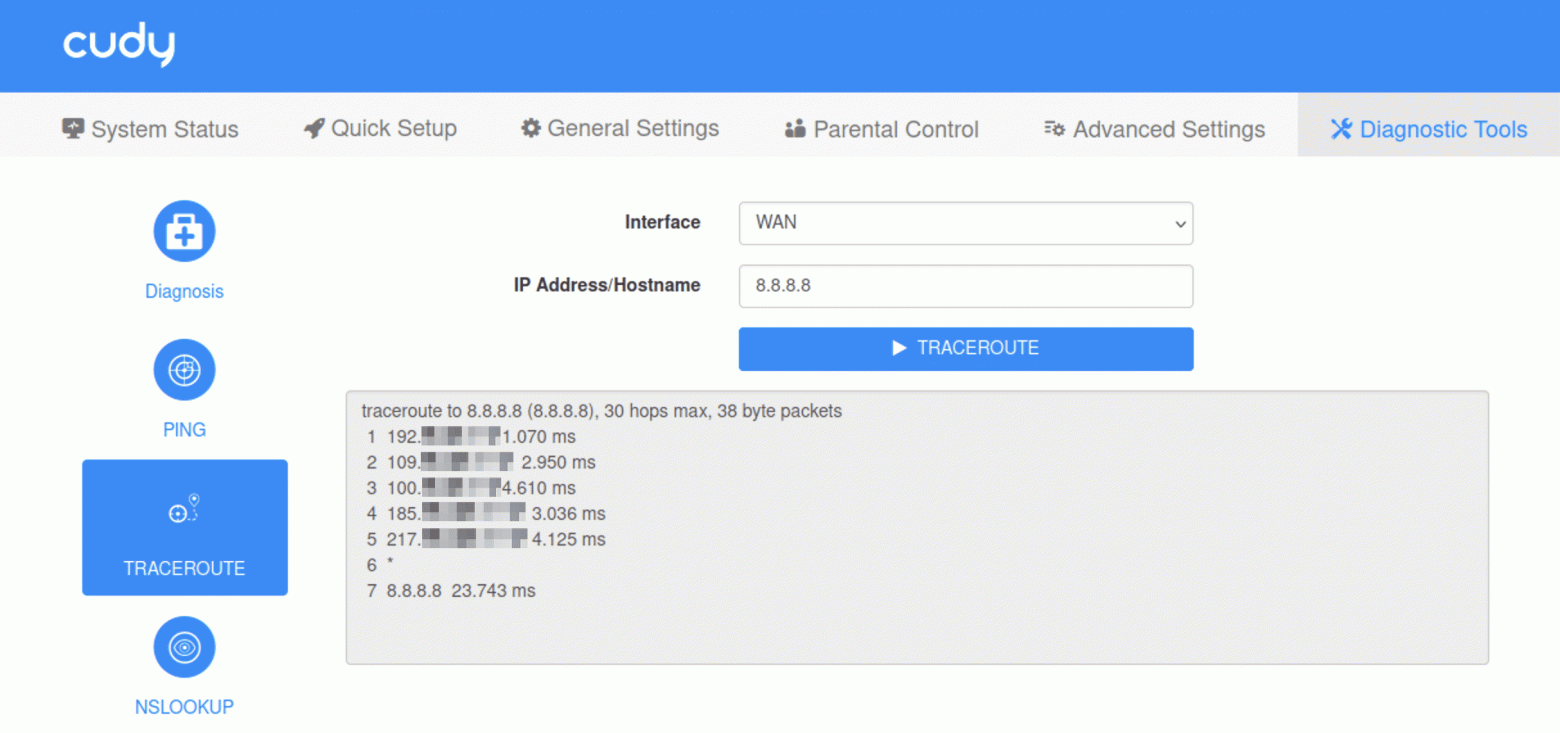
At the same time, the Cudy WR300 firmware supports remote access, and the router has diagnostic programs installed. Yes, using traceroute you can get the real IP address of the user. I checked it on my IP and was convinced: a buyer who is on the same network with you can be identified in this way. You can merge VPN configuration files from all available routers. And there is also a firmware update via the web interface, which means that you can remotely upload a modified image – round or zombify the device, for example, making it part of a botnet.
However, even if you forget about the network component, the Cudy WR300 cannot be called well-protected.
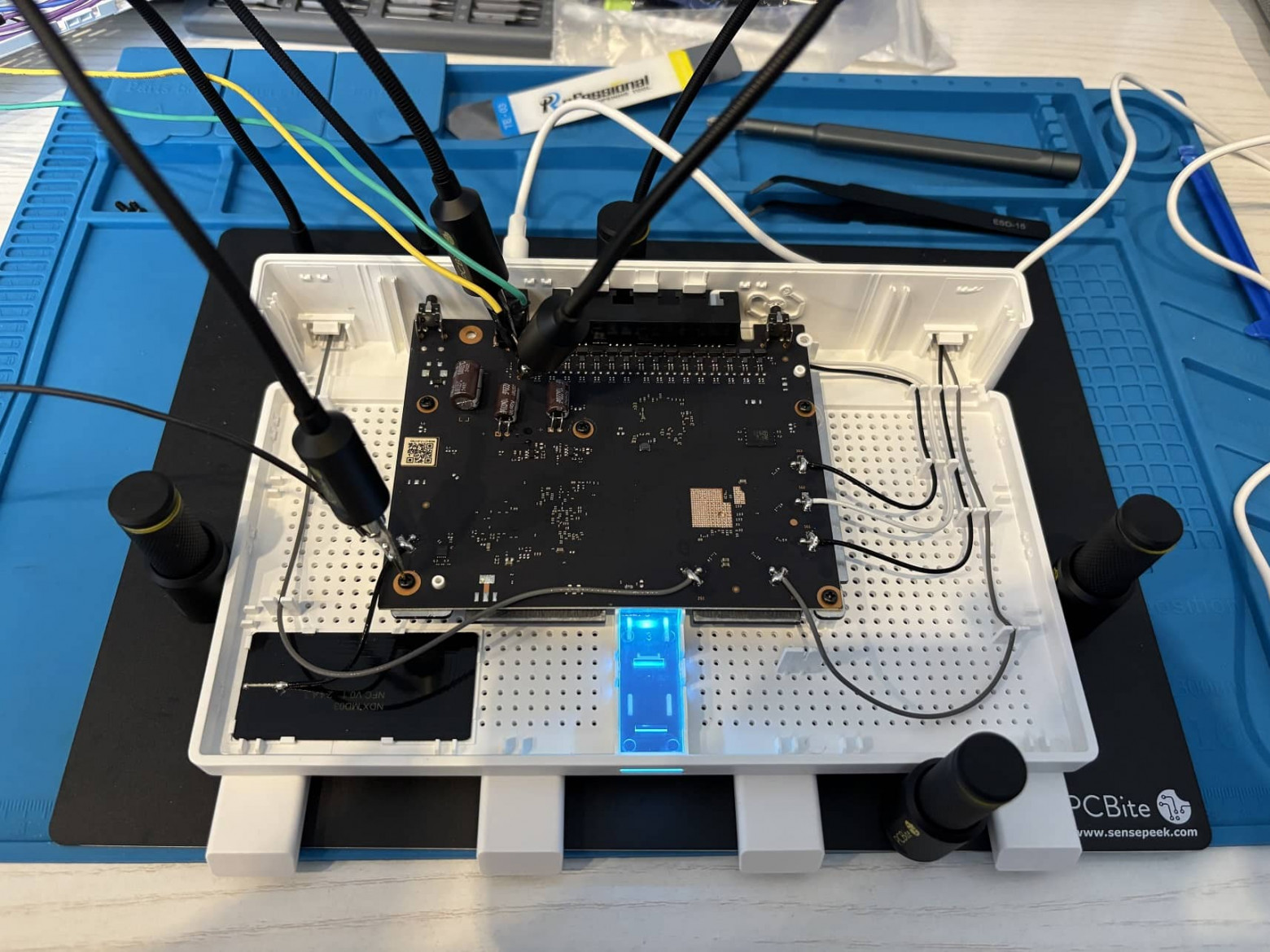
After finishing the network, I moved on to the hardware level. To do this, I disassembled the device and began to study its low-level architecture.
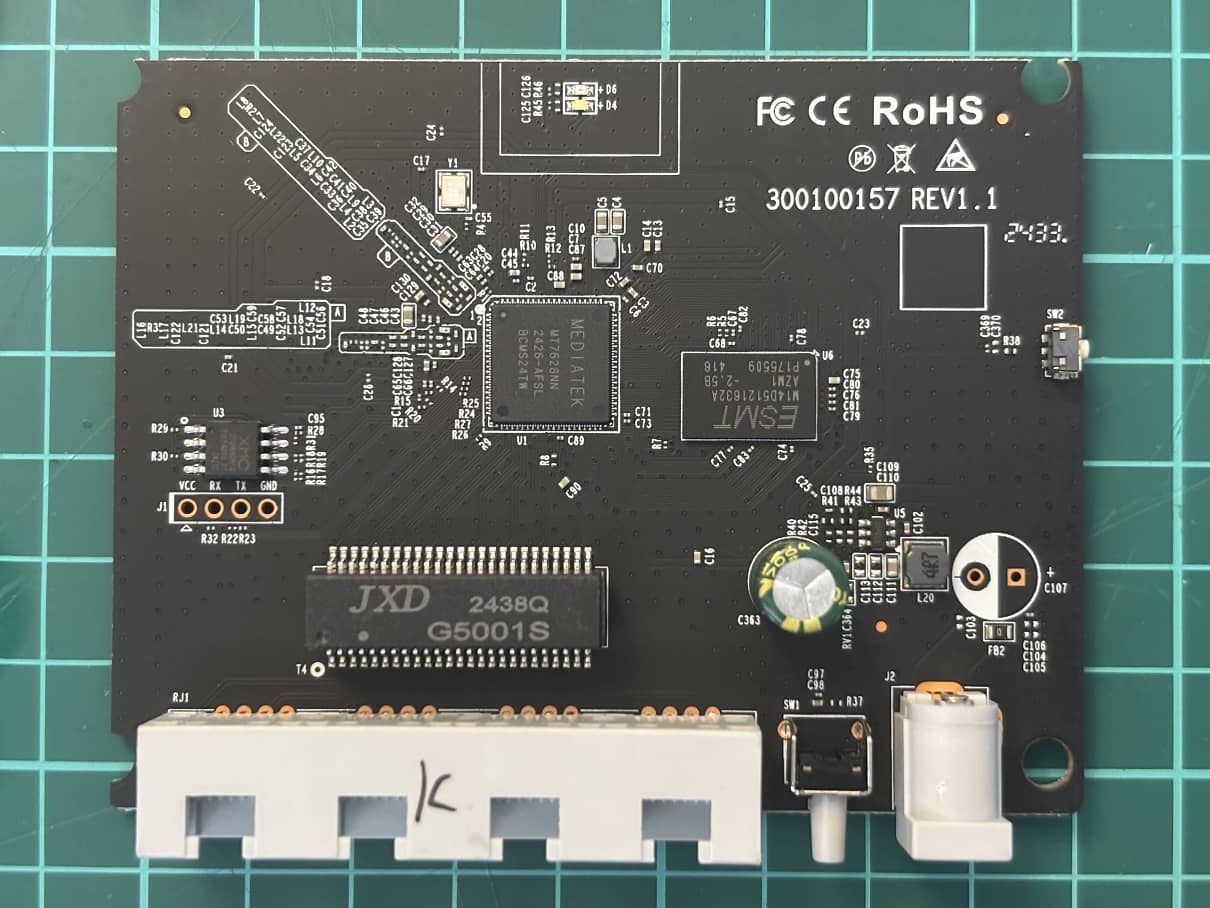
The first thing that catches your eye when looking at the board is the UART interface. With its help, you can control the device directly. Nearby is a flash chip – XMC 250H64DHIQ.
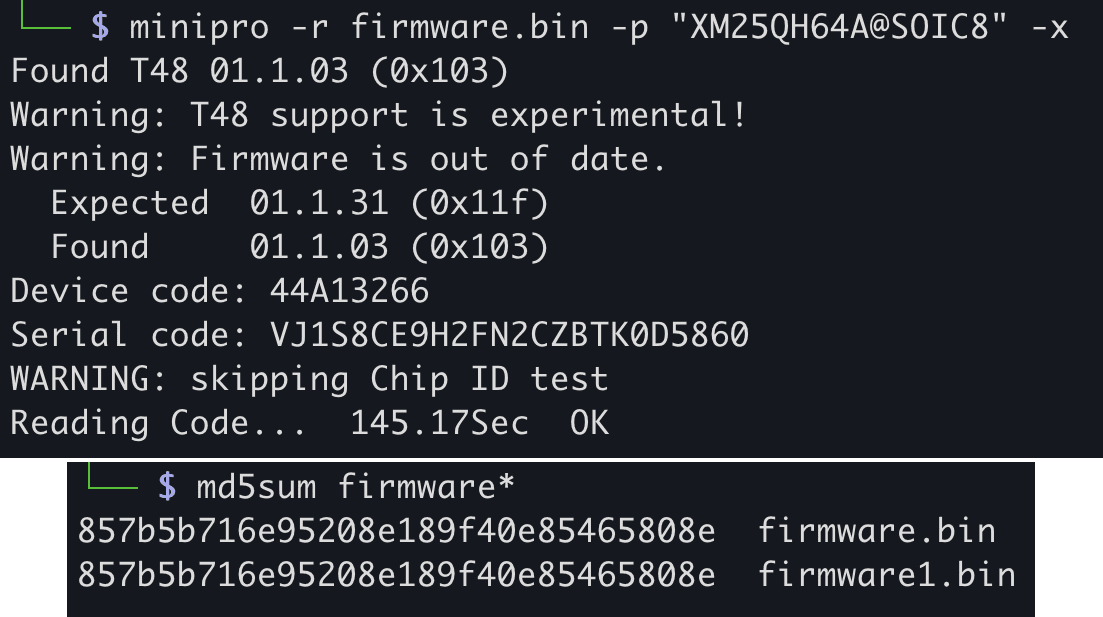
According to the rules of good taste, the microcircuit is soldered before reading the firmware so that it does not receive power from the board and nothing affects the contents of the chip. But for quick research, a clothespin is an acceptable solution. However, in this case, it is better to read the firmware several times and compare the MD5 hash sums to make sure that the received data is not distorted by a working board.
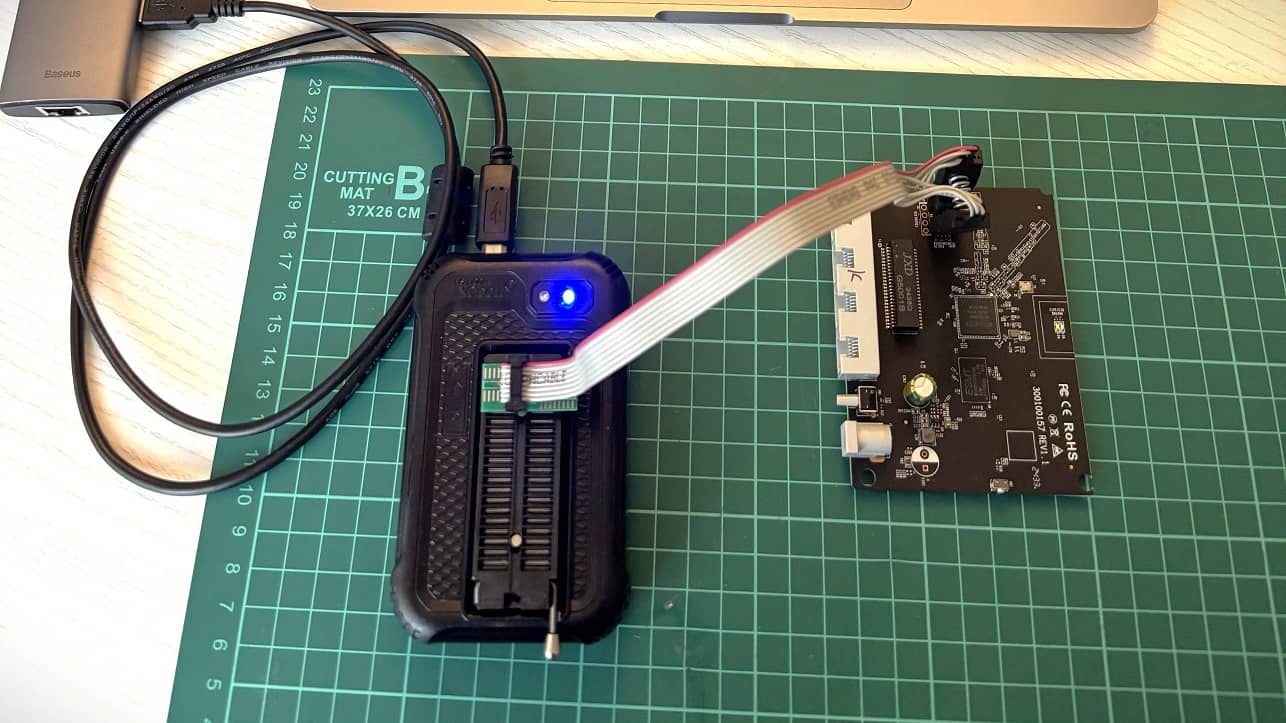
Armed with a CH341-based firmware reader, I got nothing, as this chip is not in the flashroom application. However, Xgecu recognized the chip and allowed me to extract the firmware from the device’s memory.
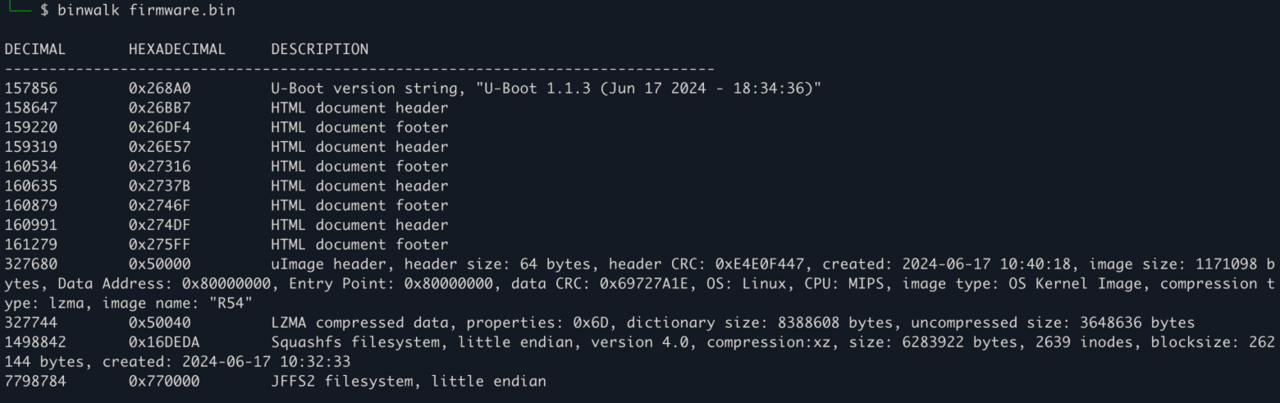
Next, using binwalk, I parsed the contents of the downloaded firmware.
A simple passwd search found the location where the credentials were stored. It also found the shadow folder with the root password hash.
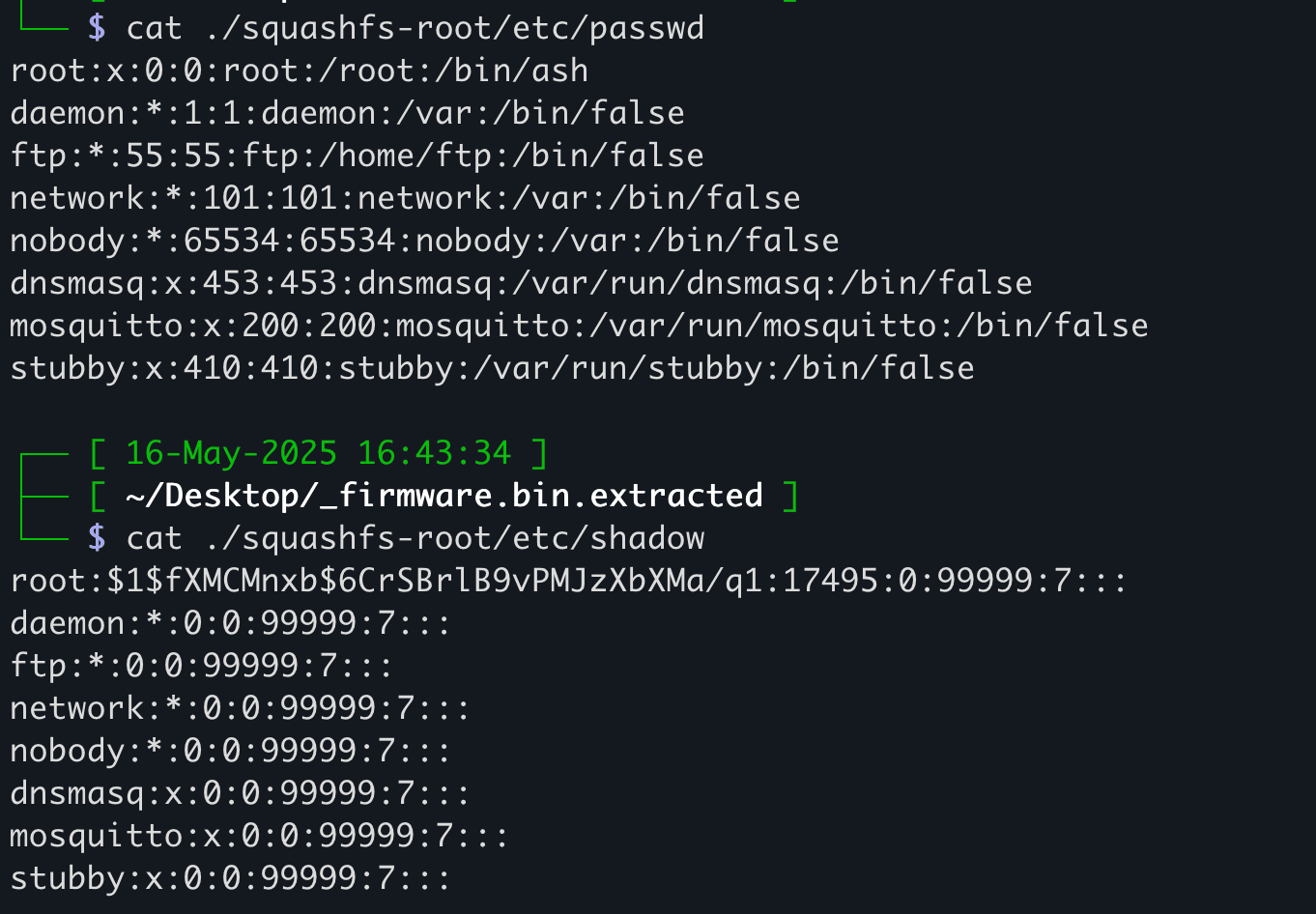
The first thing I did was google the hash, and on the first page of results I found a link to a hacker forum. In early 2025, someone asked for help in finding a password for it.
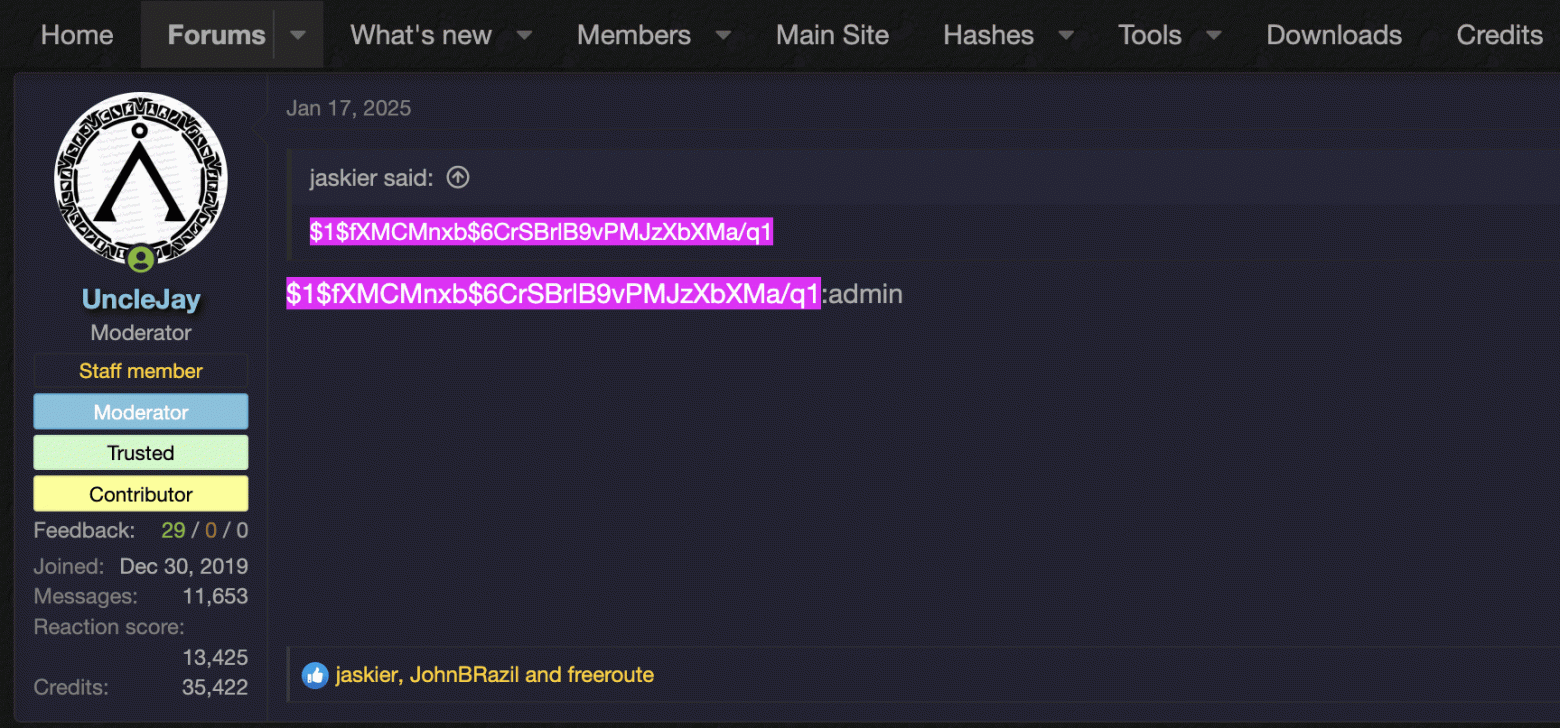
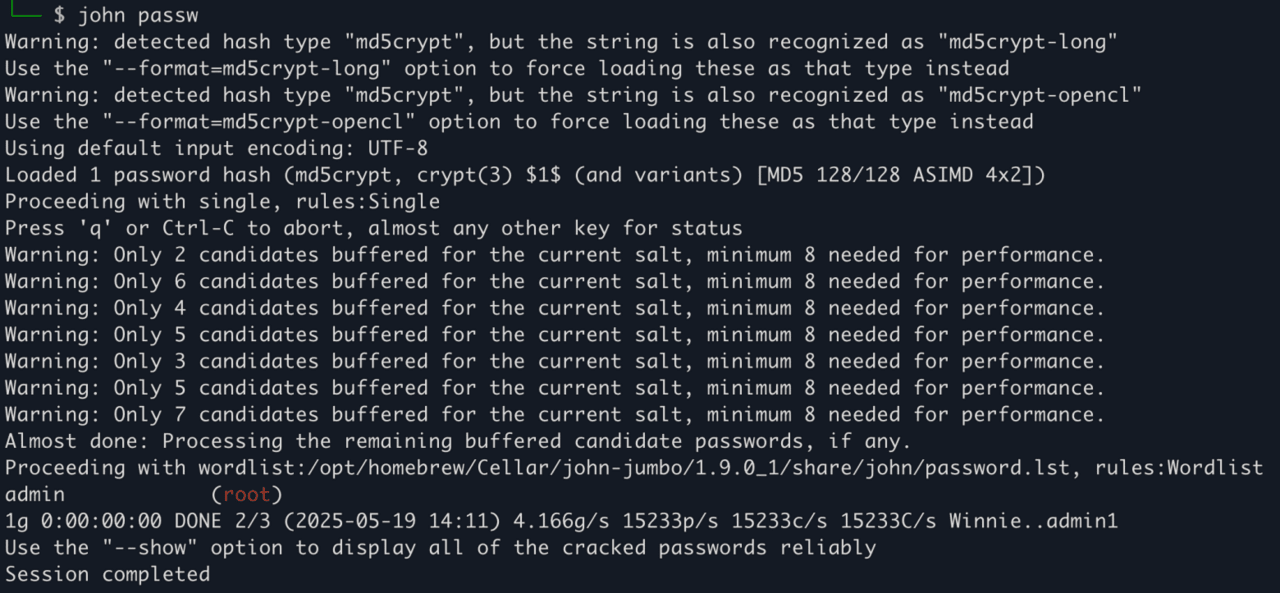
In general, decrypting a hash is a simple task if you have tools like Hashcat or John the Ripper.
Vendors and attackers can gain remote access to the device not only through standard passwords. The manufacturer can modify the system before sale – to build a backdoor or spyware to steal confidential data. Now think: why so insistently ask not to reset the router to factory settings? Is it just for the sake of VPN?
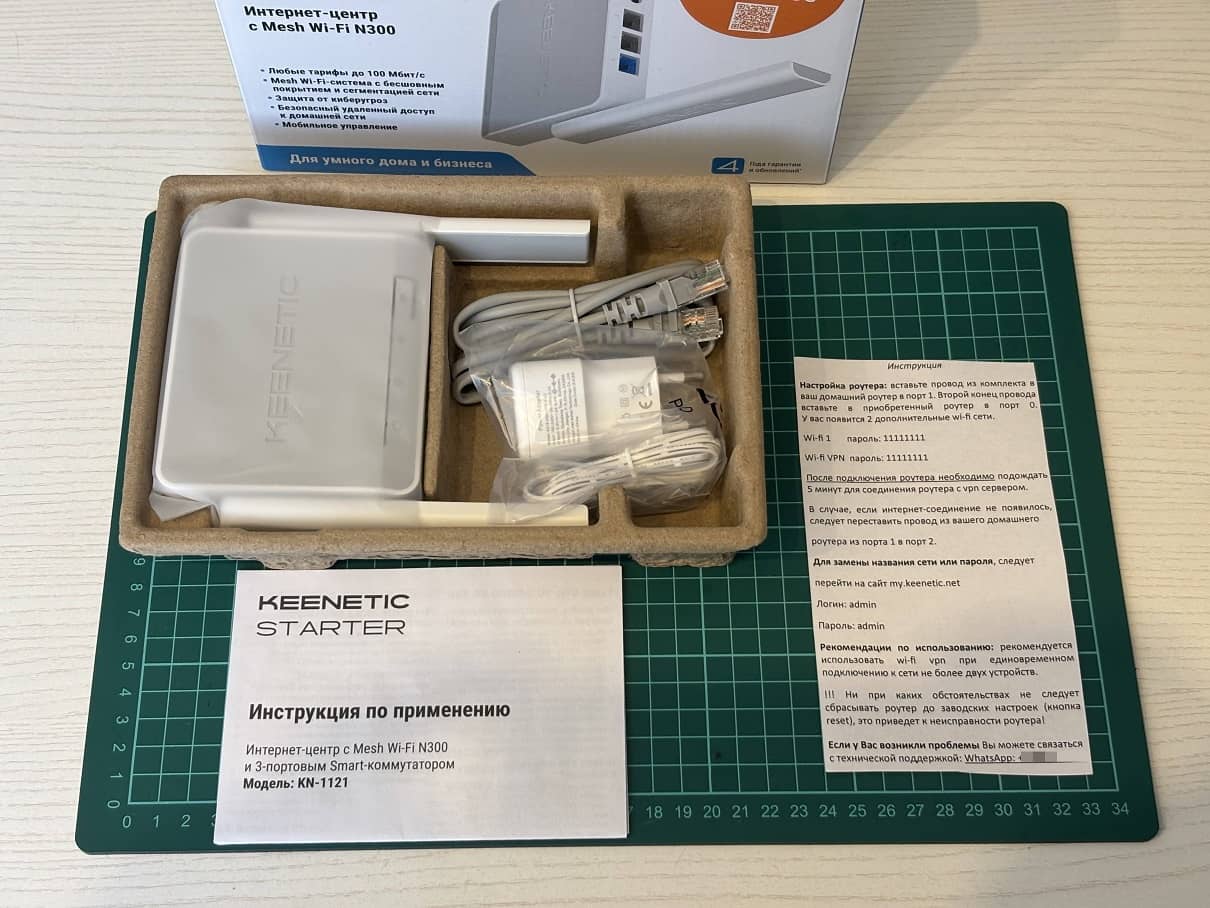
Next in line was the Keenetic KN-1121. Again, I was greeted by an open box with crookedly cut instructions, simple default passwords and a request not to use Wi-Fi with more than two connected devices.
A quick inspection showed that the router was fine and running the standard December 2024 firmware for Kinetics, but this time I got a non-working VPN. Ping on 8.8.8.8 failed – 0 packets out of 27 sent.
Judging by the control panel, the seller was using OpenVPN. All the permissions required for connection were set in the settings out of the box.
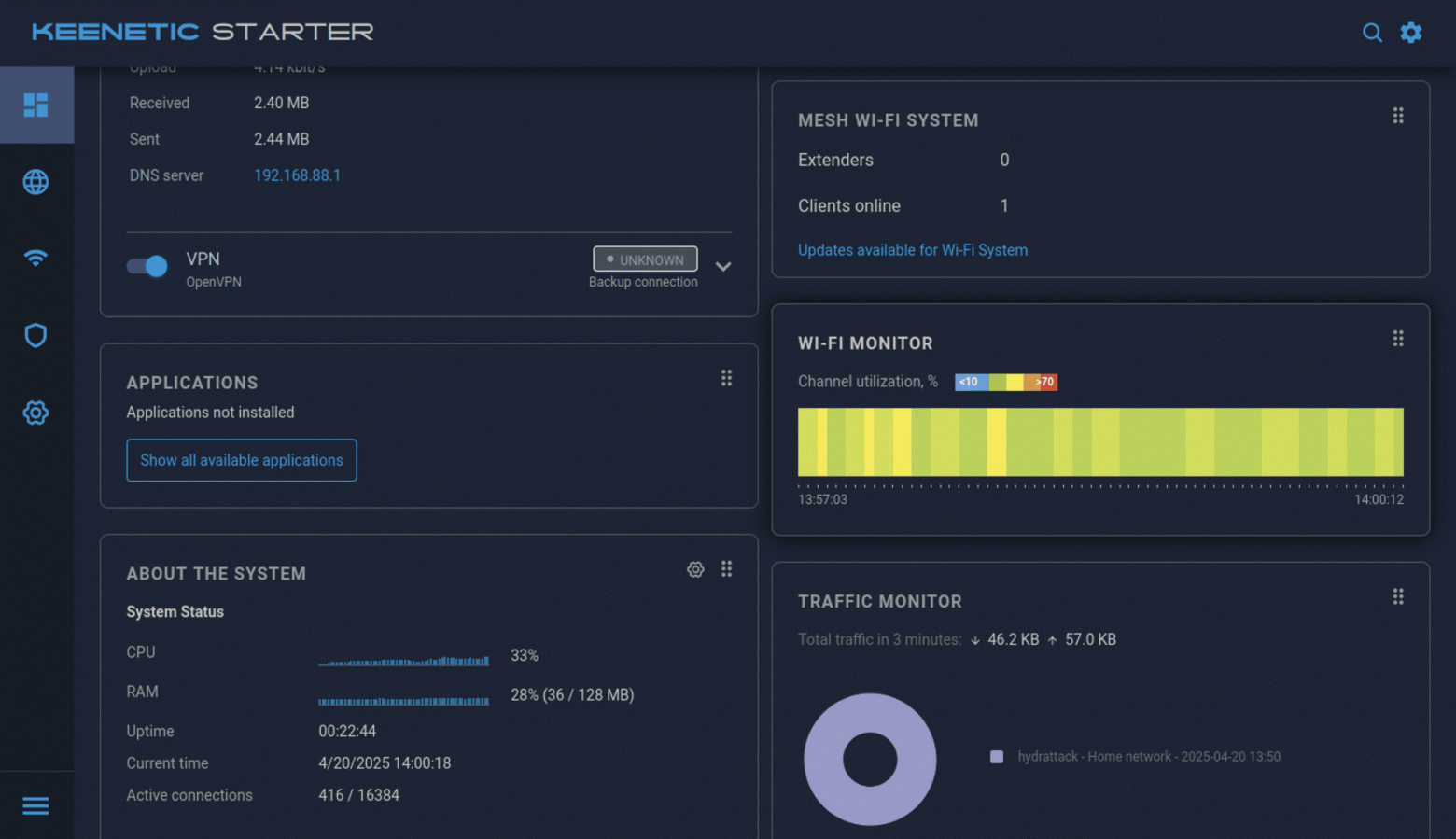
In the Other Connections subsection, I found a configuration file, and in it the IP address and port where the router is knocking.
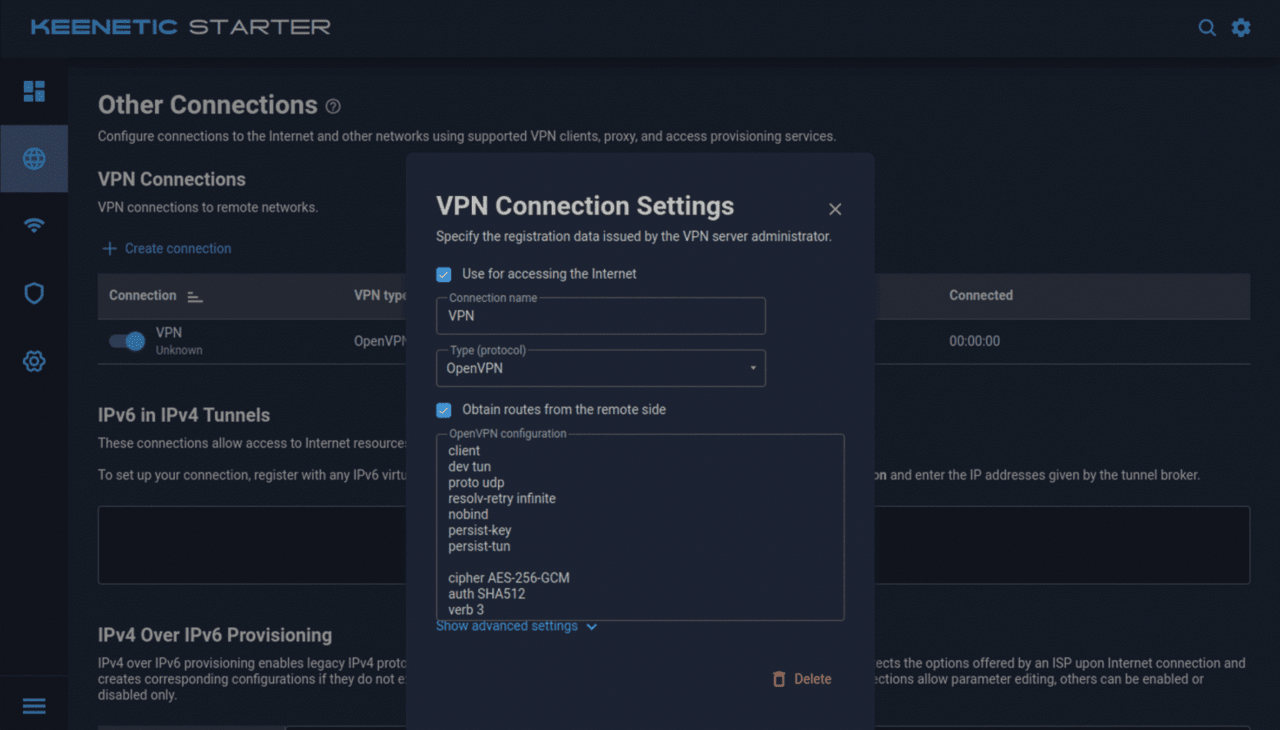
It turned out that this IP belongs to another small hosting company, which is known mainly for cheap promotional rates for VPS in Amsterdam. In the router’s system files section, you can upload firmware, startup-config and other useful files without fussing with chips.
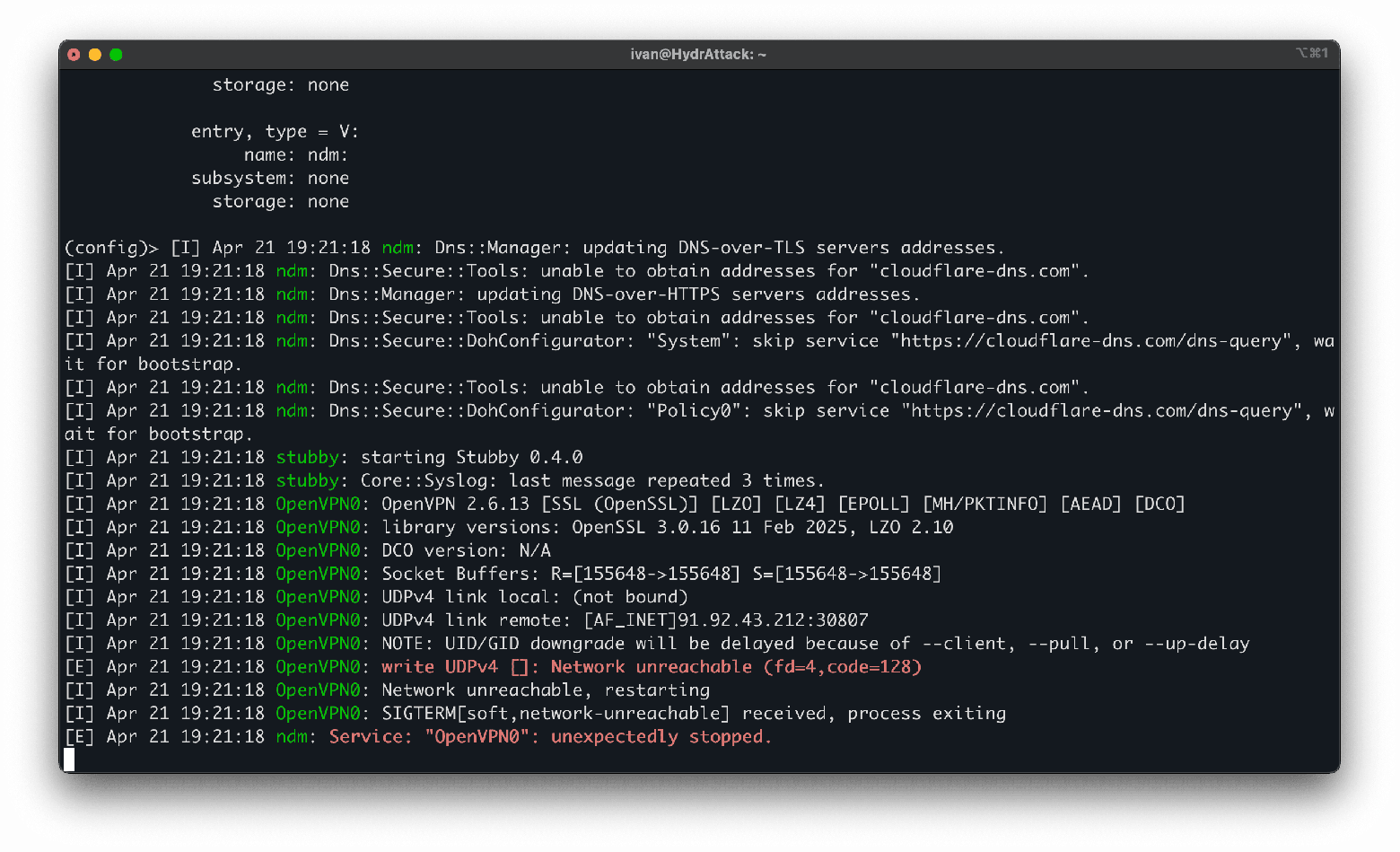
Judging by the logs, the server the router is accessing has been disconnected, or my key has been removed from the database.
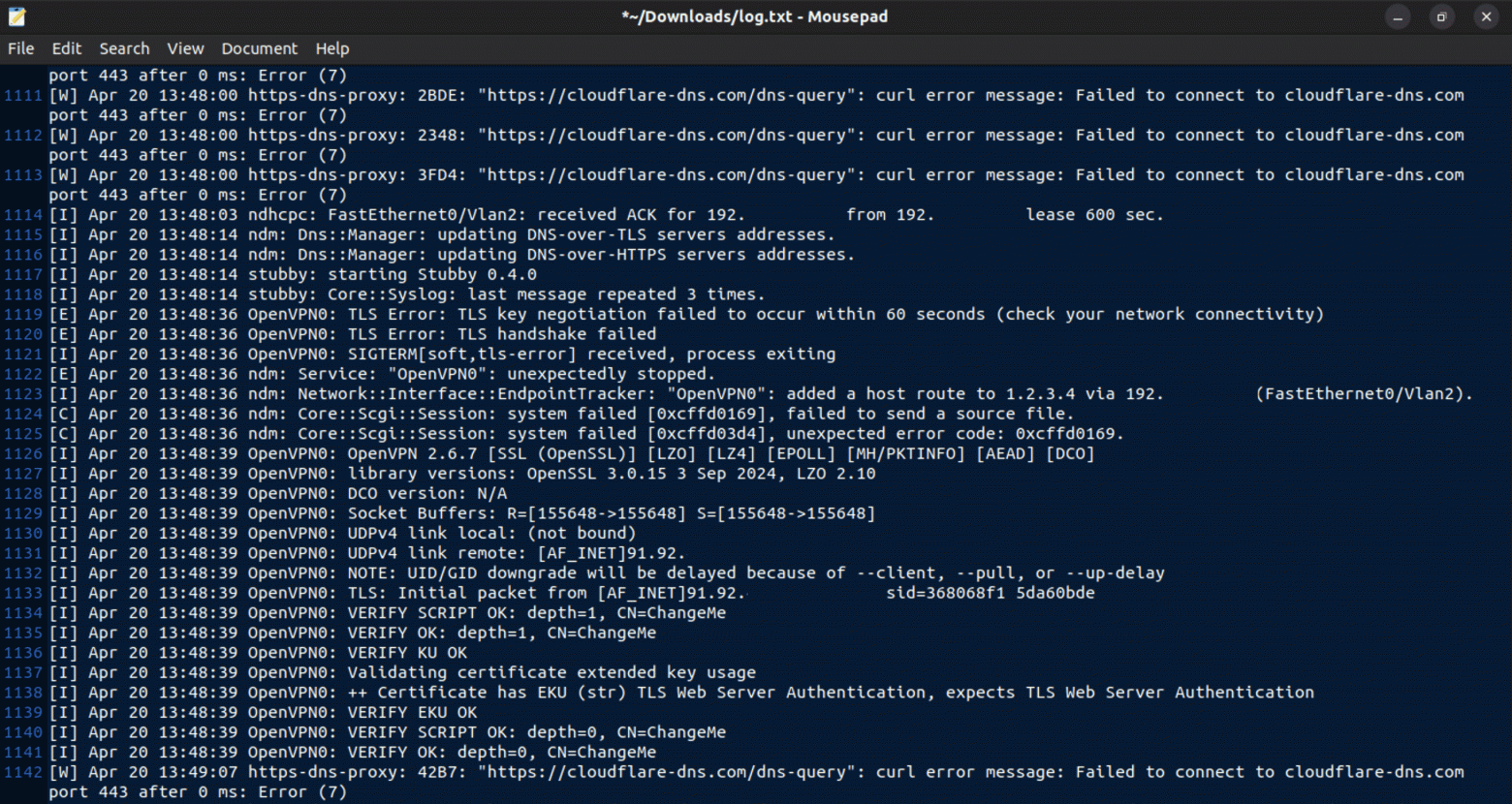
I contacted the support service, whose phone number was listed in the instructions. The answering machine bot asked which marketplace I bought the router from and asked me to wait for a specialist, but I didn’t sit idly by. Cudy.
In the process of scanning this router, I found five open ports: 23, 53, 80, 443 and 1900. Port 23 is telnet, I tried to connect to it with admin:admin, and it worked. Through telnet and the Tab button, I displayed the entire list of available commands.
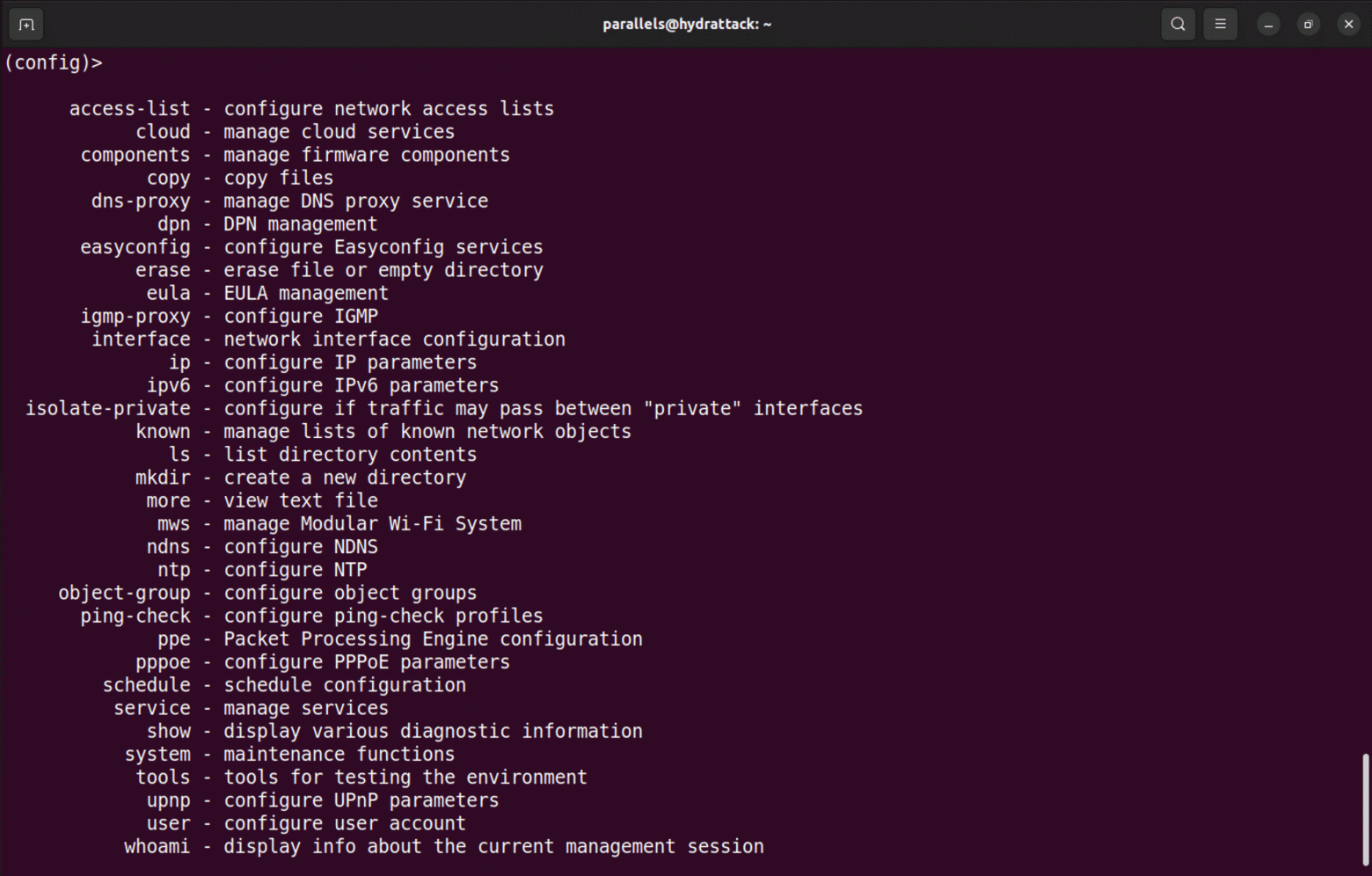
Without wasting any time, I used ls, which allows you to see all the files in this directory. Running-config caught my eye, where I also found the encrypted login and password admin:admin, Wi-Fi keys with the seed, and system settings.
At this point, the support service finally responded. They sent me instructions on how to provide remote access to the router.
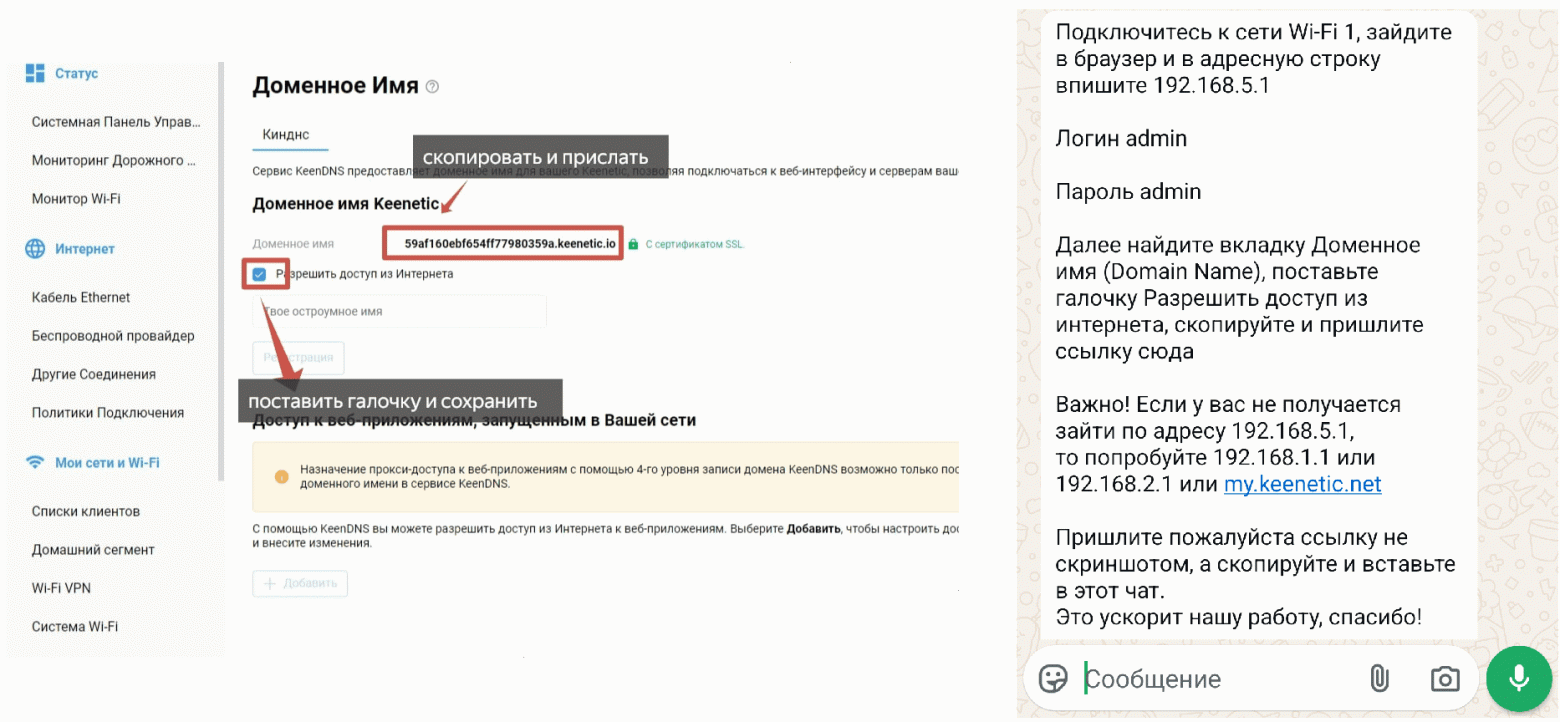
Here I noticed a small detail: the option to allow access from the Internet was enabled by default. It turns out that the seller of these devices has 24/7 access to them, at least if you don’t guess to uncheck this box.
In principle, nothing unusual. Many telecommunications operators do this, but it creates risks. Even federal-level companies have unpleasant incidents with unauthorized access to subscriber devices.
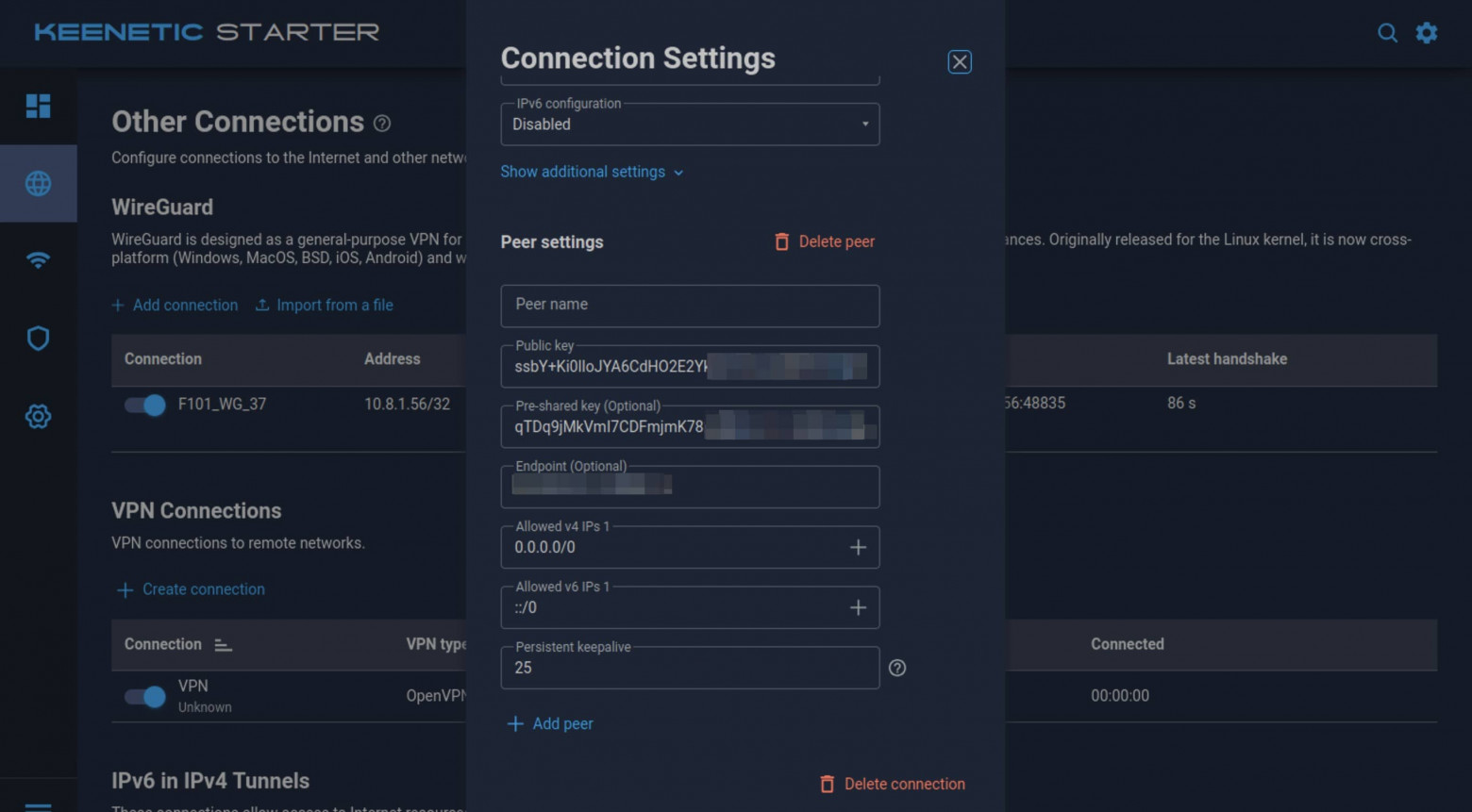
Once the support team had completed the remote setup, I went back to Other Connections and saw a freshly installed WireGuard client and the corresponding configuration file. As in the first case, I immediately scanned this private network and found 33 more hosts there — a kind of friendly community of happy owners of leaky routers.
In the open ports, I saw the same 23, 80, and 443. Deja vu: using port 80, you can connect to one of the IP subnets, enter the system login and password from a piece of paper, and gain remote access to another customer’s device.
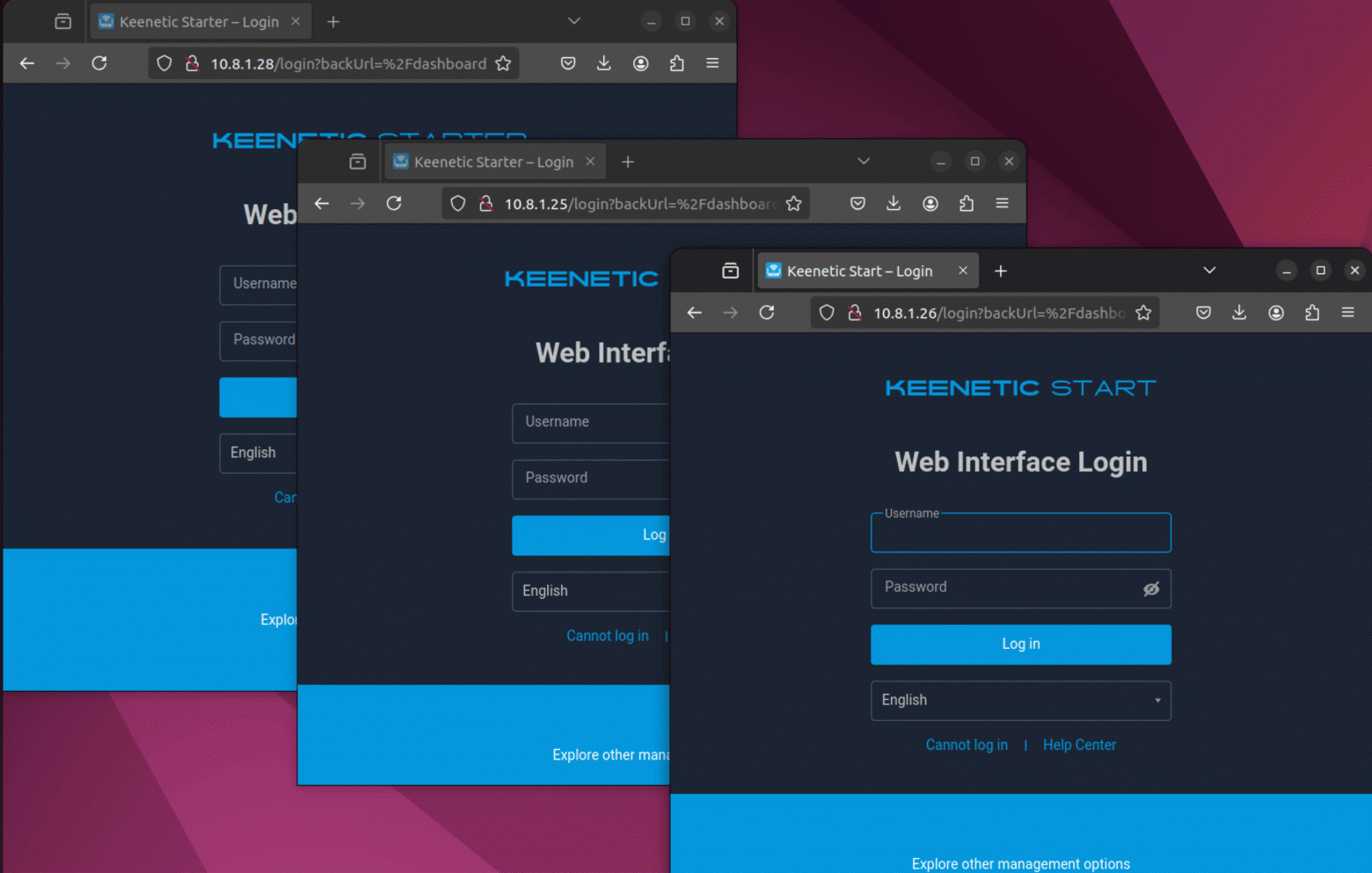
You could also try to investigate the central proxy server. Scanning it with nmap, I found ports 22 and 443. I tried connecting to 443 (HTTPS), but there were problems with the certificate: the port was open, but the service was not actually running.
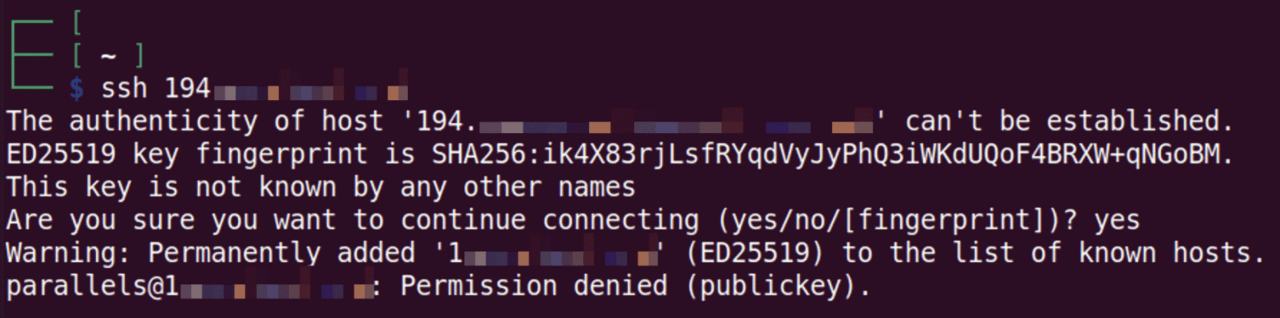
However, port 22 (SSH) was available. When I tried to connect to the root user via SSH, it turned out that SSH was not configured for key authentication, but rather uses password authentication. This means that anyone could brute force the password and try to guess it using a dictionary.
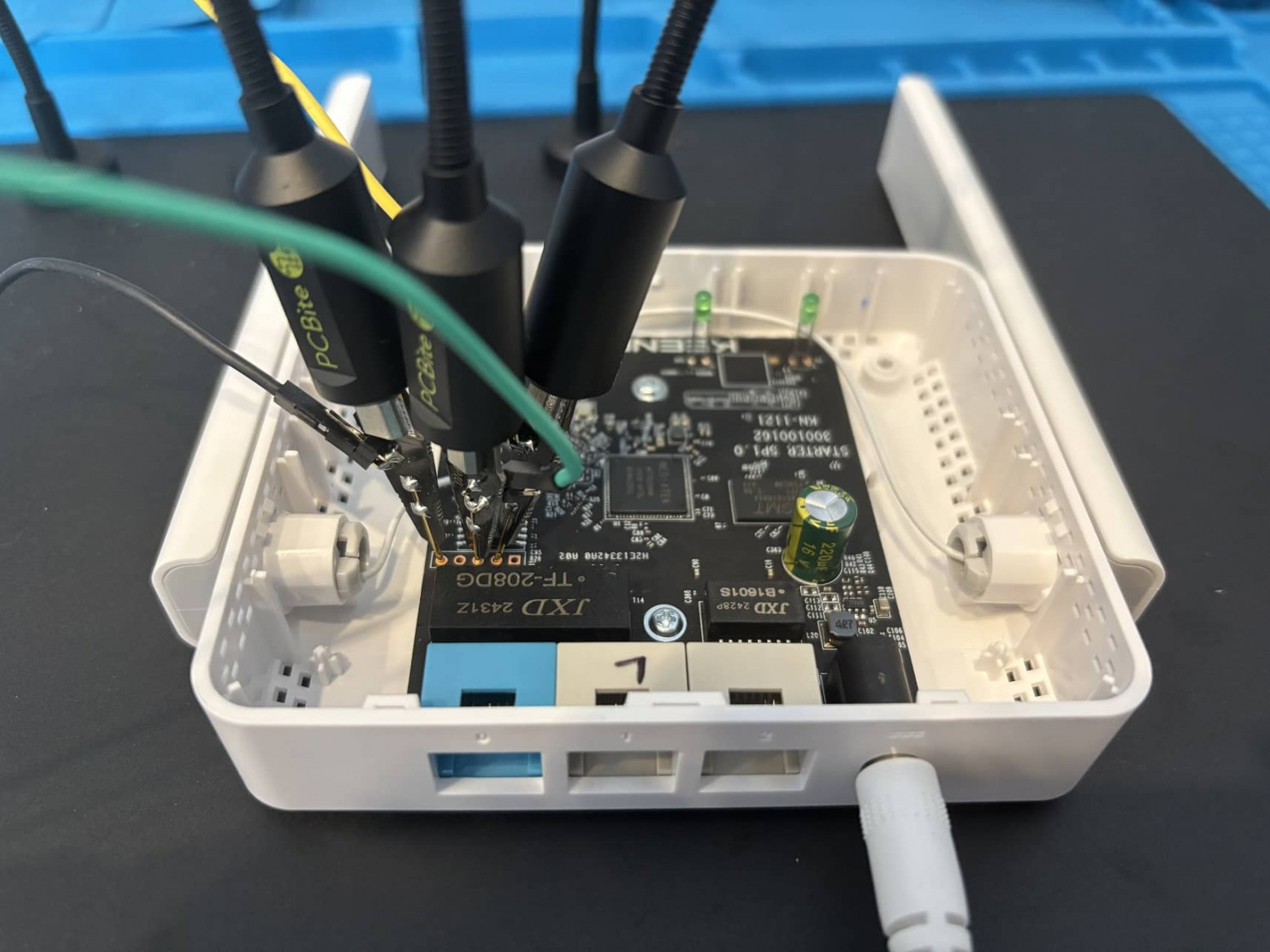
In conclusion, the situation with Keenetic is generally similar to Cudy: an unsegmented network, low protection against hacking, plus 24/7 access to the device from the seller and a poorly protected central server.
At this point, I didn’t really hope that the third router would be more secure. But hope dies last, and curiosity never does.
The third router – the most expensive of the tested – boasts color instructions in the kit and surpasses its predecessors in terms of characteristics.
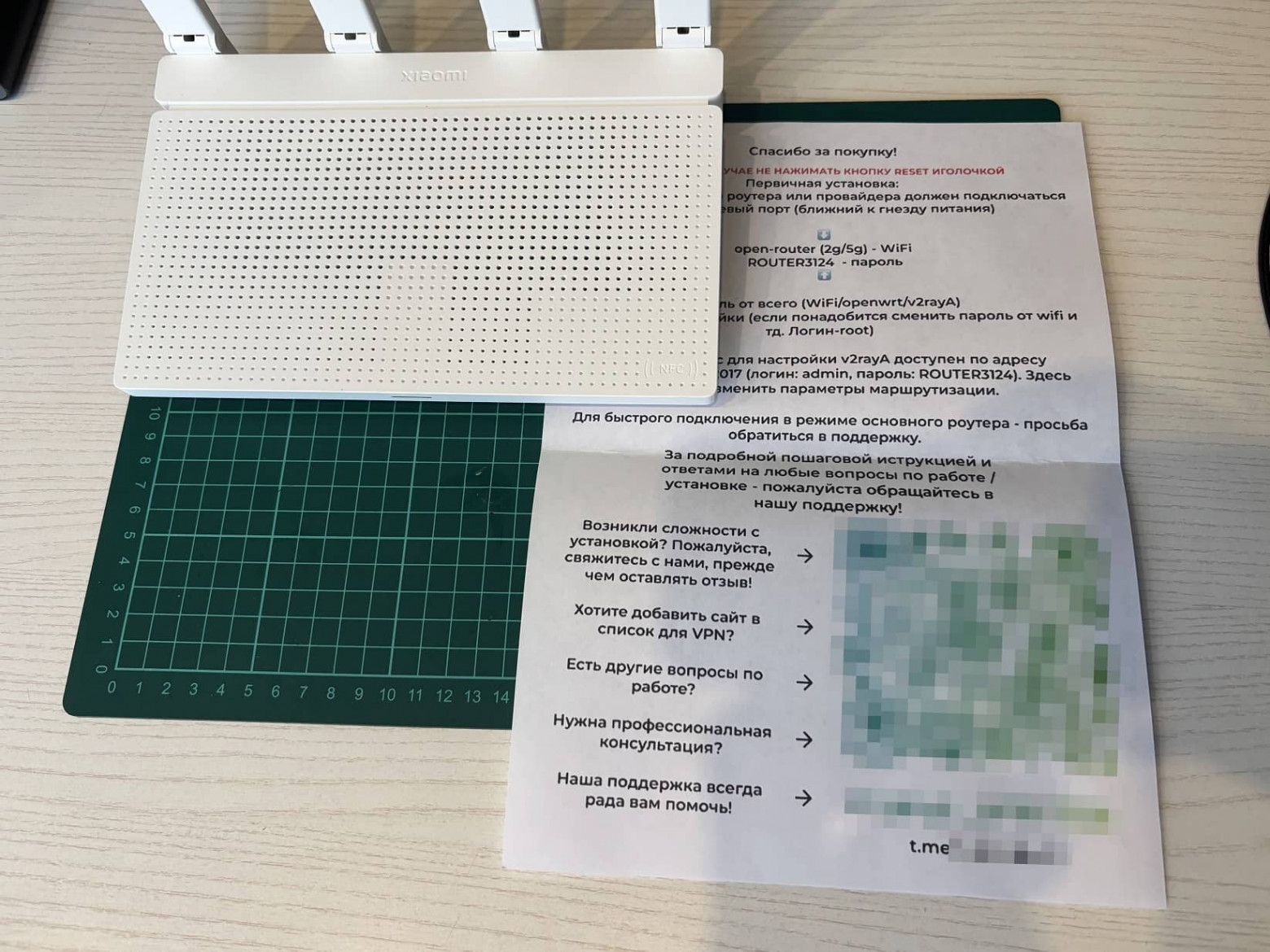
The default password here is a little more complicated than the previous ones, but the connection procedure is practically the same.
The router started on the first attempt, and I immediately went to the admin panel. Xiaomi AX3000T has its own proprietary firmware, but I was greeted by the OpenWrt interface. The seller could use the RCE vulnerability to hack the router and install alternative software. Nothing criminal, but no one guarantees the authenticity of the image – backdoors could be built into this OpenWrt image.
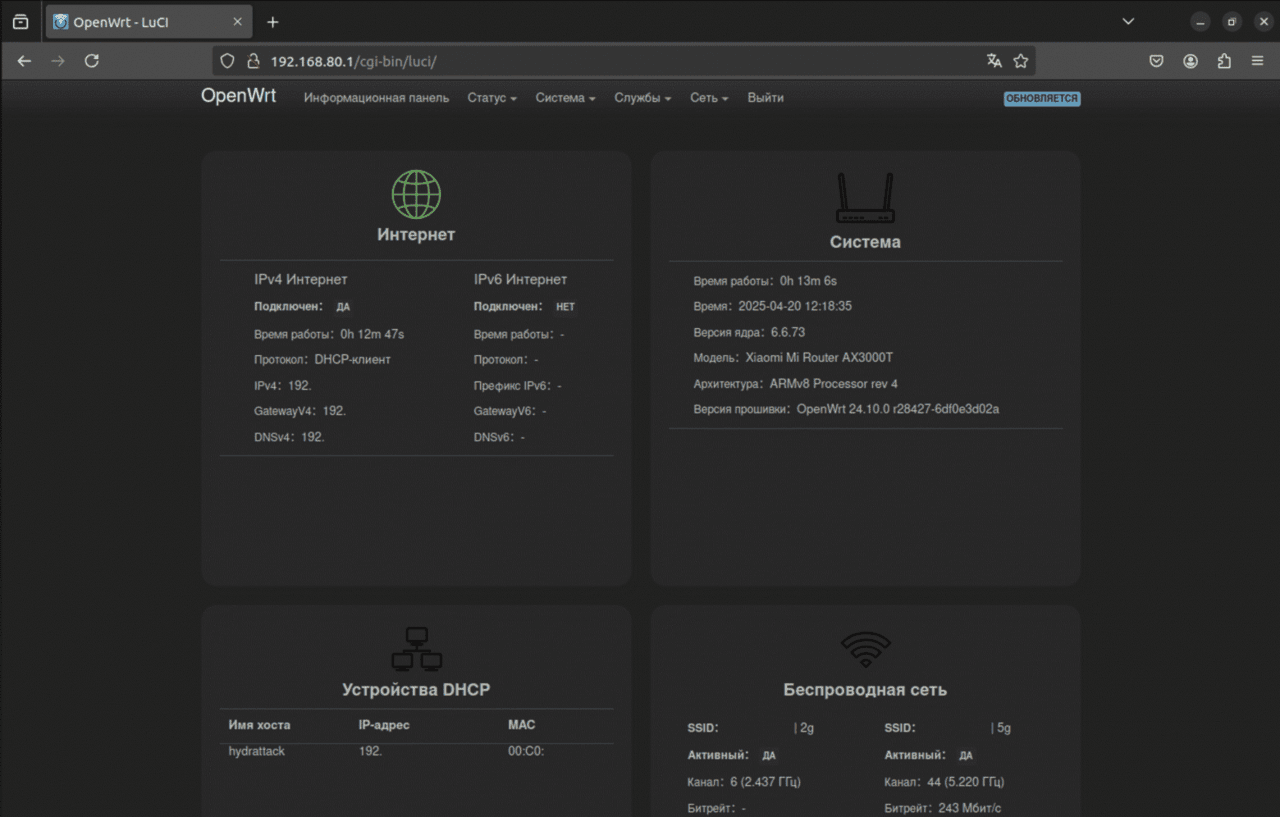
After going through the settings and logs, I found active SSH access. It turns out that the seller has access to the device by default, without the buyer’s knowledge.
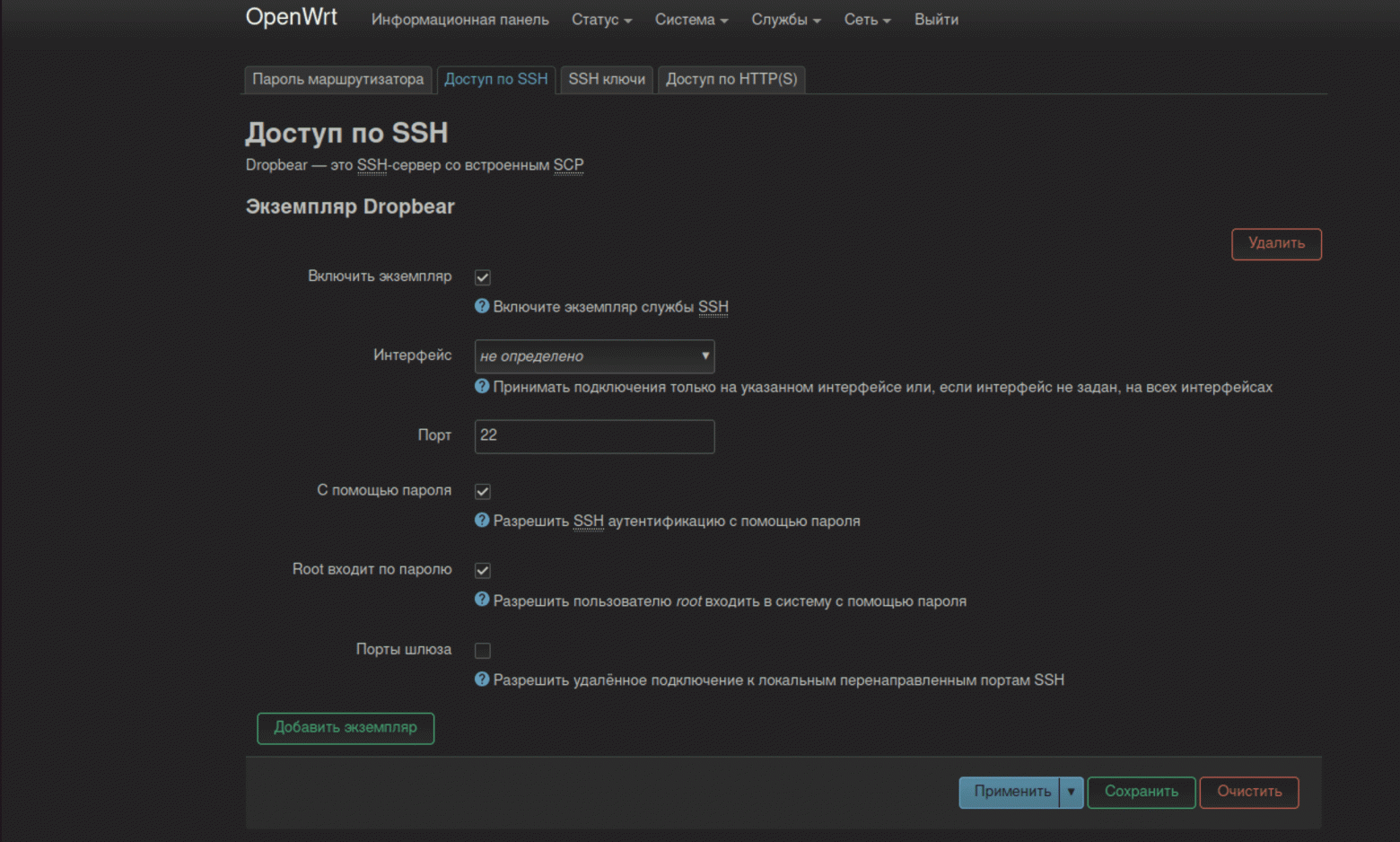
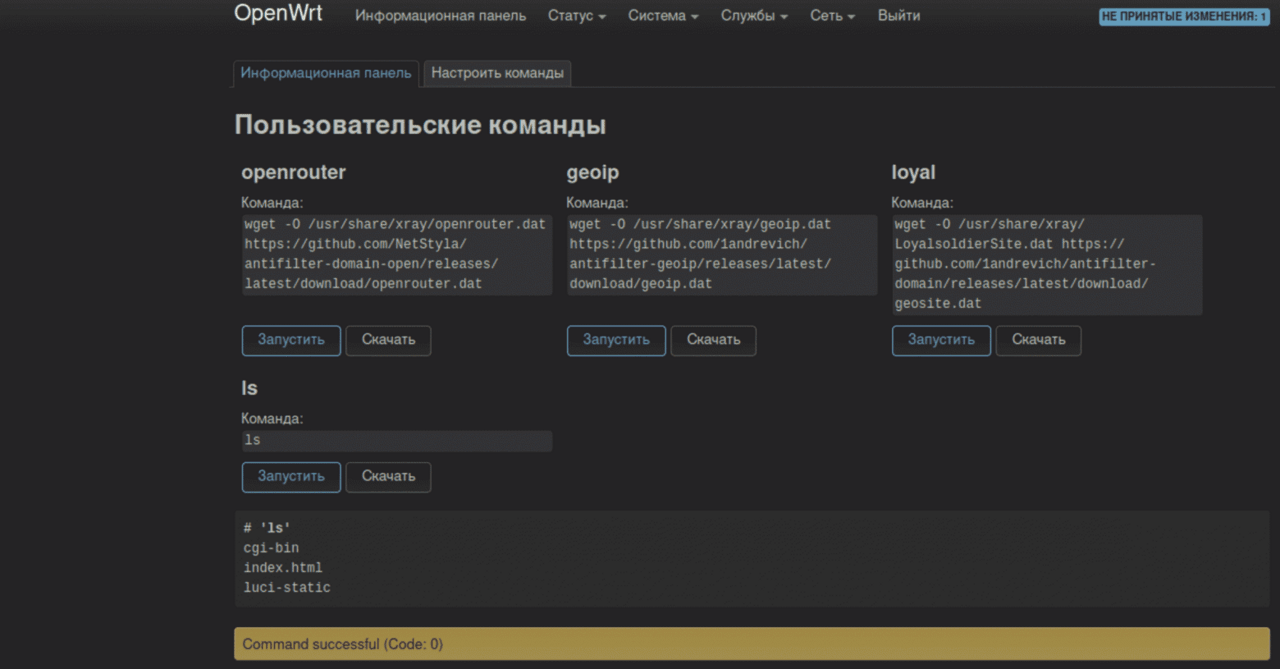
OpenWrt, by the way, allows you to execute commands directly on the router. I created the ls command and ran it — it works. You can implement any other commands in a similar way: scan the network, set up a tunnel to the internal infrastructure, etc. Add to this SSH access – you get a great entry point for an attacker.
To redirect traffic, a V2rayA server is installed on the router. Having found out the IP address of the final server, I ended up on a larger hoster with a legal address in Dubai. Solid! This is no longer a basement in the Moscow region. The entire range of IP addresses received was related to Amsterdam.
The server settings use the VLESS protocol. This is not a VPN in the classical sense, but an L4 proxy that works over TCP or UDP and is often encapsulated in a transport such as WebSocket or gRPC with TLS. similar routers, as in previous cases.
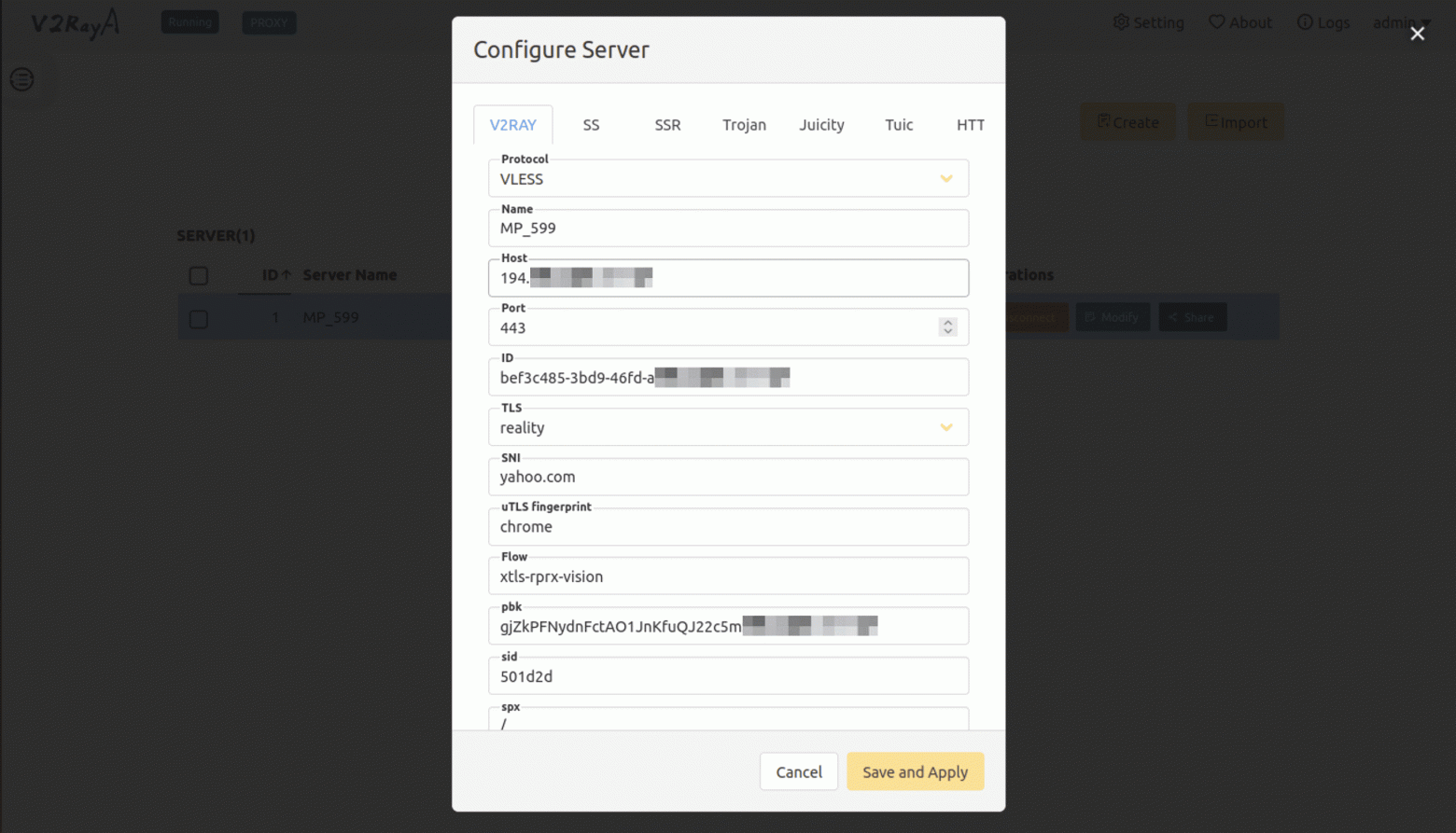
Further scanning of the server revealed a whole bunch of open ports. In most cases, when trying to connect, it responded that the resource did not exist. But port 443 shows Yahoo. This is a feature of the VLESS protocol, which makes the connection resistant to external interference.
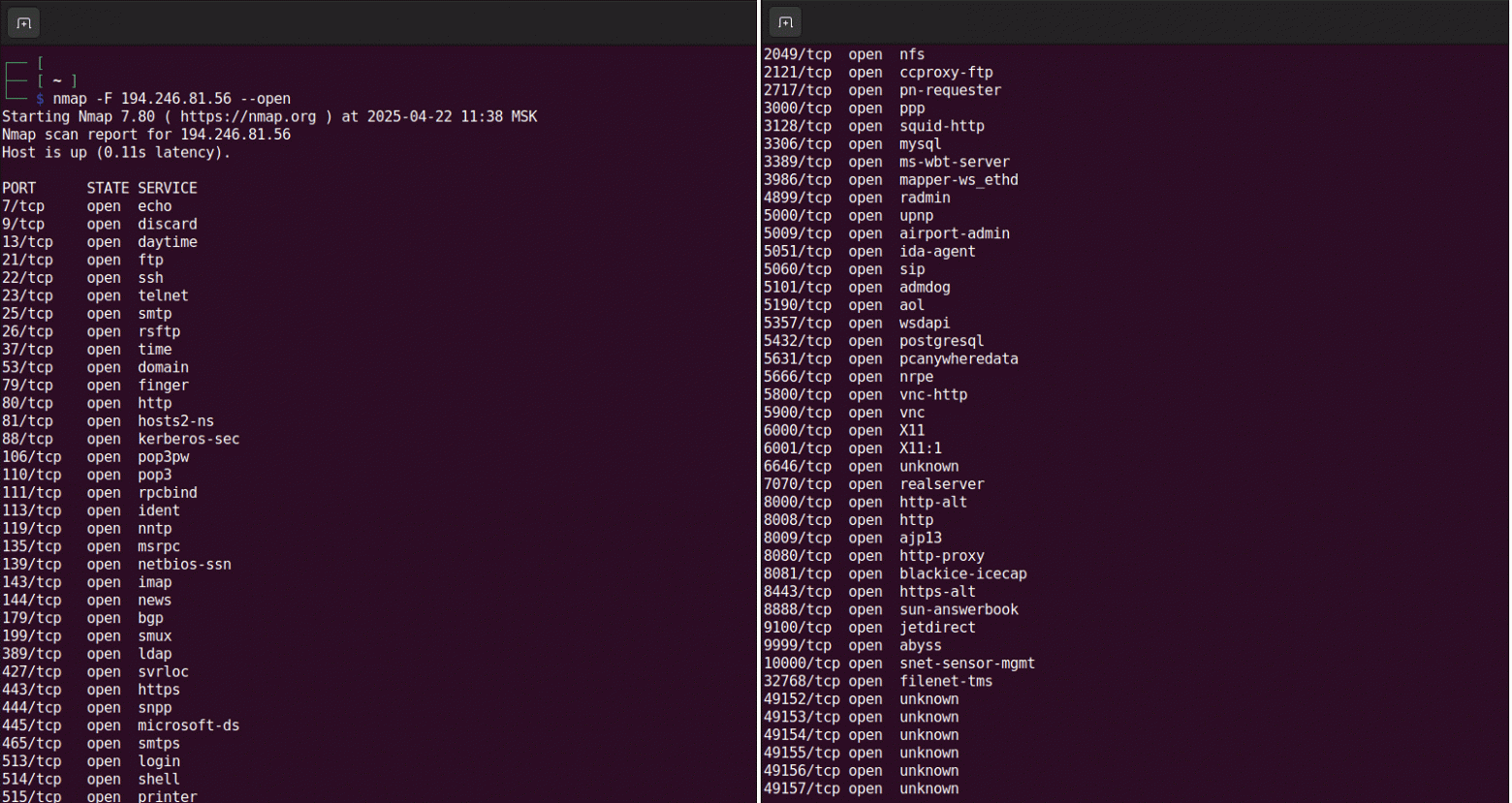
Access to port 22 is blocked. The proxy server requires an access key, so it definitely won’t be possible to brute force the password, as is the case with Keenetic.
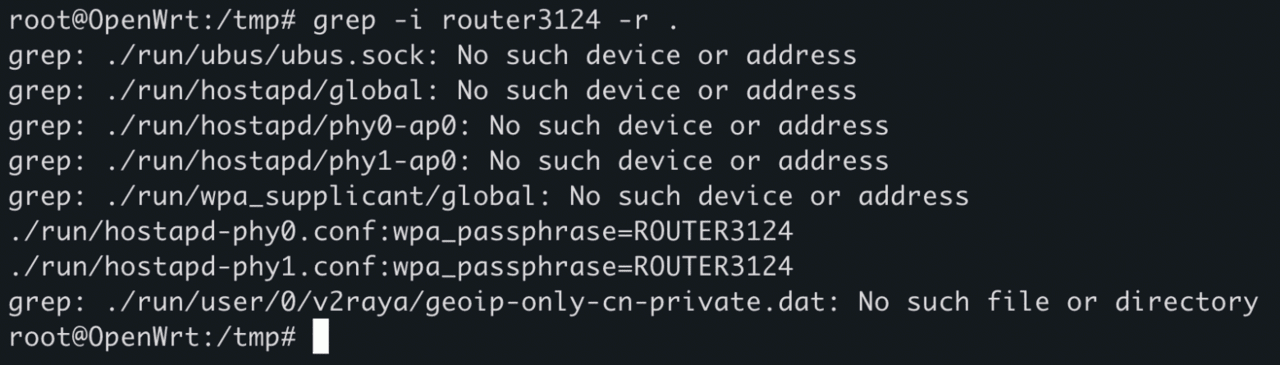
Opening the router confirmed that it had administrative privileges by default. For an inexperienced user, this is a significant security risk. Worse still, the password is stored in the files in an unencrypted form.
Thus, at first glance, things are better with the Xiaomi router than with the previous ones – largely due to the choice of a more complex and secure data transfer protocol. But using such a device without a full flashing and configuration remains a high risk.
Firstly, active SSH gives the seller constant access to the device and the local network. Secondly, proxying through someone else’s server also does not inspire trust – who knows what is being logged and where it is going. Thirdly, this is a router that has been hacked by unknown people – malicious code could be hidden deeper than can be checked during basic analysis. As a result, for your money you get another source of concern for your own cybersecurity.
After reviewing three VPN-enabled routers, we can conclude that behind the good promises lie serious security issues. None of the devices can be recommended for use as they are sold.
Cudy WR300 was vulnerable. Unsegmented WireGuard network allows access to dozens of other routers via admin:admin passwords.
Keenetic KN-1121 showed similar problems plus the seller’s constant access to the device via the Internet.
Xiaomi AX3000T looks more solid, but active SSH, unencrypted passwords and custom firmware of unknown origin make it no less risky.
In all cases, the end user has neither access to the server settings, nor the ability to change its configuration, nor the certainty that traffic is not being mirrored.
To keep the price low and reach the mass market, vendors are forced to save on critical elements — in particular, on server infrastructure and cybersecurity measures. Instead of dedicated tunnels, shared VPN networks are used, where all devices connect to a single environment without isolation. Servers are rented on low-budget platforms, and the routers themselves are open for remote management by default — most often for the sake of “simplifying support.” All this is not just a flaw — the vulnerability of such solutions is a direct consequence of their sales model.
If you already have the device, the situation is not hopeless. First of all, you should realize that not only speed is at risk, but also your digital security. To reduce the risks, you need to:
Change default credentials immediately;
Disable remote access and SSH if active;
Move the router to a separate VLAN or guest network to isolate it from the main devices in the home.
However, the most reliable solution is to completely abandon the use of such devices. A reliable VPN cannot be “for life” for a symbolic surcharge – this is a signal not of savings, but of a compromise with security.
There are no miracles in the field of information security. If someone offers a secure connection for a penny, you should think about what they are saving on and what benefit they have from you? A secure network requires attention, competent configuration and thoughtful decisions. And it is they, and not marketing promises, that are the basis of digital security at home.