
29.09.2025
9 min
823



Practical steganography opens up new possibilities for those interested in cybersecurity, CTF competitions, and data protection. The PNG format allows you to hide information invisibly: from using an alpha channel to adding hidden bytes after the image. These techniques help transmit secret messages, create digital watermarks, or even protect copyrights. The article explains the basics of the PNG structure and shows how steganography can be used to hide data in an image so that an ordinary user will not notice anything.
At CTF (Capture The Flag) competitions, participants quite often encounter steganography tasks. The gist is simple: the organizers provide a picture, and somewhere in it there is a message hidden that needs to be found. The most basic technique is to hide the text in one of the color channels of the image or in the alpha channel (which corresponds to transparency). To detect such “bookmarks”, there are utilities such as stegsolve, pngcheck і stegdetect And sometimes the participant has to manually play with filters in GIMP or Photoshop to see something.
But technologies do not stand still. Today, other, more sophisticated methods are increasingly used, in particular PNG filling. This is another level of concealment, which is more difficult to notice with classic tools.
So it’s worth starting with a brief theoretical overview of the “invisible” areas in the structure of PNG files — that’s where interesting possibilities for hiding data lie.
On a computer monitor, an image is formed by combining three primary colors—red, green, and blue. Each of them is displayed in its own separate layer, called a channel. Together, they form the RGB model.
In the PNG format, another, fourth channel is often added—the alpha channel (A), which is responsible for the level of transparency. Together, this structure looks like RGBA, where the three channels define the color, and alpha specifies how much of that color will be visible.
In most graphics standards, the alpha channel has a scale of values from 0 to 100% (or from 0 to 255 in byte representation). If the transparency is 0%, the pixel becomes completely transparent, and its RGB components are ignored—only the background is visible instead. If the value is 100%, the pixel is completely opaque, and its RGB color is displayed unchanged. Intermediate values indicate varying degrees of translucency, where the color blends with the background in a certain proportion.
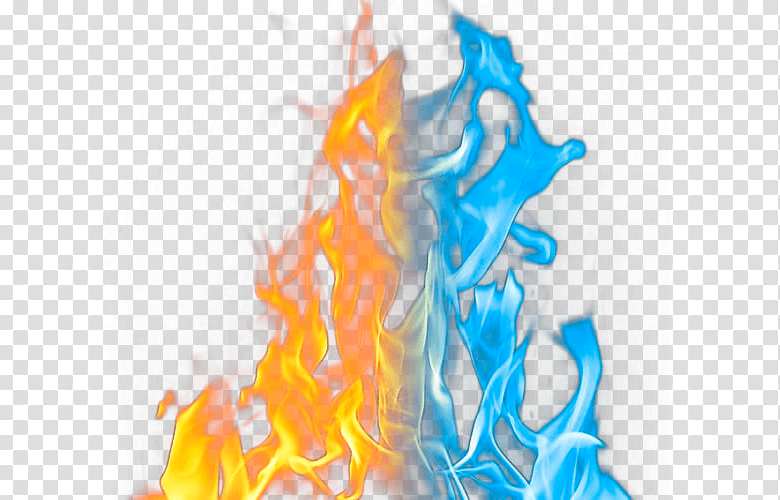
Alpha gradient values are commonly used to overlay an image on another image or web page. Alpha gradients are available in PNG, WebP, ICO, ICN, and other bitmap formats. The GIF format only supports a boolean value (a pixel is either transparent or not).
The alpha channel is just one option for placing hidden text. Let’s move on to PNG padding for writing data directly to a binary file.
The PNG format is quite logical and structured. Each file opens with eight bytes of the standard signature. In decimal representation it is: 137 80 78 71 13 10 26 10. The first byte (137) is specially taken outside the ASCII range so that the editor does not confuse the file with text. The next three values correspond to the PNG letters, followed by service characters: DOS line break (13 10), DOS end-of-file marker (26) so that the type utility does not display binary “garbage” data, and Unix newline.
Next, the blocks (chunks) with a standard structure begin. The first is IHDR, which stores key characteristics: image width and height (4 bytes each), color space, color depth (bits per pixel), compression method, filtering, and presence/absence of interlacing (1 byte each).
Next may be tEXt — a block for metadata, where, for example, the name of the program that created the PNG is written in plain text. Next are the IDAT blocks containing compressed data of color channels (RGB or RGBA). When playing, IHDR is first processed, a buffer is allocated, and pixels are unpacked and written there. The file is completed by the IEND block.
At the end of each block is a CRC checksum, which is calculated using a standard algorithm for checking integrity.
In a typical PNG, channels have 8 or 16 bits per color, that is, each pixel takes up from 3 to 8 bytes. In this case, all bytes are used for useful information, and there is no room for “extra” data at the end of the lines.
But there is a nuance: the format allows a lower color depth — 1, 2 or 4 bits. Here, one byte encodes several pixels, and if the width of the picture is not a multiple of 8, unused bits remain at the end of the line. They accumulate in the form of an “invisible column” where extraneous data can be hidden. For example:
with a 1-bit image, up to 7 free bits remain per line,
with 2-bit – up to 3 bits.
Online services like FotoForensics are able to detect such “empty columns”. However, in practice, PNGs with low color depth are very rare, so this method is rather exotic. The very appearance of a 2-, 4- or 16-color PNG can arouse suspicion and force you to check it for hidden inclusions.
Much more interesting is another – PNG filling outside the main image. This is a simpler and at the same time much more capacious method of steganography, which allows you to hide much more information in the image than using free bits.
Post-pixel padding is often used in various games, puzzles, and contests, not just hacking. Here’s how it works:
1. Take a PNG image (with any color depth).

2. Insert the secret information into the bottom part of the picture.

3. Save the PNG without using superscript encoding.
4. Open the file in a hex editor.
5. Find the IHDR block. It is located at the beginning of the file after the eight required signature bytes and is marked as IHDR.

6. The first four bytes after the IHDR tag are the file width, the next four bytes are the height. We reduce this value from 00 00 01 9D (413 pixels), for example to 00 00 01 7E (382 pixels).

7. Don’t forget to count the four CRC bytes (PNG calculates the CRC value for each data block, including IHDR), which are written at the end of the block. If you can’t calculate the CRC yourself, look at this value in any PNG file with similar IHDR block values.
We get the result.

Note: the hidden data is placed at the bottom of the image. The total file size remains the same — 335,906 bytes. The standard parser simply ignores these pixels — so the bottom part of the image is not displayed on the screen.
It is easy to imagine that in this “hidden” zone you can store not only text, but also any files. For example, you can stuff an encrypted RAR archive there. Such a picture with a secret can be published on Habrastorage or any other public hosting — and only someone who knows how to get the data and has the password will be able to read the message. This is the method that malicious programs sometimes transmit their payload through publicly available services.
PNG provides a wide scope for steganography — from simple hiding in RGBA channels to more sophisticated techniques, such as PNG filling outside the visible part of the image. Although basic methods (LSB in channels, alpha layers) are easy to check with conventional tools, filling outside the image and changing IHDR is a level that requires attention to the binary structure of the file and working with a hex editor.