
15.09.2025
2 min
721



iPhone users have discovered that Apple Intelligence can take up a surprisingly large amount of local storage on iOS 27, even when they do not use the feature or do not yet have access to it at all. There is no obvious way to reclaim that space, so frustrated iPhone owners are turning to Reddit in search of workarounds that can at least partially help.
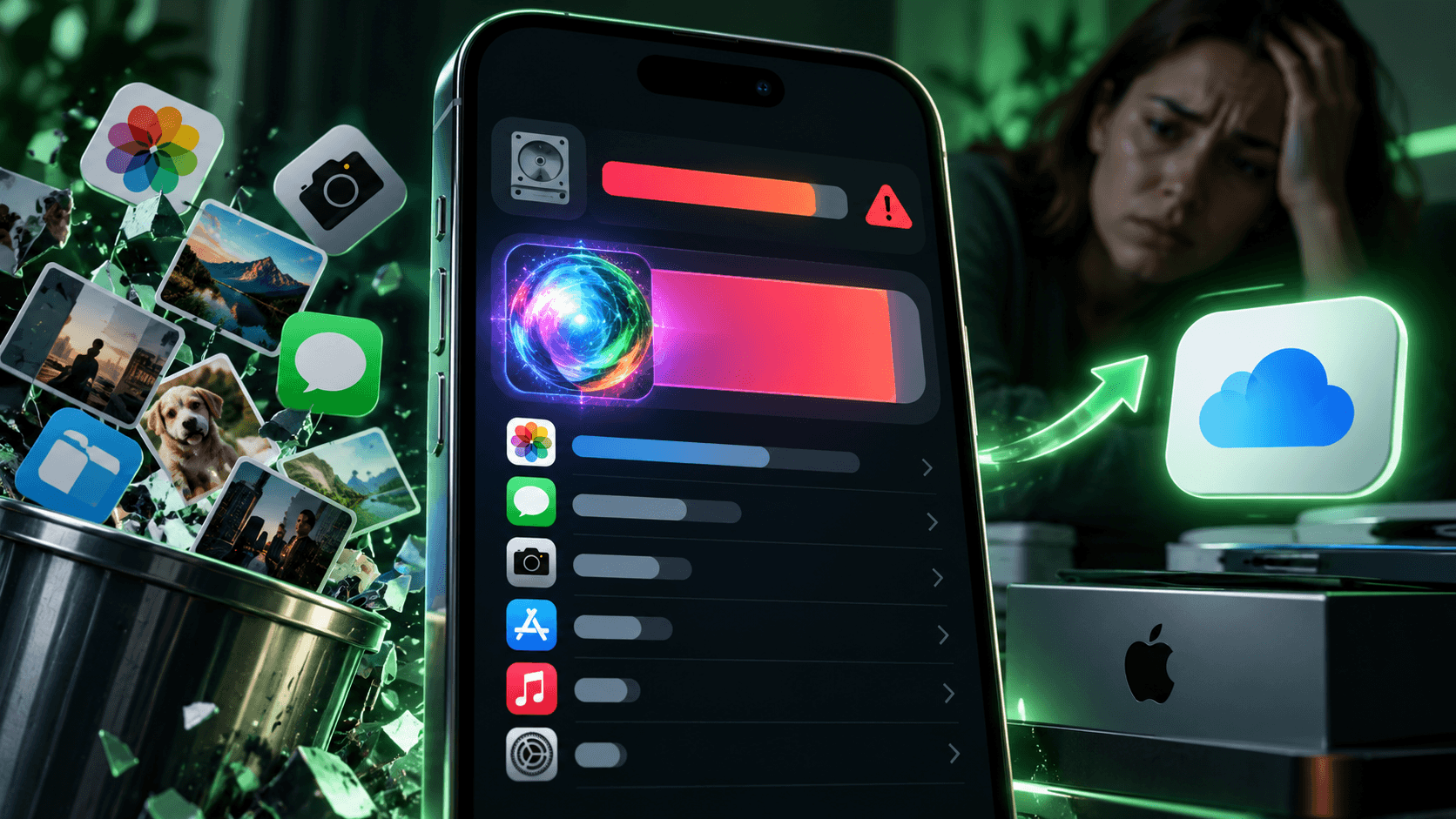
For one user, Apple Intelligence takes up 16 GB of storage, while another reports 15.3 GB. Others say it uses 9 or 13 GB. More and more Reddit posts are appearing from users trying to figure out how to reclaim the storage space taken up by Apple Intelligence on iOS 27. That space cannot be used for photos, apps, or other data, and for many iPhone owners it appears to be more valuable than the AI features themselves.
“Before updating to iOS 27, I had 25 GB of free space. Now I have 5.6 GB. There’s nothing else I can delete from my phone. Apple, what are you doing?” one of the many Reddit users wrote.
Apple Intelligence can take up a substantial amount of storage even when the feature is turned off or unavailable, such as in the European Union.
“I’m in the EU, Siri’s AI features aren’t available here, but they still take up 15.3 GB,” another user wrote.
At the same time, Apple is frustrating some users even further with persistent prompts encouraging them to activate additional iCloud storage or other company services.
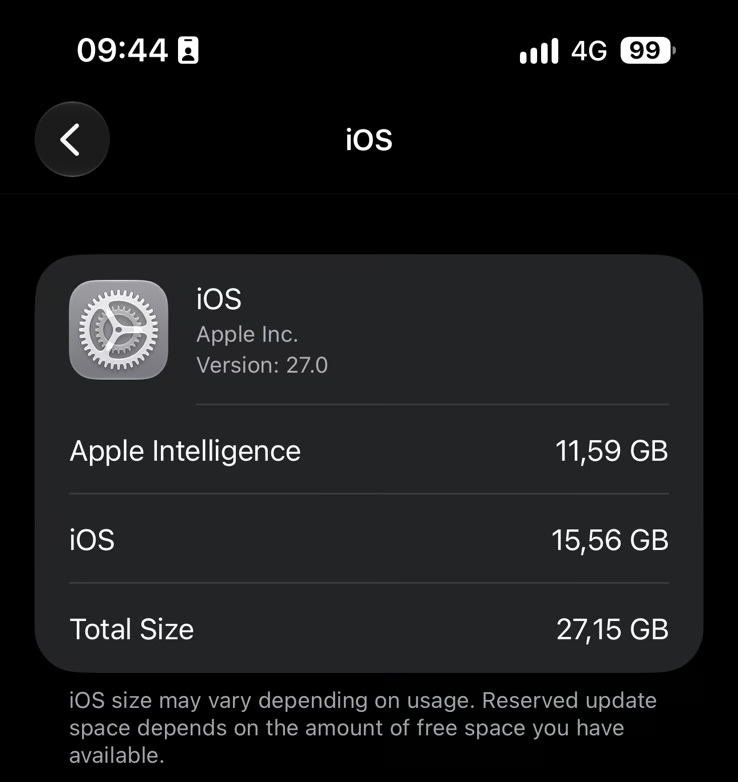
During testing on an iPhone 15 Pro Max where Siri and Apple Intelligence had always been disabled, the system still showed 11.59 GB of storage being used by Apple Intelligence. At the same time, iOS itself occupied more than 10% of the total storage on the 256 GB model.
“Imagine an iPhone 16 with 128 GB of storage, 32% of which is reserved for the operating system, artificial intelligence, and automatic update storage,” one Reddit user wrote after doing the math. “That’s me,” another replied.
Simply turning off Siri or Apple Intelligence does not reclaim the occupied storage space. However, Reddit users have shared several workarounds that appear to help, at least partially.
One of the most common workarounds is switching Siri to a language variant that does not support the new AI features. According to Apple, Siri AI is unavailable in the EU, will not work in China, and is currently available only when both the device language and Siri language are set to English.
Reddit users suggest trying British, Canadian, Irish, or New Zealand English for Siri and/or the device region. According to their reports, this can significantly reduce the amount of storage used by Apple Intelligence. For one user, switching Siri to British English reduced the space occupied by AI features to just 126 MB.
Users are also warned not to change the country or region of their Apple ID account, as doing so may require canceling active subscriptions and spending any remaining Apple Account balance.
Other recommendations include disabling all available AI features across different settings sections, including Privacy & Security, Mail, Messages, Notifications, summaries, and reports.
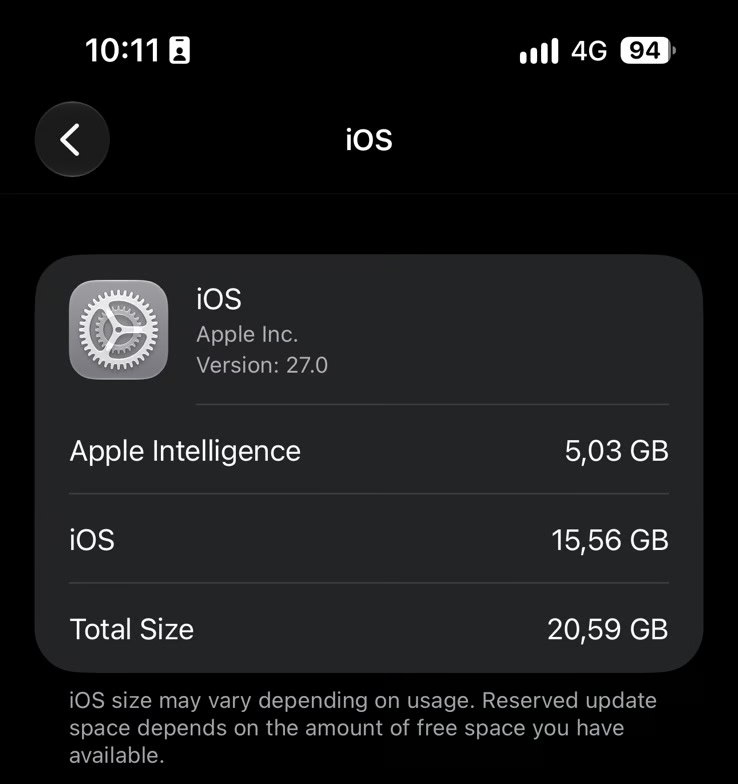
Following this advice, the Siri language was changed to Dutch. The amount of occupied storage did not change immediately, but after restarting the iPhone, it dropped from 11.59 GB to 5.03 GB. The result is still far from ideal, but this method freed up more than half of the space previously used by Apple Intelligence.
The situation is reminiscent of the controversial free U2 album release in 2014, when Apple automatically added it to users’ iTunes libraries. At the time, many customers were unhappy that the album appeared in their accounts and, in some cases, was automatically downloaded without their explicit consent.
At the same time, Apple device owners are complaining about persistent messages in Settings promoting the company’s paid services. In a separate Reddit discussion, users say these “advertising” prompts cannot simply be dismissed without interacting with the suggested action. They can appear both as a badge on the Settings app icon and at the top of the Settings menu itself.
TechRadar reports that Apple is using these prompts to promote several of its products, a practice that is increasingly frustrating iOS users. These include iCloud+ storage, free trials of Apple Music and Apple TV, as well as the AppleCare+ extended warranty service.