
01.05.2026
4 min
427



The Windows 11 April update, KB5083769, caused problems with some backup applications. Users and companies are reporting crashes after installing the patch.

User complaints first reported by Microsoft MVP Susan Bradley indicate that certain third party backup applications do not function properly on computers running Windows 11 24H2 and 25H2 following installation of the Security Update KB5083769 which was issued in April 2026.
These complaints report problems with the use of VSS (Volume Shadow Copy Service) backups. The problem seems to be caused by the fact that when these third party backup programs attempt to create an image using VSS the VSS service times out before completing the task, leading to program crashes or hangs.
VSS was added to the Windows server family with the release of Windows Server 2003. It facilitates communication and cooperation among OS components, line-of-business applications (like SQL Server and Exchange), and backup software to make it easier to back up data.
Other examples of Windows features and applications that utilize VSS include Windows Server Backup, System Center Data Protection Manager, and System Restore.
Examples of affected third party backup programs are many and varied. They include Acronis Cyber Protect Cloud, Macrium Reflect, NinjaOne Backup and UrBackup Server; however this list is by no means exhaustive.
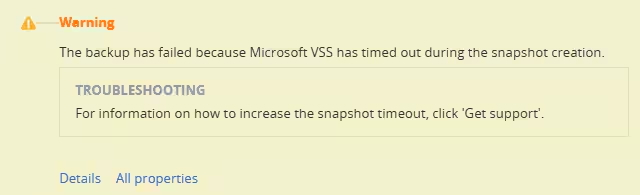
Acronis recently released a documentation page stating that their product will not operate properly following the installation of the Security Update KB5083769. Specifically they stated that the error message seen during the backup process would read: “Backup failed because Microsoft VSS timed out while creating the snapshot”.
“Some customers who install this update may experience system issues that prevent them from accessing Microsoft VSS, and subsequently from backing up their system,” Acronis wrote. “Additionally, in some cases the affected machine’s connection to its cloud console could be lost, making the machine appear disconnected.”
To temporarily circumvent the issue, users should remove the problematic “Security Update for Microsoft Windows (KB5083769)” via Settings > Windows Update > Update history > Related settings > Uninstall Updates. Next, they can disable all future Windows Update activities until further notice and then restart their computer.
Late last month, Microsoft released out-of-band (OOB) patches to correct two issues related to Windows Server systems. These issues were related to reboot loops and failed update installations after the installation of April 2026 security patches.