Microsoft has started testing one of the most anticipated changes in Windows 11. Users will finally be given the ability to resize the Start menu and move the taskbar to different parts of the screen.
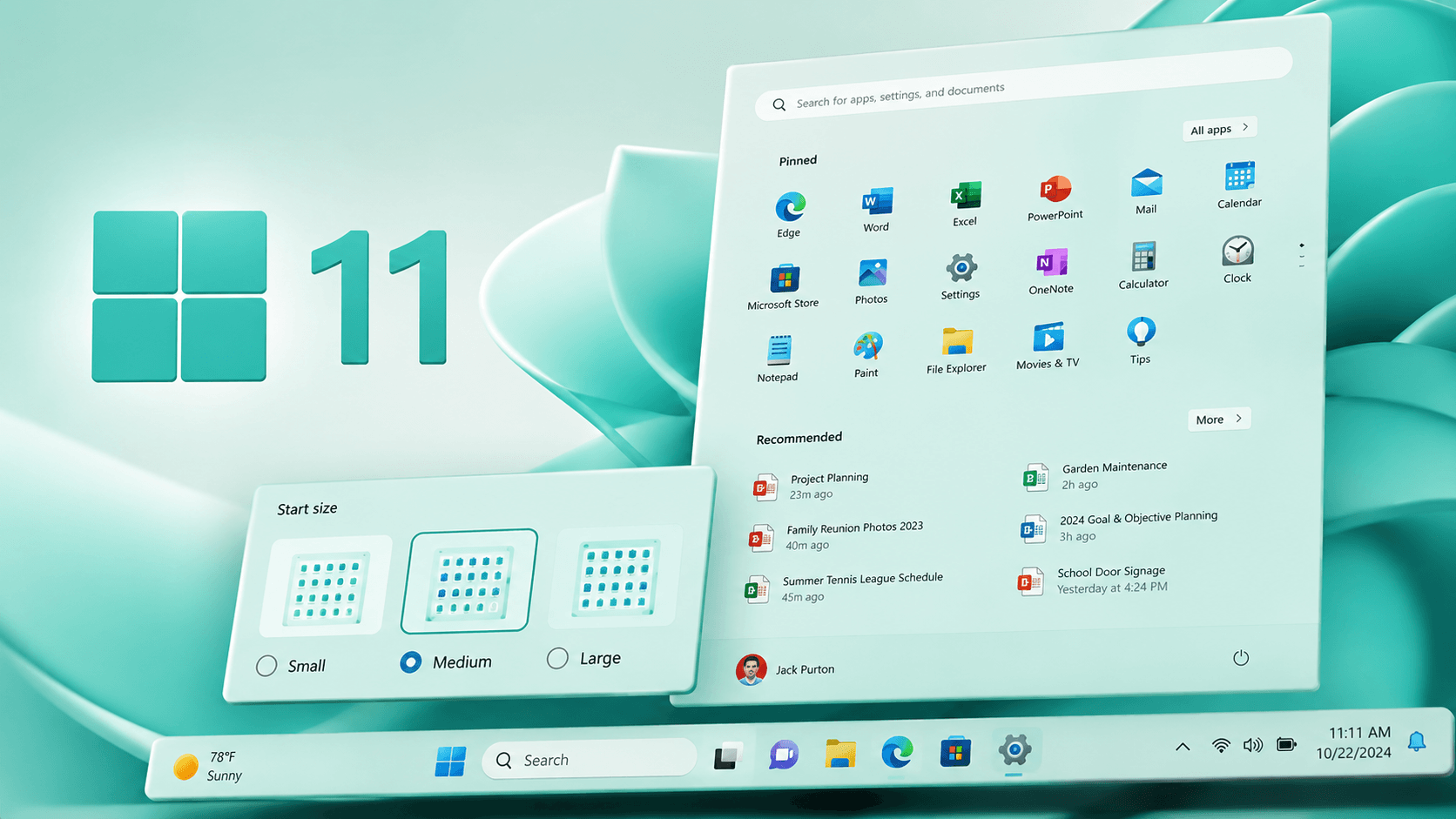
Microsoft has begun testing one of the biggest updates for Windows 11. With the latest Insider build, users were able to test two new features; users could resize the start menu and move the task bar to either side of their screen.
These new features have been made available in Windows 11 Insider Preview Build 26300.8493. This version is being tested by members of the Windows Insider preview program. Once the user installs the update, they may place the task bar at the bottom, top, left or right side of the screen. The user may also choose to activate compact mode with smaller button sizes and icon dimensions.
Diego Baca, who serves as a Partner Director of Microsoft Design stated that moving the task bar to the side or top of the screen was one of the most asked for features from windows 11 users.
“Moving the task bar to the top or sides of the screen was one of the most requested items, and we are putting it into Windows 11.”
Baca stated that when using compact mode, users would have less vertical space used up on their screens for applications because the icons and buttons would take less space vertically due to being reduced in size. Additionally, the user does not have to restart or logout of their account once they make use of this new feature.
To change where the task bar sits, users simply need to navigate to “settings” > “personalization” > “taskbar” > “taskbar behavior”. That’s where the new setting will exist so users can adjust how they want the task bar placed.
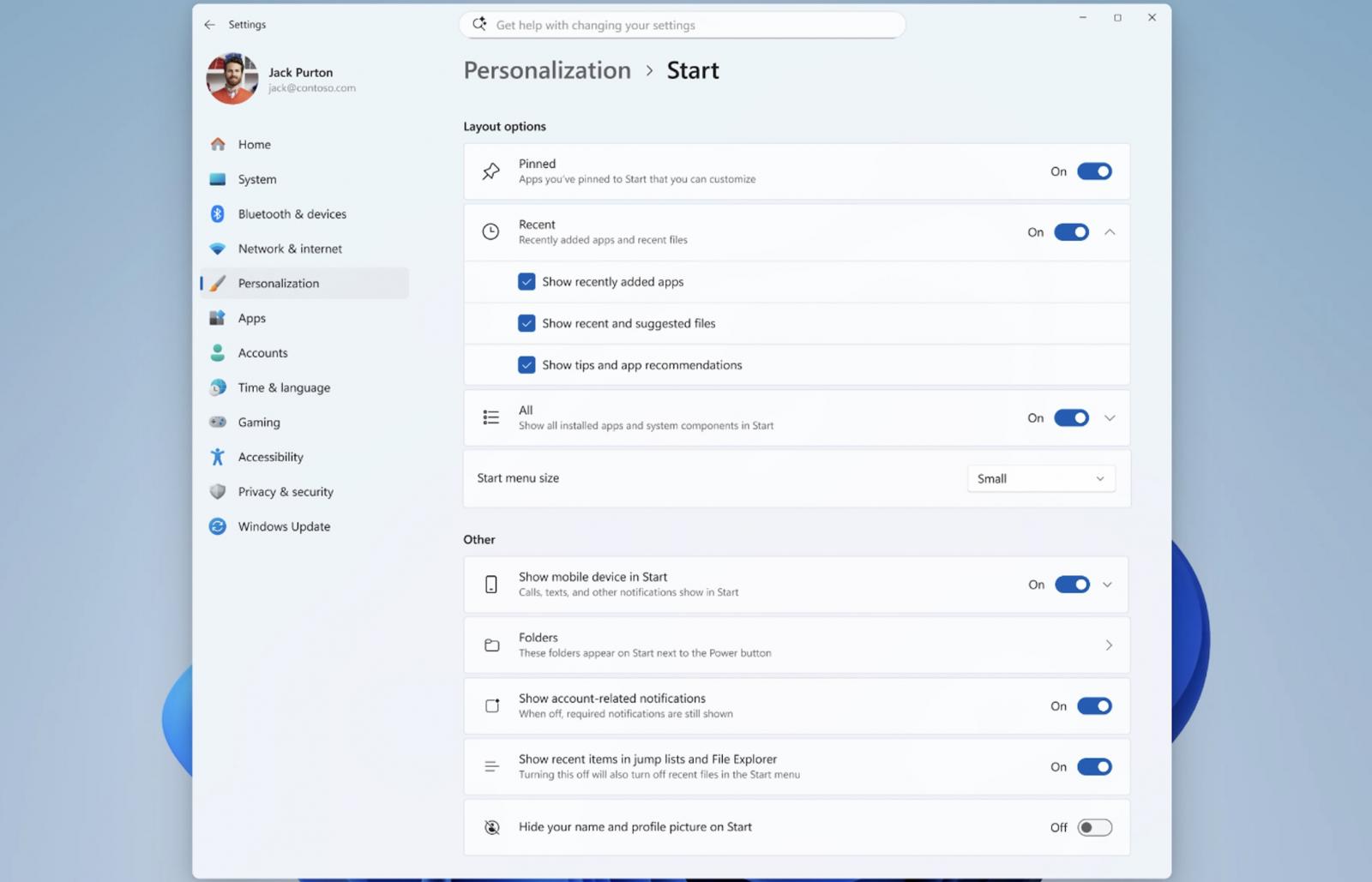
Baca explained that the new settings are designed to give users the ability to customize the Start menu to their liking.
“If you want a Start menu with just your pinned apps, you can turn off Recommended and All. If you want a full Start that shows everything, you can leave everything on. The goal is simple: it’s your choice, and it should be easy to make.”
At the same time, Microsoft will not abandon the list of recently installed apps, as the company sees it as an important way to promote apps from the Microsoft Store.
The Start menu will also improve the file display system. Windows will try to show more relevant documents and important items first. In addition, users will be able to hide their name and profile photo from the menu.
In addition to this, Microsoft is now testing an updated “modern” Run dialog box which supports dark mode. Microsoft states that the newer Run Dialog box runs much quicker than the older one that has been around since Windows days.
When you use the Run dialog box under this new interface, there will no longer be a “Browse” option available. This according to Microsoft, of the 35 million people that have run “run”, only .00038 percent of those people utilized this button.
You will need to enable the new interface from “settings” -> “advanced settings”.
Earlier this year (March) Windows president Pawan Davuluri stated that Microsoft wants to get windows 11 running faster, more stable and cleaner. In addition, Microsoft plans to reduce the amount of notification in windows; as well as, clean-up some of the redundant system settings; as well as, attempt to reduce the amount of reboot’s during a PC set-up.
Microsoft is focusing heavily on Search within windows. Microsoft is attempting to provide consistent search functionality in the “start” menu, task bar, “file explorer”, and System Settings.
According to Davuluri, Microsoft is updating the underlying architecture of Windows so that they can make improvements to the overall quality of Windows, and introduce new feature functionality faster by utilizing customer feedback.