
11.07.2023
5 min
2156



OpenKeychain is a secure and convenient application for encrypting messages and files on Android, based on the international standard OpenPGP. It supports integration with K-9 Mail, Conversations and other applications, allowing you to sign, encrypt and decrypt data in a few clicks. OpenKeychain is open source, verified by the independent audit of Cure53, and is suitable for journalists, activists, entrepreneurs and anyone who wants to control their digital privacy.
Imagine your phone is a postcard. You write whatever you want on it, send it, and anyone along the way—from the postman to a stranger—can read it. That’s how a regular message works without encryption. There’s no privacy, no control. In 2025, that’s no longer just a risk—it’s a reality of digital life.
Encryption is a way of wrapping a postcard in a safe that only the recipient can open. On Android, it’s painfully difficult to do—unless you use the right tool. That’s where OpenKeychain comes in. It lets anyone encrypt, sign, and decrypt messages right from their phone, without having to delve into the technicalities.

OpenKeychain is a free Android application that implements encryption according to the OpenPGP standard. Its main task is to provide secure communication using cryptographic keys: public (which is transmitted to others) and private (which is stored only by you). These keys allow you to encrypt and decrypt messages, sign documents, and verify authenticity. Everything happens locally on your smartphone, without the need for additional server services.
The program allows you to easily create a new key pair, import existing ones, or find other users’ keys through services like keys.openpgp.org. When you receive an encrypted message or want to send it to another person, OpenKeychain performs all cryptographic operations in the background – quickly and reliably. The interface is adapted even for beginners: the setup wizard will guide you through the main stages, and built-in tips explain what exactly is happening at each step.
The power of OpenKeychain is not only in its autonomy, but also in its flexible integration. The application works perfectly with other applications that support the OpenPGP standard. For example, if you use K-9 Mail for email, you can directly sign and encrypt messages – literally with one tap. Or if you are conducting private correspondence through Conversations, OpenKeychain will run as a cryptographic engine in the background.
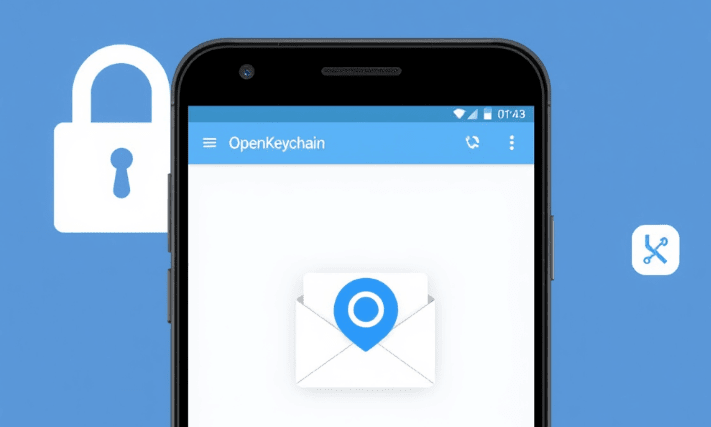
The list of popular programs that support OpenKeychain includes:
K-9 Mail is a secure email client with PGP/MIME support;
Conversations is a secure XMPP communication with end-to-end encryption;
FairEmail, OpenPGP API, SimpleX are other projects that use OpenKeychain as a backend.
This means you don’t have to manually copy text or keys every time — everything is set up automatically, providing constant protection in the background. This makes encryption an integral part of your everyday smartphone experience.
OpenKeychain doesn’t just promise security—it delivers it at every level. All of its cryptographic operations are based on the proven international standard OpenPGP, which is used in government agencies, journalism, and human rights advocacy. The program doesn’t share your private keys with anyone—they stay on your device. You control who has access to your information and when.
OpenKeychain’s secrets are open — and this is its advantage:
All code is published on GitHub, allowing independent experts to verify it;
The public nature of the code eliminates the possibility of built-in backdoors or spy mechanisms;
Each user can see how the encryption, key import, and signing functions are implemented.
This means that OpenKeychain doesn’t force you to trust blindly—it creates an environment where trust comes from transparency. And that’s rare in the world of mobile apps.
OpenKeychain is completely open source software (Free and Open Source Software — FOSS). This is not just a political statement, but a practical solution: every line of code is available for analysis, independent audit, or even modification. If you are a developer, you can compile the program yourself, make sure there are no third-party components, and use it with confidence in your own projects.
Additionally, OpenKeychain is supported by the community, not a large corporation, which reduces the risks associated with monetization, advertising, or metadata collection. Open source means:
absolute transparency of all application actions;
the ability to independently track changes and updates;
independence from the commercial interests of developers.
This provides a level of trust that cannot be achieved in closed products, where even bugs are fixed “blindly”.
The reliability of OpenKeychain has been confirmed not only by the community, but also by professional auditing firms. In particular, Cure53, a reputable cybersecurity company, conducted a full-scale audit of the application. Their conclusion was unequivocal: none of the identified vulnerabilities had a critical impact on security.
Key audit findings included:
analysis of encryption architecture;
verification of key handling and digital signatures;
testing for common vulnerabilities (e.g., injections, data leaks, etc.).
This audit is a strong argument in favor of OpenKeychain as a stable tool for secure digital communication, even in the most demanding environments.
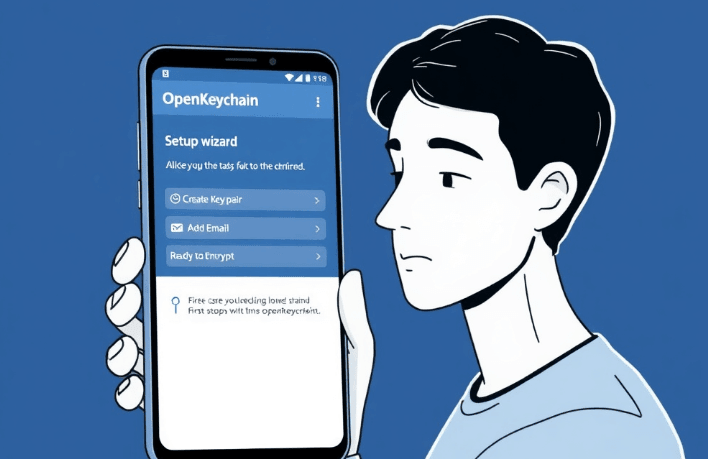
The process of using OpenKeychain is as simple as possible and is suitable even for those who are new to terms like “public key” or “digital signature”. After installing the application, the user is offered to create a new key pair or import an existing one. All this is done through a convenient graphical interface, without any code or terminal.
A typical scenario looks like this:
create or import keys;
add an email or chat app, such as K-9 Mail or Conversations;
encrypt messages before sending in 1 click;
decrypt received messages automatically if you have the required key.
After the initial setup, the program runs in the background — and most importantly, it doesn’t force you to do anything. Encryption and decryption happen so seamlessly that it starts to feel like magic.
OpenKeychain is not designed exclusively for hackers or techies. Its concept is to make encryption accessible to everyone, regardless of profession, experience, or goals. If you use email or instant messengers and have ever thought about security, this tool is for you.
Main user categories:
journalists working with sources or investigations;
activists in repressive regimes;
businesspeople who want to keep business correspondence confidential;
ordinary people who simply don’t want anyone to read their messages.
And best of all: it’s all free, without ads, and without collecting your personal data. OpenKeychain is the privacy choice in its simplest form.
In a time when digital privacy is under threat, OpenKeychain is a simple, reliable, and effective solution for anyone who wants to control their communications. It requires no technical knowledge, no complex setup, and yet provides a level of protection that was previously only available to experts.
This app is more than just a utility. It is a digital self-defense tool that allows you to encrypt messages, create digital signatures, authenticate communications, and stay confident that your data is safe from unauthorized access. OpenKeychain shows that strong encryption can be convenient, mobile, and human. One app and your privacy is back in your control.