
08.08.2024
2 min
1556




There are plenty of situations where you need to approach OSINT investigations on Telegram as carefully and discreetly as possible. For many professionals, the ideal setup is simple: no account on the platform at all, just a regular web browser instead of the mobile app.
Many investigators run into the same roadblocks. Either creating an account isn’t an option (since it requires a phone number), or the task specifically calls for a browser-only workflow. It may not seem like the most obvious approach, but there are actually quite a few ways to dig deep into Telegram from the outside.
If you’re not very familiar with the platform yet, here are the basics: Telegram is both a powerful messaging app and a major channel for information distribution. Communication happens in different ways: direct user-to-user chats, broadcasts from creators to large audiences via channels, and discussions inside public or private groups. That’s the foundation you’ll be working with.
Now let’s get to the interesting part, the practical OSINT toolkit.
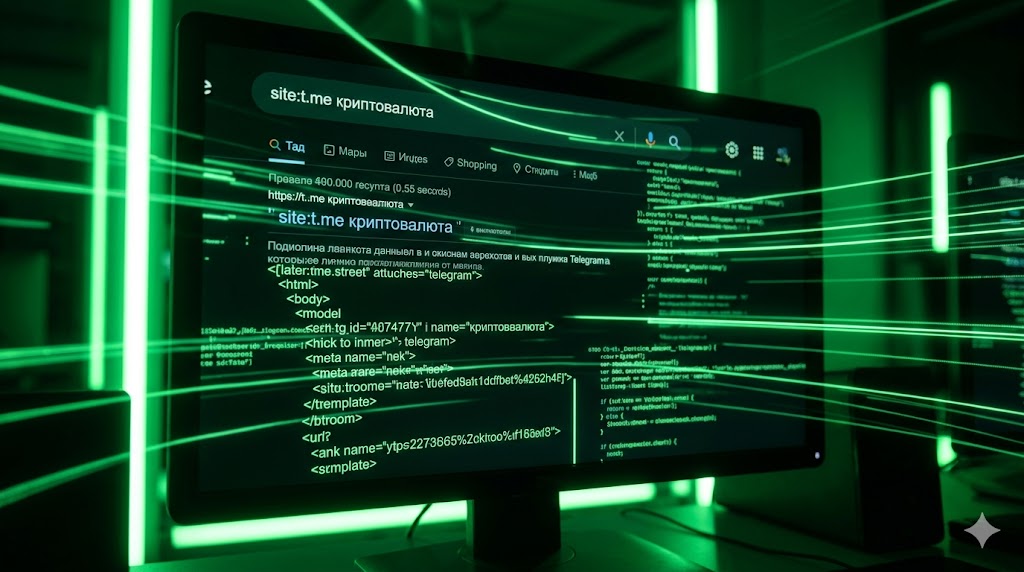
Regardless of what you are searching for, whether it’s users, bots, channels, or special interest groups, the best method is to utilize “search dorks” (old school search operators). To do this effectively, you need to understand how Telegram URLs are formatted and the correct list of search terms to use.
Both of Telegram’s primary domains, t.me and telegram. I am well-indexed by Google and other search engines. Search engines can be configured to return results only from the t.me/telegram.me domain space to avoid unrelated results.
For example, using a query such as: site:t.me. in Google, Bing, or DuckDuckGo, returns results that were indexed under t.me link(s) that contain your keyword. For instance, if your keyword is “cryptocurrency,” you may find results at both t.me and telegram.me. Therefore, rather than limiting yourself to a single format, continue to modify your query parameters and try multiple variations of your searches.
In many cases, people share a significant amount of personally identifiable information (PII) in their bios and profile descriptions, including, but not limited to, their actual name, email address, phone number, cryptocurrency wallet information, and even links to additional social media sites/web pages. Your creative use of search terms is key to taking advantage of this situation.

This may likely be one of the most entertaining techniques. You can identify profiles of interest, private groups you cannot access, and only view the public description. However, have you ever considered whether there might be more content available than what you see when viewing publicly displayed information?
Upon initial inspection, it appears as though this is all you will need to do. Open a profile, review the public description (if applicable), and this is the extent of what you can do. Most of the time, the valuable data resides in the page’s code rather than the actual data displayed in the browser.
How do you get to this information? By way of developer tools.
Right-click over the description area of the profile and select “Inspect” or “Inspect Element.” In the window that opens with the source code, place your mouse pointer over various lines of code, and you will observe which elements of the web page become highlighted.
Continue to expand the small arrows in the source code to locate the “tgme_page_description” element.
At this point, things begin to get interesting. What appeared to be hidden from view is now readily accessible. Private Instagram or Facebook account links, short URLs such as bit.ly, and additional digital breadcrumbs left by administrators can be found within the “tgme_page_description” section. These items may have been placed there specifically for a particular audience; however, they were never intended to be viewed in their entirety.
Automate the process
While manually reviewing the code may seem somewhat tedious, it can be simplified to a single click with a bookmarklet. A bookmarklet is essentially a small script saved as a browser bookmark.
Below is a step-by-step guide on how to create a bookmarklet to access the hidden description:
Step 1: Create a new bookmark in your browser.
Step 2: Instead of entering a standard URL into the bookmarks field, enter the JavaScript code below.
javascript:(function()%7Bvar a %3D document.getElementsByClassName(‘tgme_page_description’)%5B0%5D%3B alert(a.innerText)%7D)()
Step 3: Save the new bookmark under any name you prefer.
Step 4: Once you have created the new bookmark, anytime you are browsing a Telegram profile page, simply click the newly created bookmark, and a pop-up will appear displaying the full, unfiltered version of the description that was previously hidden.

Experienced investigators know that the biggest mistakes and accidental leaks, or the classic OPSEC slip-ups, are usually made at the beginning of a channel’s history. This is where authors aren’t thinking as much about security.
Searching through a thousand-plus messages, one by one, is just a waste of your time. Just take a quick glance at the URL for any post you have open; it will probably follow this structure.
t.me/areaofhacking/s/6692.
The number at the end is simply the post ID. You can tweak it to jump between messages. But there’s a more efficient way to break a channel’s history into manageable chunks. Just add the following parameter to the base URL:
?before=: t.me/areaofhacking?before=100
This trick will show you the very first posts in the channel, up to around the 100th message. You can plug in any values you need (100, 500, 1000), which makes it easy to break large chunks of data into smaller, more manageable segments for analysis.

When analyzing messages, knowing the exact time they were posted is critical. In the bottom-right corner of each post, you’ll see a timestamp. If you click it, you’ll get a static URL for that specific message, along with the date.
But for serious OSINT work, that’s not quite enough. The visible time is often adjusted to match your device’s timezone. If you want precise, reliable data, you need to dig a bit deeper:
Right-click on the timestamp and select “Inspect.”
Look for the element called tgme_widget_message_date in the code.
You’ll notice two different time values. Don’t worry, that’s expected. The first is in UTC (Coordinated Universal Time), while the second is converted to your local time zone. Since investigations often involve VPNs or proxies, the local time can be misleading. That’s why the UTC value in the page source is the only one you can fully trust.

This final tip is often the most helpful when dealing with difficult cases. Never dismiss digital archives.
Although a deleted channel or an erased channel’s content will likely also be deleted, chances are someone has already recorded it. There are two very important tools to use: archive.org (the Wayback Machine) and archive.ph (and the mirror sites of archive.today or archive.is).
Simply copy/paste the URL of the Telegram channel into these tools; do not forget to check for both the t.me and telegram.me versions, as well as past archived versions of the channel at each point in time.
If a user has recently updated or removed some part of their bio, Google may still have the older version available. To access this, try adding the cache operator in your search engine by entering cache: followed by the URL of the user’s profile, for example, cache:t.me/username.