
29.10.2024
5 min
1378



Many developers believe that once a file is deleted from Git, it’s gone forever. But this misconception can be costly. Even after git rm , the data remains in the repository’s history, including in .pack files and unreachable objects. This is exactly what a researcher used to make over $64,000 by finding secrets in GitHub repositories.

TL;DR: I built a system that clones and scans thousands of public GitHub repositories — and finds leaked secrets.
In each repository, I recovered deleted files, found unreachable objects, unpacked .pack files, and found API keys, active tokens, and accounts. And when I reported the leak to companies, I made over $64,000 in bug bounties.
My name is Sharon Brizinov. I research low-level exploits in OT/IoT devices and occasionally hunt for vulnerabilities as part of a bug bounty.
Many bughunters scan GitHub repositories for accidentally exposed credentials. I decided to dig deeper: recover secrets from files that the authors thought were deleted. Developers often forget that once something gets into Git, it remains in the history, even if everything in the working directory is cleaned up.
To test this hypothesis, I scanned tens of thousands of corporate repositories, analyzing their commit history for sensitive data. The results were shocking: I found a lot of deleted files with API keys, logins, passwords, and even valid session tokens.
Below I will tell you how I collected repositories, wrote scripts, found secrets, and sent reports about their leak.
To get started, I recommend reading the article How Git Internally Works – it clearly and simply explains the internals of Git.
Git is a distributed version control system that tracks changes to files and allows developers to collaborate on projects. It maintains a complete history of changes, allowing you to revert to previous states, create branches, and merge changes when necessary. Git is essentially a content-addressable file system, in which each version of a file is stored in a repository as a unique object.
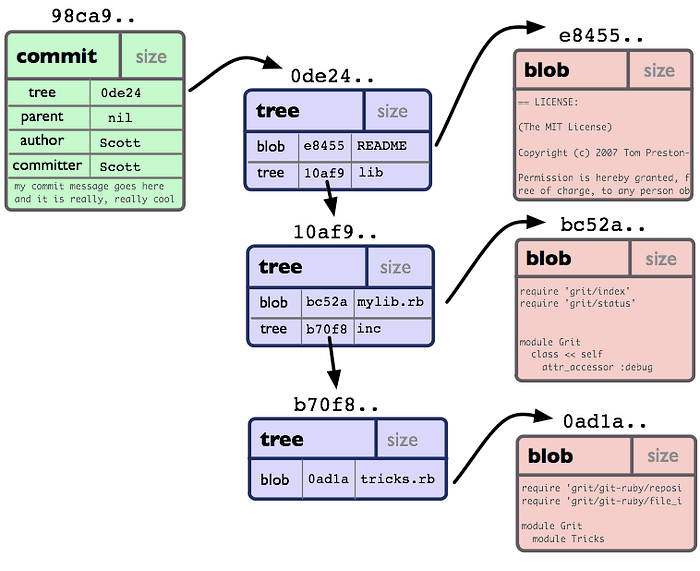
Git tracks everything – files, folders, commits – as objects, each of which is identified by a SHA-1 or SHA-256 hash (depending on configuration).
Blob ( blob, binary large object) – an object with file contents.
Tree (tree) reflects the directory structure.
Commit (commit) – Snapshot + metadata.
Tag (tag) – an annotated label.
A blob is an object that Git stores the contents of a file in. It contains no information about the file name or location—just the data.
When Git first saves an object, it writes it as a loose object, something like this:
.git/objects/ab/cdef1234567890...
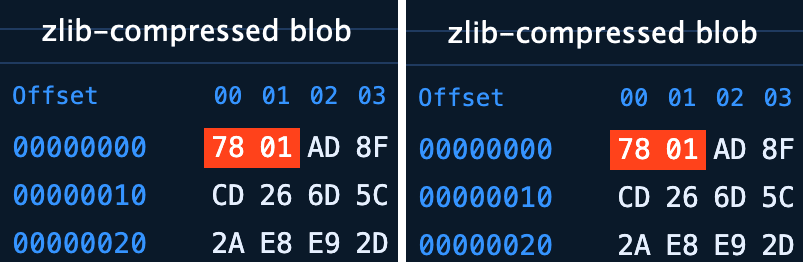
Here, ab is the first two characters of the SHA hash, and cdef1234567890… is its continuation. The data is compressed using the zlib algorithm and is the contents of a single file.
To save space and improve performance, Git packs loose objects into .pack files. By default, this happens when the number of loose objects reaches 6700.
.git/objects/pack/pack-<hash>.pack
.pack – files have a complex and very interesting structure. .git-unpack-objects
Sometimes, dangling objects appear in a repository—valid commits, blobs, trees, or tags that are no longer referenced by any branch, tag, stash, or reflog. They usually occur when history is rewritten—for example, when using the git commit –amend, rebase, reset commands, or when a branch is deleted. Although such objects are no longer part of the active history, Git by default keeps them for two weeks so that they can be restored. You can find such objects with the git fsck –dangling command.
Each commit in Git is a snapshot of the repository at a specific point in time. Commits are immutable and are identified by a SHA-1/SHA-256 hash.
The commit contains:
A reference to a tree object that describes the file structure.
Pointers to parent commits that form a graph of the change history.
Metadata, including the author’s name, timestamp, and commit message.
Thanks to delta compression, Git stores commits efficiently: it only records changes, not full copies of files.
When a file is removed with git rm or simply moved out of the working directory and the changes are committed, it disappears from the current snapshot, but continues to be stored in the repository history. This happens for two reasons:
Commits in Git are immutable. Once created, each commit and all its associated objects are stored in .git/objects and continue to exist, even if no branch or tag references them anymore. Objects that are not referenced (unreachable) are not deleted immediately – they are usually kept for about two weeks before being removed by the garbage collection system.
References (refs) keep objects from being deleted. Git stores references in head, tags, and remote repositories. Even if a file is deleted in a later commit, older commits still contain it.
To actually remove a file from history, you need to rewrite the history, either with tools like git filter-branch and git-filter-repo, or manually via rebase followed by a garbage collection (with prune) — this is necessary to remove unreachable objects. But if the public repository, the file could already be copied or cloned, then it is important to revoke all API keys, tokens, session IDs and other secrets as soon as possible.
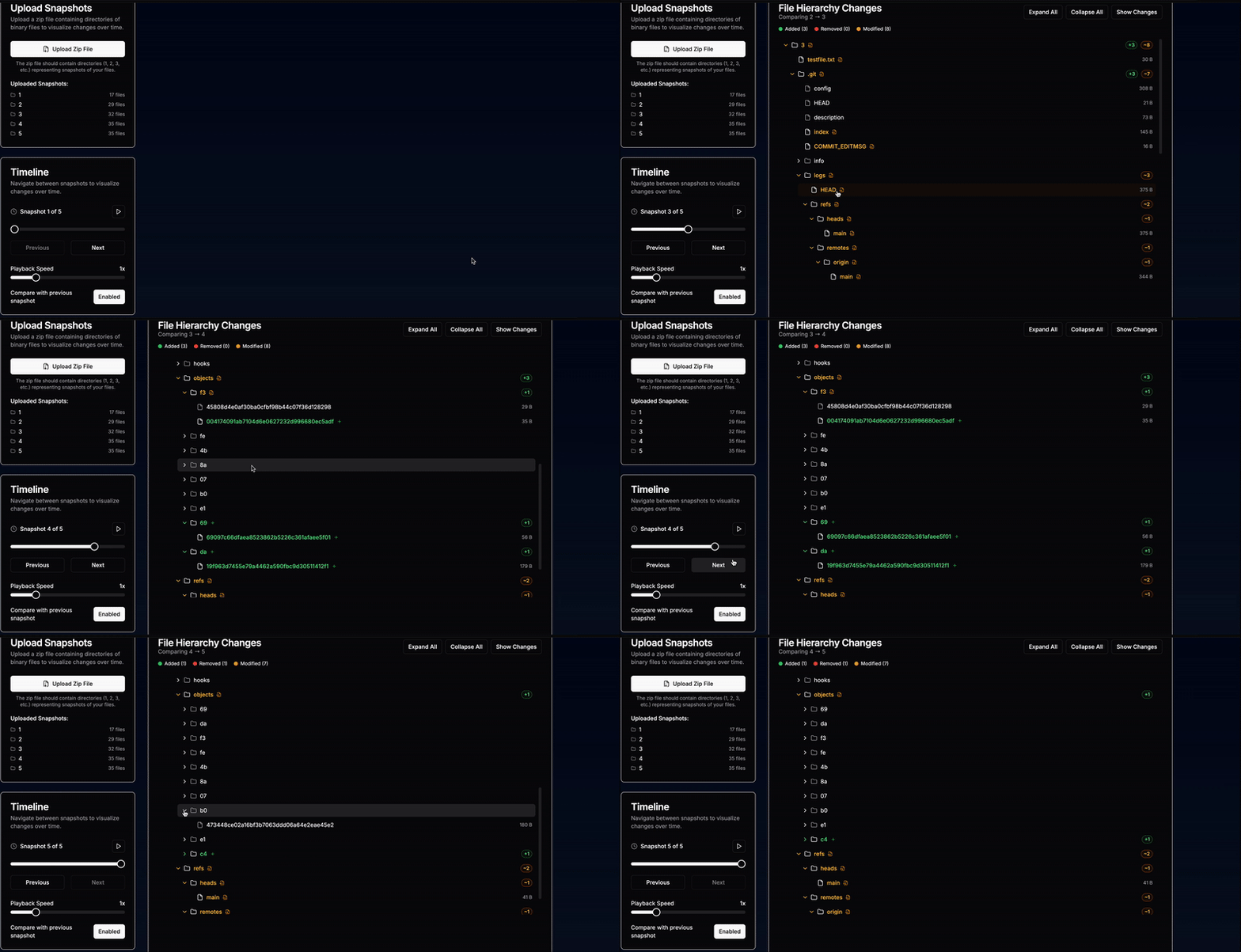
To better understand how Git processes files and directories, I wrote a small tool that visualizes changes in the repository structure: which objects are created, which are deleted. This was, of course, an excessive feat for this project — but in the spirit of “vibe coding” I managed to do it in five minutes, so why not.
The main question: how to retrieve all deleted files?
You can restore deleted files by comparing parent and child commits using git diff.
Unpack all .pack files using git unpack-objects < .git/objects/pack/pack-<SHA>.pack.
Find unreachable objects using git fsck — full — unreachable — dangling.
To collect all the deleted files, I went through each commit and compared it to the parent ( git diff ). If there were files in the list with a status of D (removed), I restored them with git show and saved them to disk.
Of course, this is not the best or most efficient way, but it worked for my purposes. Here is a small proof-of-concept script that does the job:
#!/bin/bash

# Переходимо в клонований репозиторій
mkdir -p "__ANALYSIS/del"

# Витягуємо всі коміти та обробляємо кожен
git rev-list --all | while read -r commit; do
    echo "Обробка коміту: $commit"

    # Отримуємо батьківський коміт
    parent_commit=$(git log --pretty=format:"%P" -n 1 "$commit")
    if [ -z "$parent_commit" ]; then
        continue
    fi
    parent_commit=$(echo "$parent_commit" | awk '{print $1}')

    # Отримуємо diff коміту
    git diff --name-status "$parent_commit" "$commit" | while read -r file_status file; do
        # Замінюємо / на _ для імен файлів у binary_files_dir
        safe_file_name=$(echo "$file" | sed 's/\//_/g')

        # Обробляємо видалені файли
        if [ "$file_status" = "D" ]; then
            # Обробляємо бінарні файли
            echo "Видалено бінарний файл: $file" | tee -a "__ANALYSIS/del.log"
            echo "Збереження до __ANALYSIS/del/${commit}__${safe_file_name}"
            git show "$parent_commit:$file" > "__ANALYSIS/del/${commit}__${safe_file_name}"
        fi
    done
done
And here is the one-liner I used to remove all unreachable blobs:
mkdir -p unreachable_blobs && git fsck --unreachable --dangling --no-reflogs --full - | grep 'unreachable blob' | awk '{print $3}' | while read h; do git cat-file -p "$h" > "unreachable_blobs/$h.blob"; done
Now that the PoC script for recovering deleted files was ready, it was time to gather as many relevant GitHub repositories as possible.
First, I compiled a list of companies participating in public and private programs.
Where to find information about public programs:
Additionally, I decided to examine the GitHub accounts of companies that have at least one repository with 5000+ stars. To do this, I used the following one-liner:
for page in {1..100}; do gh api "search/repositories?q=stars:>5000&sort=stars&order=desc&per_page=50&page=$page" --jq '.items[].full_name'; done | cut -d '/' -f 1
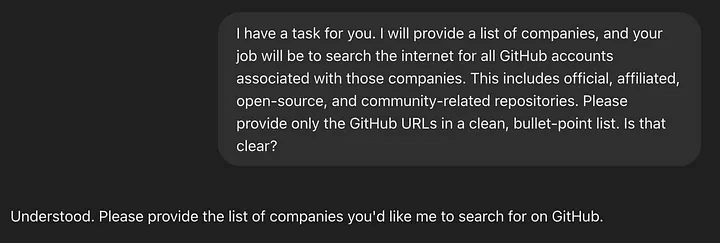
I collected a huge list of company names and saved it in a file companies.txt . Now I had to find their public accounts on Github. I could have come up with something clever, but I chose the laziest way to use AI. I simply sent the names of the companies to the neural networks with a request to find GitHub accounts associated with this or that organization. The AI invented a few accounts, but overall it worked pretty well.
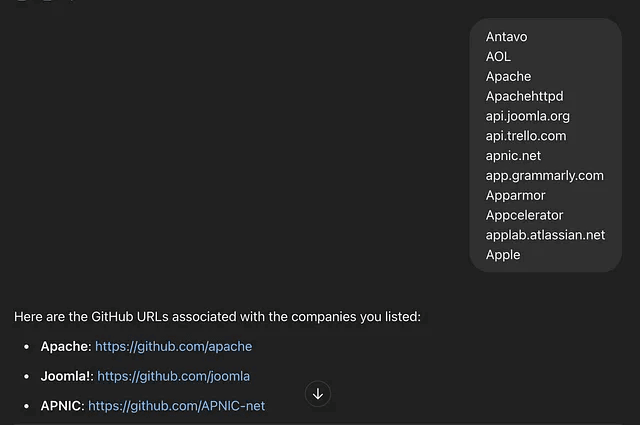
I also noticed pretty quickly that many companies have multiple GitHub accounts: one for core development, one for QA, and so on. From there, I searched for accounts using keywords like: lab, research, test, qa, samples, hq, community.
I then combed through the collected accounts and repositories to find forks of other projects. For each fork, I found the original repository and added the accounts associated with that original project to my monitoring list.
My reasoning was that if a company published code that was actively forked by other members of my list, then that company might have other repositories with leaked secrets—and those secrets could easily end up in other projects along with the code.
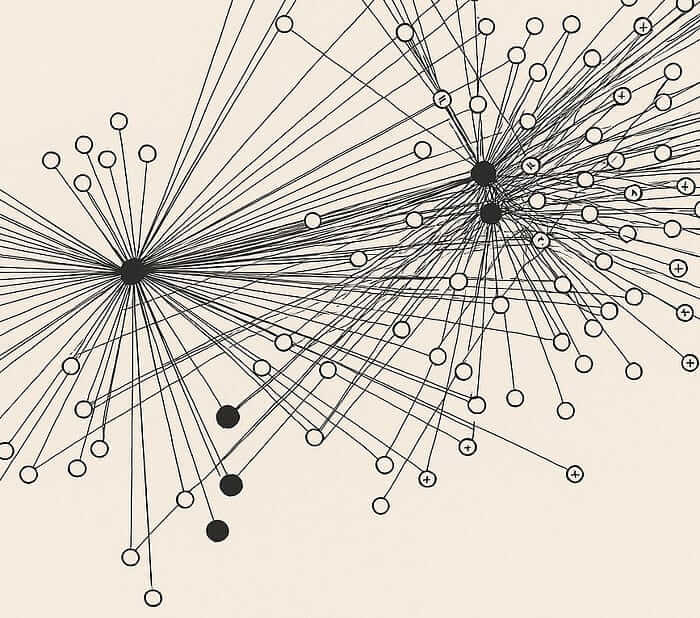
As a result, I had amassed several thousand corporate GitHub accounts. It was time to move on to the technical part.
The system itself was pretty simple: I cloned projects from all companies, restored deleted files, and searched for active secrets that were still relevant.
Simplified pseudocode:
- foreach company in companies:
    - foreach repo in comapny.repos:
        - restore all deleted files
        - foreach file in files:
            - collect secrets
            - foreach secret in secrets:
                - is secret active?
                    - notify via Telegram bot
The whole process consisted of several stages:
preparing machines;
cloning repositories;
restoring deleted files;
searching for secrets;
sending a message about found secrets to me on Telegram;
deleting repositories.

I used 10 servers: some of them were cloud machines (like EC2), some were VPS, and even a couple of physical machines with Raspberry Pi. I made sure that each node had enough free space – at least 120 GB. Then I divided the list of companies into ten blocks and distributed them across the servers.
To get a list of repositories for a particular company on GitHub, I used a CLI tool gh :
for REPO_NAME in $(gh repo list $ORG_NAME -L 1000 --json name --jq '.[].name');
do
    FULL_REPO_URL="https://github.com/$ORG_NAME/$REPO_NAME.git"
    git clone "$FULL_REPO_URL" "$REPO_NAME"
done;
As part of this step, deleted files were restored using the methods described above.
Now you need to scan the recovered files for active secrets. Here I was helped by TruffleHog – a powerful secret search tool that deeply scans the contents of the repository.
TruffleHog supports more than 800 key types and can verify the found secrets to filter out false positives. In addition, it is able to detect data in base64 and some archive formats.
I ran Trufflehog with the only-verified flag to keep those secrets that have passed verification and are likely to remain relevant. I also used the filesystem argument to scan the disk and find the recovered files:
trufflehog filesystem --only-verified --print-avg-detector-time --include-detectors="all" ./ > secrets.txt
One of the key benefits of using TruffleHog for local clones was that it scans the .git directory. Because it can unpack and parse zlib-compressed streams, most unlinked objects were automatically visible without any fuss. TruffleHog also parsed .pack files, and they surprised me a few times.
You might ask: if TruffleHog can unpack and scan Git objects, why manually restore deleted files? The answer is simple – it significantly improved the efficiency of finding secrets. Removing as many files as possible significantly increased my chances of finding leaked secrets.
As soon as TruffleHog found an active secret, I received a message in Telegram:
curl -F chat_id="XXXXXXXXXXXXX" \
     -F document=@"$ORG_NAME.$REPO_NAME.secrets.txt" \
     -F caption="New secerts - $ORG_NAME - $REPO_NAME" \
     'https://api.telegram.org/botXXXXXXXXXXXXX:XXXXXXXXXXXXX/sendDocument'
Why Telegram? It’s just a familiar way for me to receive messages. Of course, for this task it was possible to make a separate backend with a database, but why all this stress? 🙂
After processing, the repository was deleted to free up space and the script moved on to the next one.
What did I find? Hundreds of secrets that had escaped — and yet remained relevant. However, in addition to secrets that were actually used in the production environment, there was also all sorts of nonsense – for example, test accounts and canary tokens.
Below is a list of the most valuable tokens and keys I have managed to discover, as well as approximate reward amounts.
GCP/AWS Tokens – $5000-$15000 🔥🔥🔥
Slack Tokens – $3000-$10000 🔥🔥
Github Tokens – $5000-$10000 🔥🔥
OpenAPI Tokens – $500-$2000 🔥
HuggingFace Tokens – $500-$2000 🔥
Algolia Admin Tokens – $300-$1000 🔥
SMTP Credentials – $500-$1000 🔥
Platform Specific Developer Tokens and Sessions – $500-$2000 🔥
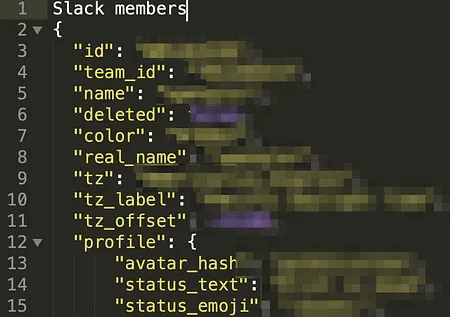
Despite the large number of really valuable tokens, many of them turned out to be useless: they belonged to test accounts or were canary tokens (traps for attackers). Such traps are generated using services like CanaryTokens: when the token is triggered, the owner even receives a notification in the mail. This is a convenient and effective way to track leaks.
Other types of pacifier secrets:
Github test keys. Many projects contained private keys associated with test users – for example, aaron1234567890123. Such keys were found in hundreds of repositories.
Disposable accounts. Accounts used for read-only or to bypass request rate limits.
Web3 public API tokens. Hundreds of Web3 projects contained public keys intended to access the blockchain to obtain, for example, transaction information or cryptocurrency rates. The most common tokens were Infura and Alchemy.
Front-end API keys: Some services (for example, Algolia) assume that the key will be used on the front-end. Such keys usually have read-only permissions. The problem occurs when a developer accidentally uses a token with admin rights instead of a secure key for searching.
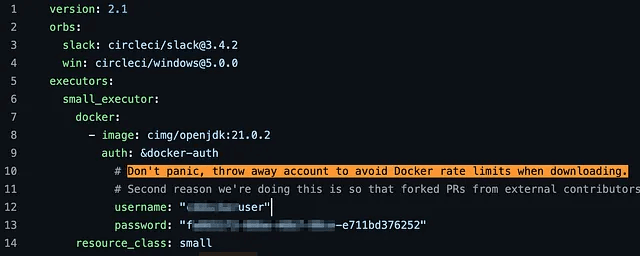
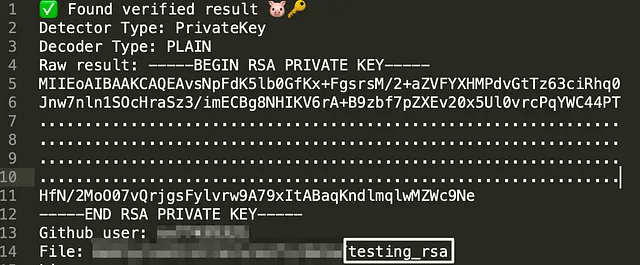
After analyzing dozens of critical cases, I concluded that secrets were most often leaked for one of three reasons: a lack of understanding of how Git works, a lack of knowledge of the composition of files that go into a commit, and an overreliance on history rewriting tools.
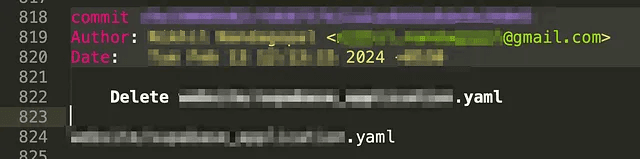
Some developers simply didn’t know how Git actually stores data. They might have accidentally committed unencrypted tokens, secrets, or credentials. When they realized their mistake, they deleted the file or manually cut the secret, but didn’t revoke it. Git stores all history, and if you restore old states, those secrets are still there.
In some cases, developers didn’t use .gitignore and accidentally committed binaries—like .pyc (compiled Python files)—that contained secrets.
There have also been cases where hidden files (like .env) or .zip archives containing such files were included in the commit. Even after removing these artifacts, recovery was still possible and the secrets were vulnerable.
In one example, a team accidentally committed secrets to their repository. They later used history rewriting tools to remove the traces, but the .pack file still contained a reference to the object. I was able to recover the secret and notified the developers to fix the problem before it was exploited.
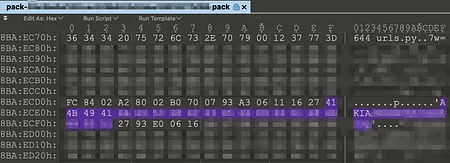

Most leaked secrets were found in binary files that were committed to the repository and later deleted. These files were usually generated by compilers or automated processes. The most common example is .pyc files, where the Python interpreter stores bytecode. These files often end up in a commit accidentally.
Another common case is .pdb debug files created by compilers. They also contain sensitive data and often end up in the repository history.
The project turned out to be not only useful, but also incredibly exciting. Mass local cloning of GitHub repositories and restoring deleted files turned out to be an effective (and very profitable) tactic for hunting down leaked secrets.
At the same time, I thoroughly mastered the anatomy of Git and even created a few of my own tools in the process. One of them, HexShare, is open to anyone who wants to.
And then there was more. I sent reports, received feedback, and helped improve the security of several large companies.