03.05.2026
4 min
436



Microsoft has started testing a revamped Run window in Windows that should work faster than the classic dialog. The new interface has already appeared in test builds and looks like part of the system’s modern design.
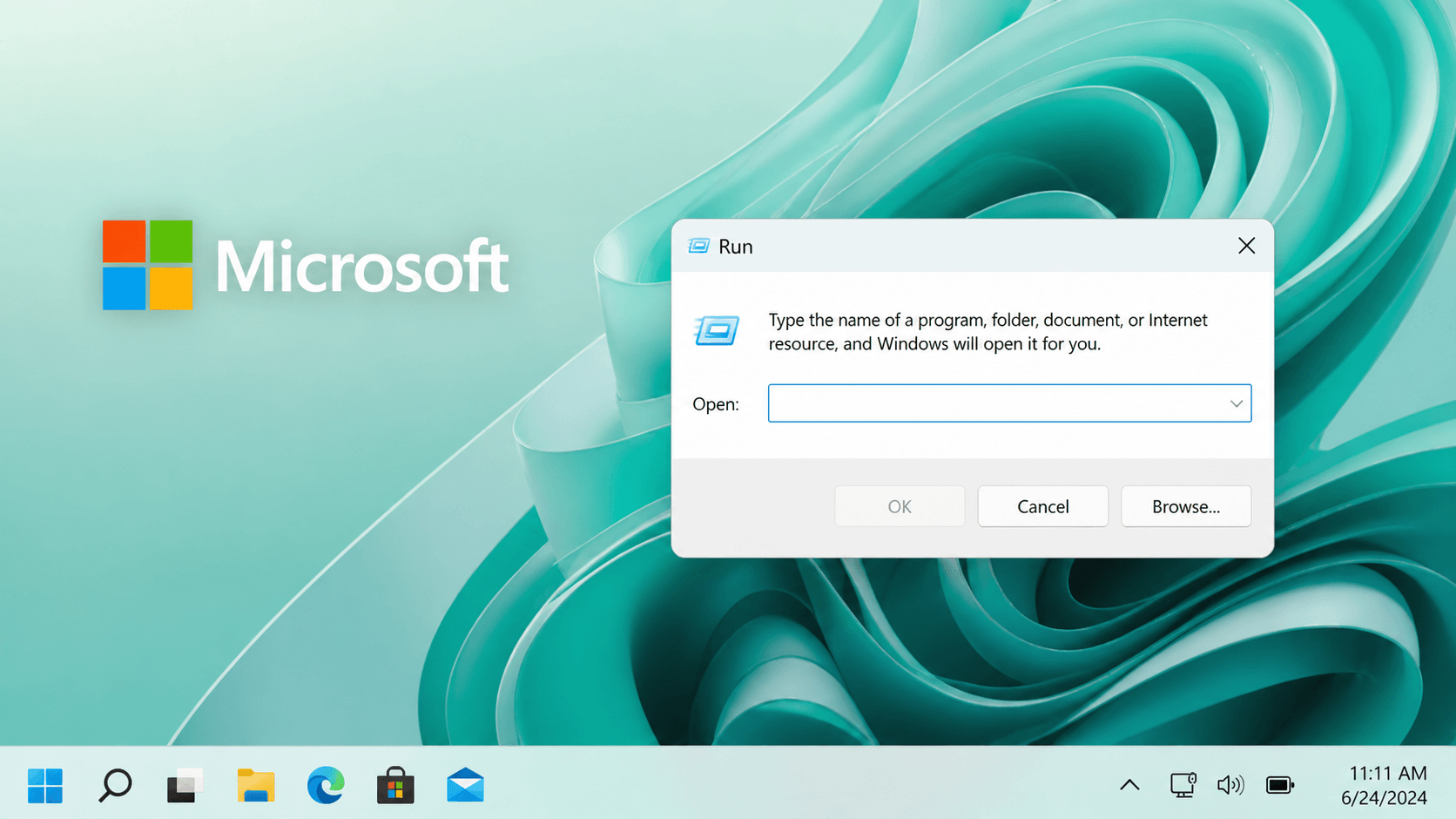
Microsoft confirmed that the “Run” (or “Execute”) dialog box which comes with Windows 11 will have a renewed design. As of right now, the renewed design is currently in testing using the latest build number (build) 26300.8346. The major focus areas are; improved performance and improved look-and-feel (modern).
The “Run” or “Execute” dialog box has been available in each version of windows since Windows 95. Although it is primarily intended for advanced users, there are many times when it is very useful. To bring up the “run” dialog box, simply type WIN + R. A single key stroke brings up a command prompt where you can enter a command, find a file or navigate to another location within your computer’s file structure without having to take additional steps.
When creating the new version of the “Run” dialog box, Microsoft did not want to disrupt the way users interacted with the dialog box, but rather wanted to improve upon it. The new “Run” dialog box uses Fluent Design, is compatible with dark mode and looks similar to other elements of the modern Windows operating systems, instead of looking outdated and older than its age.
Additionally, Microsoft stated that the new “Run” dialog box runs faster than its predecessor. That is unusual as new interfaces typically cause slower operation of computers. Based on Microsoft’s own metrics, the original “Run” dialog box takes approximately 103ms to appear. On the other hand, the new “Run” dialog box appears in roughly 94ms.
Microsoft explained that during the development process, they were trying to strike a balance between how well the new interface looked and how quickly it performed.
“Once we began developing the new interface, we knew the existing dialog was going to be fast. We also knew we had to ensure we had a good grasp of how you all utilize it. Modernize it, get feedback from you and develop it,” stated Microsoft.
To determine how users utilized the “Run” dialog box, Microsoft developers implemented temporary telemetry to capture usage patterns and launch timing. This provided them better insight into optimizing their new design for those utilizing it.
Another point of interest is Microsoft removing the “Browse” button. After analyzing user data from over 35 million users, Microsoft discovered that the browse button was utilized less than .0038% of the time. Due to lack of utilization, it was ultimately removed from the interface.
Although Microsoft removed the “browse” button from their new “Run”, they made several smaller, yet beneficial enhancements to the “new” version of “Run.” One such enhancement includes supporting the “~” character to provide quicker access to the home directory and displaying icons in the list view to assist with navigating through various commands.
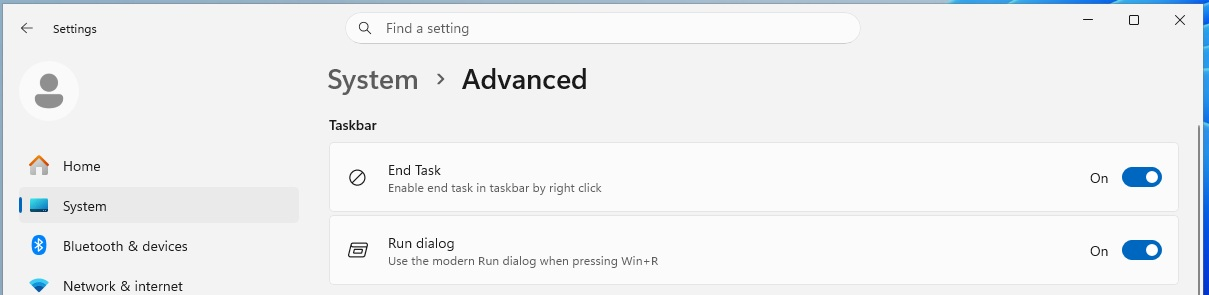
Lastly, Microsoft has stated that this functionality will not be forced upon users. Instead, it will be disabled by default and may be enabled manually within settings > Advanced options > Classic Options.
Microsoft says that they are going to increase its feature set as well, and are already gathering user input ahead of broader availability.
At the same time, Microsoft has also made many other improvements. The most notable of those was an improvement in the way that the Share function works with AAD users; you can now use this function to install apps right from within the function. New zoom percentages were added in Magnifier (from 5% to 400%), which should provide more flexibility when using your computer. It is anticipated that all of these features will be rolled out to everyone else over the next few months.