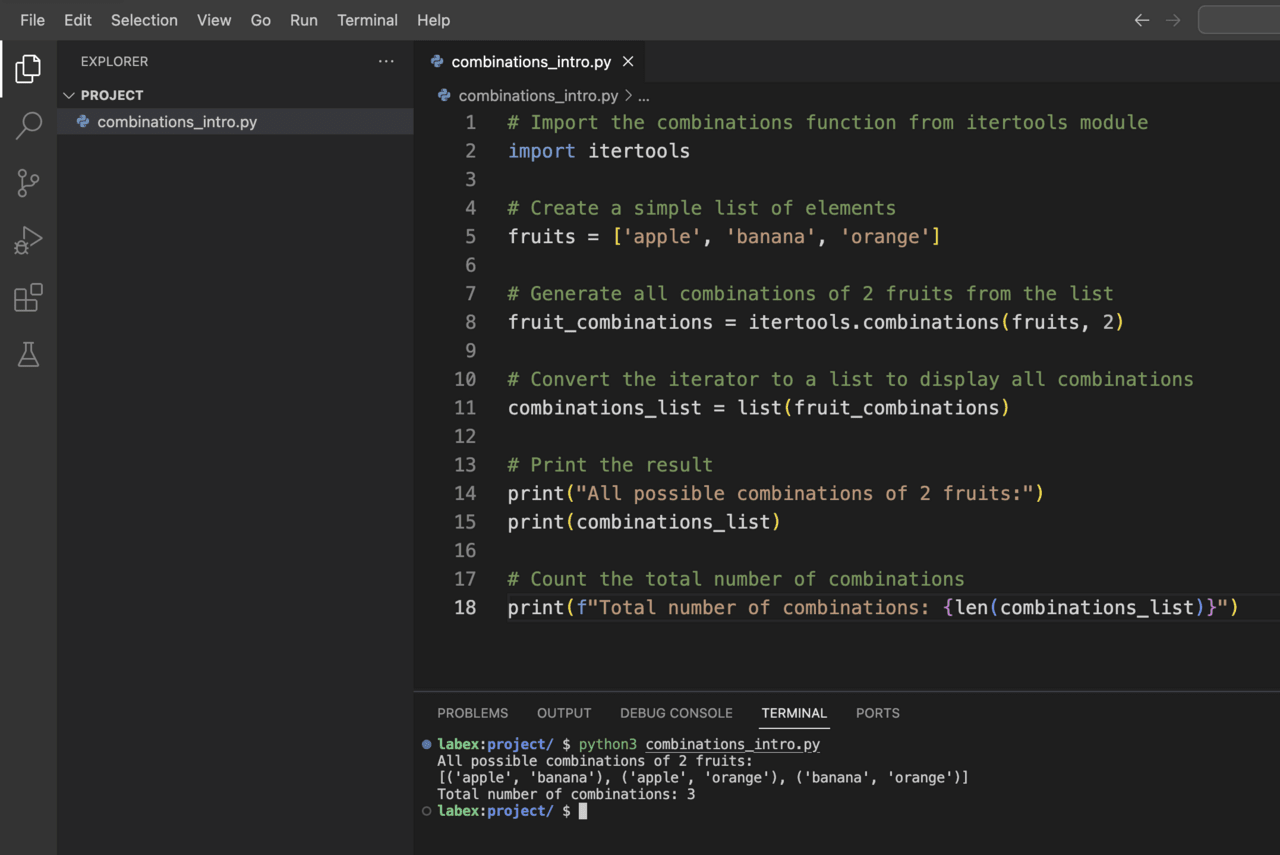
Practical Applications of Combinations
Now let’s look at some practical applications of this itertools.combinations() function. We’ll look at some real-world examples to demonstrate how this function can be used to solve common problems.
Example 1: Team Formation
Imagine that you need to form teams of a certain size from a group of people. Let’s create a program that will help you form all possible teams.
-
Create a new file named team_formation.py in the /home/labex/project directory.
-
Add the following code:
import itertools

def form_teams(members, team_size):
    """Generate all possible teams of the specified size from the list of members."""
    teams = list(itertools.combinations(members, team_size))
    return teams

## List of team members
team_members = ["Alice", "Bob", "Charlie", "David", "Eva", "Frank"]

## Form teams of different sizes
pairs = form_teams(team_members, 2)
trios = form_teams(team_members, 3)

## Display the results
print(f"Total members: {len(team_members)}")
print(f"Members: {team_members}\n")

print(f"Possible pairs (teams of 2): {len(pairs)}")
for i, pair in enumerate(pairs, 1):
    print(f"Team {i}: {' and '.join(pair)}")

print(f"\nPossible trios (teams of 3): {len(trios)}")
for i, trio in enumerate(trios, 1):
    print(f"Team {i}: {', '.join(trio)}")
-
Run the script:
python3 team_formation.py
You should see an output listing all the possible pairs and trios that can be formed from the six team members.
Example 2: Finding all subsets
Another common application is to generate all possible subsets of a given set (also known as a power set). Let’s implement this:
-
Create a new file named generate_subsets.py in the /home/labex/project directory.
-
Add the following code:
import itertools

def generate_all_subsets(items):
    """Generate all possible subsets of the given items."""
    all_subsets = []

    ## Empty set is always a subset
    all_subsets.append(())

    ## Generate subsets of all possible lengths
    for r in range(1, len(items) + 1):
        subsets_of_length_r = list(itertools.combinations(items, r))
        all_subsets.extend(subsets_of_length_r)

    return all_subsets

## Sample set of items
items = ['A', 'B', 'C']

## Generate all subsets
subsets = generate_all_subsets(items)

## Display the results
print(f"Original set: {items}")
print(f"Total number of subsets: {len(subsets)}")
print("All subsets (including the empty set):")

for i, subset in enumerate(subsets):
    if len(subset) == 0:
        print(f"{i+1}. Empty set {{}}")
    else:
        print(f"{i+1}. {set(subset)}")
-
Run the script:
python3 generate_subsets.py
The output will show all possible subsets of the set {A, B, C}, including the empty set.
Let’s create a practical application that will help a restaurant generate all possible combinations of dishes from menu items:
-
Create a new file named menu_combinations.py in the /home/labex/project directory.
-
Add the following code:
import itertools

def generate_meal_combinations(appetizers, main_courses, desserts):
    """Generate all possible meal combinations with one item from each category."""
    meal_combinations = []

    for app in appetizers:
        for main in main_courses:
            for dessert in desserts:
                meal_combinations.append((app, main, dessert))

    return meal_combinations

def generate_combo_deals(menu_items, combo_size):
    """Generate all possible combo deals of the specified size."""
    return list(itertools.combinations(menu_items, combo_size))

## Menu categories
appetizers = ["Salad", "Soup", "Bruschetta"]
main_courses = ["Pasta", "Steak", "Fish"]
desserts = ["Ice Cream", "Cake", "Fruit"]

## All menu items
all_items = appetizers + main_courses + desserts

## Generate all possible three-course meals
meals = generate_meal_combinations(appetizers, main_courses, desserts)

## Generate all possible 2-item combo deals from the entire menu
combos = generate_combo_deals(all_items, 2)

## Display the results
print("Restaurant Menu Planner\n")

print("Menu Items:")
print(f"Appetizers: {appetizers}")
print(f"Main Courses: {main_courses}")
print(f"Desserts: {desserts}\n")

print(f"Total possible three-course meals: {len(meals)}")
print("Sample meals:")
for i in range(min(5, len(meals))):
    app, main, dessert = meals[i]
    print(f"Meal option {i+1}: {app} + {main} + {dessert}")

print(f"\nTotal possible 2-item combo deals: {len(combos)}")
print("Sample combo deals:")
for i in range(min(5, len(combos))):
    print(f"Combo {i+1}: {' + '.join(combos[i])}")
-
Run the script:
python3 menu_combinations.py
The results will show you the different combinations of dishes and combo offers that can be created from the menu items.
These examples demonstrate how the itertools.combinations() function can be used to solve real-world problems involving combinations of items. By understanding how to use this function effectively, you can develop more efficient solutions for problems that involve selecting groups of items from a larger set.

Solving a problem with combinations
In this step, we will apply our knowledge of itertools.combinations() to solve a common programming problem. We will implement a solution to find all possible ways to select elements with a given total value, often called the “Sum of Subsets” problem.
Problem: Finding subsets with a target sum
Imagine you have a set of numbers and you want to find all subsets that add up to a certain target sum. This is a classic problem that can be solved using combinations.
Let’s implement the solution:
-
Create a new file named subset_sum.py in the /home/labex/project directory.
-
Add the following code:
import itertools

def find_subsets_with_sum(numbers, target_sum):
    """Find all subsets of numbers that add up to the target sum."""
    results = []

    ## Try combinations of different lengths
    for r in range(1, len(numbers) + 1):
        ## Generate all combinations of length r
        combinations = itertools.combinations(numbers, r)

        ## Check each combination
        for combo in combinations:
            if sum(combo) == target_sum:
                results.append(combo)

    return results

## Example usage
numbers = [3, 5, 2, 7, 4, 9, 1, 8]
target_sum = 10

## Find subsets with sum equal to target_sum
matching_subsets = find_subsets_with_sum(numbers, target_sum)

## Display results
print(f"Numbers: {numbers}")
print(f"Target sum: {target_sum}")
print(f"Number of matching subsets: {len(matching_subsets)}")

if matching_subsets:
    print("Subsets that add up to the target sum:")
    for i, subset in enumerate(matching_subsets, 1):
        print(f"Subset {i}: {subset} (Sum: {sum(subset)})")
else:
    print("No subsets found that add up to the target sum.")

## Let's find subsets for another target sum
second_target = 15
matching_subsets_2 = find_subsets_with_sum(numbers, second_target)

print(f"\nTarget sum: {second_target}")
print(f"Number of matching subsets: {len(matching_subsets_2)}")

if matching_subsets_2:
    print("Subsets that add up to the target sum:")
    for i, subset in enumerate(matching_subsets_2, 1):
        print(f"Subset {i}: {subset} (Sum: {sum(subset)})")
else:
    print("No subsets found that add up to the target sum.")
-
Run the script:
python3 subset_sum.py
The result will show all combinations of numbers from our list that add up to the target sum of 10, and then 15.
Extension: Interactive version
Let’s improve our solution by making it interactive, allowing the user to enter their own list of numbers and a target amount:
-
Create a new file called interactive_subset_sum.py in the /home/labex/project directory.
-
Add the following code:
import itertools

def find_subsets_with_sum(numbers, target_sum):
    """Find all subsets of numbers that add up to the target sum."""
    results = []

    ## Try combinations of different lengths
    for r in range(1, len(numbers) + 1):
        ## Generate all combinations of length r
        combinations = itertools.combinations(numbers, r)

        ## Check each combination
        for combo in combinations:
            if sum(combo) == target_sum:
                results.append(combo)

    return results

def main():
    ## Get user input
    try:
        input_str = input("Enter a list of numbers separated by spaces: ")
        numbers = [int(num) for num in input_str.split()]

        target_sum = int(input("Enter the target sum: "))

        ## Find matching subsets
        matching_subsets = find_subsets_with_sum(numbers, target_sum)

        ## Display results
        print(f"\nNumbers: {numbers}")
        print(f"Target sum: {target_sum}")
        print(f"Number of matching subsets: {len(matching_subsets)}")

        if matching_subsets:
            print("Subsets that add up to the target sum:")
            for i, subset in enumerate(matching_subsets, 1):
                print(f"Subset {i}: {subset} (Sum: {sum(subset)})")
        else:
            print("No subsets found that add up to the target sum.")

    except ValueError:
        print("Invalid input. Please enter integers only.")

if __name__ == "__main__":
    main()
-
Run the interactive script:
python3 interactive_subset_sum.py
-
When prompted, enter a list of numbers (e.g., 3 5 2 7 4 9 1 8) and a target amount (e.g., 10).
The script will find and display all combinations of input numbers that add up to the specified target amount.
Understanding the solution
Our solution uses itertools.combinations() to generate subsets of different sizes from an input list of numbers. For each subset, we check whether the sum is equal to the target value, and if so, we add it to our results.
This approach demonstrates the powerful use of combinations in solving a common algorithmic problem. The efficiency of itertools.combinations() allows us to efficiently solve the problem of summing subsets for small to medium input data.
In practice, more optimized algorithms may be required for very large lists, but for many real-world scenarios, this combination-based approach provides a clean and understandable solution.
Summary
In this lab, you learned how to use Python’s itertools.combinations() function to create combinations from a collection of elements.
Here are the key findings:
Basic use : itertools.combinations(iterable, r)
-
The function generates all possible combinations of length r from the input iterable.
Function parameters: The function takes two parameters:
-
iterableA sequence, iterator, or other object that supports iteration
-
rThe length of each combination to be generated
Key features:
-
Order does not matter in combinations
-
No element can appear more than once in a combination
-
The function returns an iterator that generates combinations one at a time
Practical application: You learned how to use the combinations() function to solve various problems:
-
Forming a team from a group of people
-
Generating all subsets of a given set
-
Creating combinations of dishes and combo offers
-
Finding subsets that add up to a target sum
This itertools.combinations() function is a powerful tool for solving problems involving selecting groups of elements from a larger collection. Using this function, you can write cleaner and more efficient code for handling combinatorial operations in Python.