
22.05.2023
11 min
1890



Finding a domain owner can help you obtain contact information for purchasing a domain, review its registration history, or identify potentially suspicious websites. In this guide, we’ll explore the easiest ways to discover who owns a domain name using WHOIS services and additional research methods.
Researching the domain name owner can provide valuable information about the domain name and the site that uses it. This information usually includes email addresses and other contact details so that you can contact them to purchase the domain name.
You will also see useful information about the domain name, such as the date it was last registered and the number of domain owners. If you find that a certain domain name is owned by several people, it is most likely that the domain is being used for spam.
When creating a WordPress website, one of the most important decisions is choosing the perfect business name and the right domain. If you find the perfect domain but it is already registered, you should contact the owner to see if they are willing to sell it.
If you prefer written instructions, just keep reading.
There are several ways to find out who owns a domain name. We will show you the three easiest ways to quickly find out the owner of a domain name:
Domain.com is one of the most popular domain name registrars. It allows you to register all top-level domain name extensions (TLDs) and dozens of top-level domains (ccTLDs) with a country code.
They offer almost all the features you’d expect from a leading domain name registrar, including private registration, domain name management, email accounts, easy transfers, and even web hosting.
One very useful tool they offer is the WHOIS lookup tool. The public WHOIS database will be searched for any available information about registered domain names.
The Internet Corporation for Assigned Names and Numbers (ICANN) regulates the WHOIS database and stores information such as the name, mailing address, phone number, and email address of the domain registrant or website owner.
It also contains WHOIS data such as registration date, name servers, recent updates, expiration date, etc. To use this tool, go to the Domain.com WHOIS lookup and enter the domain name.
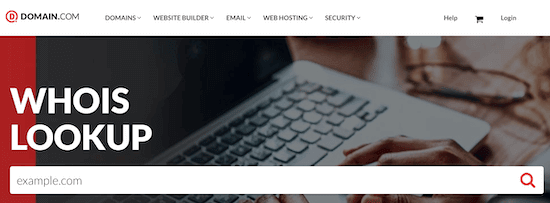
The tool will then display the available WHOIS directory results. It will show you information such as the domain name registrar, who owns the domain, when it was registered, and any available contact information.
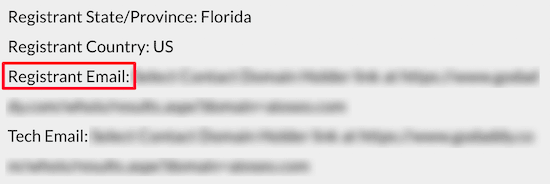
If an email address is available, it will appear in the Registrant Email field. You can also try contacting the domain name owner through the domain name registrar.
Network Solutions is one of the largest domain name registrars in the world, with over 7 million domains registered. With this service, you can register a wide range of top-level domain names.
It also offers almost everything a small business needs to run a WordPress website, including web hosting, security tools, and SEO services. To find out who owns a domain name, you can use the WHOIS lookup and domain lookup tools. Just enter the domain you want to find and click “Search”.
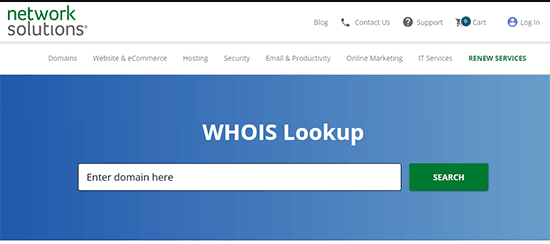
The tool displays available domain registration information; Network Solutions only displays detailed WHOIS information if the domain is registered using their service. However, Network Solutions also offers a unique additional service that allows you to anonymously negotiate the purchase of .NET domains. To use this service, simply click the “Order” button, make a deposit, and the Network Solutions team will start working on it.
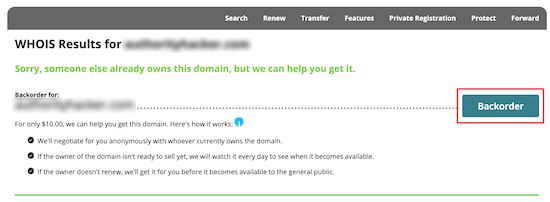
This can be a great way to purchase a domain name from an owner without doing all the work yourself.
GoDaddy is one of the oldest and largest domain name registrars in the world, managing over 77 million domain names. They offer competitive pricing and a large selection of domain name extensions to choose from.
To find out who owns a domain name, use GoDaddy’s WHOIS database tool. It works the same way as the above tool. Simply enter the domain name into the WHOIS database and the tool will retrieve the relevant domain name information.
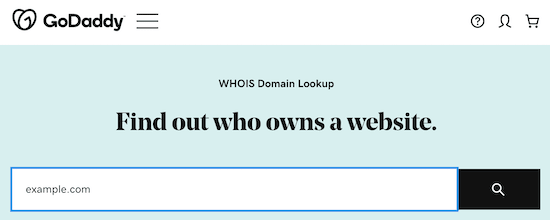
You may notice that the results are similar to the previous tools. However, it may be useful to try searching for a domain name using several tools. If the domain is hosted by a specific registrar, you can get more accurate information.
Today, many domain name registrars offer domain name privacy, whereby information about the owner of a domain name is hidden from WHOIS lookups.
This privacy protection service, along with GDPR laws, can make it difficult to determine who owns a domain. If you used the above tools to find a domain and couldn’t find out the owner, you can use the methods below to contact the owner.
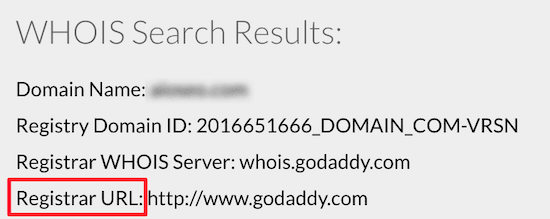
The domain owner information will often be hidden, but the domain name registrar will be visible.
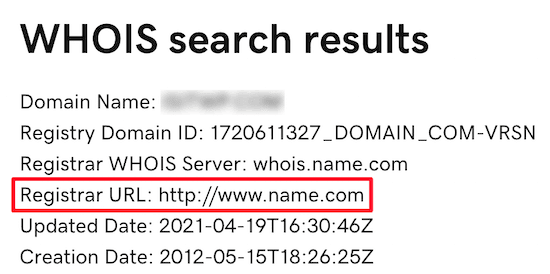
In this case, simply send an email to the registrar and let them know that you are interested in buying the domain or want to report a spam domain. You can also find a forwarding address for “Registrant Email”. Domain privacy providers often forward email received at this address to the domain owner.
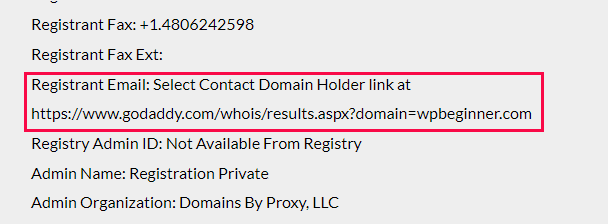
If you know the name of the company using a specific domain name, you can try to find out the current owner of the company. You can use email search programs like Hunter to find the right employees to contact. An easier and faster way to find it is through public websites and social media platforms like LinkedIn.com.
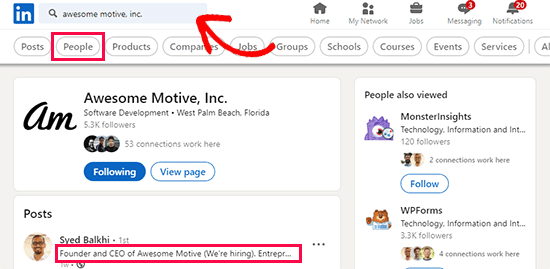
Just enter the name of the business in the search box and see if you can find people who work for the company.
Another option is to simply email the domain name owner through their website’s contact form , if the website is currently online. You can also find a lot of other information about website presence online. For example, you can find the WordPress theme a site is using and find out who hosts a particular website.
If none of the above strategies work, you can always hire a domain broker – many popular domain name registrars like Domain.com and GoDaddy offer domain broker services. With this service, you will be assigned a specialist to help you negotiate the transfer of ownership of your domain.
We hope this article helped you find out who actually owns a domain name. You can also check out our expert picks for the best WordPress hosting and our list of must-have WordPress plugins for business websites.