07.10.2025
2 min
760



Microsoft has begun rolling out an updated version of the Windows Insider Program, making it simpler, clearer, and more open to users. The changes are aimed at addressing Windows 11 stability issues and improving feedback from testers.
Microsoft stated it is going to begin releasing a redesigned version of the Windows Insider Program in addition to other updates to improve its ability to fix many reliability issues experienced by users of Windows 11. Those unfamiliar with the Windows Insider Program need to understand it’s a public beta testing program allowing users to test the latest versions of Windows prior to general availability and allow users to submit their experiences back to Microsoft. The result has been Microsoft ignoring nearly every piece of user feedback that was submitted during the testing process. The problem that Microsoft is trying to solve is getting back to listening to user feedback, which would ultimately help create a better overall Windows 11 experience.
Microsoft has made changes to simplify and make the Windows Insider Program more transparent, hopefully creating a better environment for developing Windows 11. According to a blog post, Microsoft acknowledges that the current channel format for the Insider Program is too complicated. When Microsoft first introduced the Insider Rings and replaced them with chromium-style channels (Canary, Beta, and Dev) everything seemed relatively easy. However, the complexity has grown exponentially since then.
When using the Insider Program today, there is still no clarity regarding which channel(s) you should select if you want to stay “on the bleeding-edge” and receive features as soon as they’re being tested at Microsoft. The truth is, most users do not have access to these same features due to the Controlled Feature Rollout (CFR) program put into place by Microsoft.
Microsoft has admitted that this creates frustration. For example, you may see a new feature released online and after updating your PC, you go looking for the new feature, expecting to try it out, leave some comments/feedback, only to find it’s missing.
Microsoft says it’s listening to feedback, streamlining all channels, and reducing the Insider program to just two channels.
The first new channel is “Experimental,” which replaces the Dev and Canary channels. As the name suggests, this is the channel to sign up for if you only want to test experimental features that may never make it to production.
The second new channel is still called “Beta,” and is an updated version of the original Beta channel.
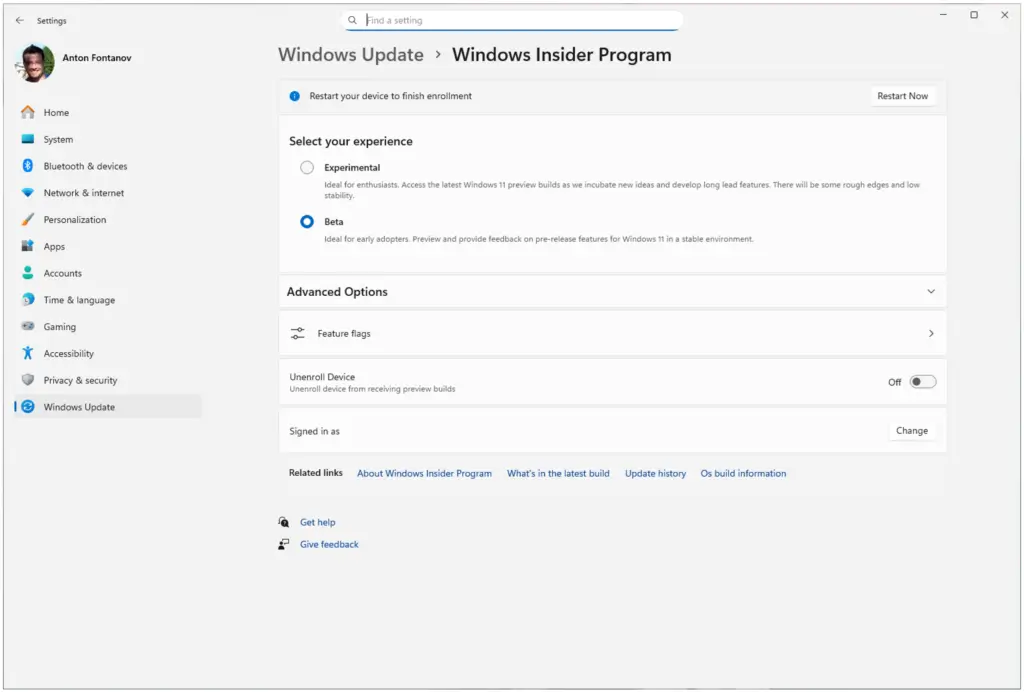
In the Beta Channel, Microsoft is completing a gradual rollout of features, which means that all new features mentioned in the release notes will be available immediately. In the Experimental Channel, you will have access to some features right after installation, but others will be blocked with a flag.
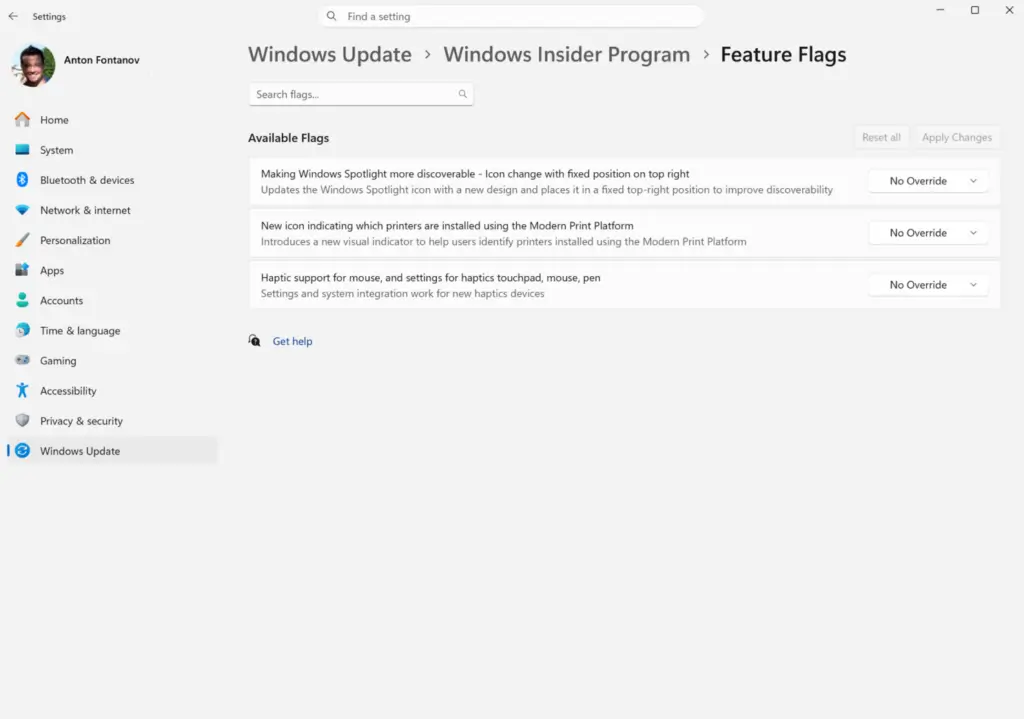
The good news is that you can manually toggle experimental features in Windows Settings.
For example, if you want to try out the new haptic features for your mouse but the feature isn’t showing up due to the gradual rollout, you can open Windows Insider Program Settings > Feature Flags and then toggle the feature on.
Microsoft is beginning to transition Insiders into its new channels in phases, first transitioning users of the Developer Channel to an experimental build.
If you are using the Developer level, and do not currently see the new Experimental Channels interface, you may be able to manually turn this feature on. To do so, go to Settings > Windows Update > Windows Insider Program > Feature Flags, and toggle “New Experimental Build Interface” to On.
Over the next several weeks, Microsoft plans to move all users of the Canary channel to Experimental builds. Specifically, those who have been using the 28000 series of Canary builds will be migrated to an experimental build (26H1) — while users that applied the additional update for the 29500 series of Canary builds will migrate to an experimental build (for future platforms).
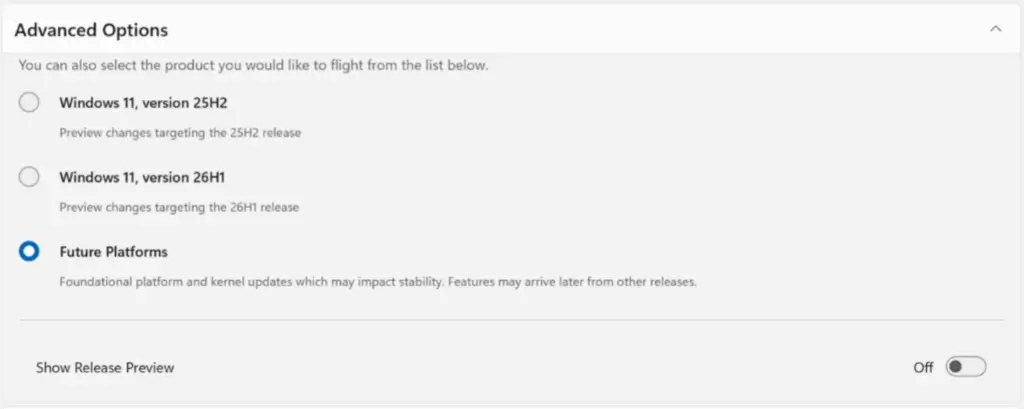
Microsoft stated that a few of the beta channel users will be moved over to this new version of the beta experience. However, there could be a couple minor differences in the features once the transition has taken place.
According to Microsoft, if you are looking to keep all of your current experimental features accessible, they suggest you first switch out of the beta channel into the development channel, then proceed with the rest of your desired actions because the development channel will eventually become an experimental channel. Microsoft is also going to make some significant changes on how build information is shared.