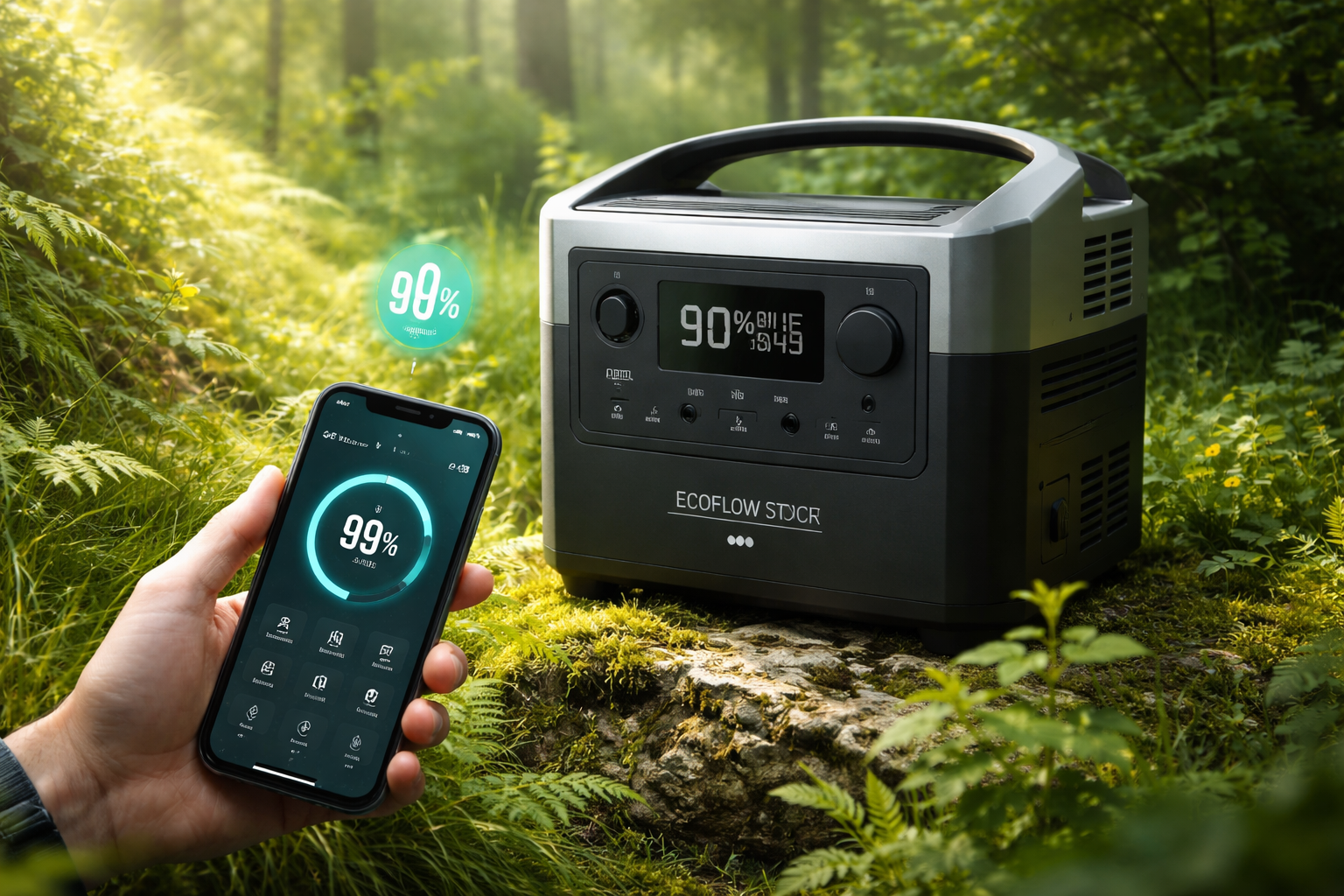
Power stations have become a common part of everyday life for many Ukrainians, especially amid an unstable energy situation. Among the most popular devices on this market are EcoFlow systems, which allow users to store electricity and power household equipment or devices while on the move. However, alongside this convenience, users often face questions about device control, service reliability, and dependence on the manufacturer’s infrastructure.
This article explores an alternative approach to interacting with EcoFlow power stations. The author shares practical experience in searching for ways to control these devices outside the standard mobile application and the official cloud ecosystem.
How to bypass the servers and control the station directly
If recent reports are anything to go by, by early 2026 Ukrainians had purchased enough portable power stations that their combined capacity could already rival that of a single nuclear power unit. No one is likely keeping exact statistics, but the estimate seems realistic—especially when factoring in power banks and various DIY energy storage setups that have appeared in households over the past few years.
Despite the growing number of new players entering the market, EcoFlow remains one of the most recognizable power station brands in Ukraine. The Chinese company specializes in energy storage systems and related equipment. However, reliance on cloud infrastructure can sometimes create unexpected issues. For example, if the company’s servers experience an outage, users may temporarily lose the ability to control their stations remotely.
In some situations, physically accessing the device is not convenient—for instance, when the station is installed in a hard-to-reach location, under the ceiling, or near a boiler. In addition, some features are available only through the mobile app, such as setting charging limits, adjusting charging speed, or configuring other system parameters. The buttons on the station itself do not provide access to all of these options.
In theory, Bluetooth—available alongside Wi-Fi in EcoFlow stations—could solve this issue. However, even in that case the official EcoFlow app is still required to manage the device. The problem is that the app often works poorly without access to the company’s servers. Even when the connection is stable, users frequently encounter bugs and unstable performance.
This raises a natural question: are there alternative ways to control EcoFlow power stations without relying on the official app?
Alternatives
Server API
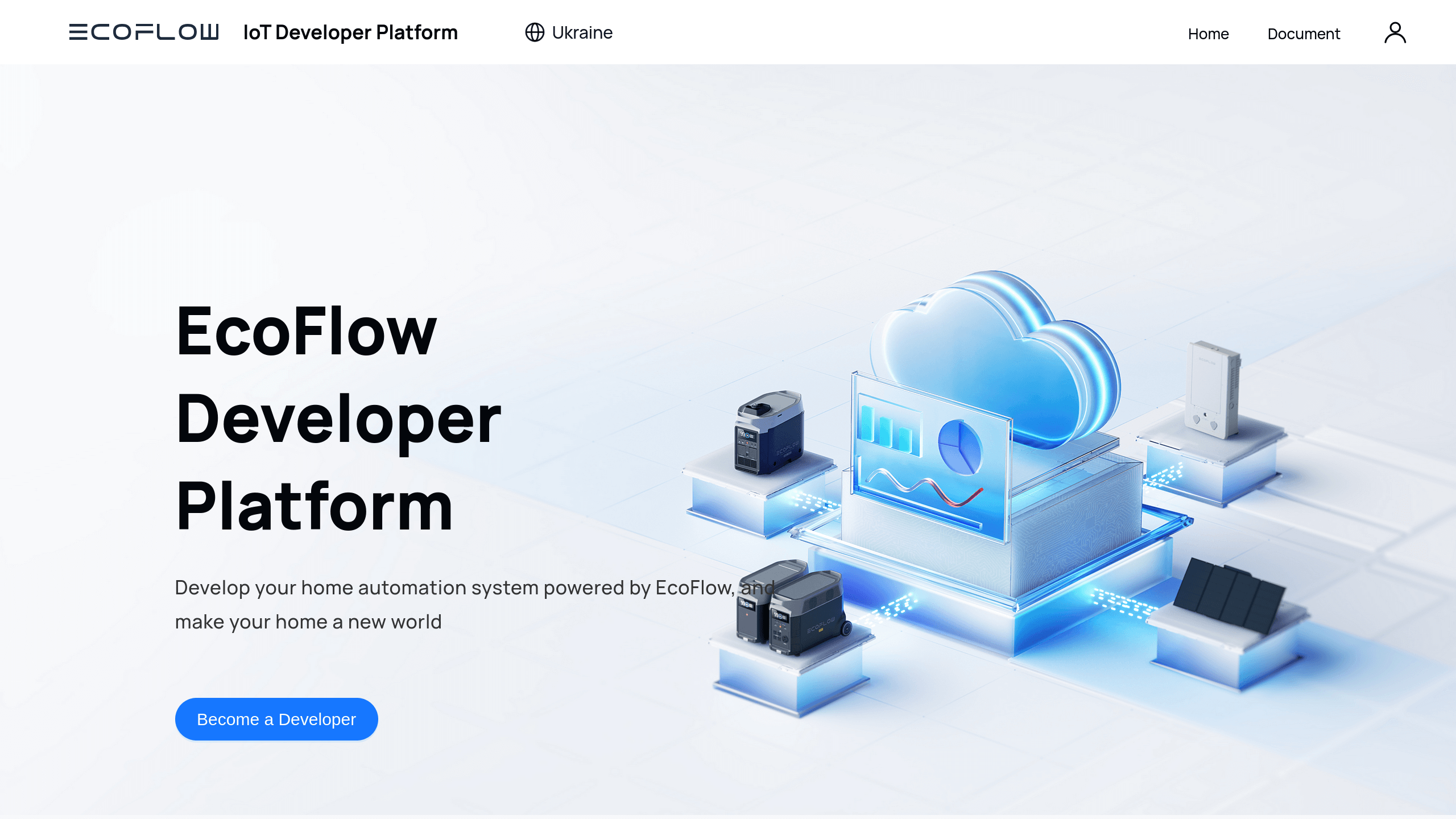
In addition to the mobile app, there is also the EcoFlow Developer API, which provides access to your devices not through the application but directly via a server API. This approach helps bypass many of the bugs found in the official app, although it obviously does not solve the issue of server outages.
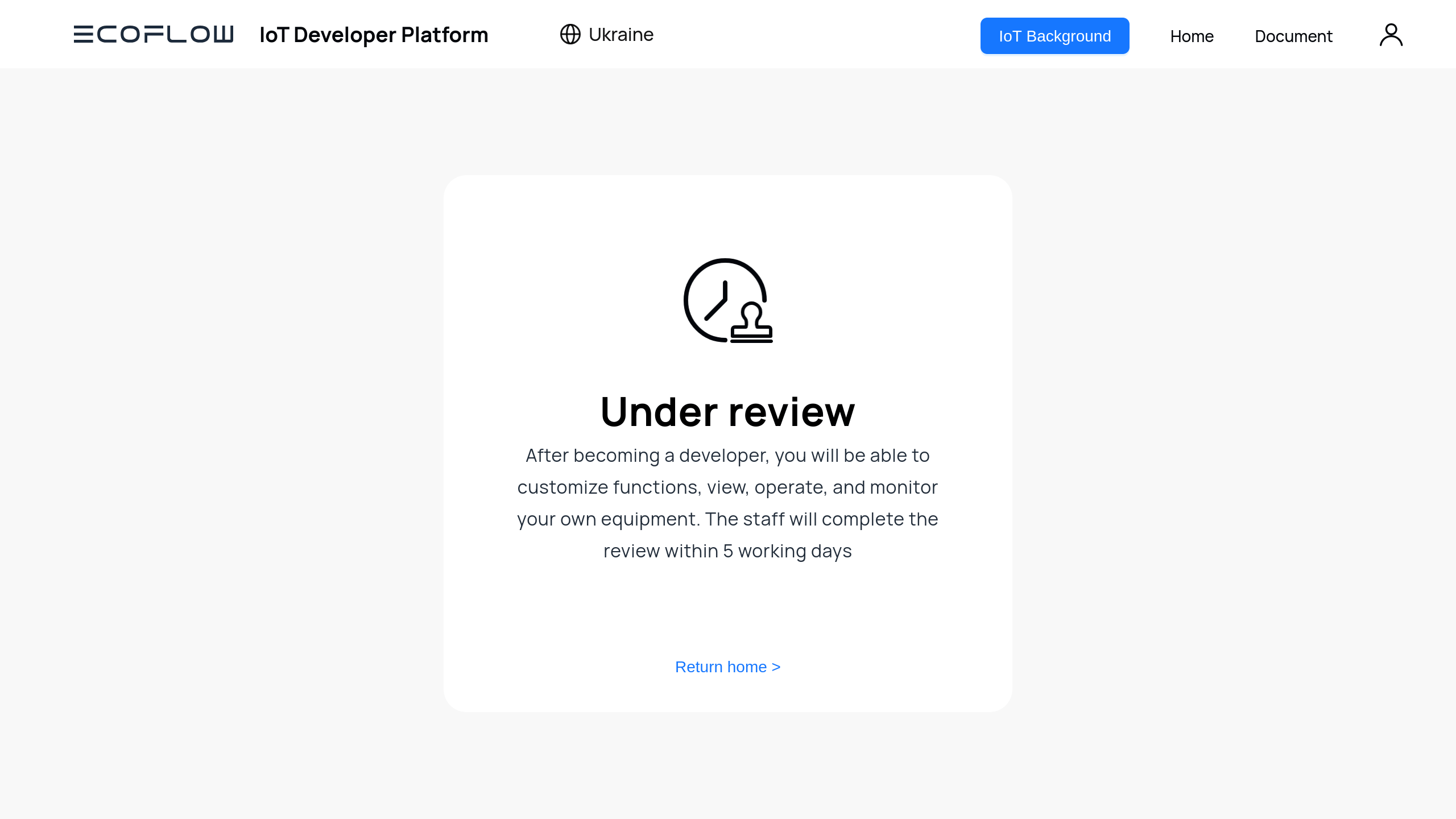
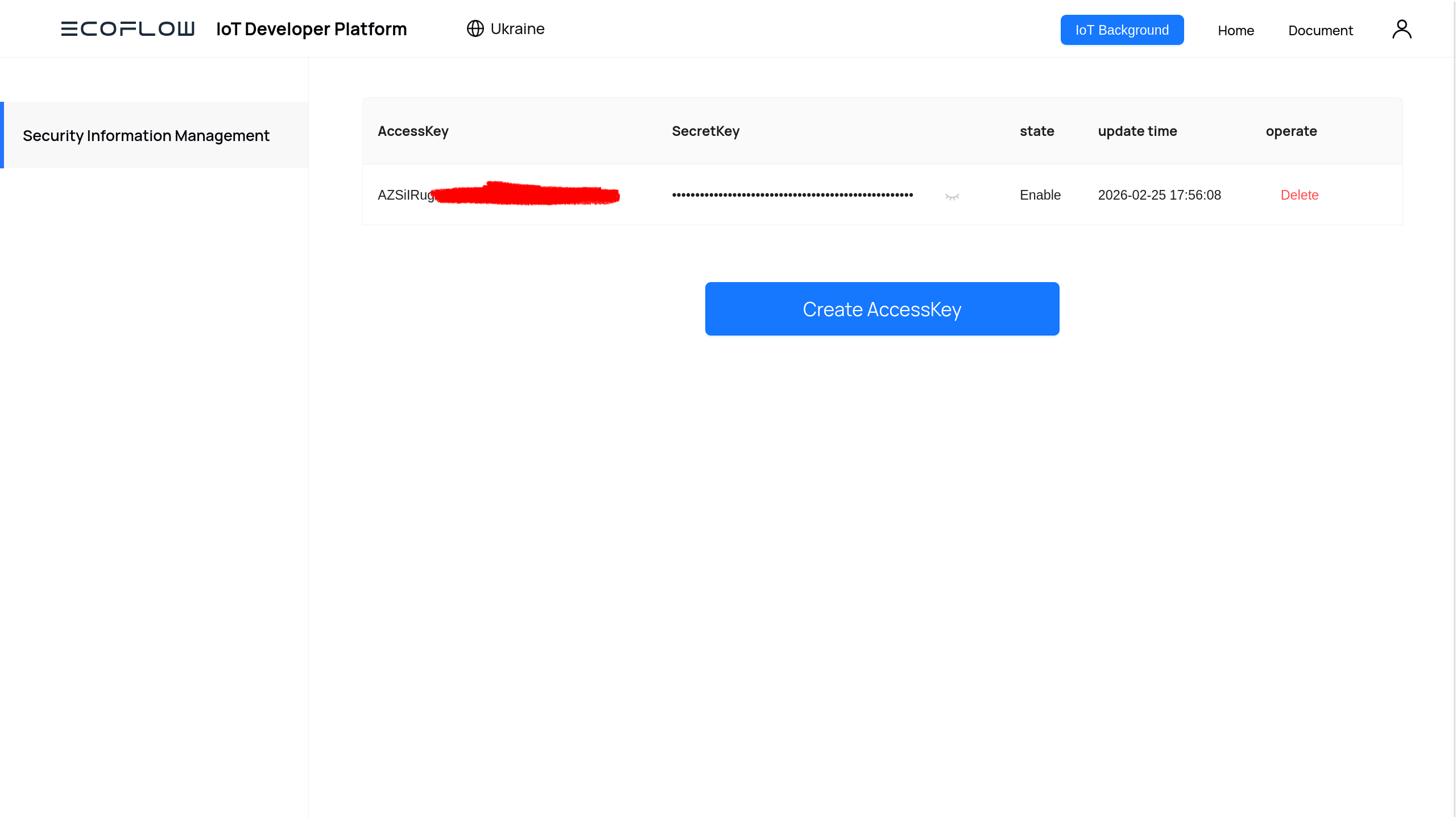
After registering as a developer, you receive an access key and a secret key. These credentials are used to authenticate with https://api.ecoflow.com or via MQTT at mqtt.ecoflow.com:8883, allowing you to access your devices in a format that is convenient for your own tools or services.
Because this is a server-side API, it is possible to build a custom application or automation scripts on top of it. If you run a home server with HomeAssistant OS (HAOS), you can also use an existing plugin built around this API. In that case, the setup process simply requires providing the previously obtained keys during the initial configuration of the plugin.
There are several limitations to this approach. Not everyone runs a full home server with HAOS, and it still leaves users dependent on EcoFlow’s cloud infrastructure. For those who prefer a more self-contained setup or aim to build a fully independent digital environment, this option may not be ideal. In that case, it makes sense to look for other solutions.
Bluetooth
The next option that proved suitable for these needs is using Bluetooth directly from the station. All stations in the River 2 series, Delta Pro, and newer models support control via Bluetooth. However, two obstacles appear here.
The first challenge is the unknown control protocol behind the scenes. Even if you have a device with Bluetooth—such as a phone or laptop—that could theoretically connect to the power station, that does not mean it will be easy to interact with it. The manufacturer provides no documentation on how to use this interface. Fortunately, open-source contributors and enthusiasts managed to reverse-engineer this communication method, and their findings are available in a public repository.
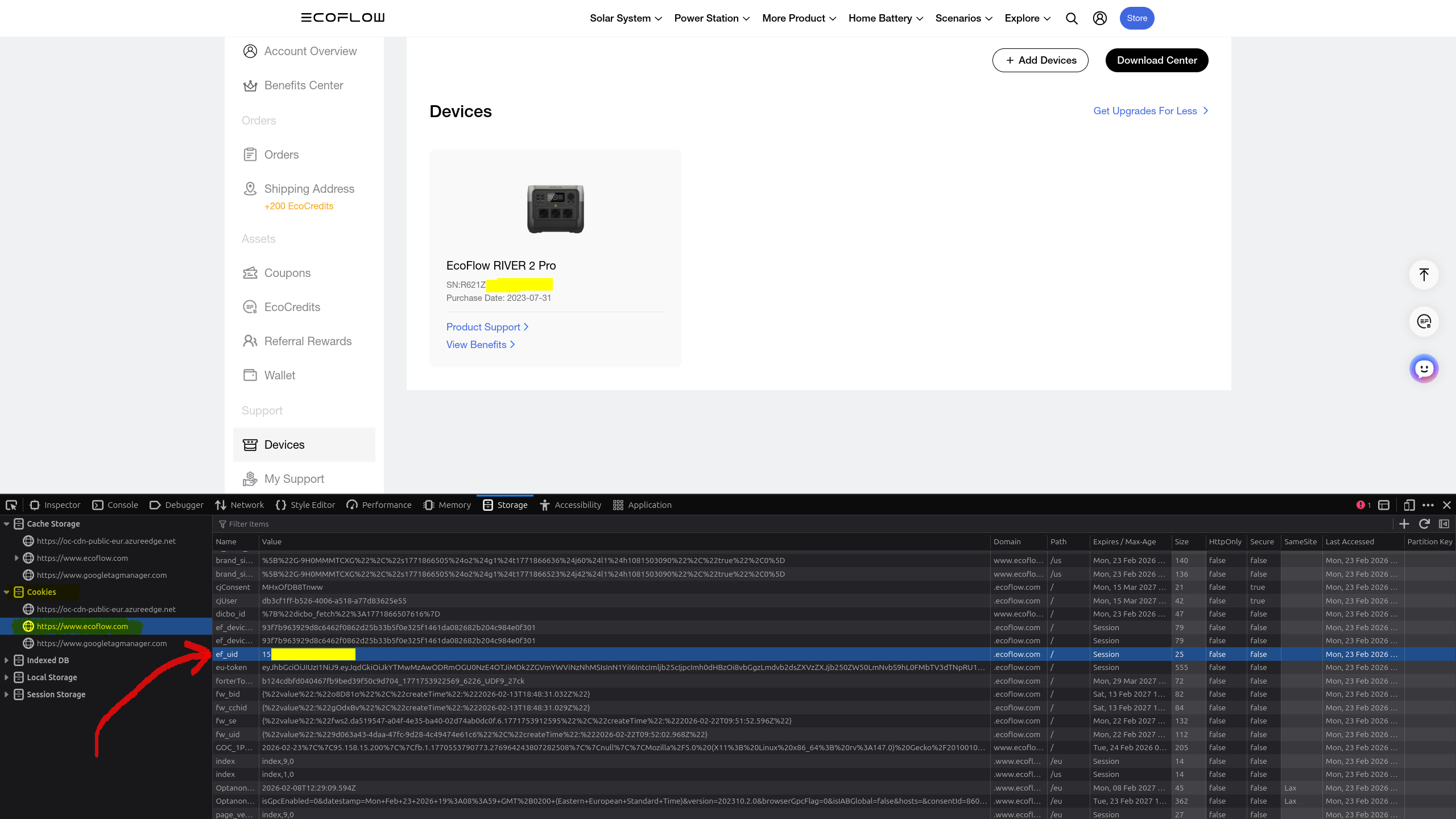
In short, the station communicates using encrypted Protobuf messages (a distant relative of JSON, put simply). To decrypt them, you only need the userId associated with your EcoFlow account. This identifier can be extracted from your account by following these steps:
Locate the cookie named ef_uid — this value is your userId.
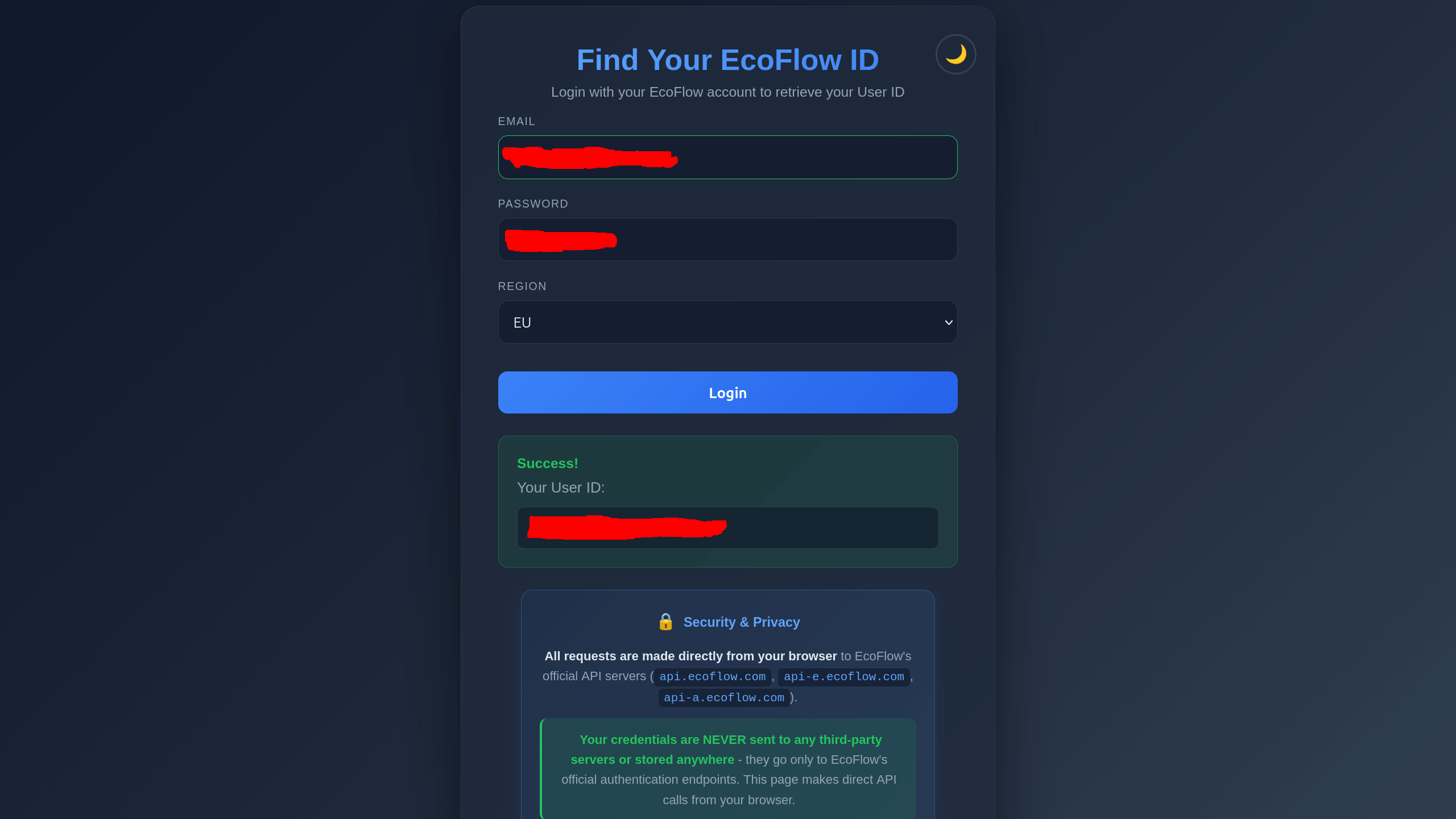
If you are an active user of EcoFlow power stations, the first two steps are most likely already completed. The remaining steps can be simplified by using a small utility created specifically for this purpose: https://gnox.github.io/user_id
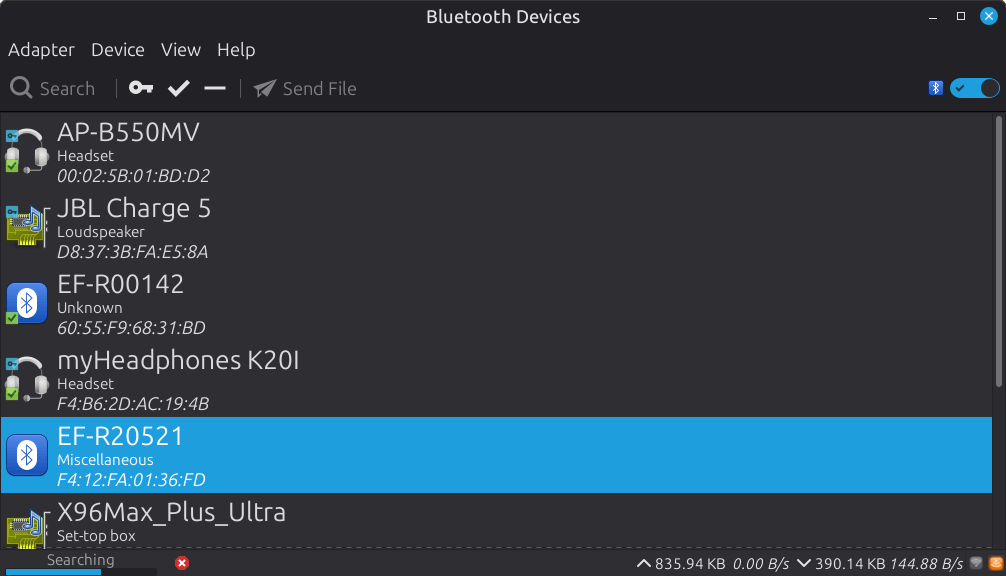
You will also need the MAC address of the Bluetooth module in your station. Scan nearby Bluetooth devices and look for ones whose names start with EF (short for EcoFlow). Some smartphone brands display MAC addresses directly in the device list, but if yours does not, you can use any Bluetooth scanning app from the Google Play Store. Apple devices unfortunately display masked UUIDs instead of real MAC addresses, so using an Android device or a Windows/Linux laptop will be necessary.
The second obstacle—or rather a drawback of this approach—is the need to launch the official app at least once and link the stations in order to obtain the userId. However, once this step is completed, the stations can be controlled independently and no connection to EcoFlow’s servers will be required. This Bluetooth-based approach also exists as a plugin for HomeAssistant OS: https://github.com/rabits/ha-ef-ble. But again, not everyone runs a home server with a full HAOS installation. In this case, a small Linux-based mini PC (N100 + 16 GB RAM + 512 GB storage) purchased for about $105 on AliExpress a year ago was used instead. Interestingly, the prices of similar devices have increased two to three times in less than a year.
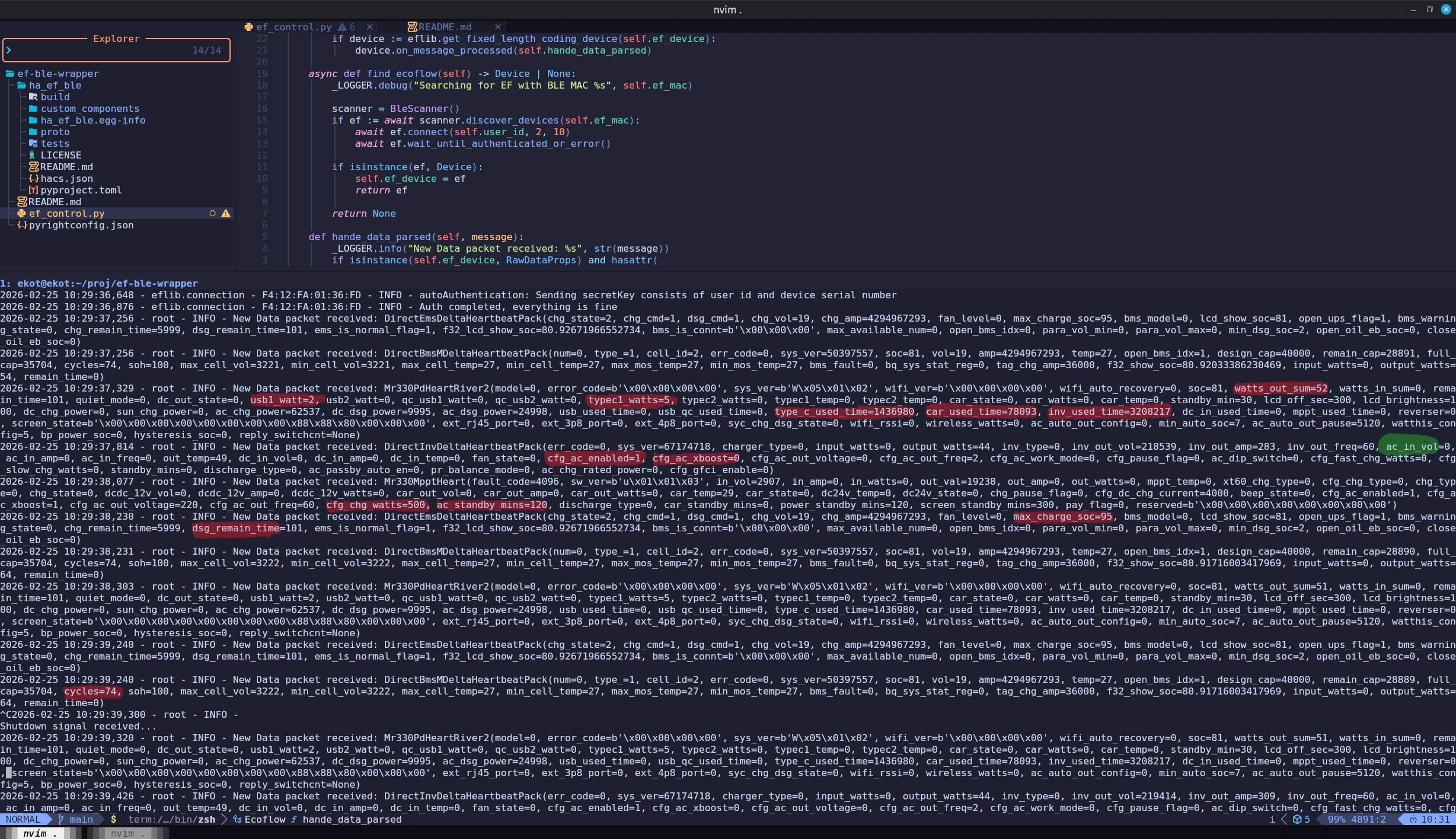
Based on that repository, a simple wrapper called ef_control.py was created. It uses only the part of the code responsible for establishing a connection with the power station. This approach isolates the connection logic into a separate module that can be reused independently of the original project.
As a result, station control can easily be integrated into custom tools such as automation scripts, home automation systems, or other services. For example, this wrapper can serve as the foundation for controlling the device through a Telegram bot, which is exactly how it was implemented in practice.
What this makes possible
Now the power station truly belongs to you, and it can be controlled remotely without relying on the manufacturer’s infrastructure. If the home server used to run the scripts is accessible from the internet, the station can even be managed from anywhere—essentially the same way it would be controlled through the official app.
The same actions available in the app can be performed, including:
Turning 230V output (the inverter) on or off
Turning 12V output (car socket) on or off
Enabling or disabling XBoost
Adjusting the station’s charging speed
Setting charge and discharge limits in percentages
And other similar functions
In addition, the amount of information the power station transmits over Bluetooth is significantly greater than what the manufacturer exposes in the official app. For example, the following data becomes available:
Battery cycle count (useful when selling or buying a used station)
Voltages and currents
Temperatures
Port usage statistics
Total inverter runtime
Individual output power per port (instead of the combined DC output shown in the app)
Designed capacity and actual capacity
Error codes (if any)
And much more
Note: some of the data appears to be placeholder values, so it’s important to filter and verify exactly what you are looking at.
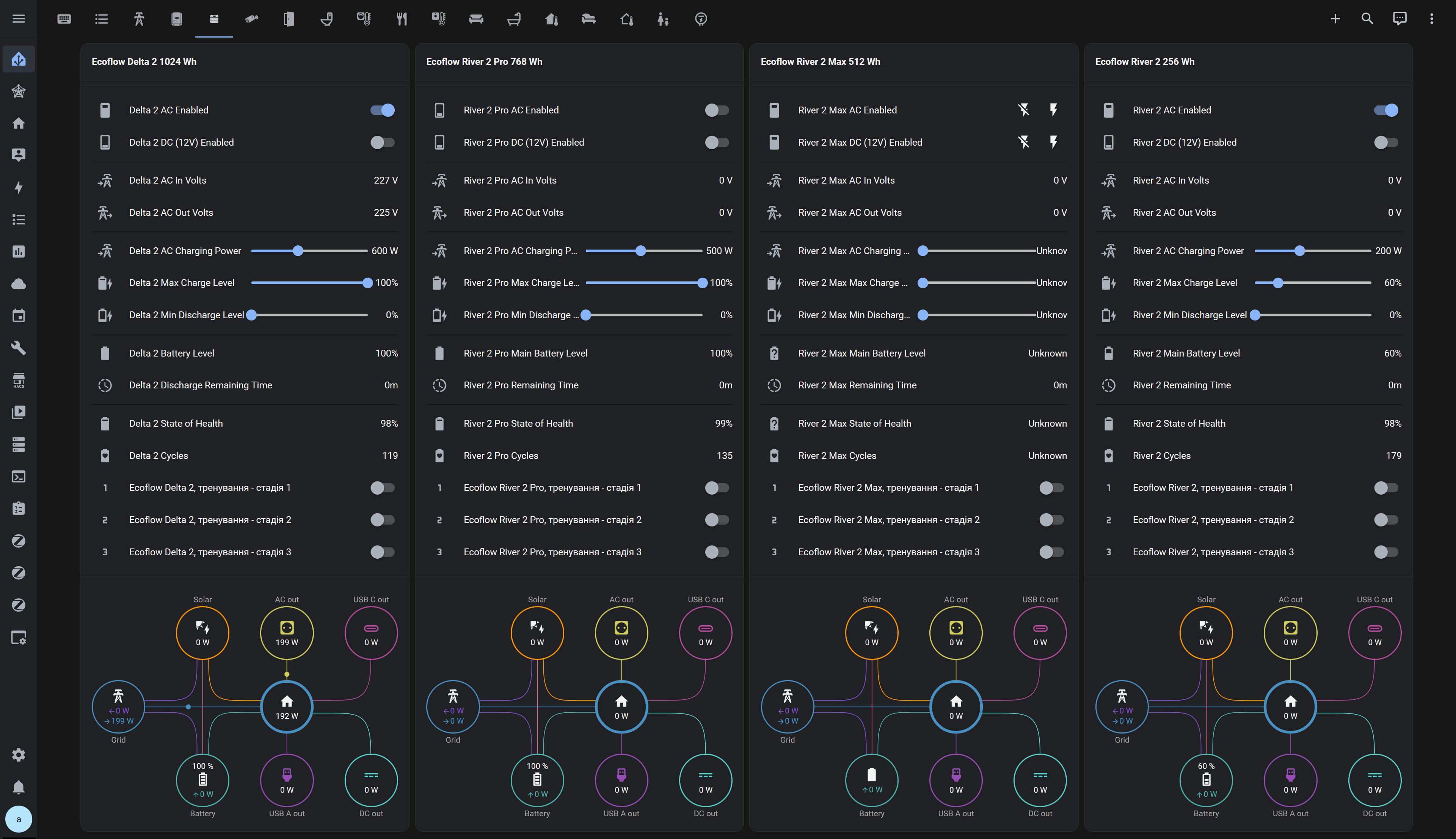
For example, the station can be used as a very expensive improvised voltmeter—monitoring the voltage in a home electrical network (look for the ac_in_vol field) if a voltmeter is not available. Even if a regular voltmeter is present, it usually cannot be connected to a system to automatically extract voltage readings. A modified or “hacked” EcoFlow, however, makes this possible. There are many other potential scenarios for using all this additional data.
So, if you want to try it yourself, download the wrapper repository and follow the instructions in README.md to run the script (functionality on Windows has not been tested—only Linux). Alternatively, you can install the plugin directly for your HomeAssistant OS.
If you have your own experiments or improvements, feel free to share them in the comments. It would also be interesting to hear what energy storage systems you use—and whether they happen to be second-hand batteries paired with a separate inverter and charger.
To provide the best experiences, we use technologies like cookies to store and/or access device information. Consenting to these technologies will allow us to process data such as browsing behavior or unique IDs on this site. Not consenting or withdrawing consent, may adversely affect certain features and functions.
Functional
Always active
The technical storage or access is strictly necessary for the legitimate purpose of enabling the use of a specific service explicitly requested by the subscriber or user, or for the sole purpose of carrying out the transmission of a communication over an electronic communications network.
Preferences
The technical storage or access is necessary for the legitimate purpose of storing preferences that are not requested by the subscriber or user.
Statistics
The technical storage or access that is used exclusively for statistical purposes.The technical storage or access that is used exclusively for anonymous statistical purposes. Without a subpoena, voluntary compliance on the part of your Internet Service Provider, or additional records from a third party, information stored or retrieved for this purpose alone cannot usually be used to identify you.
Marketing
The technical storage or access is required to create user profiles to send advertising, or to track the user on a website or across several websites for similar marketing purposes.