02.05.2023
4 min
2565



Shotstars is a unique star analysis tool on GitHub that allows you to track changes in repository popularity, detect fake activity, and understand real interest in a project. Whether you’re a developer looking to see who’s really evaluating your code or a marketer looking to test the effectiveness of your promotion, Shotstars will be your indispensable assistant.

Shotstars allows you to monitor any repository from the outside. For example, can a web user tell you how many stars were added or subtracted from an interesting GitHub repository per month? (IT hosting does not provide information about the decrease in the number of stars even to the owner of their own projects).
Shotstars will take care of and calculate exactly those GitHub users who have removed or added stars to any project, or even left the platform completely. In addition, the tool allows you to identify repositories with fake stars.
Claimed functions:
Shotstars will help you find and expose naked kings and their entourage (fact: stars in some repositories are overvalued).
Shotstars calculates parameters: aggressive marketing, trend, fake stars, peak popularity and its date.
Shotstars scans repositories for added and removed stars with statistics for the selected time period.
Shotstars reports the real date of the repository (fact: developers can announce/fake/change the commit dates of their projects, but Shotstars will not fool them, the utility will display real numbers).
Shotstats will show ~ size of any public repository.
Shotstars will also provide a short description of the repository.
Shotstars offers a scan history with a selection of previously registered projects for quick review.
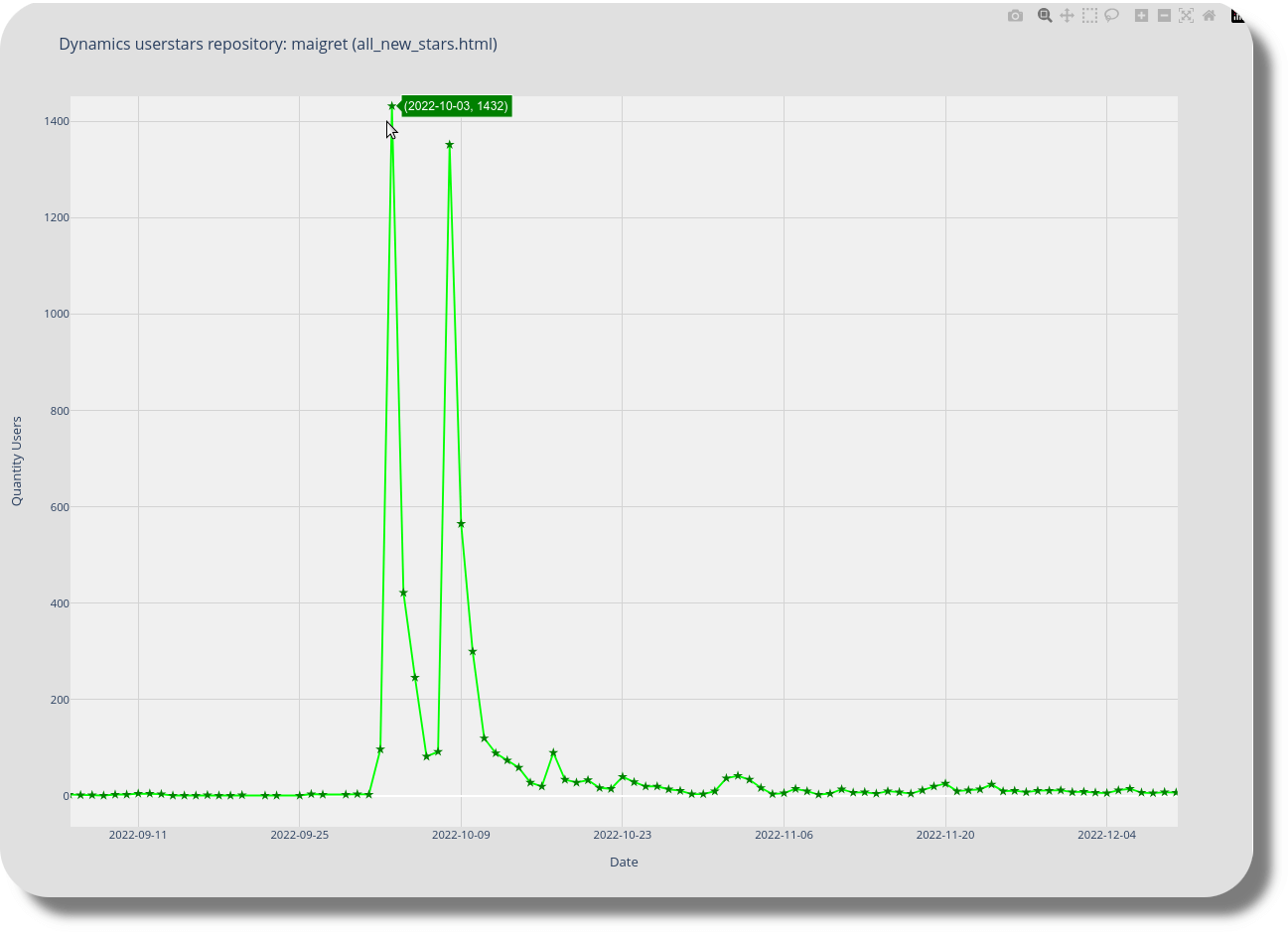
Shotstars generates CLI/HTML reports (statistics, time periods, duplicate user activity, URLs and graphs).
Shotstars can simulate results, documented hack: a feature designed to test the utility’s operation (for confidence) on dead/stable repositories without moving stars.
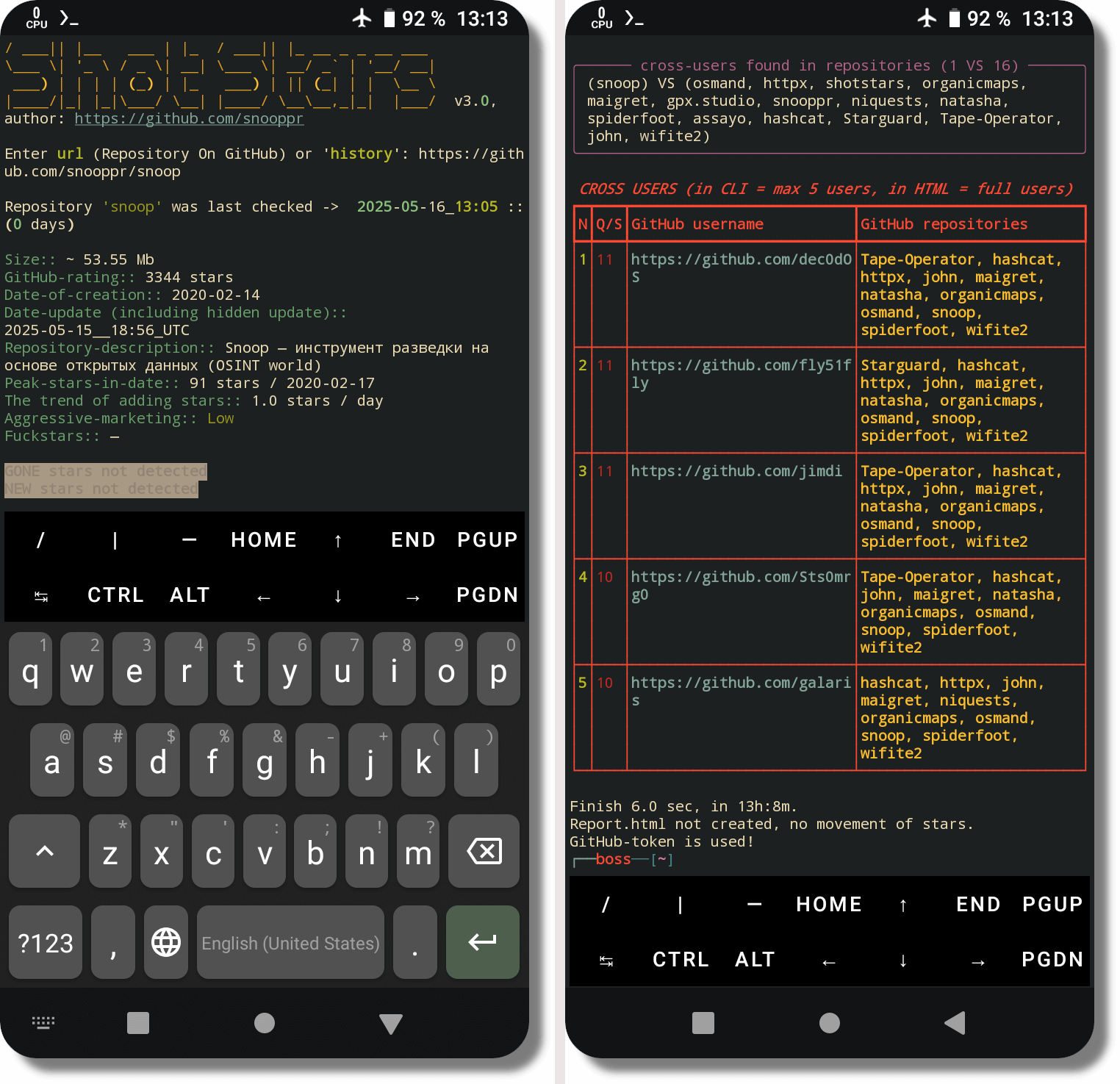
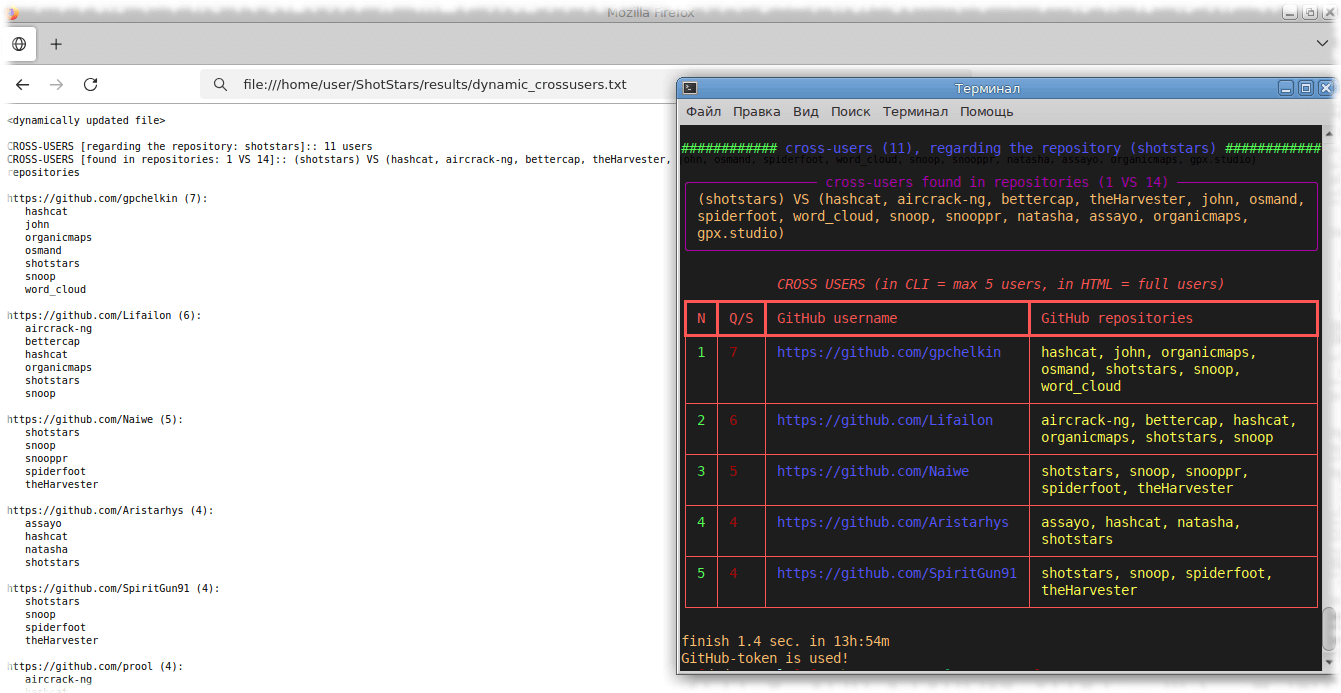
Shotstars finds users who overlap in different Github projects, including those with hidden/closed profiles.
Shotstars calculates with an accuracy of up to a minute and displays the time of lifting the restriction on rescanning github (if a token is not used).
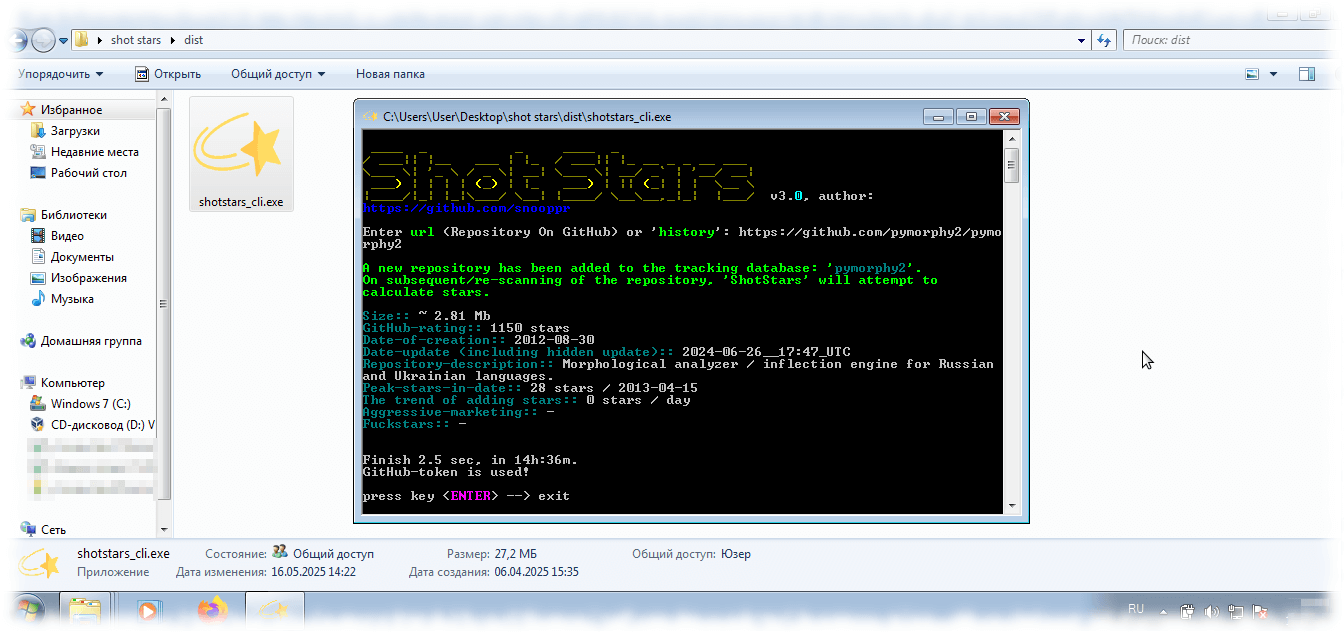
Shotstars is built for people and works “out of the box”, OS support: Windows7+, GNU/Linux, Android (the user does not need: technical skills; registration/authorization on Github and even the presence of Python).
Shotstars processes tasks with extreme speed and for free (cross-platform open source software, donations are welcome).
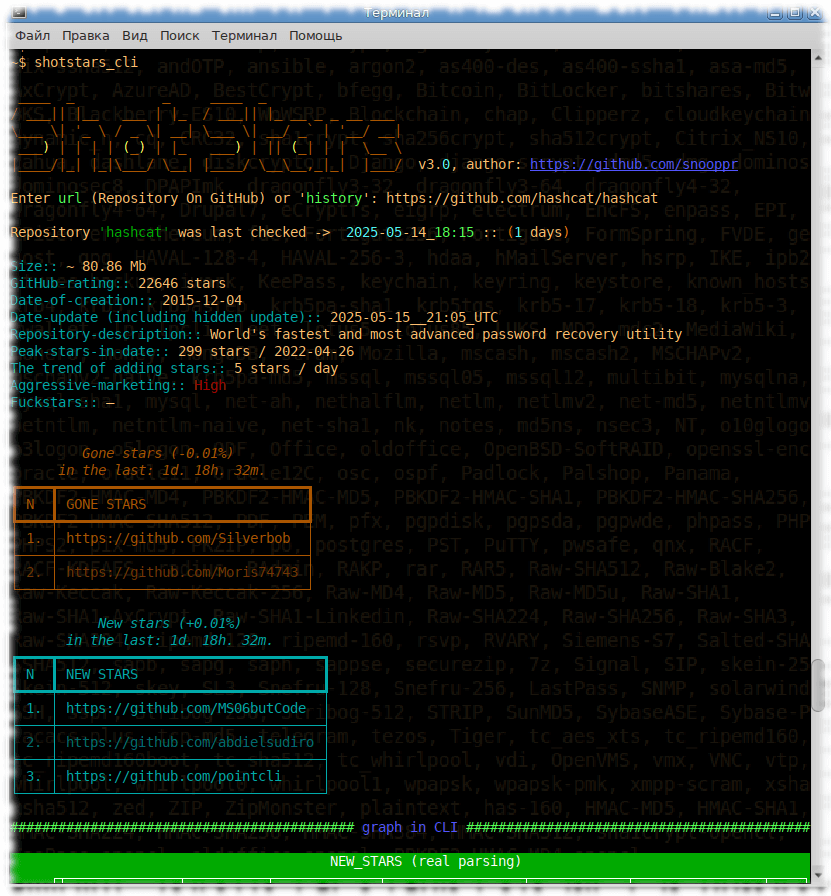
$ pip install shotstars
$ shotstars_cli
Ready-made “Shotstars” builds are available for ОС GNU/Linux та Windows, and also Termux (Python not needed)
A documented software hack – or side function – designed to test a script on dead/stable repositories without changing the order of operations. To simulate the process, the user must scan the new repository once, adding it to the database; randomly removing and adding any lines to the file.
(GNU/Linux and Termux OS):
/home/{user}/ShotStars/results/{repo}/new.txt
(ОС Windows):
C:\Users\{User}\AppData\Local\ShotStars\result\{repo}\new.txt
Run a second scan of the same repository.
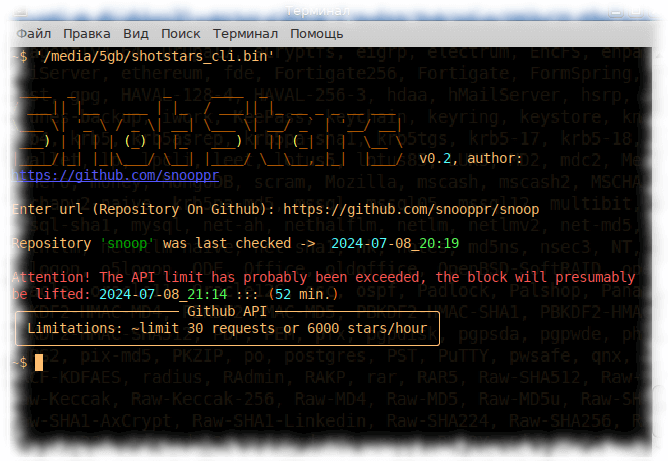
There are limits from Github 【6k stars/hour from one IP】, repositories with more than 6k stars are physically pointless to scan. In Shotstars with Github token you can bypass the limits and scan repositories up to 500k stars/hour.
register an account on Github (if you don’t have one yet);
open your profile -> settings -> developer settings -> personal access tokens -> generate a new token;
paste the received token (string) in the field instead of ‘None’GNU/Linux & Android/Termux:
/home/{user}/ShotStars/results/config.ini
OS Windows:
C:\Users\{User}\AppData\Local\ShotStars\result\config.ini
The Github token belongs to the user, is stored locally and is not transferred or downloaded anywhere. You can parse both your own and third-party repositories (by default, registration/authorization/token is not required).
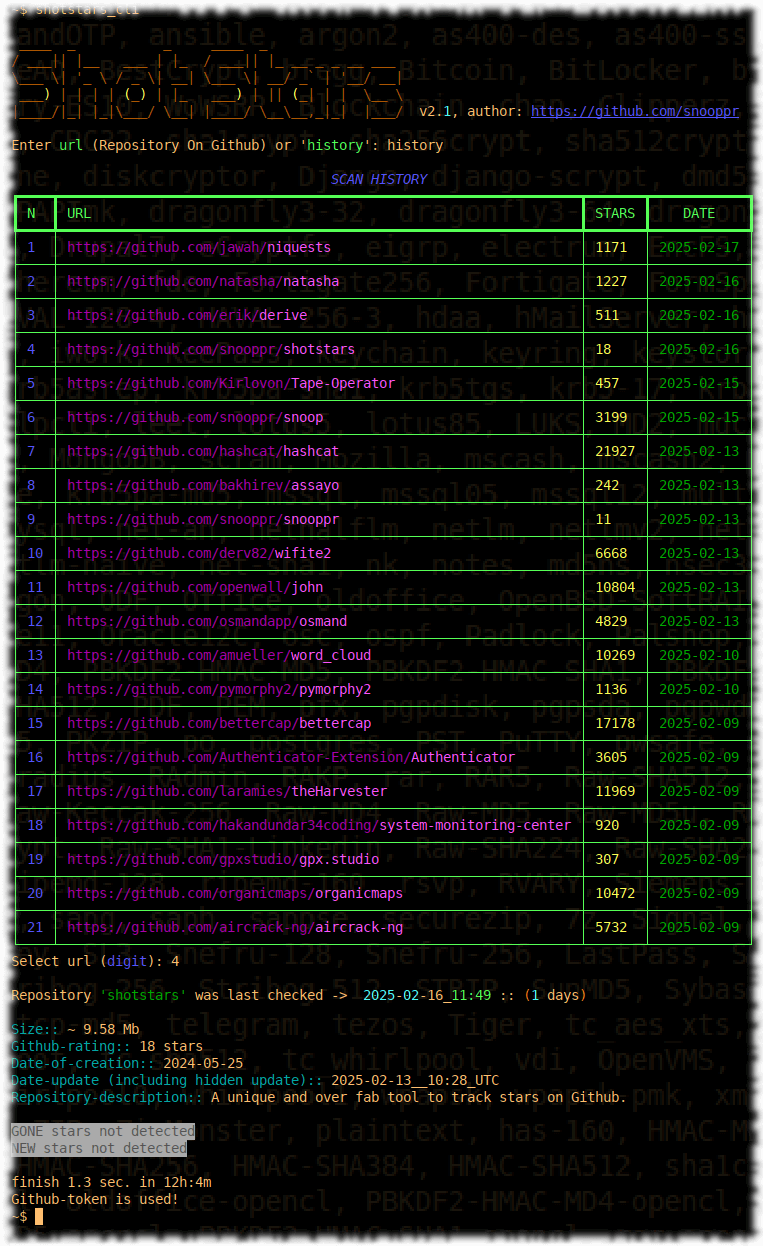
Shotstars now has a scan history, now you don’t need to enter or copy/paste the URL every time, instead of the repository url, specify the keyword his/history and select the number of the previously scanned repository.
Please note that the HTML report is created only when Shotstars has detected the movement of a star in the repositories. If the user needs to receive an HTML report, simply turn on the star simulation.
Shotstars has a scan history available, now you no longer need to type or copy/paste the URL every time, specify the keyword his/history instead of the repository URL, and select a previously scanned repository by number.
Shotstars allows you to monitor any repository from the outside. For example, can a network user say: how many stars have been added or removed in some interesting github repository in a month? (IT hosting does not provide data on the reduction of stars, even the owners of their own projects). Shotstars will take care of and identify specifically those github users who have removed or added stars to any project, or even completely removed it from the platform. In addition, the tool allows you to calculate repositories with fake stars.
1. Shotstars for Windows 7
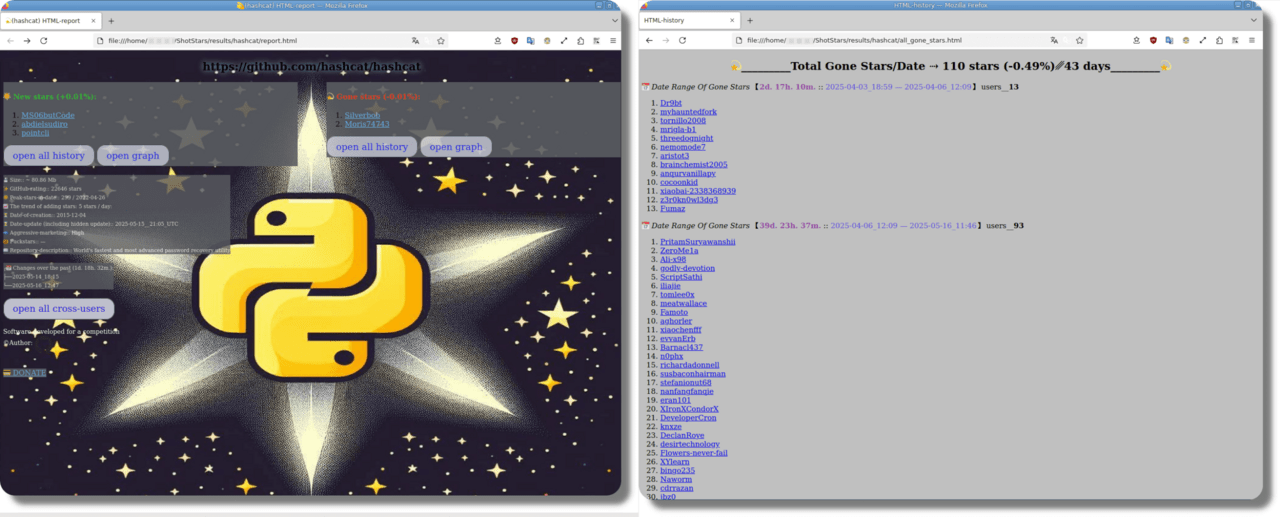
2 Shotstars HTML report
3 Shotstars for Android/Termux
4 Shotstars Limit Github/API (unless you use a free token)
5 Shotstars Scan History
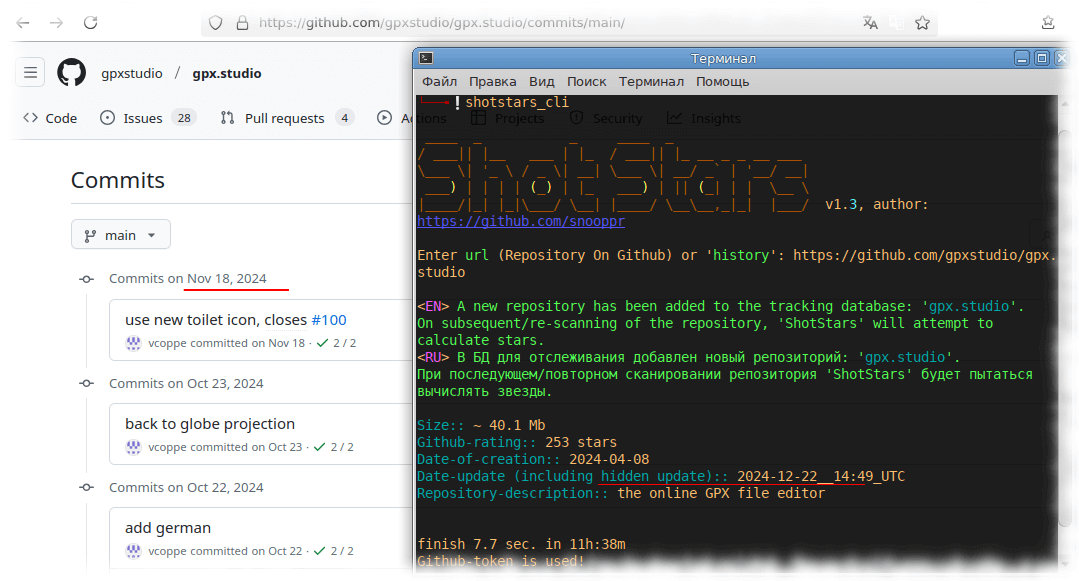
6 Shotstars detects hidden developer activity Shotstars is cool, it sees everything. Github says there haven’t been any commits in the repository for a month, but there has been some subtle activity like PR updates etc. (by the way, commit overwriting and date manipulation are also easy to detect).
7 Shotstars finds users who overlap across different Github projects, including those with hidden/private profiles.
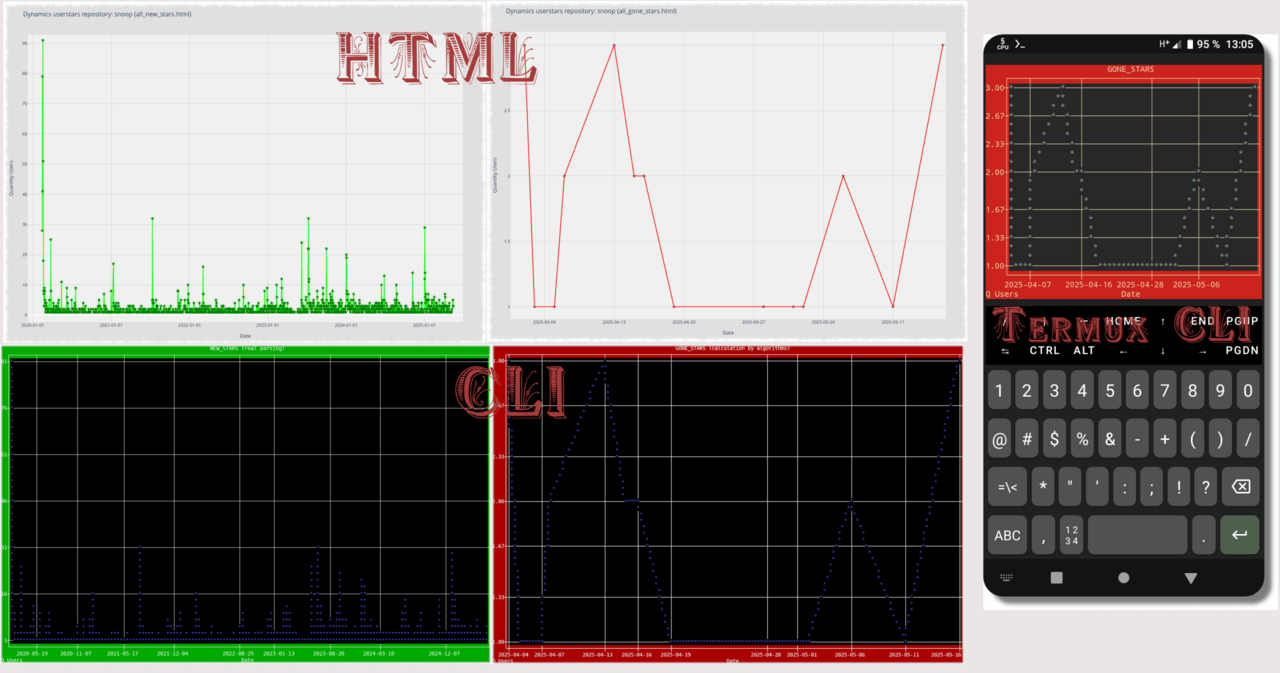
8 Shotstars generates HTML-CLI timelines of the history of the repository’s stars, both new and defunct.
Shotstars is not just a utility for viewing GitHub statistics, but a powerful analytical tool of the next generation. It allows an ordinary user, without technical training, to see the real picture of the popularity of any repository: who added stars, who removed them, who deleted their account or uses fake activity. Unlike GitHub itself, Shotstars provides transparency, which is so lacking in the platform.
With support for Windows, Linux and Android, the tool is available to everyone. It works out of the box, does not require authorization or installation of additional components, and can even bypass GitHub restrictions thanks to tokens. With it, you can not only monitor your own projects, but also check other people’s – and detect cheating, aggressive marketing or dead accounts.
If you want to know who really supports your project – or expose those who cheat on stars to create the illusion of popularity – Shotstars will show you everything.