
07.11.2024
1 min
969



The article describes how to protect backups from ransomware and why a regular backup is no longer enough. You will learn how to prepare your data storage system for cyberattacks, avoid information loss, and minimize the consequences of infection. The author explains how to organize backups so that even after a hack, the company can quickly resume work. The material will help you understand where to start building reliable data protection and what mistakes most often lead to complete information loss.

For decades, backups have served as the main protection against physical equipment failures and accidental data loss. A reliable backup system (SRS) was supposed to survive a fire or flood and ensure business continuity. But today, another, much more real threat has appeared, against which fireproof walls and remote data centers are powerless.
Ransomware viruses have become a serious challenge for most companies. Attackers are increasingly encrypting data, paralyzing business processes, causing financial losses and reputational damage. The presence of backups does not guarantee security if the backup itself is configured incorrectly or without taking into account modern risks.
The purpose of the material is to consider current methods and technologies in the field of data storage and backup that help reduce the damage from encryption attacks and minimize information loss. It is important to remember: it is not enough to simply make a copy – you need to do it correctly.
When it comes to ransomware, the first thing that comes to mind is logical data corruption and the compromise of domain administrator accounts.
Any company should pay attention to four key areas: technology, processes, people, and compliance with basic information security rules. In each of them, it is important to implement a set of measures that reduce the consequences of attacks and accelerate data recovery.
Before moving on to complex technical solutions and recovery scenarios, it is worth establishing basic rules that should become part of the “digital hygiene” of every organization. These principles are not recommendations, but mandatory measures, without which the backup system is doomed to be vulnerable. Below are the main methods that really work and have been proven in practice:
Adherence to the 3-2-1-1 strategy. For reliable storage, you need to have three copies of your data; two of them are on different types of media (for example, an array and a cloud, or an array and a tape); one copy is outside the main data center; another is on non-volatile storage (WORM) or offline.
Separate placement of backup copies. Backups should not be stored on productive arrays where the main data is located. They should be placed on separate devices or in special storage.
Regularity of backups. Backups should be created according to an approved schedule, their integrity should be verified and any failures or omissions in the process should be excluded.
Data consistency. Copies should be made not only at the file system level, but also at the database and application levels so that the full working landscape of the system is recreated during recovery.
Network segmentation. Since most attacks by cryptographers occur over Ethernet, it is necessary to physically separate the transmission, control, storage, and backup networks.
Air-gapped backups. Copies should be stored offline without a permanent network connection. Removable media such as tapes or external drives stored in secure rooms are used.
Catalog and management database backups. The deduplication database, backup catalog, and management server should be backed up regularly to ensure rapid recovery in the event of an attack.
Catalog protection. Backup system metadata should be duplicated. Having an offline copy of the catalog allows for rapid recovery of information about where the required backups are stored.
Catalog copy automation. One effective option is to store the catalog on a separate NFS sphere in an isolated segment that is not connected to the domain. The sphere is mounted only on a schedule, the copy is performed, and then the resource is disconnected. This can be configured using cron and pre/post commands.
Use built-in security mechanisms. Modern backup software includes features to detect anomalies, block unauthorized changes, and prevent data encryption. It is important not to ignore these capabilities.
The catalog of the backup system is the heart of the entire structure. The loss of its metadata means the inability to restore data even with physical copies. Therefore, all advanced backup systems have mechanisms for creating autonomous catalog backups that can be deployed “from scratch” on a new server in cold backup mode. It is recommended to make a full catalog backup at least once a day in a separate storage, and duplicate service information in the form of text files or send it by mail. It is advisable to duplicate catalog copies on tapes for storage outside the main site.
Most modern backup systems already have built-in protection against encryptors. Such modules automatically detect anomalies in client behavior, block malicious processes, and protect their own files, catalogs, and databases. Below are examples of popular solutions:
CyberProtect (Cyber Backup). The Active Protection module monitors processes on the server: if a program tries to encrypt files or mine cryptocurrency, the system creates an alert and performs the specified actions. It also blocks changes to its own configurations, registry entries, and local copies. In addition, the Vulnerability Assessment module analyzes protected machines, checks for OS and program updates.
Acronis CyberBackup. Contains similar mechanisms for monitoring processes, preventing encryption, controlling access to backup copies, and built-in data integrity checking.
RuBackup (Astra Group). Provides for scheduled replication of selected copies to an independent installation. Due to the autonomy of the second domain, the encryptor cannot damage the stored data. Digital signature of backup copies is also supported to verify their authenticity.
A properly built backup system is not just a technical requirement, but the basis of a business’s cyber resilience. No antivirus or firewall can guarantee complete protection against encryptors, but properly organized backups can help avoid catastrophic consequences.
Regularity, isolation, segmentation, access control, and constant testing are the five components of a truly resilient system. When backups are distributed across multiple environments and protected from changes, a company has a chance to recover quickly even after a large-scale attack.
In today’s environment, backup is not an archive, but an active part of cyber defense. And it is it that determines whether the infrastructure will survive a meeting with a encryptor virus.
Modern backup systems are increasingly equipped with their own security mechanisms that allow them to detect and block malicious activity before it harms data. Below are examples of the most popular platforms that have integrated protection against ransomware directly into their functionality.
Commvault B&R has a separate utility Enable Ransomware Protection, which allows you to centrally manage the protection functions and monitor file activity within CommCell. The system blocks changes to local copies by any processes other than its own, analyzes the history of operations and detects suspicious activity. Additionally, you can use honeypot files – decoys that signal an encryption attempt. The program also creates anomaly reports and sends notifications when communication with backup clients is lost.
Veritas NetBackup uses the AIR (Auto Image Replication) functionality, which replicates backup copies to independent domains via SLP policies. This approach ensures complete isolation of backups from the attacked infrastructure. Additional security is guaranteed by the use of specialized NetBackup Appliance devices with the OST protocol, which allows you to store copies in WORM format. The system is also equipped with an Anomaly Detection module, which uses machine learning algorithms to detect unusual actions during backups.
Veeam Backup & Replication implements protection through Immutable storage and Hardened Repository functions, which limit data changes on Linux servers. Integration with HPE StoreOnce allows you to create an immutable storage with double authentication, preventing backups from being edited for a specified period. Monitoring is carried out using Veeam ONE, which analyzes system activity and helps to quickly respond to threats. Vinchin Backup & Recovery also uses isolated storage, where the Storage Security function protects backups from third-party changes and unauthorized access.
As one of the means of protection, you can consider the option of regularly creating snapshots on productive arrays and replicating snapshots to a dedicated SDR for backup copies.
A snapshot on a productive SDR is not the SDR itself, but a convenient tool for quickly taking a copy (important: it is necessary to ensure data consistency in the snapshot!) and quick recovery. However, a consistent snapshot replicated to a second SDR intended for storing backup copies will be considered a full backup. It is the SDR software that is responsible for data consistency when creating snapshots, as well as for their rotation.
In this case, you should understand that there are risks of uncontrolled growth of volumes, which can affect performance (depending on the technology used Copy-on-Write or Redirect-on-Write). This can significantly increase the cost of storage (for example, if it is a separate license). The main advantage is the ability to restore data in a fairly short time.
Industrial IRC software (Veeam, Commvault) successfully integrate with productive disk arrays (for example, Huawei, Netapp) to create snapshots, which can then be used for operational or long-term storage (as the first level of storage).
It is possible to create snapshots without IRC software, using only the SRD, thanks to CDP (Continuous Data Protection) technology in disk arrays from leading manufacturers (Huawei, Dell, NetApp, Pure). The technology allows you to create a large number of snapshots with a specified time interval (up to minutes), and ensure their rotation. However, in this case, all snapshots will be inconsistent and their recovery will be similar to turning on the server after an abnormal power outage. Domestic manufacturers do not have CDP technology, but a number of players (Yadro Gen2, Aerodisk Engine, Baum) have the ability to create snapshots via the command line or using the API.
You can use deferred asynchronous replication that lags behind production data, e.g. X hours/days. However, not all disk array manufacturers have this feature.
Using external file systems with write protection for a specified period (Retention lock) can significantly complicate the lives of attackers, especially when it comes to deleting/corrupting them. Immutable storage technologies protect backup data from changes after they are created.
In this case, support is required from both the SRS (NetApp SnapLock, Huawei Hyperlock) and the IRC. Otherwise, errors in the IRC software are possible, since the control components (master server, media servers) will not be able to work correctly with write-locked backup files. The simplest option is to use file systems in WORM mode only for performing full copies.
In the context of protection against the encryptor, deduplicators are basically a special case of “SSD with file access to data”.
Naming options for immutable storage solutions depend on the specific vendor, in particular in the form of separate hardware Purpose-Built Backup Appliance (PBBA) – NetBackup Flex Appliance, StoreOnce, DataDomain, Quantum DXi, Tatlin Backup (development functionality).
Using proprietary protocols for interaction between the IRC software and PBBA (DDBoost, Catalyst) will significantly complicate the risk of compromising the IRC data, since they will not be present in the system, since they use non-standard ways of interaction between the IRC software and storage devices.
For example, in HPE StoreOnce this is implemented due to the StoreOnce Catalyst Store and API. StoreOnce Catalyst Store does not use standard commands and instructions of the operating system to interact with the client or IRC software. Access is provided through a set of API commands that are directly integrated into the backup application’s media server and include the StoreOnce Catalyst client library (working as part of a plugin). When using StoreOnce Catalyst, the stored data is not accessible from the management server (or media server) OS, but is visible only from the IRC software console or the deduplicator’s web interface.
The main difference between these PBBAs is that they do not use the same authentication methods or, most importantly, the same set of instructions as other file-sphere technologies (CIFS, NFS, SMB) that use operating system tools. Storage devices connected by PBBAs will not be accessible from the operating system without using the appropriate APIs.

Tape media remains one of the most reliable ways to protect against ransomware attacks. Even in the event of a complete loss of the backup system (BS) master server, data from tapes can be imported — this feature is supported by most software solutions. The only drawback is the long recovery process, since each tape must be read sequentially. The speed of this process depends on the type of media, its volume, and technical characteristics. As mentioned earlier, creating a backup copy of the BS catalog significantly reduces recovery time in the event of system damage during an attack.
For mission-critical environments, it is recommended to duplicate backup copies onto separate tape media, remove them from libraries, and store them in off-site, fire-resistant safes. This approach makes it difficult for attackers to access the system even if they gain control of the BS infrastructure. At the same time, this method does not eliminate the risk of an insider threat — from employees who have direct access to the system and can intentionally damage data.
WORM tapes are useful when long-term backup storage (3–10 years) is required for regulatory compliance or when the library is physically isolated. These media are more expensive because they are not rewritable, but their write-once feature ensures that data cannot be accidentally or intentionally erased, which is especially important in the event of a cyberattack or human error.
WORM cartridges are structurally almost identical to regular RW models. The main difference is the special Linear Tape-Open Cartridge Memory (LTO-CM) chip that identifies the media as WORM. Additional changes include the servo tracks used to verify data integrity. The bottom of such cartridges is usually gray, and the case may be equipped with anti-vandal screws. Drives that support WORM automatically recognize these cartridges and add a unique identifier (WORM ID) to each set of recorded data.
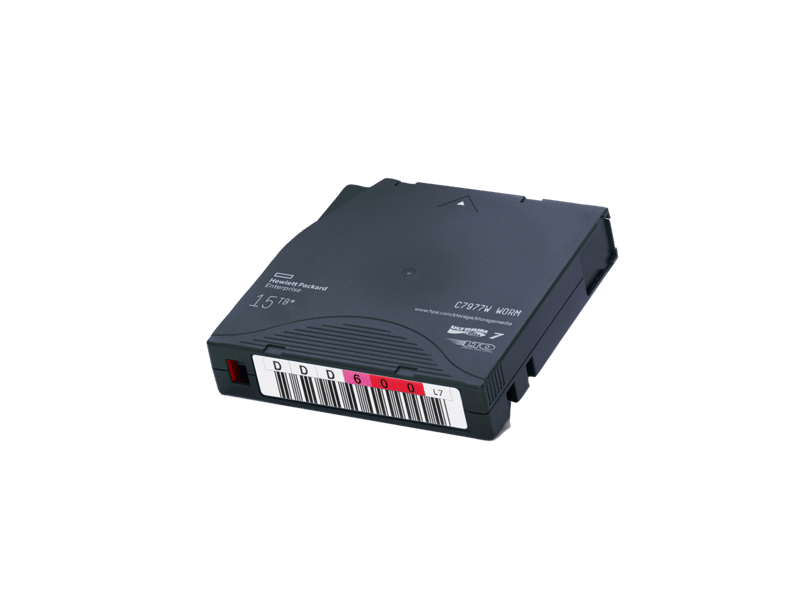
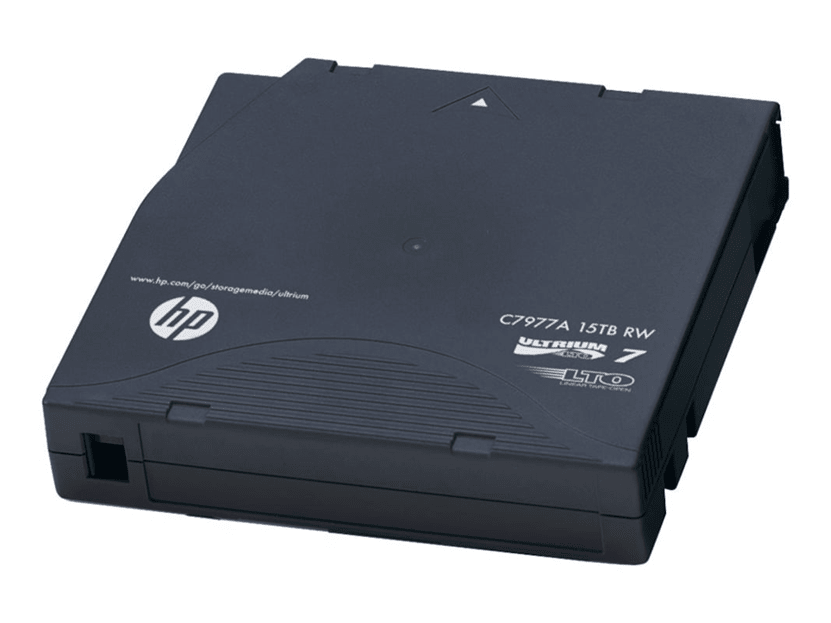
One alternative is to protect full tapes in the library from writing. Ideally, at the end of each working day, the SRC administrator on duty approaches the library, toggles the write protection flag on the Full tapes and clicks it on those tapes for which Retention has expired. Compliance with the regulations is checked at an unpredictable time by the IS officer or the servicing organization.
To simplify work with a large number of tapes, you can use cassettes with barcodes. Before starting work, you need to check whether the barcodes are damaged and make sure that their reader is ready for work. If you have several libraries, barcodes should not be repeated.
To host backups, you can use S3 storage, which is available in two main forms – public clouds (for example, Mail.ru, Yandex Cloud, etc.) or on-premise solutions implemented on the basis of open systems (Ceph, MinIO) or proprietary platforms (Hitachi Content Platform, NetApp StorageGrid, Tatlin Object).
Backup software must support work with the main methods of the S3 protocol, in particular with the Object Lock mechanism, which ensures the immutability of objects and provides three locking modes:
Governance — a managed lock that can be bypassed with special confirmation;
Compliance — a strict lock that does not allow data to be modified or deleted until the expiration date;
Legal Hold — an indefinite lock that the user can manually activate or remove, but cannot be bypassed.
When using Object Lock, it is necessary to take into account that the SRC will not be able to delete copies automatically, even during rotation. Therefore, the storage parameters of immutable backups should be determined at the design stage.
On-premise solutions require additional investments in deployment, administration and technical support. They can become an additional point of failure, since administrators have physical access to the cluster nodes and the S3 system level. In contrast, public clouds look more reliable: access to them is limited only to the access key / secret key level, without direct control of the servers. However, it is worth considering additional costs – payment for communication channels, storage volume, number of I/O operations and outgoing traffic.
Thus, the use of S3 storage provides a high level of isolation and protection of backup copies, but requires careful planning and financial assessment to avoid unexpected risks and costs.

All data backup and recovery procedures should be formalized in the official documentation of the IMS and agreed with the management and system owners. Such documents should be updated at least once every six months. It is necessary to have:
a single backup and recovery policy;
recovery plans for each information system (including the IRS itself);
a backup system recovery policy;
rules for handling copies that are removed or transferred.
All actions are performed based on requests (RFC) with the indication of responsible persons. Preparation of documentation requires an audit of information systems, determination of RTO and RPO indicators, retention periods of copies and assessment of the criticality of each system (using BIA). This allows choosing the optimal backup scheme, taking into account the requirements for recovery speed and permissible downtime.
To ensure that your system is working properly, it’s a good idea to regularly perform test recoveries in a controlled, isolated environment. These tests help determine:
how long it takes to fully restore data;
where are the bottlenecks in the process;
is the integrity of the databases maintained;
does the backup copy cover all the necessary data;
is it possible to restore the SRC catalog itself with the selected backup scheme.
The results of such tests allow us to improve regulations and avoid errors during a real accident.
A single monitoring system is a key tool for rapid incident response and preventive control of the IRC status. Responsible specialists should receive timely notifications about failures, errors or anomalies via e-mail, SMS, instant messengers or calls from engineers on duty.
At a minimum, you should use monitoring built into the backup software and monitor the status of hardware components – media servers, storage and communication channels.
Signs of a potential threat:
sudden increase in incremental backup volume;
unusual load on file systems or LUNs;
manual deletion of backup files;
unauthorized access attempts to the IRC.
Such signals require immediate analysis, as they may indicate the preparation or start of an encryption attack.
To minimize the risks of unauthorized access to your backup system, you must follow a few basic rules.
Data storage protection. The most vulnerable to attacks are file systems on internal or connected disks via CIFS/NFS. For storage area networks (SANs), it is more expedient to use Fibre Channel, since this protocol is less susceptible to external intrusions than Ethernet.
Local accounts. To avoid compromise in the event of an Active Directory domain hack, local accounts with a strict password policy and regular password changes should be used in the management, backup, and storage segments.
Physical access control. IRC components should be located in secure premises with access control and video surveillance to exclude unauthorized physical access.
Update relevance. It is important to regularly install patches for the IRC OS and software, especially those that eliminate critical vulnerabilities. It is necessary to monitor security bulletins from manufacturers and respond to detected threats in a timely manner.
Network protection. Firewalls should be used to control traffic between segments, but do not allow backup traffic to pass through them to avoid performance loss. It is recommended to leave the minimum required set of ports and, if possible, use non-standard ones.
Network configuration backup. Switch configuration files (FC, Ethernet) should be copied after each change, but at least once a month. For example, in Brocade this is the configupload command, and in Cisco MDS – copy running-config startup-config. This will help to quickly restore SAN zoning in the event of a failure.
Administrative security. Access to the SRC administrative console should be carried out only from a dedicated terminal server and with a hardware USB token. Multi-factor authentication (MFA) and clear delimitation of user rights must be used for login.
The SRC and VSD contour is the last line of defense of the company, ensuring data recovery after encryption attacks or critical incidents. The most reliable result is obtained by adhering to the “3-2-1-1” principle and implementing multi-layered protection.
A number of measures do not require large investments – it is enough to correctly configure the existing SRC, update access policies and streamline backup processes. Other solutions, such as tape libraries or isolated segments, require additional resources, but significantly increase the resilience of the infrastructure.
The combination of technological solutions, regular monitoring and clear regulations allows you to create a system that can not only recover data, but also effectively counteract attempts to encrypt or destroy it.