
03.10.2025
Updated 19.05.2026
Updated 19.05.2026
9 min
404



The article examines in detail a practical example of the method implementation using the PyCdlib library, explains the logic of data separation and creation of hidden directories. We show that even outdated technologies can become an interesting field for experiments in digital steganography. The material will be useful for security specialists, researchers, CTF enthusiasts and everyone who is interested in hidden information storage.

While searching for materials on steganography, I came across an interesting article about hiding data in file systems, which led me to the idea of applying a similar approach to optical disks. Today, optical media are rarely used in everyday life – most people prefer flash drives – but this does not mean that disks have no use at all.
Even on an outdated medium, it is possible to implement a scheme for hiding secret information within the file system structure and transfer it to another party without arousing suspicion. This is the task that is considered below: to encode the contents of a text file, a Python library is used, which allows you to embed the encoded data into a disk image.
Before starting the practical part, it is worth considering a few technical details and defining what is meant by an optical disk in order to better understand the limitations and possibilities of this approach.
Optical disc – a collective name for information carriers made in the form of discs, reading from which is carried out using optical (laser) radiation.
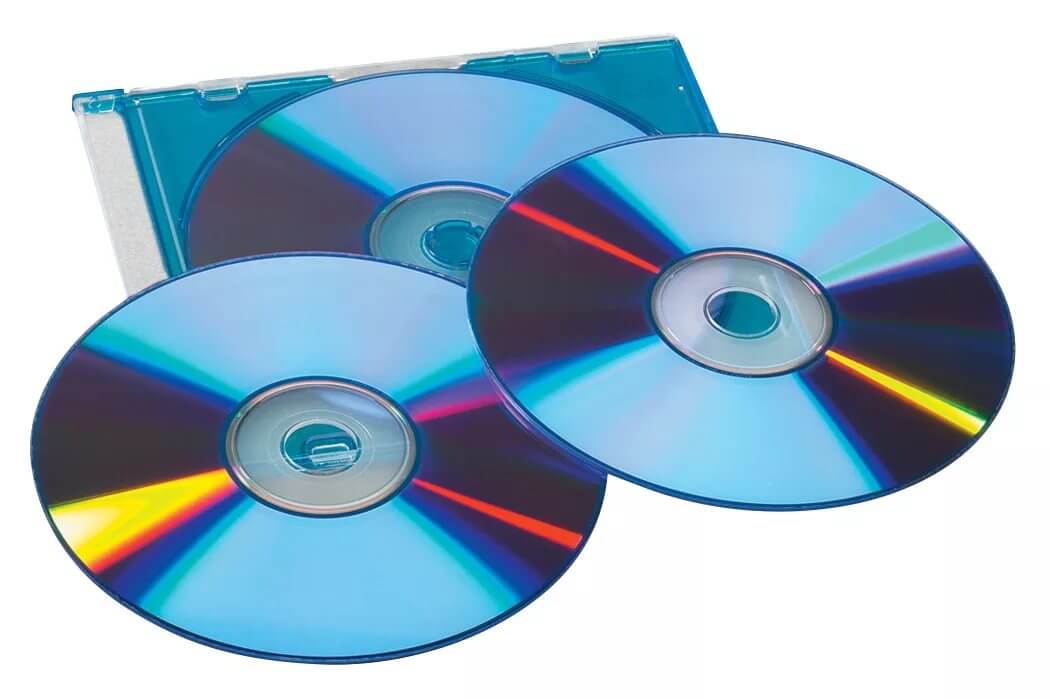
Each disk in a computer system is represented in a certain format – an image, which contains all the information and structure of the medium. Such an image allows you to work with data without using a physical disk, and is also used to archive information on solid media.
The standard format for optical disks is ISO 9660, although there are other options. It is important to consider that the image usually contains less data than the original disk, because the latter includes service information, for example, copy protection elements. In this case, the work is carried out with the ISO 9660 format, which remains the basic standard for most optical media.
The ISO 9660 structure is organized to ensure the systematic location of data on optical media. It is based on two key elements – Boot Record and Primary Volume Descriptor (PVD). The first is responsible for the ability to boot from the disk: it indicates whether the medium is bootable, where the initial sector is located, and what code is executed during startup. If the disk is not intended for this, the Boot Record is still present, but contains only service information.
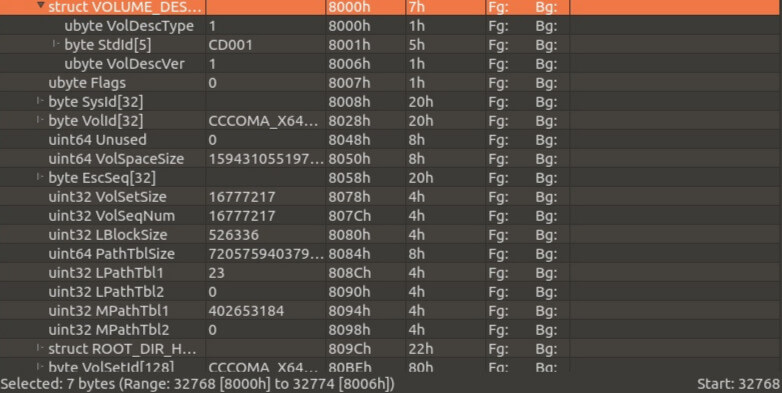
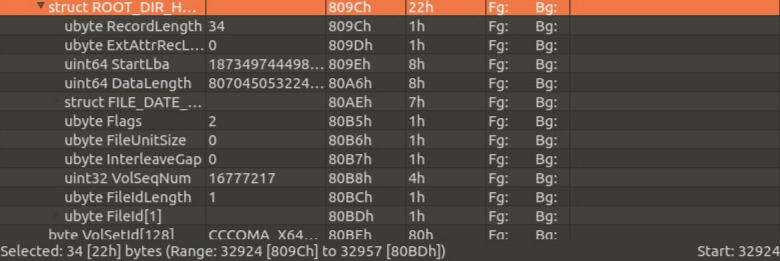
The second component, the Primary Volume Descriptor, plays a central role in the image structure. It describes the main parameters of the volume – its name, size, directory location, file table, timestamps and file system information. It is thanks to the PVD that the operating system “sees” the disk structure, determines which directories exist and where the necessary files are stored.
Descriptors are placed sequentially, starting from approximately the 16th sector of the image. They can be viewed using a hexadecimal editor, for example, 010 Editor, where all service signatures, text designations and the byte structure of the ISO are visible. This allows you not only to explore the internal structure of the image, but also to understand in which parts of it it is possible to implement hidden data embedding without violating the integrity of the file system.
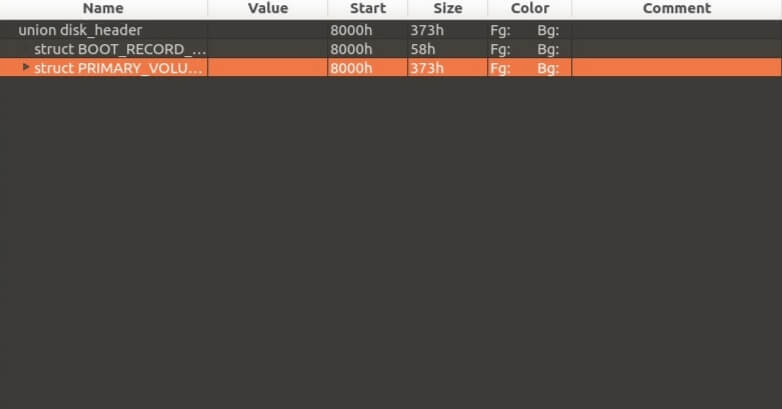
The Boot Record can be used by systems that need to initialize many types of data before making the disk accessible, although ISO 9660 does not specify what information is in the Boot Record or how to use it at all.
The PVD is the starting point in the ISO9660 identification, and looks like this:
For circuit lovers:
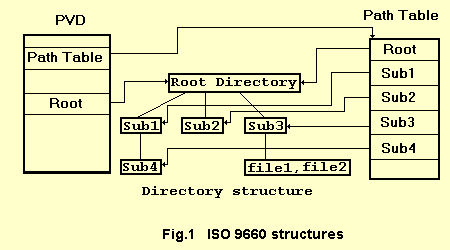
The work will be performed in the root directory of the image: the necessary subdirectories will be created there and the necessary files will be added. For this, the pycdlib library is used.
Now you can move on to writing the program:
#робимо всі необхідні операції імпорту
import base64
import pycdlib
At the initial stage, it is necessary to prepare the files that will be integrated into the structure of the created ISO image. The process consists of several sequential steps.
First, the content stored in variables is read from the specified text files. The text volume can be anything – from a few sentences to large fragments of data, but for demonstration purposes, short examples are sufficient. Then the resulting text is encoded using the standard Base64 algorithm, which allows it to be converted into a format suitable for further recording without losing characters or structure.
After encoding, the result is written to two new files named UP and DOWN. This division was not chosen by chance: the first part of each source document is entered into the UP file, and the second into the DOWN file. In this way, a logical permutation is formed, which complicates direct identification of the source data and adds an element of concealment in subsequent placement in the disk image.
with open('/home/ul/stegist1.txt','rb') as stegist1:  # відкриваємо файл
    for line1 in stegist1.readlines(2):
        print(line1)  # читаємо перше речення 1 файлу
    for line2 in stegist1.readlines(2):
        print(line2)  # читаємо друге речення 1 файлу
    stegist1.close()

enc_line1 = base64.b64encode(line1)  # кодуємо наші речення за допомогою base64
enc_line2 = base64.b64encode(line2)

with open('/home/ul/stegist2.txt','rb') as stegist2:
    for line3 in stegist2.readlines(2):  # читаємо перше речення 2 файлу
        print(line3)
    for line4 in stegist2.readlines(2):  # читаємо друге речення 2 файлу
        print(line4)
    stegist2.close()

enc_line3 = base64.b64encode(line3)  # кодуємо вміст речень
print(enc_line3)
enc_line4 = base64.b64encode(line4)
print(enc_line4)

with open('/home/ul/UP.txt','ab') as up:  # У файл UP записуємо закодовані речення
    up.write(enc_line1)
    up.write(enc_line3)

with open('/home/ul/DOWN.txt','ab') as down:  # У файл DOWN записуємо закодовані речення
    down.write(enc_line2)
    down.write(enc_line4)
Next, the pycdlib library, which was mentioned earlier, is used. It provides a simple and clear interface for working with ISO images. First, an object is created that serves as the basis of the future disk, and then files and directories are added to it in the desired structure.
This approach allows you to flexibly manage the contents of the image, create new directories, insert prepared data and form a complete file system of the optical media without unnecessary complexity in implementation.
iso = pycdlib.PyCdlib()  # створюємо об'єкт класу PyCdlib
iso.new(rock_ridge='1.09')  # використовуємо розширення rockridge (про використовувані в стандарті ISO розширення поговоримо трохи пізніше)

iso.add_directory(iso_path='/A1', rr_name='a1')  # додаємо різні папки (якщо вважаємо за потрібне)
iso.add_directory(iso_path='/B1', rr_name='b1')
iso.add_directory(iso_path='/B1/B2', rr_name='b1b2')
iso.add_directory(iso_path='/A1/A2', rr_name='a1a2')

iso.add_file('/home/ul/stegistup.txt', iso_path='/A', rr_name='a')  # додаємо наш файл up
iso.add_file('/home/ul/stegistdown.txt', iso_path='/B', rr_name='b')  # додаємо наш файл down

iso.write('papastegisto.iso')  # створюємо образ ISO (записуємо)
The text was successfully saved.
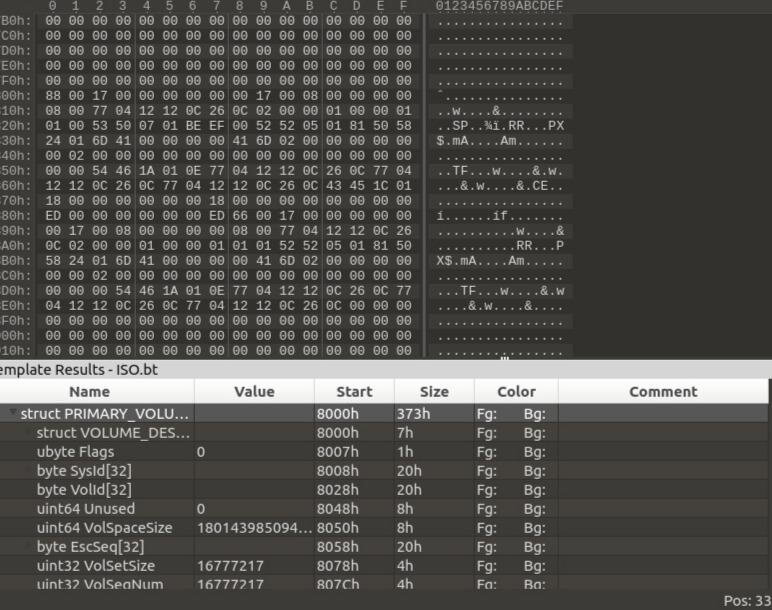
It is worth paying attention to an important feature of working with the pycdlib library: the path specified when creating objects in the ISO structure can correspond to either a file or a directory — but not both. For example, if you first create a directory with the path /A, and then try to create a file with the same path /A, the program will report an error.
This is due to the fact that the system clearly distinguishes the type of object in the file structure, and the path to the directory cannot simultaneously point to a file. In other words, creating a file inside the /A folder requires a full path like /A/filename.txt, not just /A.
There are 2 main extensions for the iso file system, these are: RockRidge and Joilet.
This is an extension of the ISO 9660 file system, designed to store file attributes used by POSIX (i.e. Unix-compatible) operating systems.
Rock Ridge extensions are written over the ISO 9660 file system so that a Rock Ridge optical disc can be read by software designed to work with ISO 9660.
Rock Ridge can store the following additional information about the disc’s contents:
long file names (up to 255 characters);
fewer restrictions on the use of characters in file names;
directory structure of arbitrary nesting.
for each file, the following attributes are recorded:
file access rights, including the uid and gid fields;
the number of hard links to the file;
creation, modification, access, attribute change times, etc.
special files are supported:
sparse files;
symbolic links;
device files;
socket files;
FIFO files.
This data is written to special directories, the names of which are usually hidden.
Joliet is an extension to the ISO 9660 file system, designed to remove the limitations on the length and format of file names that existed in the base specification. It was developed by Microsoft and is supported by all versions of Windows since Windows 95 and Windows NT 4.0. Since 1995, Joliet has been the default format for most data CD-ROMs.
The extension introduces an additional set of file names that can be up to 64 Unicode characters long, stored in the UCS-2 encoding. This is done using a separate header, the Supplementary Volume Descriptor (SVD). This approach provides backward compatibility, as normal ISO 9660 programs simply ignore this additional descriptor and continue to work with the standard names.
Joliet is supported by most modern operating systems, including Windows, Linux, macOS, and FreeBSD. This allows files to be exchanged between platforms without losing the correct display of names, even when using non-Latin alphabets such as Arabic, Japanese, or Cyrillic, which was not possible in the regular ISO 9660.
In addition to Joliet, there is another lesser-known extension, Romeo. It was also developed by Microsoft for Windows 95 as an attempt to overcome some of the limitations of ISO 9660. However, due to poor documentation and lack of widespread support, this extension is almost unused and has virtually disappeared from practice.
The code for encoding information from a file and placing files with encoded information in an iso looks like this:
# виконуємо всі необхідні операції імпорту
import base64
import pycdlib

# підготовлюємо наш вміст
with open('/home/ul/stegist1.txt', 'rb') as stegist1:  # відкриваємо файл
    for line1 in stegist1.readlines(2):
        print(line1)  # читаємо вміст
    for line2 in stegist1.readlines(2):
        print(line2)  # читаємо вміст

    enc_line1 = base64.b64encode(line1)
    print(enc_line1)
    enc_line2 = base64.b64encode(line2)
    print(enc_line2)

with open('/home/ul/stegist2.txt', 'rb') as stegist2:  # відкриваємо файл
    for line3 in stegist2.readlines(2):  # читаємо вміст
        print(line3)
    for line4 in stegist2.readlines(2):  # читаємо вміст
        print(line4)

    enc_line3 = base64.b64encode(line3)  # кодуємо вміст
    print(enc_line3)
    enc_line4 = base64.b64encode(line4)
    print(enc_line4)

with open('/home/ul/UP.txt', 'ab') as up:  # У файл UP записуємо закодовані дані
    up.write(enc_line1)
    up.write(enc_line3)

with open('/home/ul/DOWN.txt', 'ab') as down:  # У файл DOWN записуємо закодовані дані
    down.write(enc_line2)
    down.write(enc_line4)

# заносимо все в ISO
iso = pycdlib.PyCdlib()
iso.new(rock_ridge='1.09')
iso.add_directory(iso_path='/A1', rr_name='a1')
iso.add_directory(iso_path='/B1', rr_name='b1')
iso.add_directory(iso_path='/B1/B2', rr_name='b1b2')
iso.add_directory(iso_path='/A1/A2', rr_name='a1a2')
iso.add_file('/home/ul/stegistup.txt', iso_path='/A', rr_name='a')
iso.add_file('/home/ul/stegistdown.txt', iso_path='/B', rr_name='b')
iso.write('papastegisto.iso')
At the final stage, the created ISO image must be burned to a physical medium. For this, different types of optical discs are used – CD-ROM, CD-R and CD-RW. Each of them has its own characteristics: CD-ROM is intended exclusively for reading information, that is, the data on it is already recorded during production and cannot be changed. CD-R allows for one-time recording – after fixing the data, the disc becomes read-only. CD-RW, on the contrary, supports multiple rewriting, which makes it convenient for tests or temporary projects.
As for DVDs, their main difference is the increased memory capacity. A standard DVD can hold about 4.7 GB of information, which significantly exceeds the capacity of a CD, which is approximately 650–700 MB. Some DVD formats, such as dual-layer, allow recording up to 13–17 GB of data.
After the recording is completed, the program completes the process without errors, and the finished disk is successfully read by the system, confirming that the created image was correctly generated and recorded.
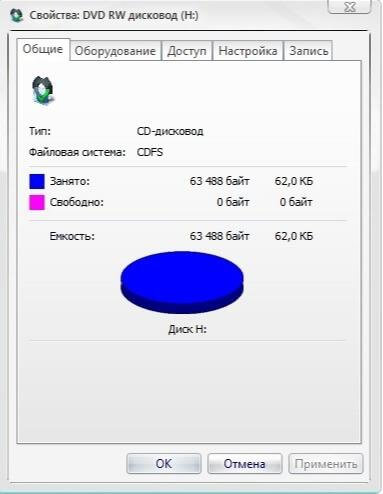
Once the recording is complete, the created disc can be transferred to any of the intended recipients without any problems. Thanks to the hidden structure within the file system, the transfer looks completely normal – like transferring a regular data disc. At the same time, the encoded information remains invisible to third-party users and can only be recovered by those who know the exact order of reading and decoding the hidden files.