
03.08.2026
9 min
259



Discover how music in Windows evolved from the first MIDI files and the legendary CANYON.MID to Sample Music in Windows XP and Kalimba in Windows 7.
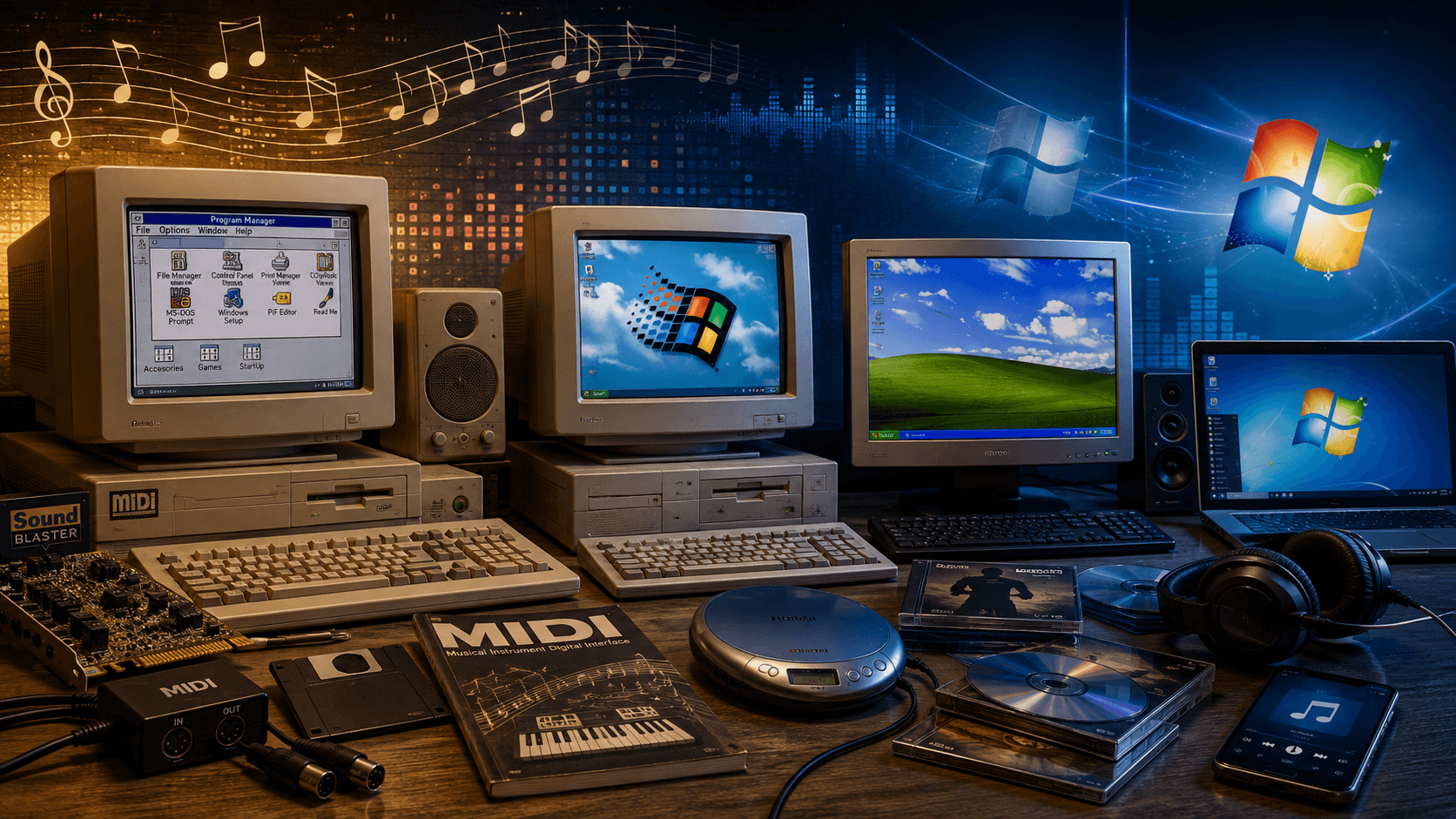
Imagine an ordinary evening in the early 2000s. Your home computer is running Windows XP, high-speed internet is still a luxury for most people, and you connect to the web using a regular dial-up modem. Someone in the family picks up the landline phone, the line becomes busy, and suddenly you can no longer connect to the internet. All that is left is to explore what is already on the computer, launch the built-in games, browse through photos, or open Windows folders once again in search of something interesting.
That is how many users discovered the “Sample Music” folder. Inside, you could unexpectedly come across jazz, classical music, or even a full song by a professional artist. For a child or teenager just getting to know computers, those few files could almost become their first personal music collection. People listened to them not because they were specifically searching for a particular artist, but simply because the music was already there on the computer.
However, the history of the music Microsoft bundled with Windows began long before Windows XP. Its roots go back to the early 1990s, when personal computers were only beginning to evolve into multimedia devices and tiny MIDI files were widely used instead of formats like MP3. Over the next two decades, Windows users encountered music by Beethoven and Debussy, as well as tracks by David Byrne, Mr. Scruff, The Posies, and other artists. Some tracks were created to demonstrate technology, others found their way into Windows through licensing agreements, and one of the most famous MIDI files associated with Windows was actually composed on a Macintosh.
Today, opening and playing a music file on a computer is so ordinary that there is little reason to demonstrate the feature. In the early 1990s, things were very different. For a long time, personal computers were primarily tools for working with text, spreadsheets, databases, and specialized software. Full-fledged audio capabilities were far from guaranteed, computers could have very different sound hardware, and music playback quality depended heavily on the particular configuration.
One of the technologies that helped change this was MIDI, or Musical Instrument Digital Interface. The MIDI 1.0 standard appeared back in 1983 as the result of cooperation between manufacturers of electronic musical instruments. Its main purpose was to allow compatible devices to exchange information about notes, instruments, performance parameters, and other musical commands. As sound cards became more widespread, MIDI became an important part of the multimedia capabilities of personal computers.
It is important to understand that a MIDI file is fundamentally different from a modern MP3 or WAV file. A conventional audio file contains a recording of the actual sound, while MIDI primarily contains a set of instructions for creating that sound. It can loosely be compared to digital sheet music: the file tells the system which note to play, when it should sound, which instrument should play it, how loud it should be, and how long it should last. The synthesizer or sound card then interprets those instructions and produces the actual audio.
The main characteristics of MIDI included:
It primarily contained musical instructions rather than a recording of finished audio.
The same composition could sound very different depending on the sound card and synthesizer.
MIDI files required extremely little storage space compared with digital audio recordings.
The format could use different instruments and reproduce complex musical arrangements without storing the actual sound itself.
That last advantage was especially important for computers in the early 1990s. At a time when hard drive capacities were measured in tens or hundreds of megabytes, storing full digital audio recordings consumed a significant amount of valuable disk space. MIDI made it possible to fit a fairly sophisticated composition into a file only a few kilobytes in size. At the same time, the quality of the music could improve when the computer’s audio hardware was upgraded, even though the MIDI file itself remained exactly the same.
Microsoft also had another practical reason for keeping MIDI files inside Windows. Microsoft developer Raymond Chen later explained that technical support needed at least one MIDI file that was guaranteed to be present on the system. If a user was having trouble playing MIDI, a support specialist could ask them to open the standard Windows file and check whether playback worked without requiring them to download anything. In the days of slow dial-up connections, or when a household had no internet access at all, this approach was far more practical than it might seem today.
The history of MIDI in Windows goes back to the multimedia era of Windows 3.x. Windows 3.1 was released in 1992, although some music files had already appeared with Windows 3.0 with Multimedia Extensions. Microsoft was gradually expanding the multimedia capabilities of its operating system, and MIDI was one of the easiest ways to show users that a computer could be more than just a work machine. This was happening at the same time that sound cards were becoming increasingly common among ordinary PC owners.
Windows included MIDI versions of classical works as well as original compositions. The use of classical music made perfect sense: complex pieces were a good way to demonstrate the capabilities of MIDI and sound hardware, while the format itself allowed them to fit into extremely small files. However, it was not the classical pieces that left the biggest mark on Windows history, but several original demonstration tracks that users would continue hearing for years.
Two MIDI files became particularly well known:
PASSPORT.MID, a composition whose exact authorship later became the subject of considerable discussion.
CANYON.MID, also known as Trip Through the Grand Canyon, composed by jazz musician George Stone.
Of the two, CANYON.MID would go on to become one of the most recognizable pieces of music from the early Windows era.
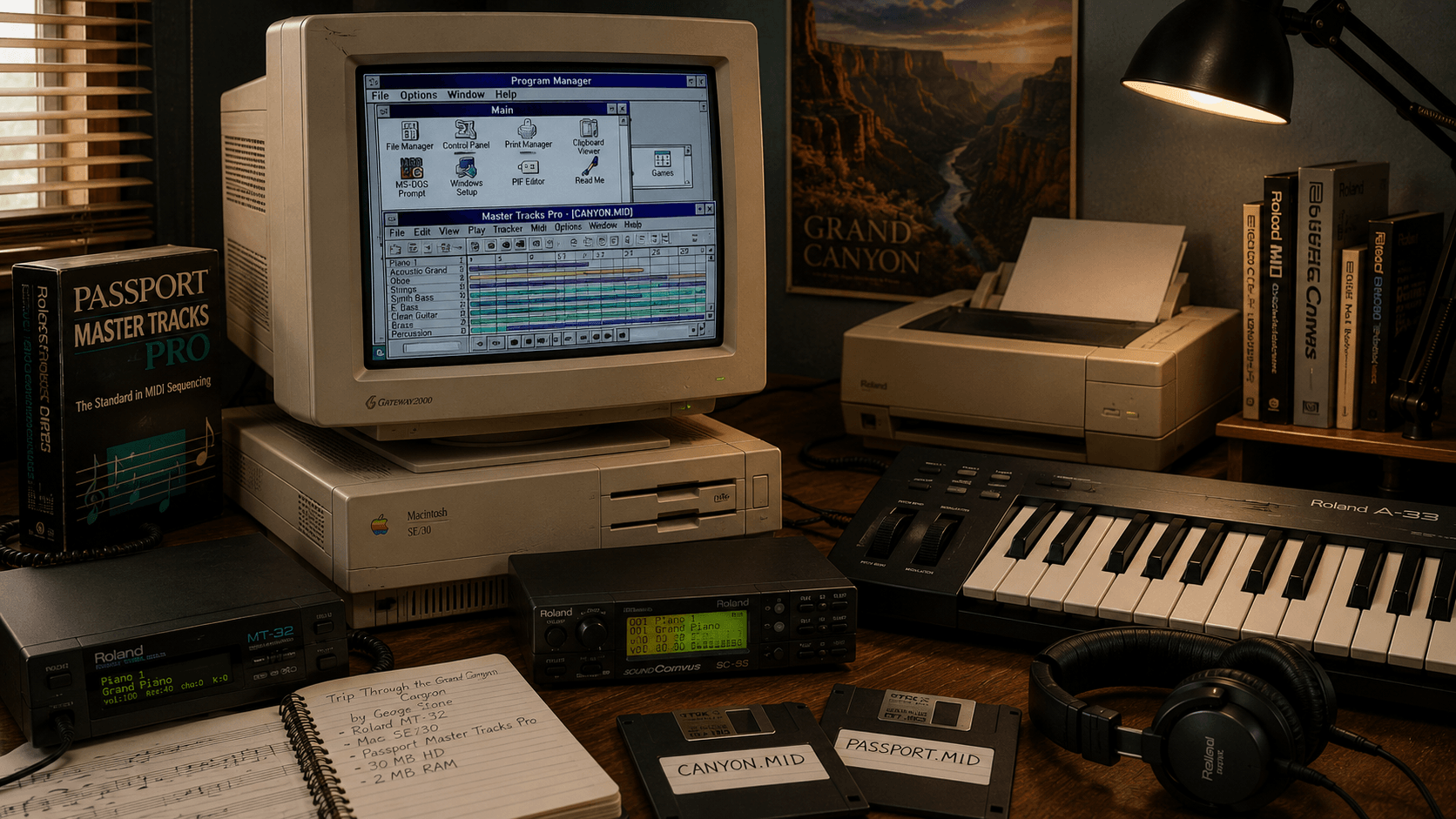
For many users of old computers, the name CANYON.MID evokes roughly the same kind of nostalgia as the Windows 95 startup screen or the distinctive startup sound of Windows XP. The composition’s full title is Trip Through the Grand Canyon, and it was written by American jazz musician and composer George Stone. Around 1990, he was working with Passport Designs, a company that developed music software.
What makes the story especially interesting is that the composition was never intended to become a future symbol of Windows. Stone worked with the Passport Master Tracks Pro sequencer, while Roland MT-32 and later Roland Sound Canvas hardware were used to create Trip Through the Grand Canyon. Even the computer on which the piece was composed was not running Windows. It was a Macintosh SE/30.
According to Stone’s recollections, the machine had a 30 MB hard drive, while its RAM had been upgraded from 1 MB to 2 MB. Today, a single high-quality smartphone photo can take up more space than a significant portion of that computer’s entire storage capacity. Yet this was the machine on which a composition eventually heard by millions of Windows users around the world was created. Ironically, one of the most famous music files associated with early Windows was originally composed on a computer made by Microsoft’s biggest rival.
Trip Through the Grand Canyon was originally created for Passport Designs and its software, but the rights to the composition later ended up with Microsoft. When Passport Designs ran into financial difficulties, the rights to the MIDI composition were transferred to Microsoft. According to available accounts, Stone himself initially did not even know that his work had begun to be distributed with Windows.
The copyright situation proved frustrating for the composer. Stone attempted to regain the rights to the composition, but an earlier agreement with Passport Designs had granted the company exclusive rights. As a result, he was unable to fully control what happened to his work and did not receive the kind of financial benefit one might expect from a composition distributed on an enormous number of computers. At the same time, it was Windows that made CANYON.MID famous and ultimately turned it into a piece of personal computing history.
Alongside CANYON.MID was another composition associated with Passport Designs: PASSPORT.MID. It also appeared in older versions of Windows and was distributed with the operating system for years. However, while the story behind CANYON.MID has been reconstructed in considerable detail, the authorship of PASSPORT.MID remains far more mysterious.
The composer’s identity has never been reliably established. Even George Stone, the composer of Canyon, did not consider the piece to be his own work. As a result, millions of people may have heard a composition whose creator’s name has effectively been lost to the history of personal computing. Such a situation might seem unusual in today’s digital world, but in the early 1990s small multimedia files were not always accompanied by detailed metadata.
The story of PASSPORT.MID is a good example of just how different software culture was at the time. Files could move from one software package to another for years, find their way into operating systems, and eventually reach millions of users without a dedicated author page or even a detailed record of their origins. Decades later, enthusiasts have had to reconstruct the history of these digital artifacts piece by piece.
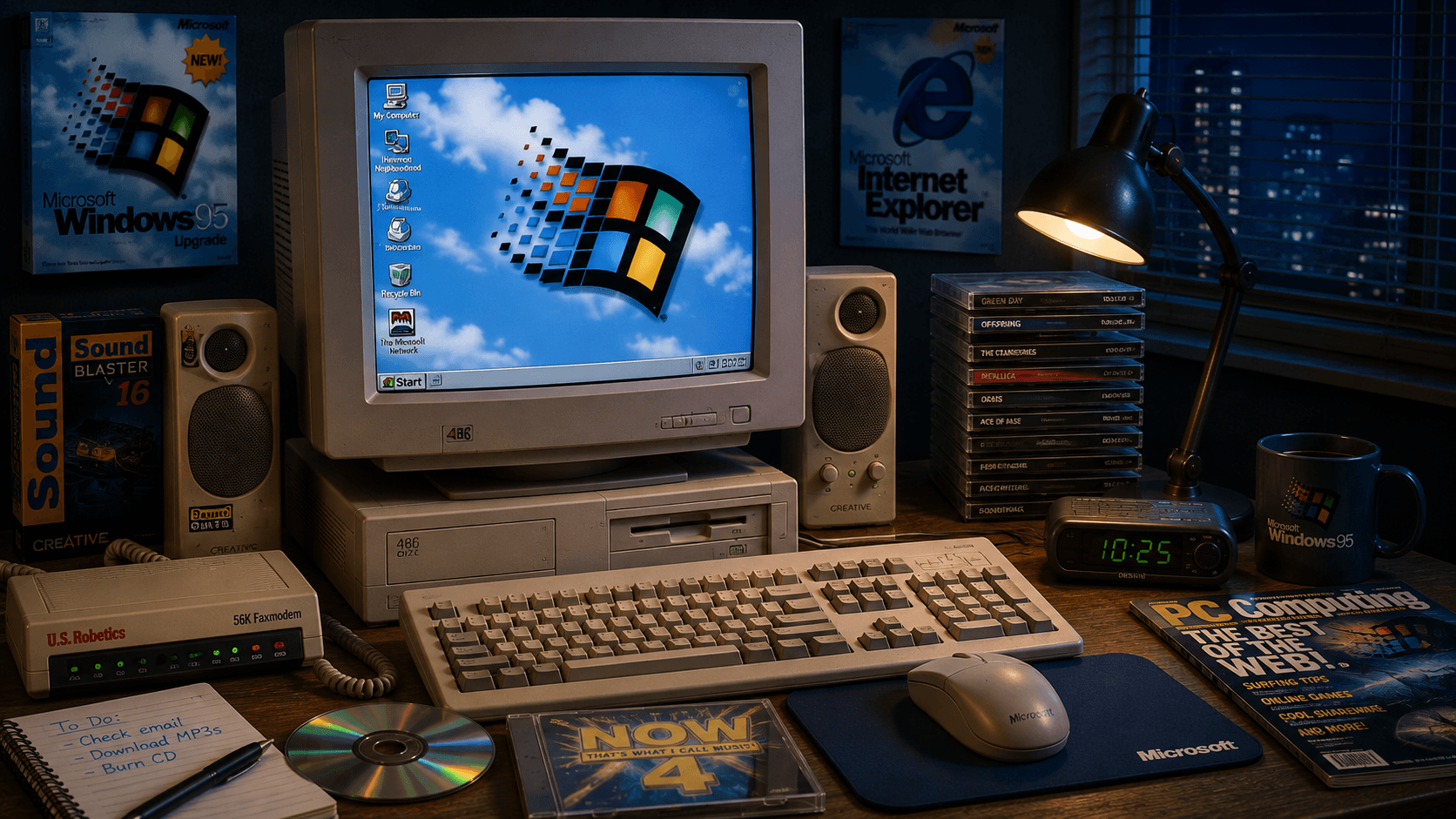
In 1995, Microsoft released Windows 95, ushering in a new era of personal computing. It was also around this time that one of the most interesting musical Easter eggs in Windows appeared: CLOUDS.MID. Unlike ordinary system MIDI files, it was part of the hidden Windows 95 team credits and was never intended to be something users would simply stumble upon and open like a regular music file.
The music was composed by Brian Orr, who was working as a developer intern on the Windows 95 team in early 1995. He was asked to create music for the operating system’s secret credits. The composition was meant to evoke clouds and create a feeling of lightness, calm, and flight, matching the visual concept of the hidden sequence.
Orr faced a significant technical limitation: the composition had to sound acceptable on the huge variety of sound cards available at the time. A modern composer can generally expect digital audio to sound reasonably consistent across different computers, but in 1995, different sound cards could synthesize MIDI in dramatically different ways. The music therefore had to remain recognizable even when played through basic FM synthesis, which was common on Sound Blaster and compatible hardware.
Simply searching through the Windows system folders was not enough to hear CLOUDS.MID. Users had to follow a specific sequence of steps:
Create a new folder on the Windows 95 desktop.
Rename it several times using specific phrases chosen by the developers.
Open the folder after the final rename.
Watch the hidden Windows 95 team credits while Clouds played in the background.
Discovering the Easter egg by accident was practically impossible, so information about it spread among users through computer magazines, friends, and the early internet. Interestingly, Orr did not receive the public recognition for the composition that he had expected at the time. It was only much later that the story of CLOUDS.MID became widely known, with Brian Orr eventually sharing a detailed account of how the track was created and preserving the story on his own blog.
The next important stage came toward the end of the 1990s. Microsoft systems featured MIDI files such as flourish.mid, town.mid, and onestop.mid, although the exact timeline of their introduction is somewhat complicated. Older accounts of Windows music sometimes claim that all three tracks originated with Windows 98, but Microsoft’s Raymond Chen wrote that onestop.mid was actually added during the development of Windows XP to replace older MIDI files.
What is particularly interesting is why Microsoft continued to include MIDI in Windows even during the Windows XP era, when conventional digital audio had already become widely available. The reason remained practical: technical support needed a standard MIDI file for troubleshooting. If a user reported that MIDI playback was not working, a support representative could simply ask them to launch a file already included with Windows instead of having to find and obtain a third-party composition.
OneStop was especially useful because it made use of a large number of instruments, allowing the system’s MIDI playback capabilities to be tested more thoroughly. The composition was written by David Yackley. Town and Flourish are associated with composer Nathan Grigg, while Flourish also had a connection to the musical presentation of Internet Explorer 4’s Channels feature. In this way, system music gradually became more than just an interesting extra bundled with Windows and also served genuinely practical technical purposes.
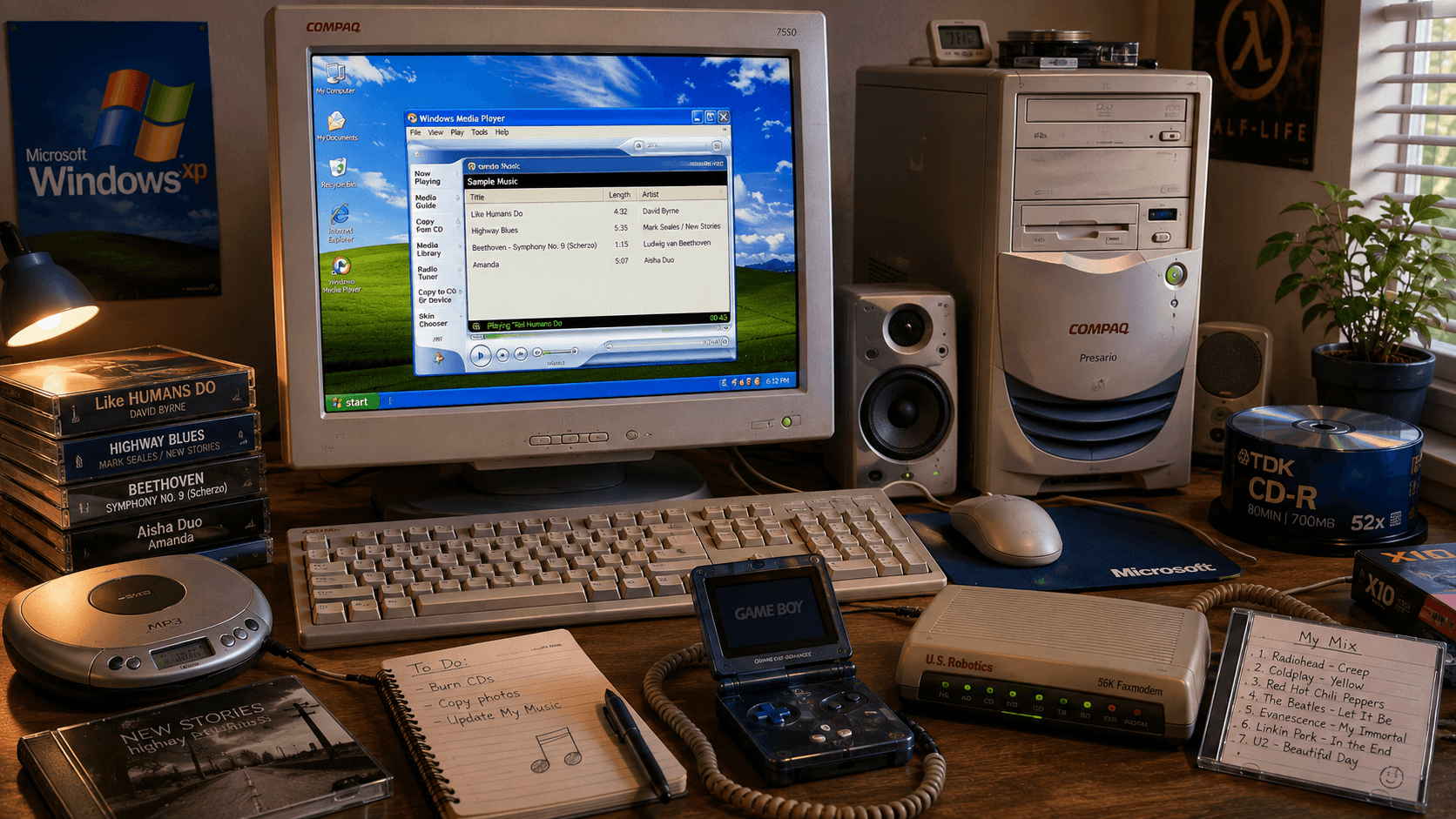
Microsoft released Windows XP in 2001, marking a turning point in the history of music bundled with Windows. Many users remember XP in particular for its dedicated Sample Music folder. In localized versions of Windows, its name could appear as “Образцы музыки” or an equivalent translation. Microsoft was no longer giving users only technical MIDI files but full-fledged music recordings as well.
This fit perfectly with the overall vision behind Windows XP. In the early 2000s, Microsoft was actively promoting the personal computer as the center of digital life, a place where people could store photos, watch videos, listen to music, burn CDs, and organize their own media libraries. Windows Media Player became one of the key tools in this strategy, while Windows itself was increasingly positioned as a home multimedia platform.
Sample Music was therefore more than just a random collection of tracks. It allowed the owner of a new computer to immediately open Windows Media Player and see how music playback, the media library, metadata, and other multimedia features worked. Users did not need to have their own MP3 files, buy a CD, or even connect to the internet to try these features.
One of the best-known tracks associated with Windows XP was Like Humans Do. It was written and performed by David Byrne, best known as the co-founder and frontman of Talking Heads. Older accounts of music bundled with Windows sometimes incorrectly describe it as a Talking Heads song, but it was actually part of Byrne’s solo work.
Like Humans Do appeared on his 2001 album Look into the Eyeball. Microsoft used a special version of the song as demonstration music for Windows XP and Windows Media Player. For many users, this was an unusual experience: a brand-new computer already came with a full modern song by a professional artist that could be played immediately after setting up the system.
This shows just how far Microsoft had moved beyond the original concept of bundled MIDI files. In Windows 3.x, music primarily demonstrated the capabilities of the computer’s sound hardware. By the time Windows XP arrived, music had become part of a complete multimedia experience. Microsoft no longer needed to prove that a PC was capable of producing sound; instead, it was presenting the computer as a place to store, organize, and enjoy an entire music collection.
Another iconic Windows XP track was Highway Blues. It was written by jazz pianist Marc Seales and performed by the group New Stories. Compared with the more energetic Like Humans Do, Highway Blues was a relaxed jazz composition, and for many users it became one of their most recognizable musical memories of Windows XP.
This created an interesting cultural effect. Someone might not have known Marc Seales by name, might never have heard of New Stories, and might never have bought one of their albums, yet they could still have listened to Highway Blues dozens of times simply because the track was sitting on the family computer. Years later, users began searching for it online with descriptions such as “that jazz song from Windows XP,” and for many of them, hearing it again felt like being transported straight back to childhood.
In that sense, Microsoft unintentionally created a musical time capsule. The company may have viewed the track simply as a demonstration file for Windows Media Player, but its constant presence on home computers gave it an entirely different cultural status. The music became associated less with its performer or original album and more with the operating system itself.
Another important part of the Windows XP music collection was the scherzo from Ludwig van Beethoven’s Ninth Symphony. This meant that contemporary music, jazz, and classical music could all be found side by side in the same small demonstration library. Such variety was useful for more than aesthetic reasons, as it allowed the multimedia system to be demonstrated using very different types of music.
With Sample Music, Microsoft could immediately demonstrate:
playback of different musical genres;
the capabilities of Windows Media Player;
how the music library and metadata worked;
the quality of digital audio on a new computer.
At the same time, the selection could vary between different OEM computers. PC manufacturers often added their own demonstration materials, software, and music, meaning that two Windows XP users might remember somewhat different collections. This is also why much longer lists of supposed “Windows XP music” can be found online today: some of those tracks may indeed have been installed on particular computers, but they were not necessarily included in a standard clean installation of Windows XP from Microsoft.
Interestingly, the transition to full digital audio recordings did not mean the immediate disappearance of MIDI. Files such as onestop.mid, town.mid, and flourish.mid continued to exist in the C:\Windows\Media system folder, while the Sample Music folder contained conventional music recordings. In effect, two generations of computer music coexisted within the same operating system.
The first was a legacy of the 1980s and 1990s, when a tiny file containing musical instructions could allow a synthesizer to generate an entire composition. The second belonged to the era of digital audio, MP3, WMA, Windows Media Player, and hard drives large enough to store extensive music collections without difficulty. Windows XP sat right at the intersection of these two worlds, which makes its bundled music particularly interesting from a historical perspective.
If Windows XP made the Sample Music folder famous, Windows Vista turned it into a much more substantial demonstration collection. Vista users received eleven tracks spanning different genres and artists. Microsoft no longer had to worry about saving every megabyte of disk space, allowing the music selection to become much broader and more diverse.
The collection included:
AmandaandDespertarby Aisha Duo;
Din Din WoandI Ka Barraby Habib Koité & Bamada;
DistanceandOne Step Beyondby Karsh Kale;
Muita Bobeiraperformed by Luciana Souza and Romero Lubambo;
OAM's Bluesby Aaron Goldberg;
I Guess You're RightandLove Comesby American rock band The Posies;
the scherzo from Beethoven’s Third Symphony,
Eroica.
As a result, Vista’s standard music folder covered jazz, rock, world music, electronic music, and classical music. This was no longer simply a couple of files intended to test the media player, but a small ready-made music library that users received with the operating system. It simultaneously demonstrated Windows Media Player and introduced new computer owners to music they might otherwise never have encountered.
For 2006–2007, this approach made perfect sense. Windows Media Player remained an important part of the operating system, local music collections were extremely popular, and streaming services had not yet become the dominant way of listening to music. People bought CDs, ripped them to their computers, downloaded MP3 files, and built their own local libraries. Sample Music fit naturally into that world and demonstrated exactly how Microsoft envisioned the home PC at the time.
Windows 7 arrived in 2009. The tradition of bundled music continued, but the standard collection became considerably smaller. Its best-known selection consisted of three tracks: Kalimba, Maid with the Flaxen Hair, and Sleep Away. Despite the small number of songs, this trio became one of the most recognizable music collections in Windows history.
Kalimba was a track by British musician Mr. Scruff from his album Ninja Tuna. With its distinctive electronic sound, the composition arguably became the defining musical symbol of Windows 7. For many people today, Kalimba is as strongly associated with the operating system as its default wallpapers or the transparent Aero interface.
The second track was Maid with the Flaxen Hair, performed by clarinetist Richard Stoltzman together with the Slovak Radio Symphony Orchestra. It was based on the famous work La fille aux cheveux de lin by French composer Claude Debussy. The third track was pianist Bob Acri’s jazz composition Sleep Away, once again allowing Microsoft to bring several completely different musical styles together in a small demonstration library.
The collection followed a familiar Microsoft formula: contemporary music, classical music, and jazz. These three very different tracks gave users ready-made material for exploring the Windows music library while taking up relatively little storage space. At the time, few people could have predicted that Windows 7 would effectively become the last major version of the operating system to feature the familiar Sample Music collection.
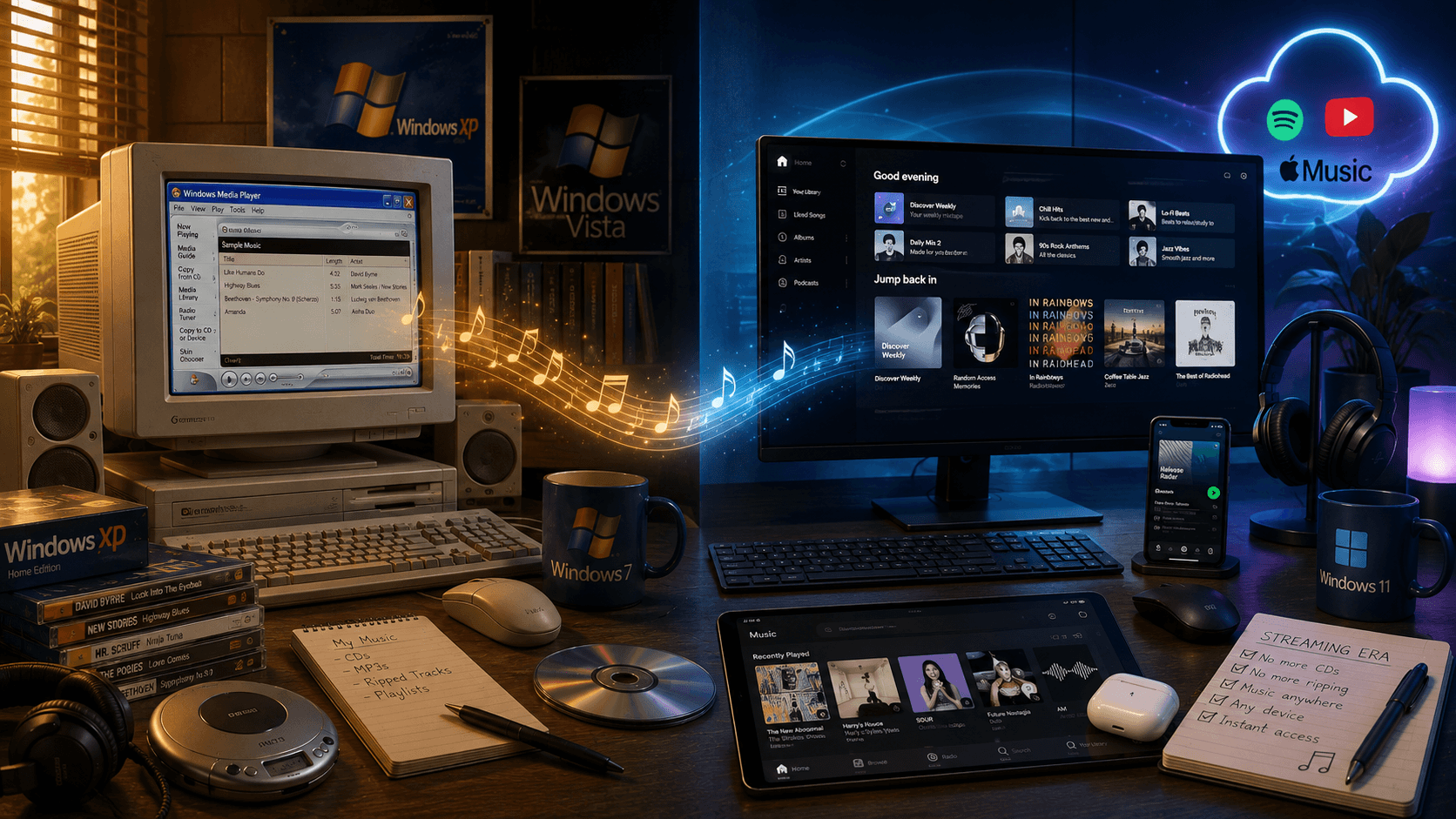
Microsoft released Windows 8 in 2012, and along with its radically redesigned interface and a new vision for the operating system, the familiar Sample Music tradition disappeared. Windows 8 no longer came with the standard collection of demonstration music that users had grown accustomed to. Microsoft also removed some of the other sample media content that had been a familiar part of previous generations of Windows.
At first glance, this might seem like a minor change that most users would barely have noticed. In reality, it perfectly reflected how much the personal computer had changed over the previous two decades. When Microsoft first began including MIDI files with Windows, the simple fact that a PC could properly play music was something worth demonstrating. By the Windows XP era, the company was presenting the computer as the center of a digital media library, while by the time Windows 7 arrived, listening to music on a PC had become so ordinary that it no longer required a dedicated demonstration.
Windows 8 entered a very different digital world. Computers were increasingly connected to high-speed internet at all times, users could find almost any song online within seconds, and smartphones and streaming services were gradually changing the way people consumed music. In this environment, a folder containing a handful of preinstalled tracks simply no longer had the same value it had a decade earlier.
In the early 2000s, a local music library was one of the most important parts of a home computer. Users stored hundreds or even thousands of MP3 files on their hard drives, ripped music from CDs, transferred songs to MP3 players, and organized their collections by artist and album. Windows Media Player was at the center of this experience for many users, so having several ready-to-play tracks included with a new operating system felt perfectly natural.
By the early 2010s, however, the situation was changing rapidly. Several factors contributed to the gradual disappearance of the need for Sample Music:
High-speed internet became available to a much larger number of users.
Music was increasingly obtained online rather than through preinstalled files.
Streaming services began to change the way people consumed music altogether.
There was little need left to demonstrate the basic multimedia capabilities of a personal computer.
Licensing commercial music remained an additional expense without an obvious benefit for most Windows users.
Microsoft did not provide a detailed public explanation identifying one specific reason for abandoning Sample Music, so it would be misleading to attribute the decision solely to licensing costs. The broader change in the technological landscape was far more important. By 2012, Windows no longer needed to prove that a personal computer could play music, and a handful of demonstration tracks could no longer showcase anything particularly new.
The most interesting part of this story is not really technical but cultural. Modern users have virtually unlimited access to music: within seconds, they can find almost any artist, open an album, or start a personalized recommendation playlist. For a child using a home computer in 2001 or 2003, the situation could be completely different, especially in a household without constant internet access.
If there were only a few CDs at home, no personal music collection yet, and no quick way to download a new song, the handful of files included with Windows took on a very different significance. People opened them out of curiosity, listened to them again and again, and over time those melodies became associated with the computer itself, the room it sat in, the first games they played, and their earliest experiences with the internet. That is why people still search online today for “that jazz song from Windows XP” or try to remember the name of a track they heard in Windows 7 many years ago.
Microsoft probably never expected this effect when it added demonstration files to its operating systems. For the company, they were a way to showcase Windows Media Player and the multimedia capabilities of Windows, but for users, the tracks became part of their personal memories. That is why CANYON.MID, Highway Blues, and Kalimba are remembered today not simply as pieces of music but as digital artifacts from a particular era.
The history of music in Windows offers a fascinating look at the evolution of the personal computer. At first, MIDI files served a practical purpose: they required very little storage space, demonstrated the capabilities of sound cards, and helped technical support troubleshoot MIDI playback. Later came full digital recordings, while Windows XP was designed to show that the personal computer had become a complete multimedia center capable of replacing some traditional home audio and video equipment.
Vista expanded on this idea by giving users a small but diverse music collection, while Windows 7 reduced it to only a few major demonstration tracks. With the release of Windows 8, the tradition effectively came to an end. These seemingly minor changes trace the entire evolution of the home PC, from machines with only megabytes of memory and simple MIDI synthesizers to always-connected devices with access to virtually unlimited music catalogs.
At one time, CANYON.MID, Highway Blues, Kalimba, and other tracks were simply files Microsoft placed on the hard drive of a new computer. For millions of users, however, they became the soundtrack to a period when people were opening Windows folders for the first time, exploring what their PCs could do, discovering digital music, and gradually finding their way onto the internet. Their accidental presence on an enormous number of home computers is precisely what transformed ordinary demonstration files into a small but memorable part of digital culture.
Many years have passed. Dial-up modems have disappeared, picking up the landline phone no longer disconnects the internet, CDs are rarely used to transfer music, and modern versions of Windows no longer need a dedicated folder filled with demonstration tracks. Yet playing an old copy of CANYON.MID, Highway Blues, or Kalimba can still bring Windows 95, XP, or Windows 7 rushing back for a few minutes. And that may be the best explanation for why a handful of ordinary music files, once installed with little fanfare as part of an operating system, left a far greater legacy than Microsoft could ever have planned.