29.09.2025
16 min
2350



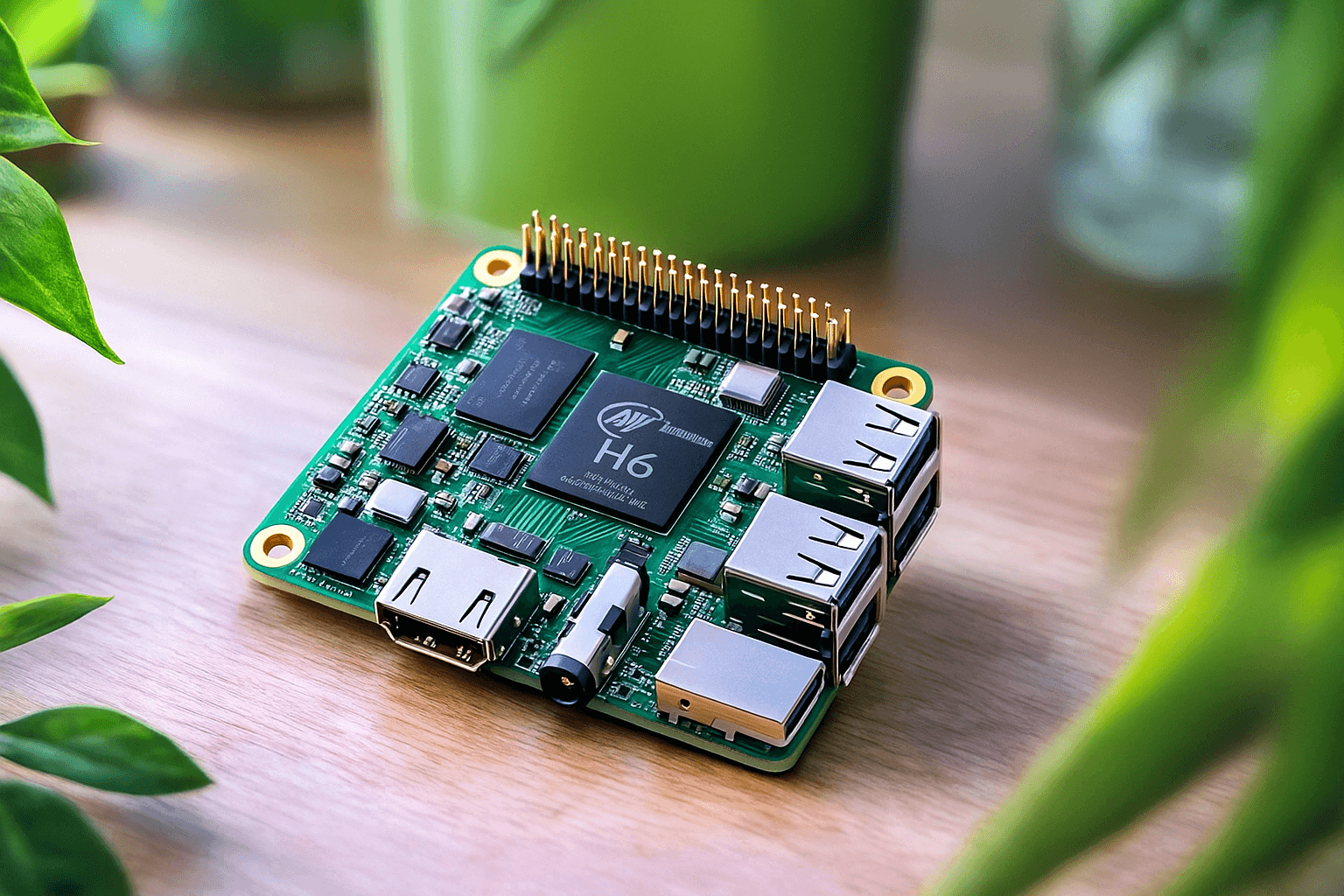
The Inovato Quadra is positioned as an affordable alternative to the Raspberry Pi and is attracting the attention of users looking for an inexpensive single-board computer for projects and home solutions. This article examines the board’s key features, Linux compatibility, and usage features to help you understand how suitable it is for various tasks.
Single-board computers have long ceased to be perceived as something unusual – today they are more of a practical tool, the basis for various home projects. But over time, another problem arose – their affordability. The first Raspberry Pi cost $ 25-35, which made them an excellent platform for teaching schoolchildren programming without the need for an expensive computer. Yes, they were not very fast and had limited capabilities, but they were great for building hobby projects – that’s why they gained such popularity.
Over the years, Raspberry Pi has significantly increased in performance, which naturally led to an increase in prices. Currently, the starting price of Raspberry Pi 5 reaches $ 55, and the most equipped versions are approaching $ 150. Because of this, the market is literally filled with more budget alternatives – and some of them are not inferior to the original in quality.
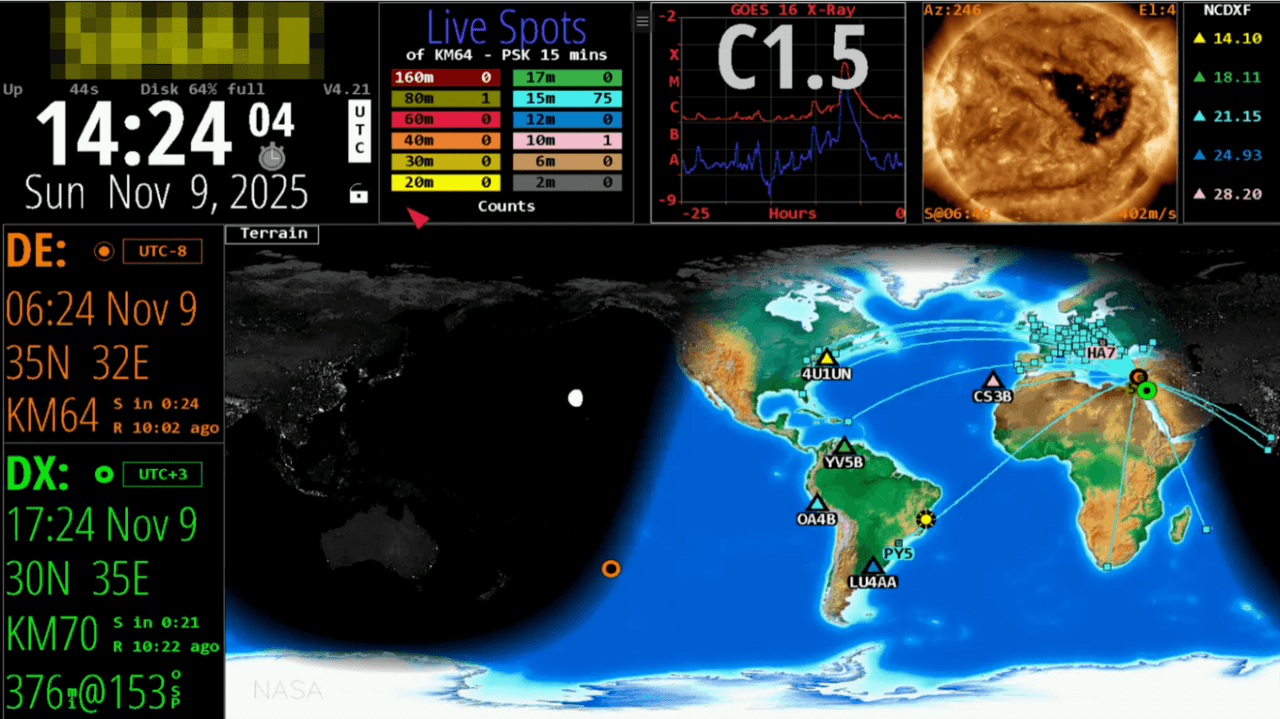
Today I want to talk about one of such inexpensive analogues. It was created by American radio amateur Michael Burmeister-Brown (callsign N7MDB). It is a compact single-board computer based on a 4-core ARM Cortex-A53 with a frequency of 1.7 GHz, and he additionally optimized the firmware for HamClock operation.
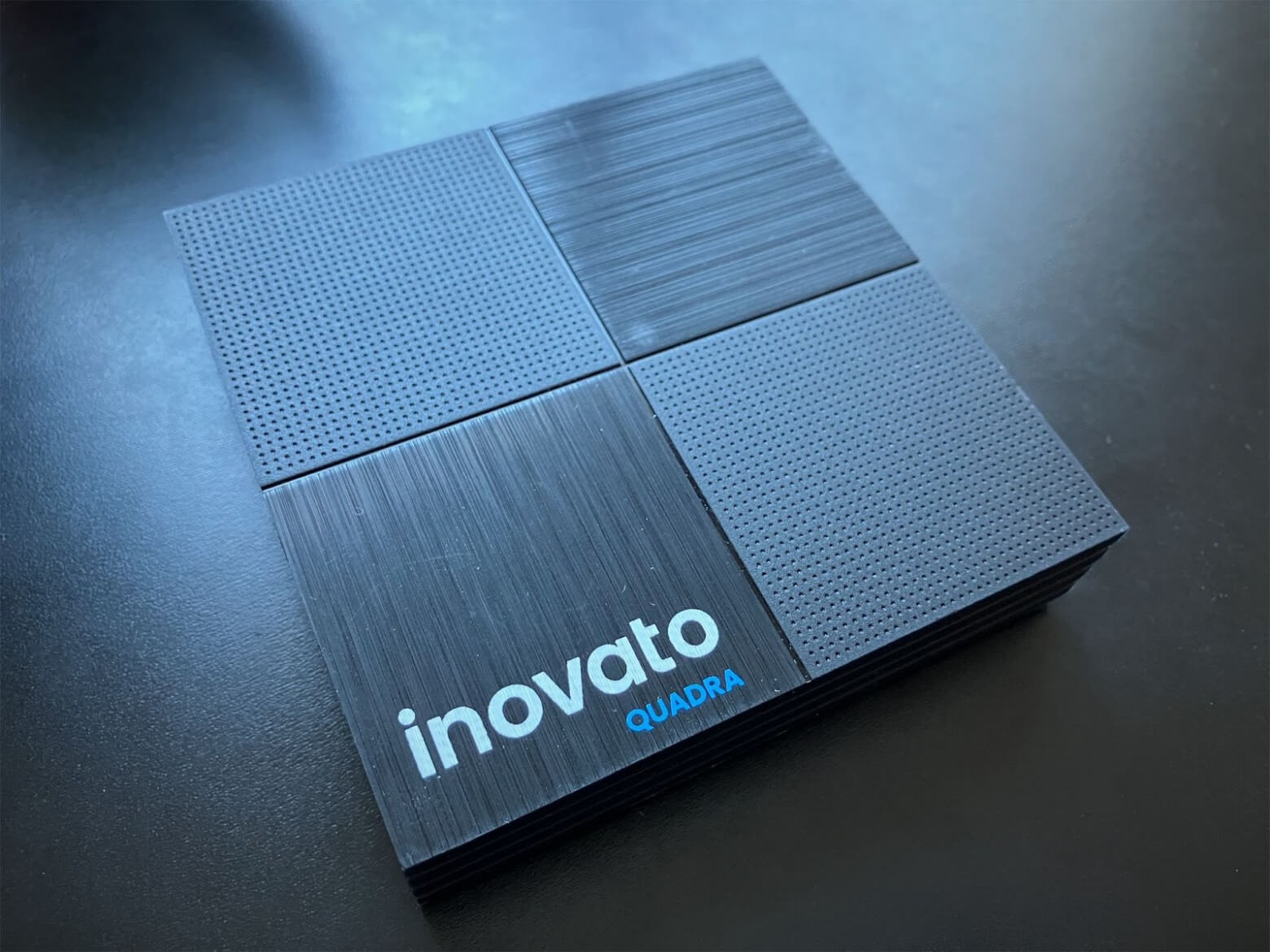
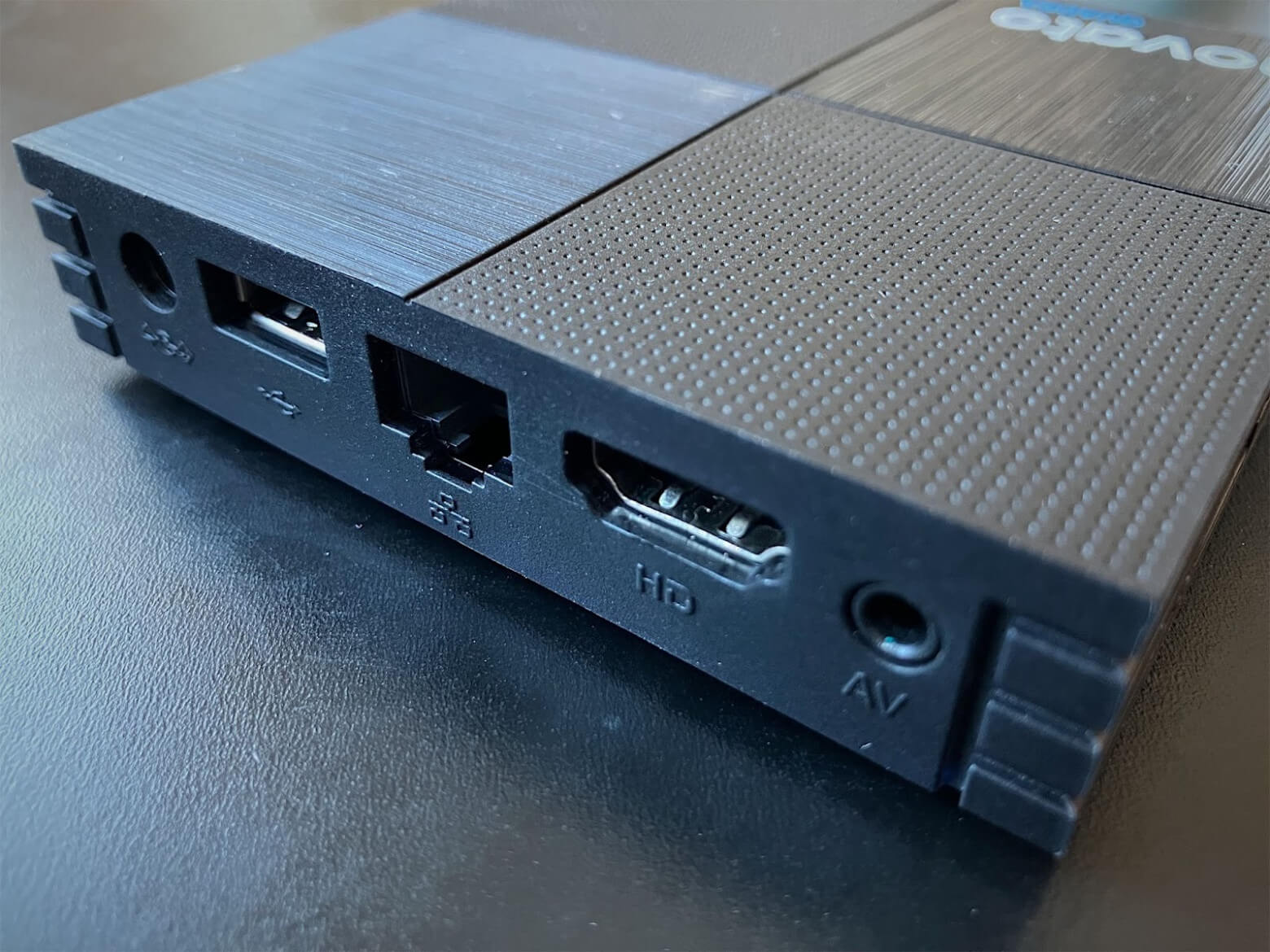
The device body is square 92 mm x 92 mm. Most of the ports are located on one side. The 5V 2A power connector with a plus on the central pin. This allows you to charge the device from any decent power supply or power bank. Then there is a USB 2.0 connector, an RJ-45 network card input (Fast Ethernet 100 Mbit/s), video outputs (HDMI and composite):
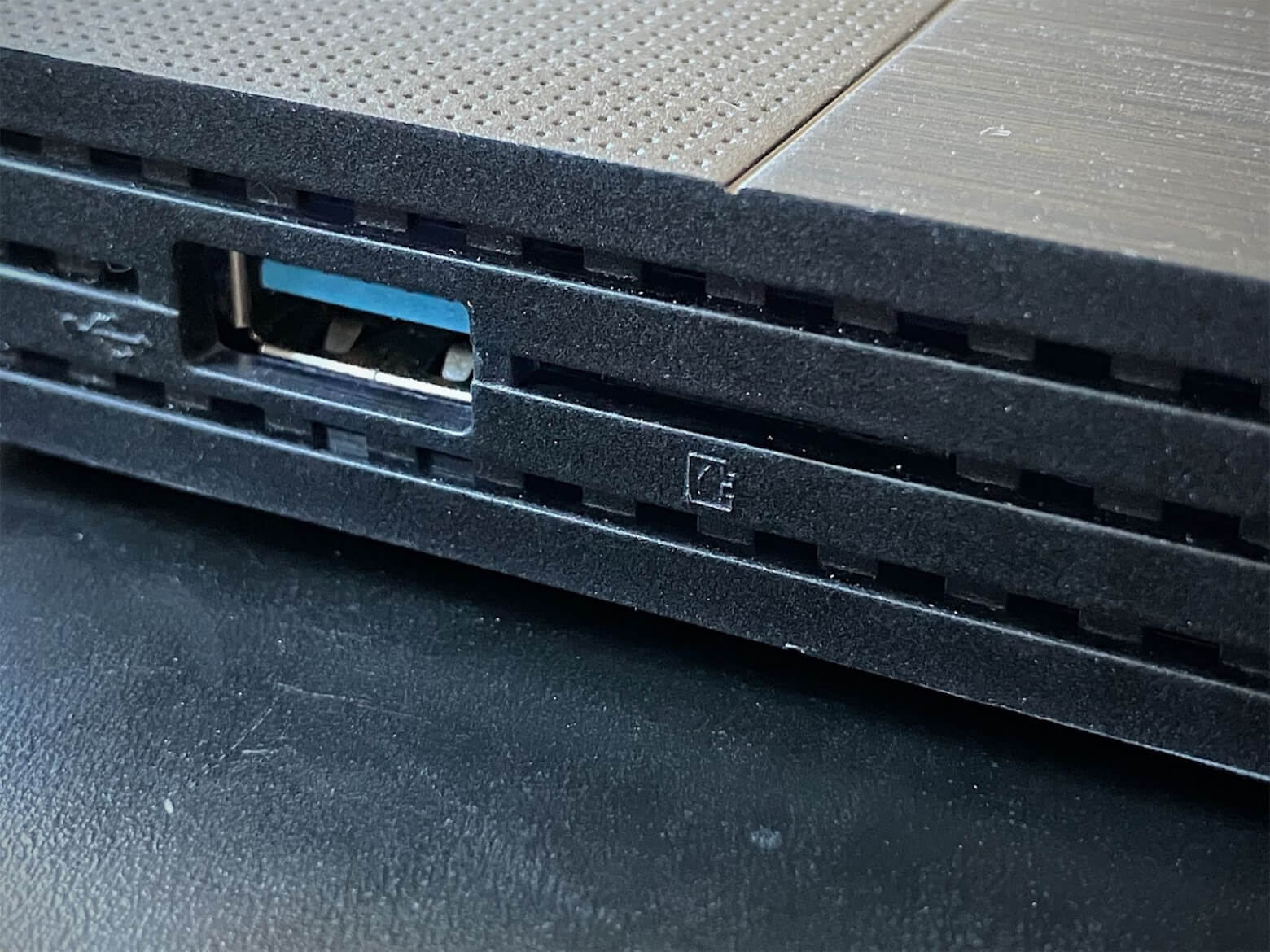
On the adjacent edge there is another USB 2.0 port and a well-disguised MicroSD slot. However, you have to be careful with it: sometimes the card can fall into the gap between the board and the case, after which you will have to reach for a screwdriver and open the latter.
In general, the case itself does not create a feeling of fragility. It is made well, it looks stylish, there are rubber feet at the bottom, under which four bolts are hidden.
Traditionally, we decided to first look at the board. Removing it is not difficult at all. And in this form, its origin immediately becomes clear. The infrared receiver gives out that it was originally supposed to be an Android TV set-top box. But the processor used allows you to easily convert it into a computer running Linux.
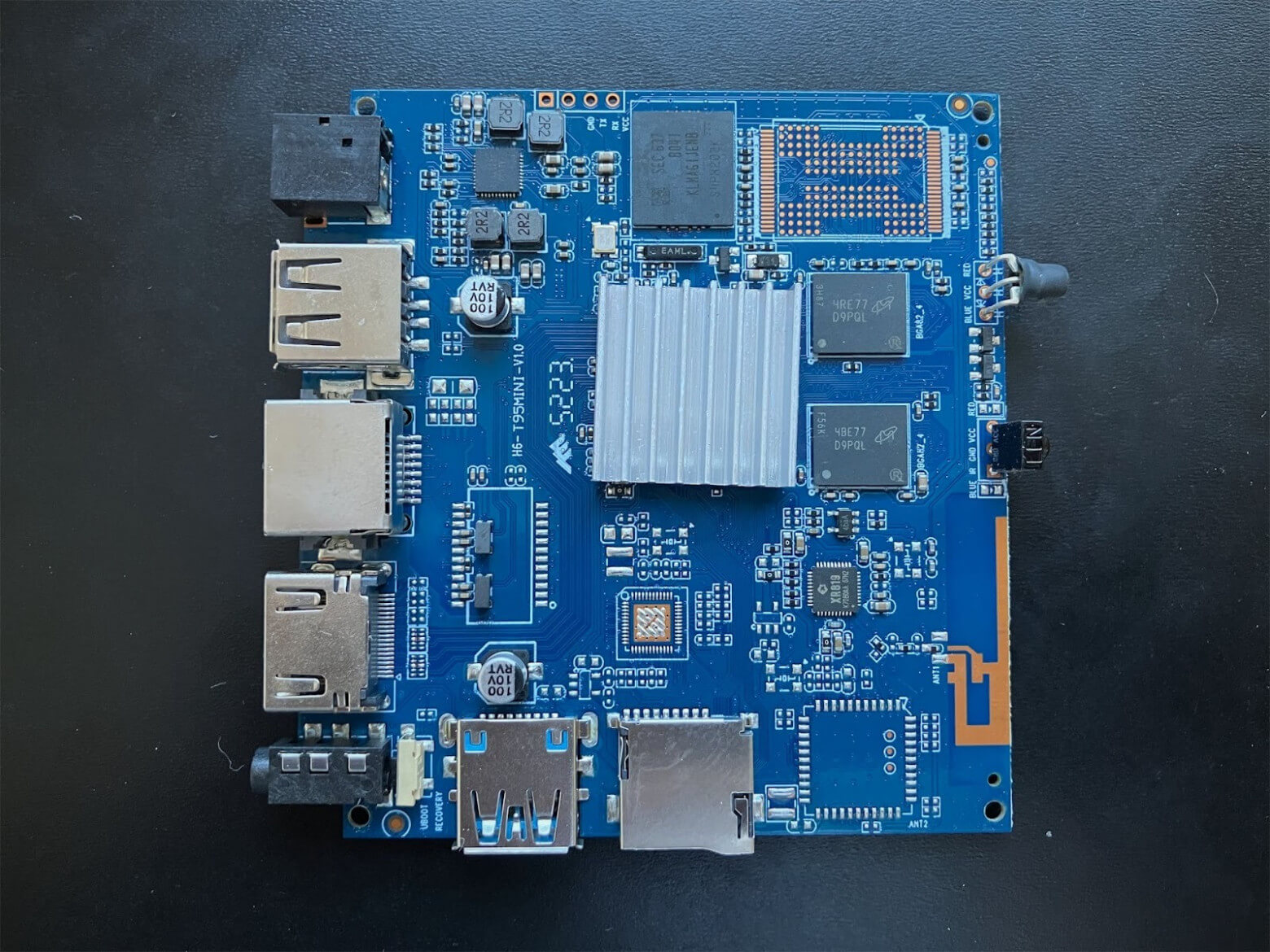
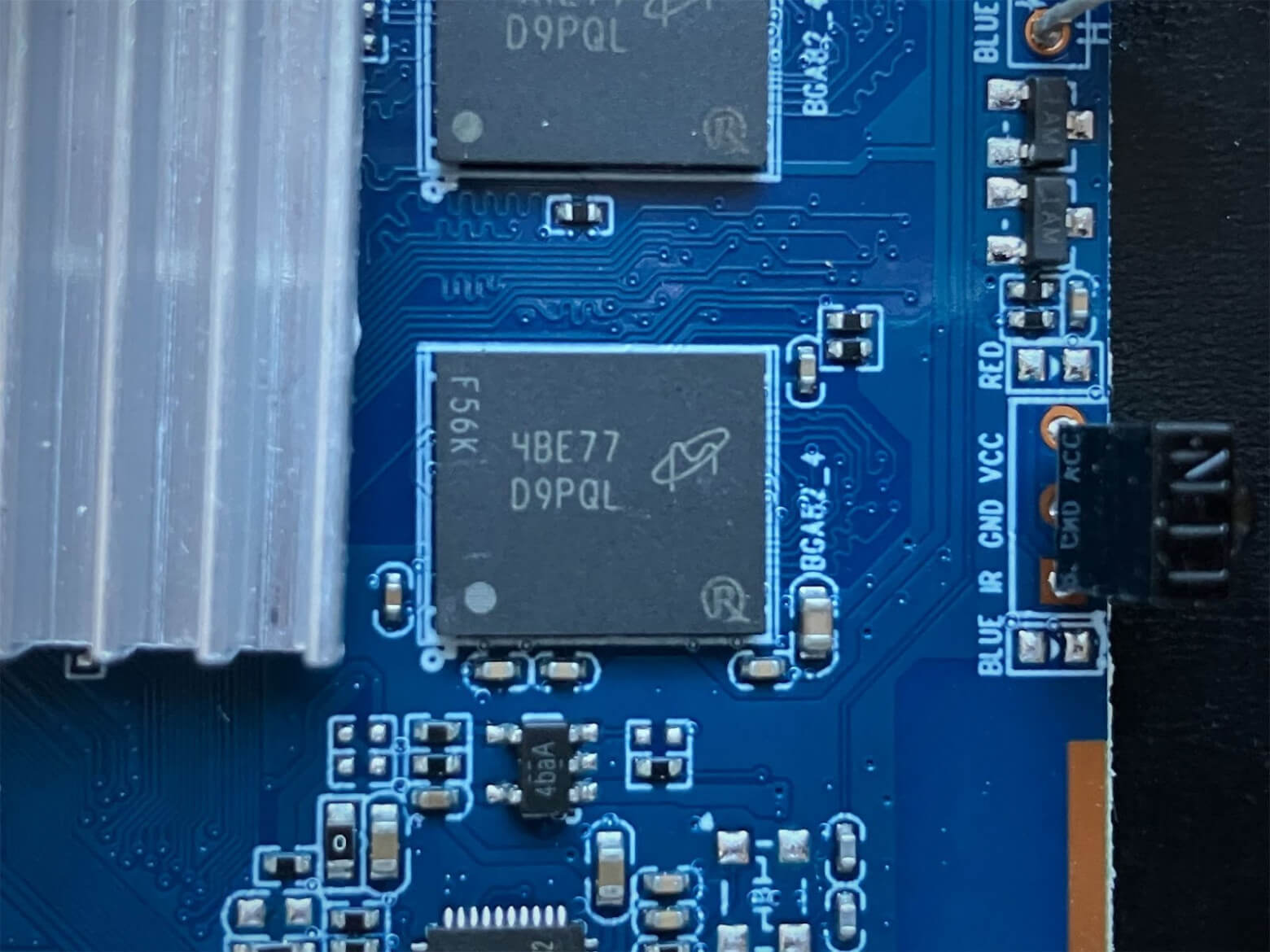
Since the Allwinner H6 SoC is completely hidden by a heatsink with hot melt adhesive, let’s look at the other chips. First of all, this is the RAM from Micron. The marking 4BE77 D9PQL clearly indicates the type and volume – MT41K256M16HA-125:E (DDR3L-1600, 512MB). There are four such chips on the board in total (two on top, two on the bottom), which gives a total of 2GB DDR3L, operating in dual-channel mode:
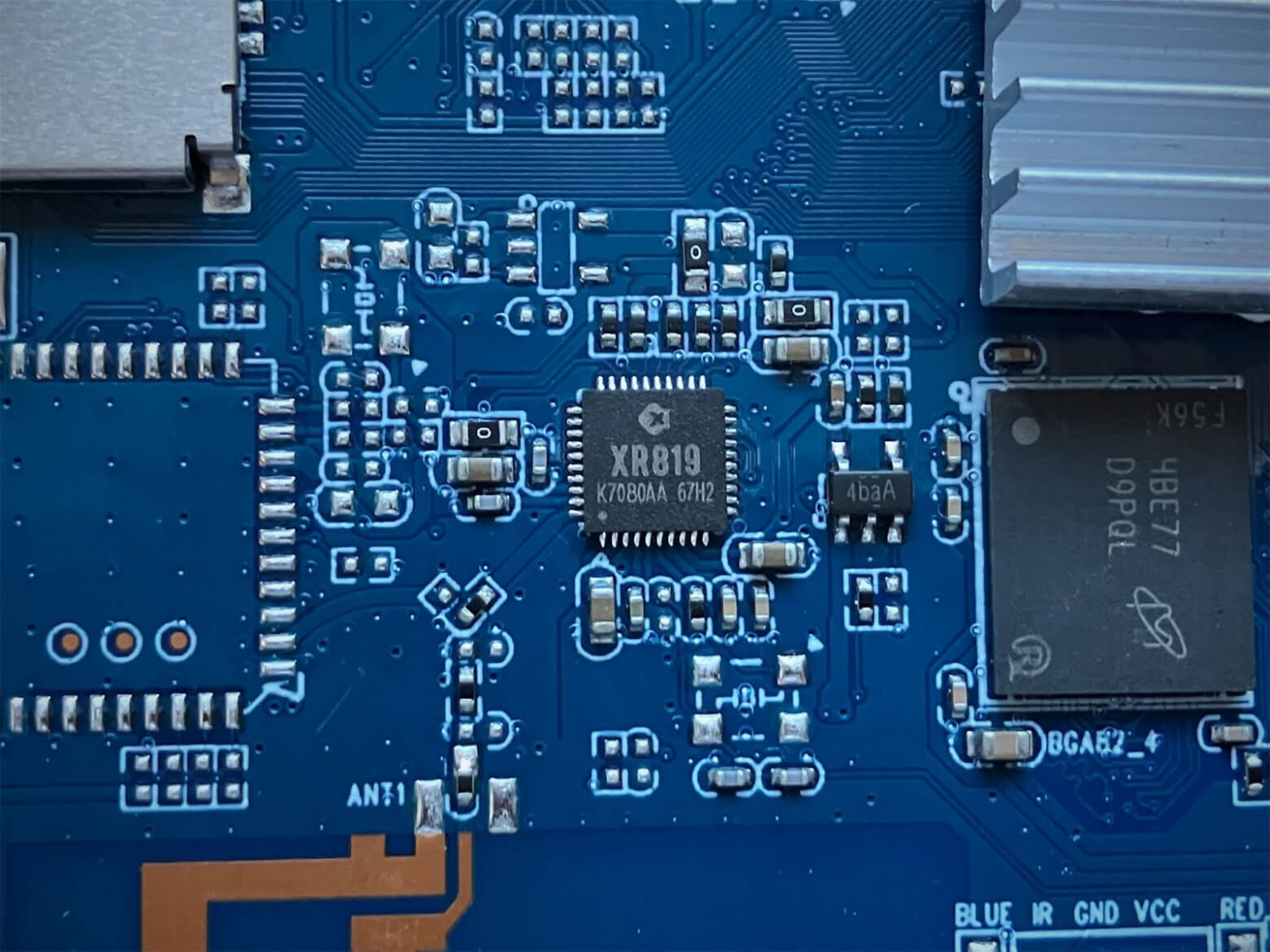
Nearby you can find such a small chip. It is none other than the Allwinner XR819 single-chip Wi-Fi chip, which is distinguished by its drivers “with surprises”. Here it is connected directly to the Allwinner H6 SoC and provides support for Wi-Fi 802.11 b/g/n (2.4 GHz), and the antenna is built directly into the printed circuit board (connected to ANT1):
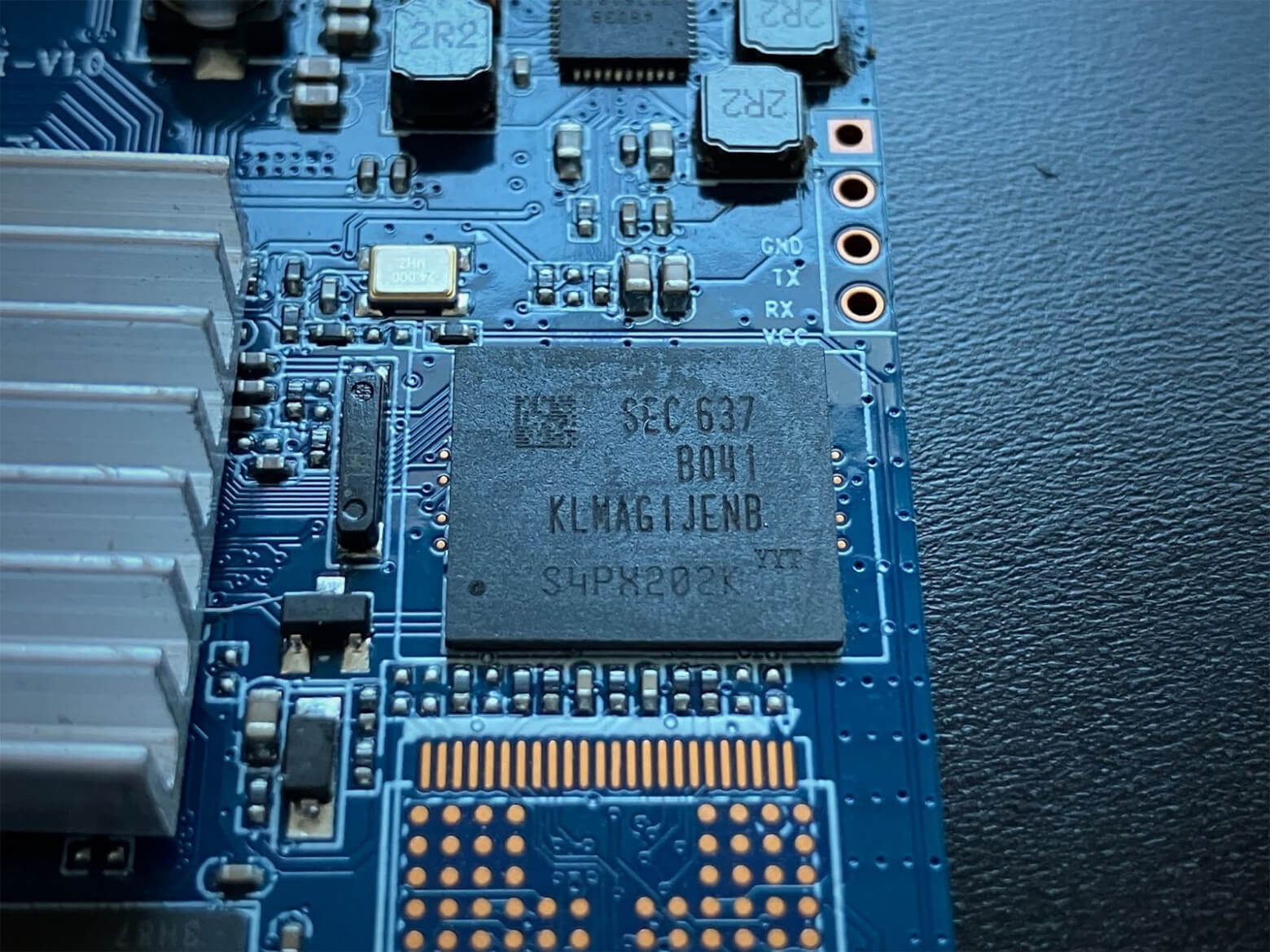
The next chip is marked SEC 637 B041 KLMAG1JENB. This is a Samsung eMMC 5.1 flash memory with a capacity of 16 GB. Unlike the Raspberry Pi, here the operating system is installed on the internal eMMC drive, and the MicroSD slot can be additional storage. But this imposes its own characteristics, more about them later. Below you can see a large empty area for desoldering another eMMC drive:
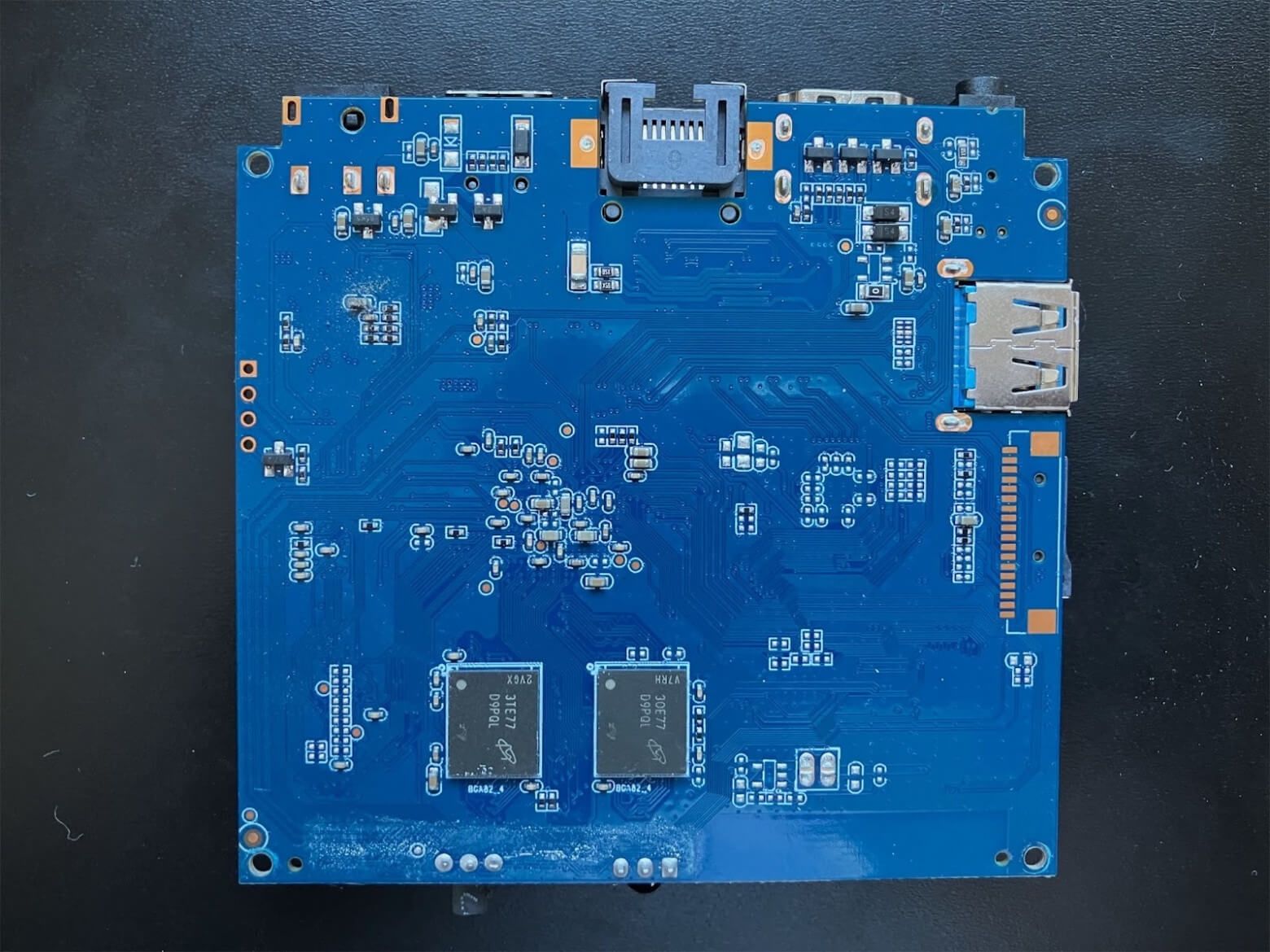
There is nothing interesting on the back of the board, except for two RAM chips. Since it came to me after a long time of use, oxides are visible, which are easily removed with isopropyl alcohol:
Here we come to the most interesting part. The board came to me with a complaint: the operating system does not work – it turns on, but does not boot. There was a massive power outage in our area recently, and it was this that led to the failure. The fact is that the OS runs on the ext4 file system with the journal disabled. As a result, a sudden loss of power can lead to an inconsistent state of the FS. Therefore, it will have to be repaired or the firmware will have to be completely reinstalled.
The latter here becomes quite an interesting method. Flashing the image to a flash drive is no different from the same procedure on a Raspberry Pi. Some people are more accustomed to doing this using Balena Etcher, and some through the standard Raspberry Pi Imager. When the card is ready, you can start the firmware. The main thing: turn off the monitor, insert the MicroSD into the slot and apply power. The blue LED will start to glow red and you need to wait 15-20 minutes until it turns blue again. Then turn off the power, remove the memory card and you can turn it on again.
Such a strange procedure has a completely logical explanation. Since the Inovato Quadra is a modified Android TV box based on the corresponding SoC, you have to take into account the special logic of loading such devices. By default, the OS is stored in eMMC. If the file system of the latter is damaged, the device runs its internal firmware script, which looks at the presence/absence of a MicroSD card and whether a display is connected or not.
If a MicroSD is present and an HDMI monitor is connected, the script believes that the user simply wants to boot from the storage device in Desktop mode and tries to do so. But if the screen is not connected, the script understands that it is necessary to start the eMMC flashing, and begins this process without further confirmation.
This approach is a reasonable engineering compromise, because there is no need for a separate hardware button or the need to set the correct jumper position, as on the Arduino Uno Q. The role of the trigger is played by the connected monitor and this allows you to start the process without any problems. The only point is the lack of the ability to monitor progress. But if the image is in order and the storage chip is working, the procedure is completed in the expected amount of time.
Armbian Linux works here. In fact, regular Debian with the usual apt package manager. The main difference is a custom kernel compiled for a specific SoC, patches for additional chips (such as XR819) and its own configuration utility armbian-config. In addition, the system is optimized to work even with a small amount of RAM.
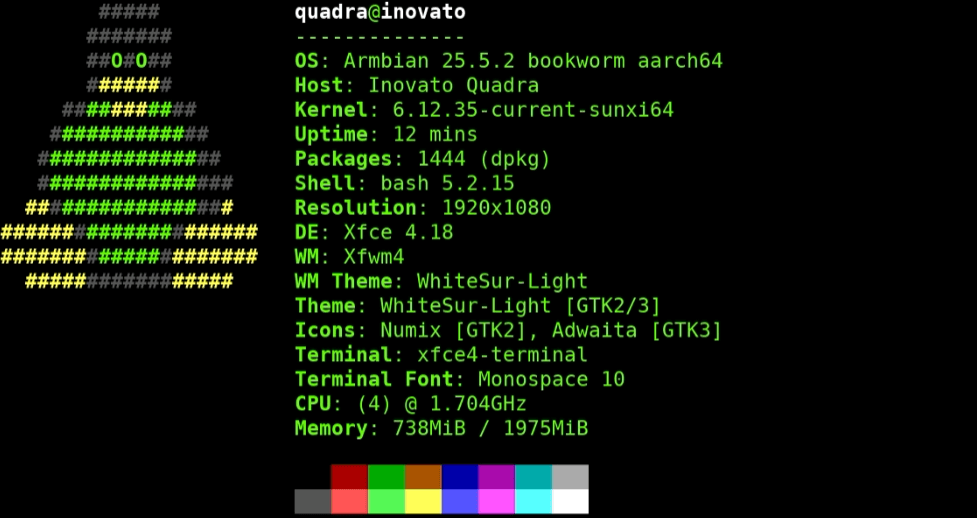
This seems like a great config with a 1.7 GHz processor, but in reality the desktop is quite slow to respond. To see the model, let’s look at the device-tree:
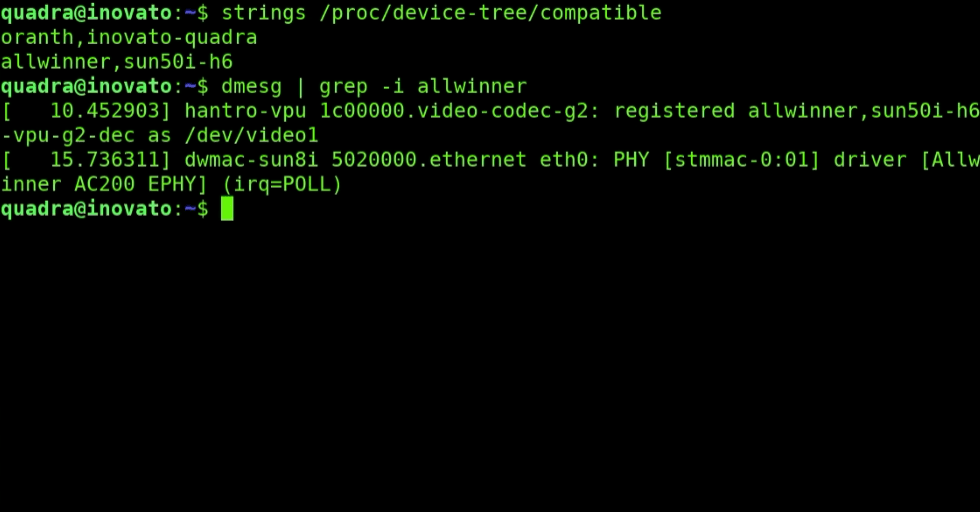
The sun50i-h6 code makes it clear that the ARM Cortex-A53 Quad-Core processor with Mali-T720 MP2 graphics is used here. Surprisingly, if you believe the technical specifications, this chip is able to cope with decoding Ultra HD 4k and 1080p Full HD (MPEG-2, MPEG-4 SP/ASP GMC, H.263, H.264, H.265, WMV9/VC-1 and VP8). But you shouldn’t expect magic. After all, this particular model has one significant drawback – overheating.
The cooling system cannot be called effective. In normal operation, the temperature is kept a little more than 50 degrees, but it is enough to give at least some load, as the chip begins to depict boiling water, quickly and evenly gaining more than 80 ° C (hello, throttling). When it reaches 105 ° C, the single-board silently turns off to prevent thermal destruction of the SoC.
Of course, the problem occurred with all Inovato Quadra sold, so several necessary accessories appeared in the official online store. The first is a 3D-printed stand with a holder for the cooling fan. The second is the fan itself, powered by USB. And the third is a USB hub, since one USB port will be occupied:
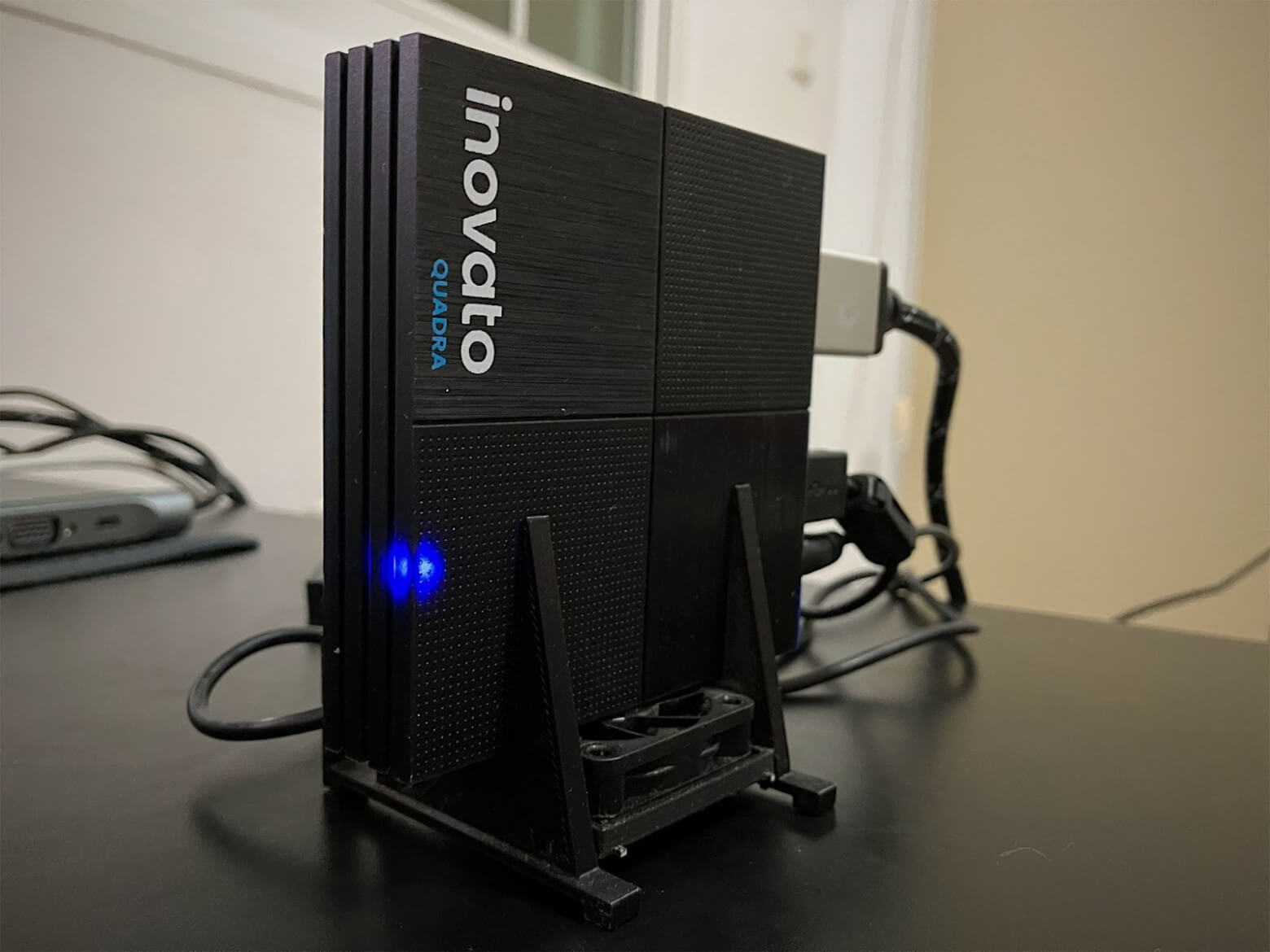
On the one hand, this design looks good and even a small fan significantly improves the situation. On the other hand, it creates additional noise, albeit not too loud. The developer considers the permanent operation of HamClock to be the main task of this single-board, but I would like to have a passive cooling system:
I will make a reservation, I got my hands on the first version of this single-board. Now and until the end of 2025, there is a modern Quadra 4k model on sale, devoid of the overheating problem. Firstly, its clock frequency has been reduced from 1.7 GHz to 1.5 GHz, and secondly, it has a more efficient passive cooling system built into it.
To understand, I decided to see how fast the Quadra processor works on simple tasks. To do this, I created a compilation of tests:
whole CPU (sieve of Eratosthenes),
floating point (lots of sin(sqrt())),
hashing (SHA-256, “bytes/s”),
text/regex,
JSON serialization + gzip,
SQLite (insert and aggregation),
plus a parallel test on multiple cores.
Python: 3.11.2 (CPython)
Platform: Linux-6.12.35-current-sunxi64-aarch64-with-glibc2.36
Machine: aarch64 | CPU count: 4
Summary:
Test Throughput Unit
—————————————-
CPU int (sieve) 136.96 runs/s
CPU float (sin√) 2.79 runs/s
SHA-256 144.78M bytes/s
Regex 15.33 runs/s
JSON+Gzip 3.02M bytes/s
SQLite 123.11k rows/s
Parallel float 16.16 iters/s (4 workers)
—————————————-
Composite score (≈relative on this device): 13.4
Python: 3.13.5 (CPython)
Platform: Linux-6.12.47+rpt-rpi-v8-aarch64-with-glibc2.41
Machine: aarch64 | CPU count: 4
Summary:
Test Throughput Unit
—————————————-
CPU int (sieve) 80.69 runs/s
CPU float (sin√) 1.63 runs/s
SHA-256 35.46M bytes/s
Regex 6.24 runs/s
JSON+Gzip 2.24M bytes/s
SQLite 82.85k rows/s
Parallel float 9.50 iters/s (4 workers)
—————————————-
Composite score (≈relative on this device): 10.1
Python: 3.13.5 (CPython)
Platform: Linux-6.16.7-g0dd6551ae96b-aarch64-with-glibc2.41
Machine: aarch64 | CPU count: 4
Summary:
Test Throughput Unit
—————————————-
CPU int (sieve) 149.50 runs/s
CPU float (sin√) 3.33 runs/s
SHA-256 154.55M bytes/s
Regex 12.41 runs/s
JSON+Gzip 4.24M bytes/s
SQLite 161.03k rows/s
Parallel float 16.68 iters/s (4 workers)
—————————————-
Composite score (≈relative on this device): 11.6
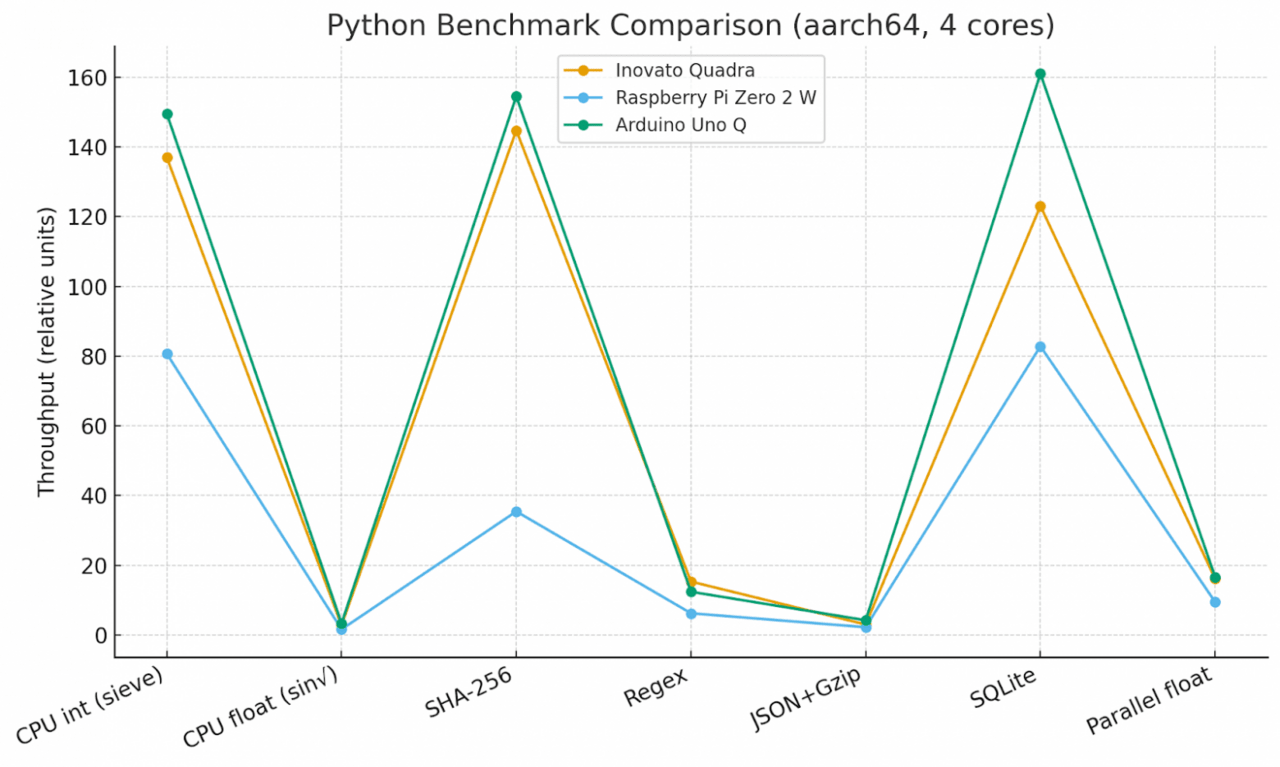
The Inovato Quadra and Arduino Uno Q show similar results, while the Raspberry Pi Zero 2 W lags behind in all tests, especially in SHA-256 and Regex. Interestingly, the Uno Q is slightly better in integer operations and SQLite, but slightly inferior to the Quadra in regular expressions. But now, let’s remember that the Arduino Uno Q has LPDDR4 memory and costs $ 55, while the Inovato Quadro with RAM of the previous generation could be found for a price of $ 29. The more advanced Quadro 4k costs $ 49 at the time of writing.
Inovato Quadra really impressed me. The device, created on the basis of the Android TV box, turned out to be an unconventional, but quite successful solution for running HamClock. Its compactness and affordable price make the model quite attractive for radio amateurs who need a simple tool for specific tasks. The only thing that is frustrating is the need for external cooling, without which full-fledged work sometimes makes itself felt.
Problems with the firmware “flying away” after a sudden power outage are a common story for such devices. It’s good that restoring the system is not difficult: it is enough to write the original OS image to a MicroSD, and in about half an hour the device comes back to life. In more complex cases, there is always an option with minimal soldering to the UART and recovery via U-boot.
I would like to end the review with purely good news, but the reality is different. A sad message appeared on the developer’s website: Michael was diagnosed with cancer, and the official Inovato store will cease operations on December 19, 2025. It is quite possible that this date will become a point in the history of this line of affordable single-payer games, and working copies will become a rarity over time. We can only hope that the treatment will give results and Michael will be able to return to his project.