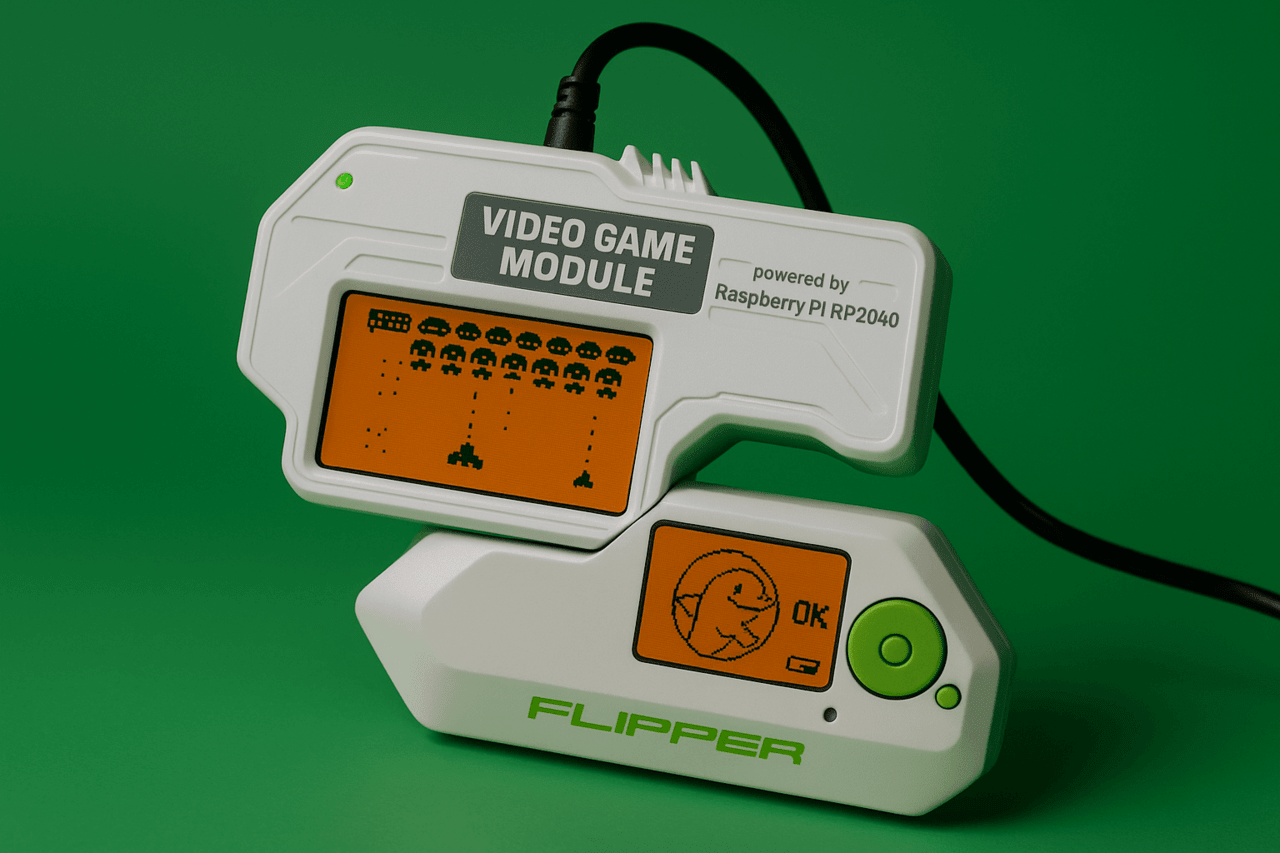
The Video Game Module for Flipper Zero is an extension that transforms your device into a full-fledged game console and microcontroller platform. With a powerful RP2040 chip, digital video output (DVI-D), a 6-axis motion sensor, and support for custom firmware, this module opens up a wide range of possibilities for developers, hackers, gamers, and educators. You can run games, display the interface on an external monitor, control devices using gestures, or create your own standalone projects without the Flipper Zero itself. In our article, we take a detailed look at how to install and use the Video Game Module, what games and applications are already available, how to activate video output, and configure motion control.
Disclaimer: The information provided in this article is for educational and informational purposes only. The author is not responsible for any misuse or incorrect use of the Flipper Zero device.
The Video Game Module is an innovative hardware addition to the Flipper Zero, designed around the high-performance Raspberry Pi RP2040 microcontroller, which features a dual-core ARM Cortex-M0+ architecture with a clock speed of up to 133 MHz. This module opens up new horizons for the Flipper Zero, transforming it from a multifunctional hacking gadget into a versatile gaming platform with support for developing your own applications.
The main advantages of the module include:
Full compatibility with Flipper Zero GPIO connectors, ensuring easy connection.
Ability to use the module without removing the silicone case.
LED indicator to indicate activity or modes.
Compact form without the need for external power from the Flipper.
This is not just a “toy” add-on. The Video Game Module becomes a hardware environment for education, research, game development, motion control simulators and simulations. It can also be used in feedback systems, gesture recognition simulators and even experimental medical prototypes.
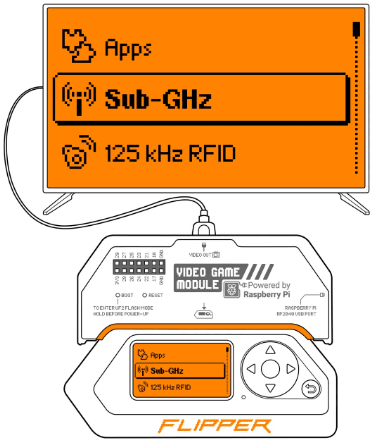
One of the key features of the Video Game Module is the ability to mirror the Flipper Zero’s screen to an external display. This is achieved through the digital Video Out port, which uses a DVI-D interface, compatible with most modern monitors, TVs, and projectors. This feature is especially useful for developers, educators, and users who need a large image.
Technical specifications:
Port type: Digital DVI-D for video output.
Supported resolution: 640×480 pixels at 60 Hz.
Connection standards: support for monitors, TVs, projectors via DVI or via DVI-HDMI adapter.
Usage scenarios:
Displaying Flipper Zero menus or games on a large screen.
Conducting workshops and trainings using a projector.
Demonstrating the hardware interface at exhibitions or hackathons.
Testing graphical interfaces and UI designs on different screens.
The ability to duplicate videos takes Flipper to a new level of functionality, expanding its application far beyond its usual use.
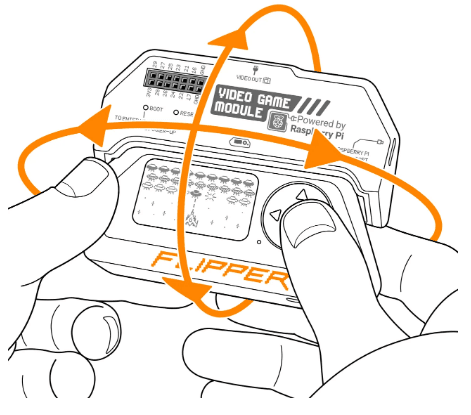
The Video Game Module is equipped with the TDK ICM-42688-P motion sensor, which combines a 3-axis gyroscope and a 3-axis accelerometer. This allows it to track both the tilt and rotation of the device in space with high accuracy and low noise, opening up new interface possibilities.
Control functions:
Control games by tilting the device instead of pressing buttons.
Implement Wii Remote-style gesture interfaces.
Use as a gyroscopic mouse in desktop systems or media centers.
Usage scenarios:
Air Arkanoid game, where platform control is implemented via tilt.
Air Mouse utility for controlling a computer cursor using rotation.
Potential for developing gesture input systems for people with disabilities or in AR projects.
The sensor is fully supported in the open SDK for RP2040, so users can independently create new forms of control for games, visualizations or interactive installations.
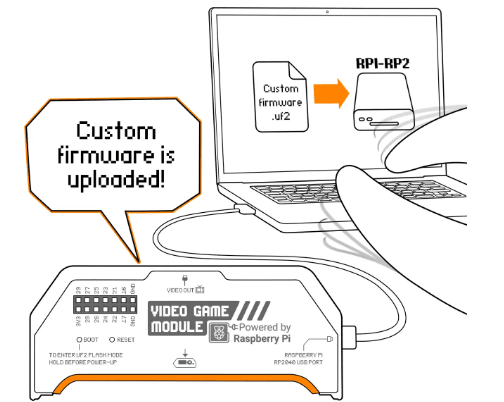
The module can function as a standalone microcontroller device, completely independent of the Flipper Zero itself. Its RP2040 processor supports a standard firmware process using UF2 files via the USB-C port, simplifying setup and application deployment.
Offline features:
Installation of custom firmware by the user directly from the computer.
Full operation of the motion sensor without connecting to Flipper.
Image output via DVI-D to the monitor.
Power from USB-C and data exchange via the same port.
Areas of application:
Developing autonomous devices for research, gaming, or everyday tasks.
Prototyping motion interfaces or miniature controllers.
Testing drivers and sensors using RP2040 GPIO.
Embedding in DIY gadgets as a sensor base or video interface.
Thus, the module acts not just as an extension for Flipper, but also as a separate microcontroller computer with great potential.
The module has a number of hardware elements that allow it to be flexibly used in different modes. This block describes each of them in detail, including functionality and application scenarios.
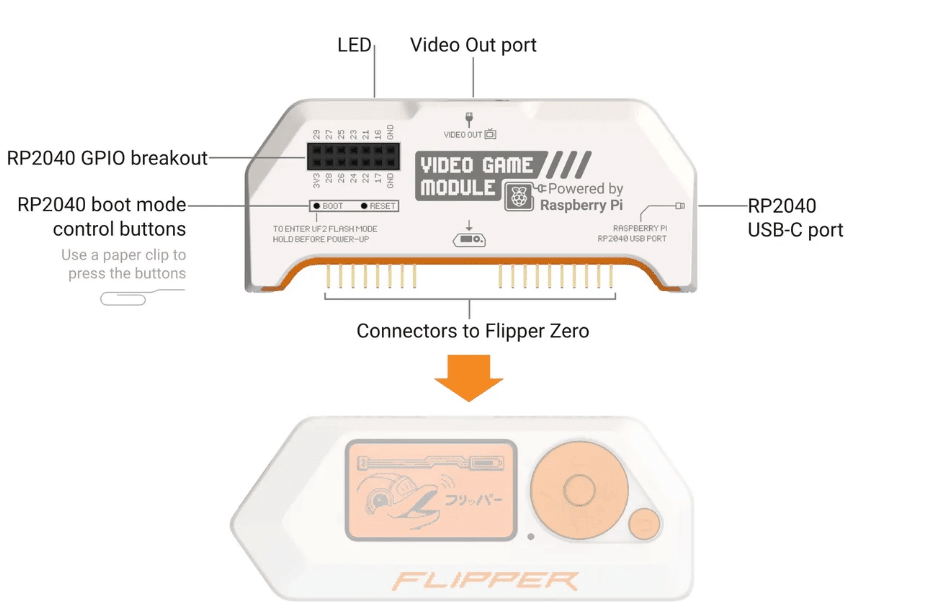
This port is designed to transmit video from the RP2040 in digital DVI-D format. It allows you to output the graphical interface or games to an external display. The port supports VGA resolution of 640×480, which is optimal for most simple applications.
This port is used for:
Powering the module when operating autonomously.
Flashing the microcontroller via UF2 files.
Creating custom applications that exchange data with a computer.
Connecting to USB hosts for HID, MIDI or serial port emulation.
Provides a hardware interface for connecting external modules, sensors, displays, LEDs or buttons. Each pin has its own function and supports both digital and analog input/output.
Ці мікрокнопки дозволяють:
Activate the firmware mode (UF2 Flash Mode) by holding BOOT while connecting.
Restart the RP2040 microcontroller without turning off the power.
Used when debugging or developing your own firmware.
A thin tool, such as a paper clip, is used to press. This provides protection against accidental presses and increases reliability.
The Video Game Module for Flipper Zero is not just an addition to the main device, but a powerful tool for expanding its capabilities. Thanks to the RP2040 microcontroller, video output and motion sensor, the module opens up new usage scenarios – from games to standalone development. It will be equally useful for both beginners who are just getting acquainted with microcontrollers and experienced developers looking for a flexible and open platform for their own projects.