01.07.2025
6 min
1638



Learn how to use SearchSploit in Kali NetHunter to quickly find offline exploits and how to set up a Wi-Fi Pineapple connection via OTG or Y-USB. The article provides a step-by-step guide to working with the Exploit-DB database, HID code sending features, and how to configure the Pineapple Connector to intercept traffic from Android.

SearchSploit is a powerful command-line tool that is part of the NetHunter system, developed by Offensive Security. It is designed to help security professionals and penetration testers search for known vulnerabilities in software by leveraging a comprehensive database of exploits called Exploit-DB.
Exploit database is a comprehensive and publicly accessible database of exploits, vulnerability information, and related tools. It serves as a valuable resource for security professionals, researchers, and penetration testers to find information about known vulnerabilities in various software and systems. The database holds over 45,000 exploits where over half of them is associated with common vulnerability exposure (CVE).
The first time you need to download the exploit database from Exploit Database, which may take a few minutes, as shown in Figure 1.

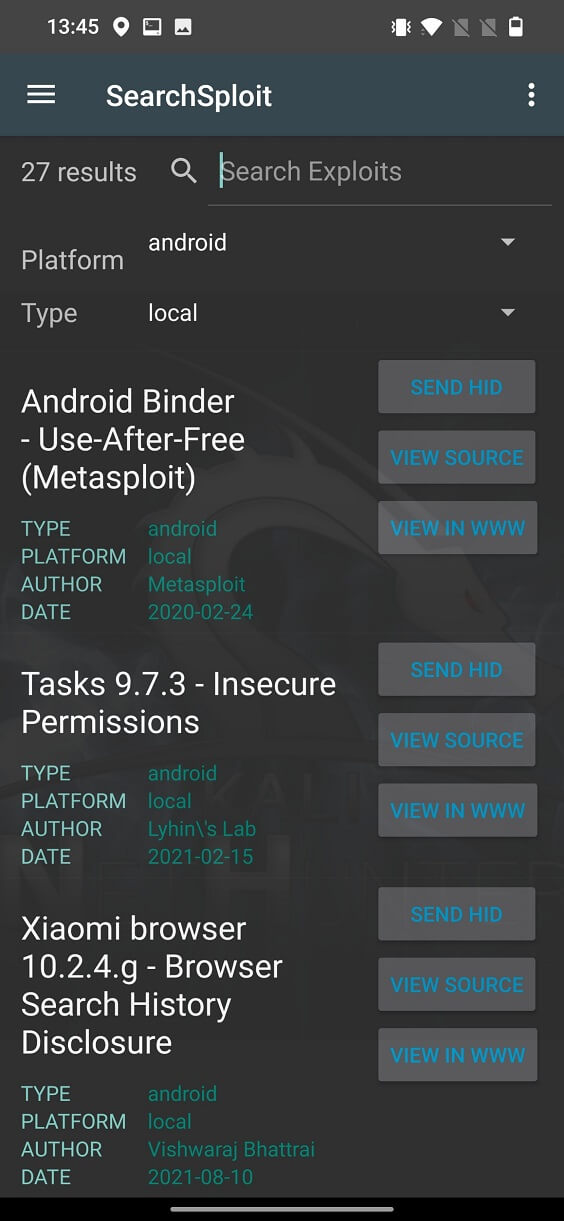
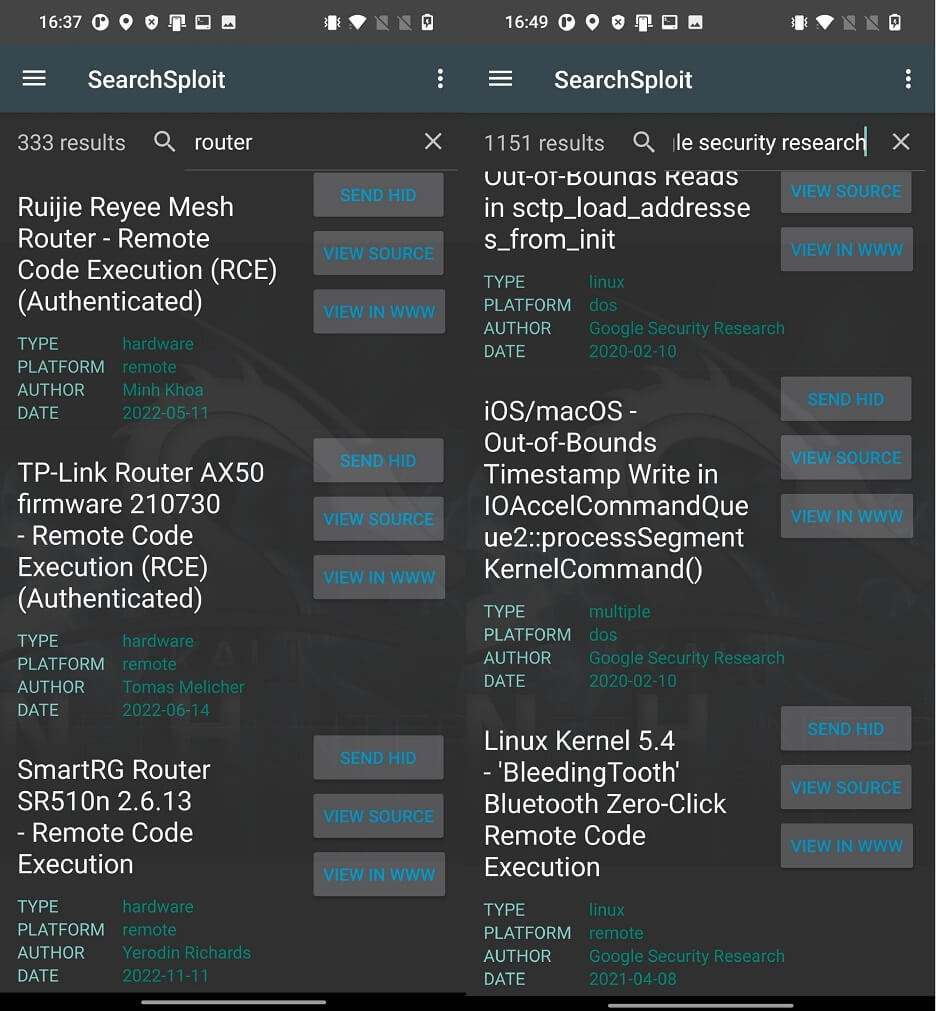
After loading the database, you can search for exploits using keywords in the Search Exploits edit line or simply by selecting the Platform exploit Type as shown in Figure 2.
З Platform опцій ви можете вибрати з понад 60 різних цільових систем, таких як:
aix, alpha, android, arm, ashx, asp, aspx, atheos, beos, bsd, bsd_x86, cfm, cgi, freebsd, freebsd_x86, freebsd_x86-64, hardware, hp-ux, immunix, ios, irix, java, json, jsp, linux, linux_misp, linux_sparc, linux_x86, linux_x86-64, lua, macos, minix, multiple, netbsd_x86, netware, nodejs, novel, openbsd, osx, osx_ppc, palm_os, perl, php, plan9, python, qnx, ruby, sco, solaris, solaris_sparc, solaris_x86, tru64, ultrix, unix, unixware, vxworks, watchos, windows, windows_x86, windows_x86-64and xml.
In the Type menu of exploits, you can choose from four options, such as:
dos, local, remote та webapps.
From listed exploits visible in Figure 2. you can see their title with the name of targeted system, author and date of exploit release. On the right side of each exploit are three buttons SEND HID, VIEW SOURCE and VIEW IN WWW. Each of them are responsible for different functionality, as describe below.
SEND HID should conveniently send exploit code as HID to USB connected device (computer) as text. Unfortunately, it doesn’t work. When I checked NetHunter’s app code on GitLab, it is responsible for executing command (su -c /data/data/com.offsec.nethunter/files/scripts/bootkali file2hid-file /usr/share/exploitdb/{path_to_exploit}) that converts input file, in this case our exploit, and print each line to hid device, which as result will be printed to text editor of connected PC. That is and easy way how to transfer exploit code from NetHunter to a computer.
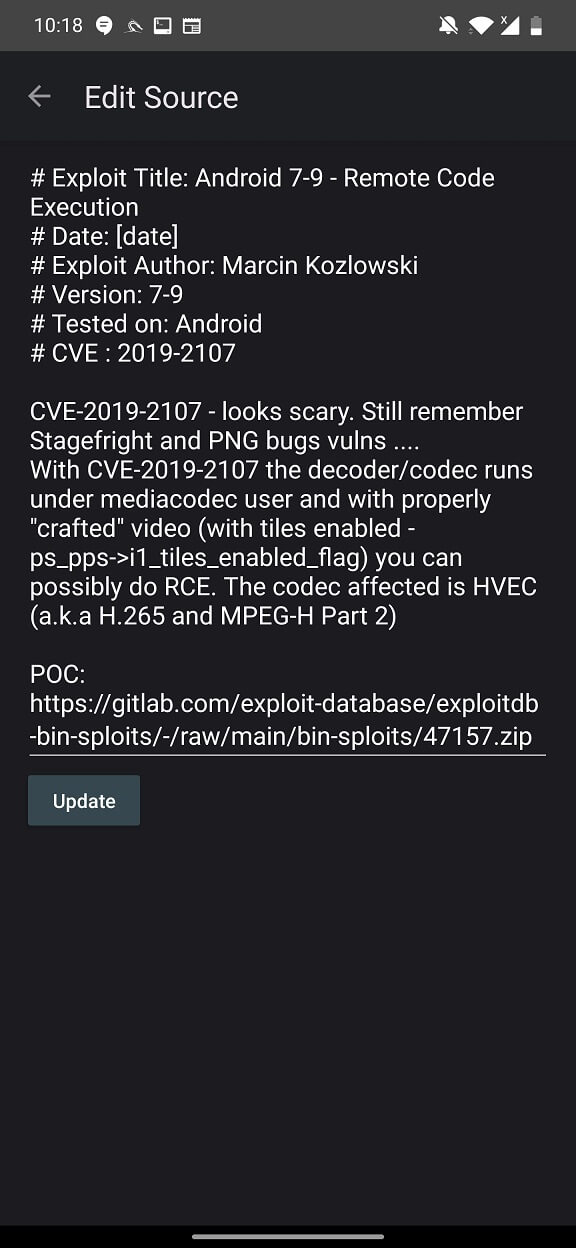
VIEW SOURCE displays exploit details, CVE, and path to download prove of concept exploit code as displayed in Figure 3.
VIEW IN WWW displays detailed information about the exploit in a web browser, from where you can copy the code from exploit-db.com.
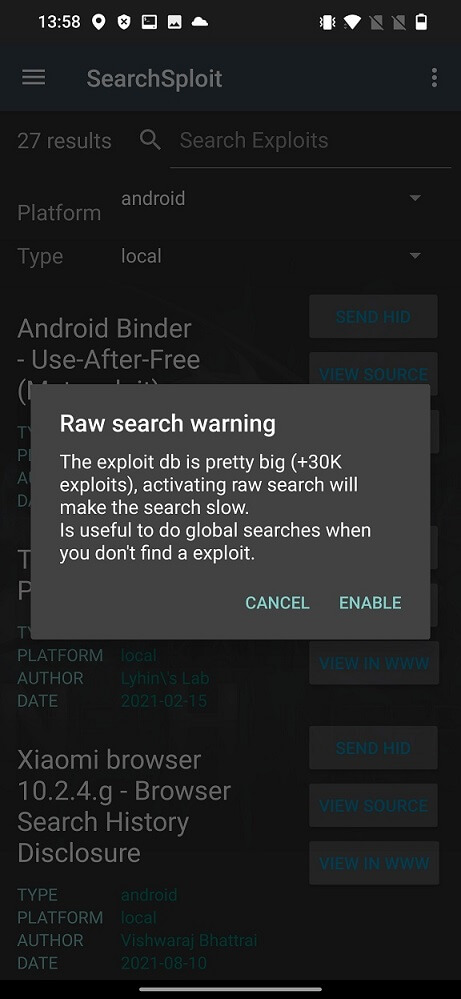
In the top right corner (three dots) you can enable raw database search. Next, a pop-up warning will appear, informing you that raw database search will be slow, as you can see in Figure 4. In my experience, raw database search was not slow at all (OnePlus 7T).
This feature allows for more flexible and advanced searches by directly specifying search parameters using regular expressions. This feature is especially useful when you need to perform more specific pattern-based searches or when you need to search for specific strings in the description, type, platform, and author, as seen in Figure 5.
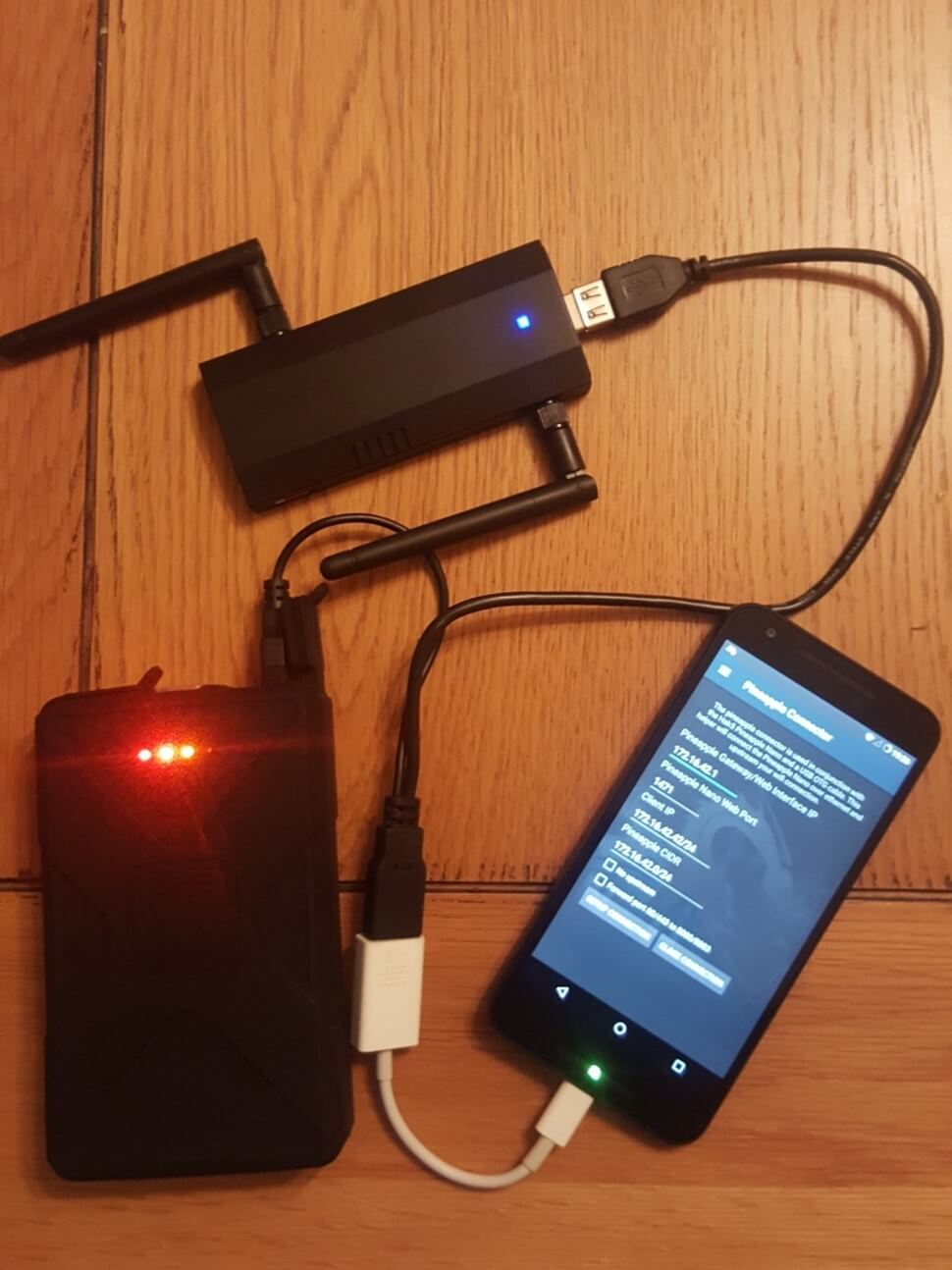
Pineapple Connector is a NetHunter feature that allows you to connect your Android device to a Pineapple device with Wi-Fi using a USB cable and OTG adapter, as shown in Figure 6.
The WiFi Pineapple is a wireless penetration testing tool that can be used to perform various security tests on wireless networks. The Pineapple Connector feature allows you to use your Android device as a network interface for the WiFi Pineapple. This means that you can use your Android device to scan wireless networks and perform other security tests using the WiFi Pineapple.
To use the Pineapple Connector, you need a rooted Android device with NetHunter (not a root-less installation of NetHunter). You will also need a Y-USB cable with an OTG adapter to connect to your Android and an external power source such as a battery or wall outlet. Once you have all of this, you can connect your Android device to the WiFi Pineapple and start using the Pineapple Connector.
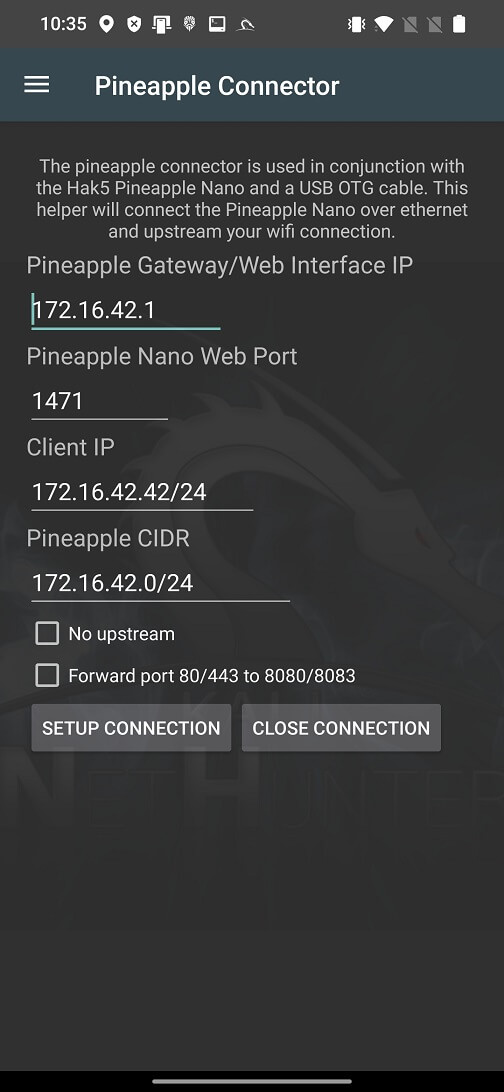
Inside Pineapple Connector you can edit your forwarded traffic Pineapple Gateway/Web Interface IP, Pineapple Nano Web Port, Client IP, Pineapple CIDR, before starting the connection as shown in Figure 7. Before this Setup Connection you should enable USB modem on your Android to enable RNDIS.
Unfortunately, I was unable to recreate the Pineapple Nano setup using NetHunter and experiment with it, as I do not currently have one.
SearchSploit is a valuable tool for security professionals and penetration testers, as it simplifies the process of finding known vulnerabilities and exploits. Using the Exploit-DB database, it helps identify potential weaknesses in software, allowing users to more effectively assess the security of their systems and applications. However, it is important to note that the tool should be used responsibly and ethically, within the limits of applicable laws and permits, to avoid any illegal or unauthorized actions.
Although I was unable to fully test it, the Pineapple Nano, a small, portable wireless penetration testing device, can be used with the Pineapple Connector for convenient auditing of wireless networks. It can be used with Android devices by connecting it to your phone via USB tethering.