01.07.2025
6 min
1637



Bluetooth Arsenal in Kali NetHunter opens up new possibilities for Bluetooth security testing: scanning, device spoofing, audio streaming, and interception. Learn how to use a Bluetooth adapter to find vulnerabilities in headphones, cars, and other IoT devices. A step-by-step guide for ethical hackers and security researchers working with Android and Kali NetHunter.

Disclaimer: This article is for educational purposes only. All information, instructions, and examples provided here are intended to increase awareness of Bluetooth security and to help you test your own devices for ethical hacking purposes.
Bluetooth technology has become an integral part of our daily lives, from connecting smartphones to cars and headphones to sharing files between devices. However, like any wireless technology, Bluetooth is vulnerable to hacking attempts. In this blog post, we will discuss the different methods that hackers use to exploit Bluetooth technology and the steps you can take to protect yourself and stay safe. So, whether you are a regular user or a mobile hacker, this post will provide you with the knowledge and tools you need to stay safe in the world of Bluetooth.
This is a set of tools that allow you to perform various tests using Bluetooth, such as reconnaissance, audio swapping, listening or audio input on a device. Until now, it was necessary to have an external Bluetooth adapter supported by the kernel, connected to the device using an OTG adapter. However, now the latest version of Kali NetHunter 2022.4 also supports some internal Bluetooth chips.
When you first use Bluetooth Arsenal, you need to first Setup it and then Update it. These options are in the upper right corner, if you click on the three dots.
If you have an external adapter, connect it to your Android using an OTG adapter. If it is supported, it should show up in the Bluetooth interface as hci0.
If you don’t see it there, then you will have to enable it manually. This method worked for one of my dongles that was supported but not enabled by NetHunter.
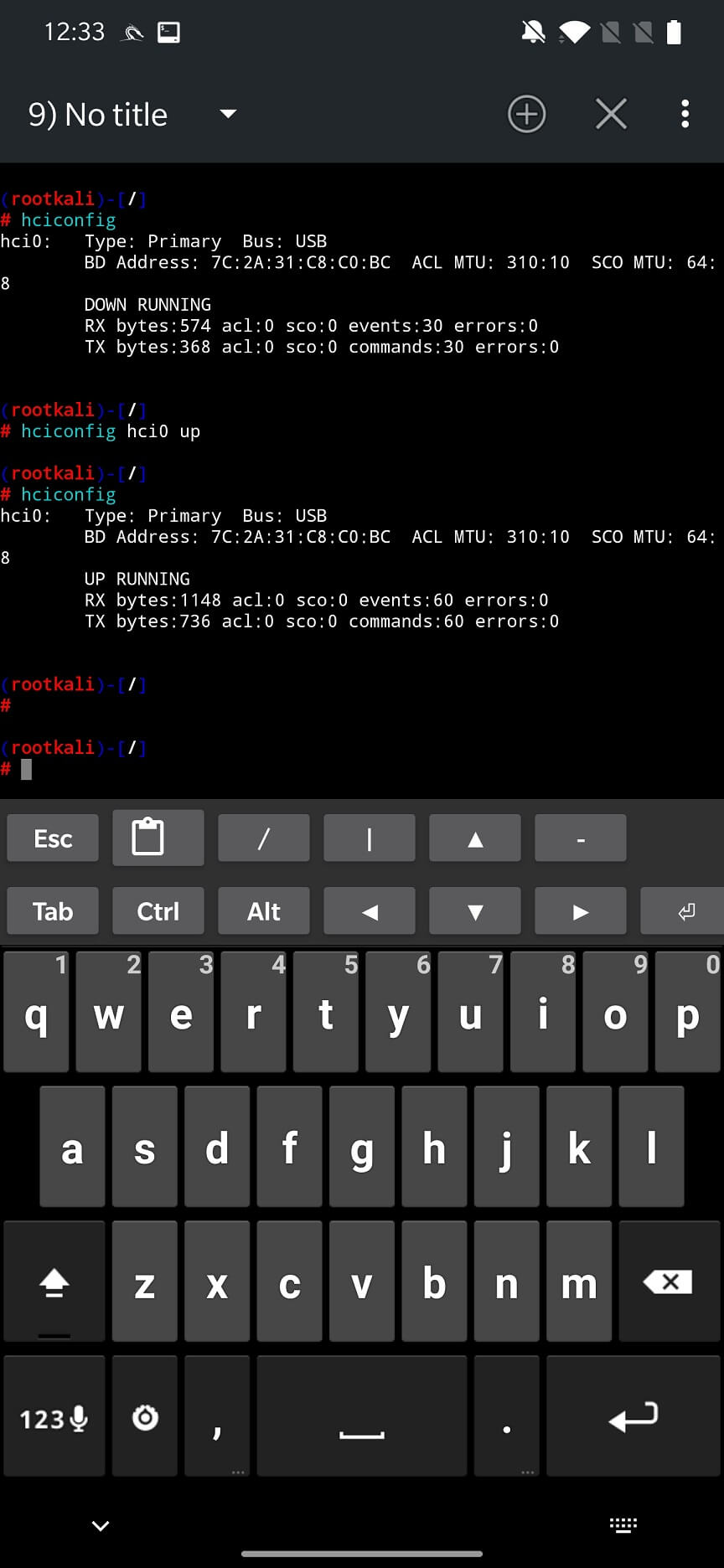
Open the NetHunter Terminal application and enter the hciconfig command to get information about the HCl devices. If it appears, try enabling it with hciconfig hci0 up as shown in Figure 1. If you restart the NetHunter application, the newly enabled Bluetooth interface should appear.
For internal Bluetooth, you first need to start all services such as Bluebinder, Dbus Service, Bluetooth Service and Interface so that the adapter appears. After selecting it in the interface, you can SCAN DEVICES. Arsenal can only scan Bluetooth, not Bluetooth Low Energy (BLE) devices, which means your gadgets and IoT devices will not be detected. You can see the scan results in Figure 2.
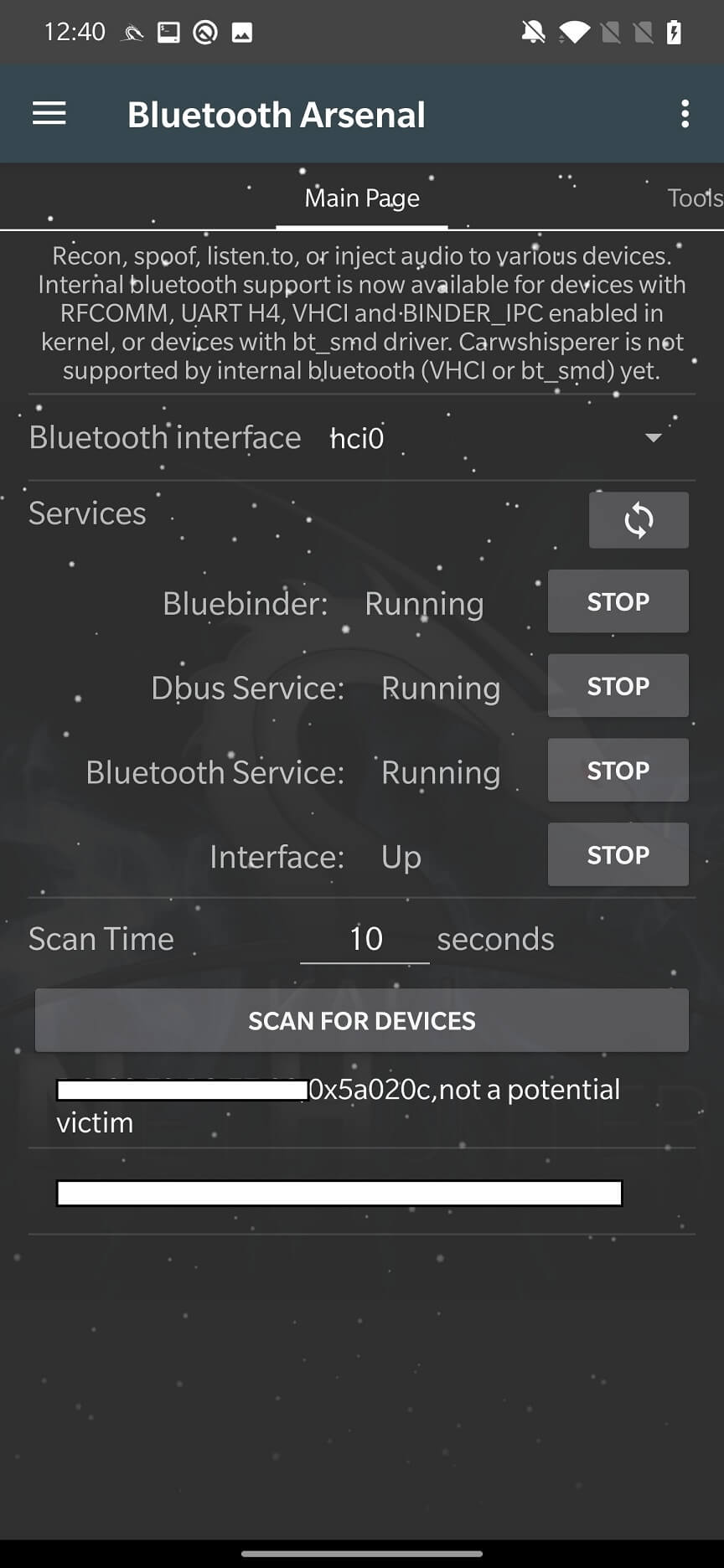
From the scan results, you can select the target device and go to the Tools tab.
In the Tools tab, you can either manually enter the MAC address of the target device or click on USE SELECTED TARGET from the previous tab. Here you can configure and launch tools such as L2ping, Redfang, Blueranger, and SDP Tool.
This is a ping tool that can launch a denial of service (DoS) attack. It will generate a packet of a specified size and number to send to the target device. As a result, the device will be overloaded and may crash.
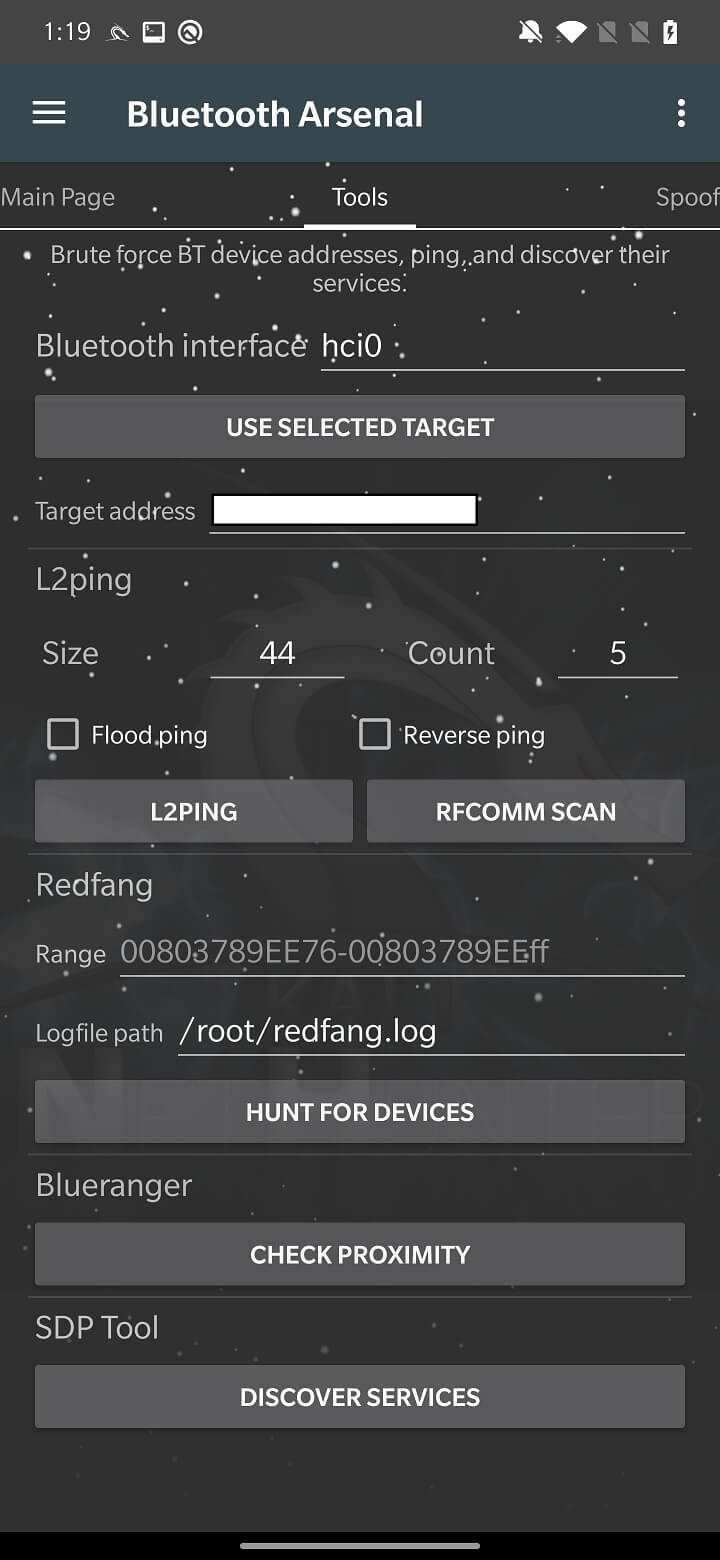
RFCOMM SCAN attempts to find open RFCOMM channels by scanning a specific range. There are 30 channels in total. RFCOMM scanning is similar to a port scanner, but for Bluetooth. It establishes a full connection to each channel. The owner of the target device is prompted to allow this, and may even be asked to enter a password if they reach a channel that requires additional authentication. The socket connection is broken if the owner chooses not to approve the connection.
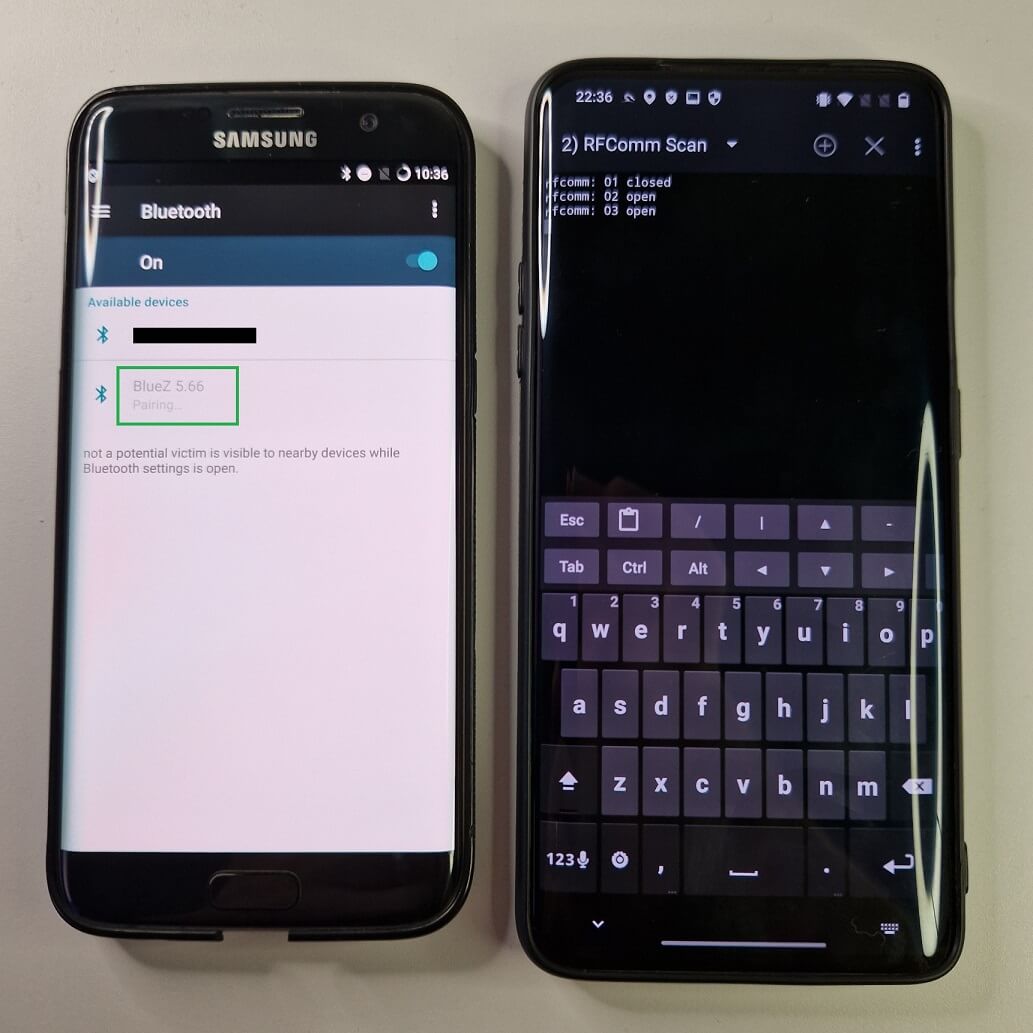
During my testing, I was able to partially use the rfcomm_scan tool, but only if the target device was scanning for Bluetooth devices. Then my target device would receive a request for pairing and authorization.
The target device has already been selected by the attacker by pressing the USE SELECTED TARGET button. When we launch the attack by pressing the RFCOMM SCAN button, the new device – BlueZ 5.66 by default – appears as a newly discovered device. By the way, if you want to change the name of the spoofed device, you can do so in the “Spoof” tab. When the target device tries to connect to it, rfcomm starts scanning, see Figure 4.
In some cases, it may even request access to messages or other permissions, see Figure 5.
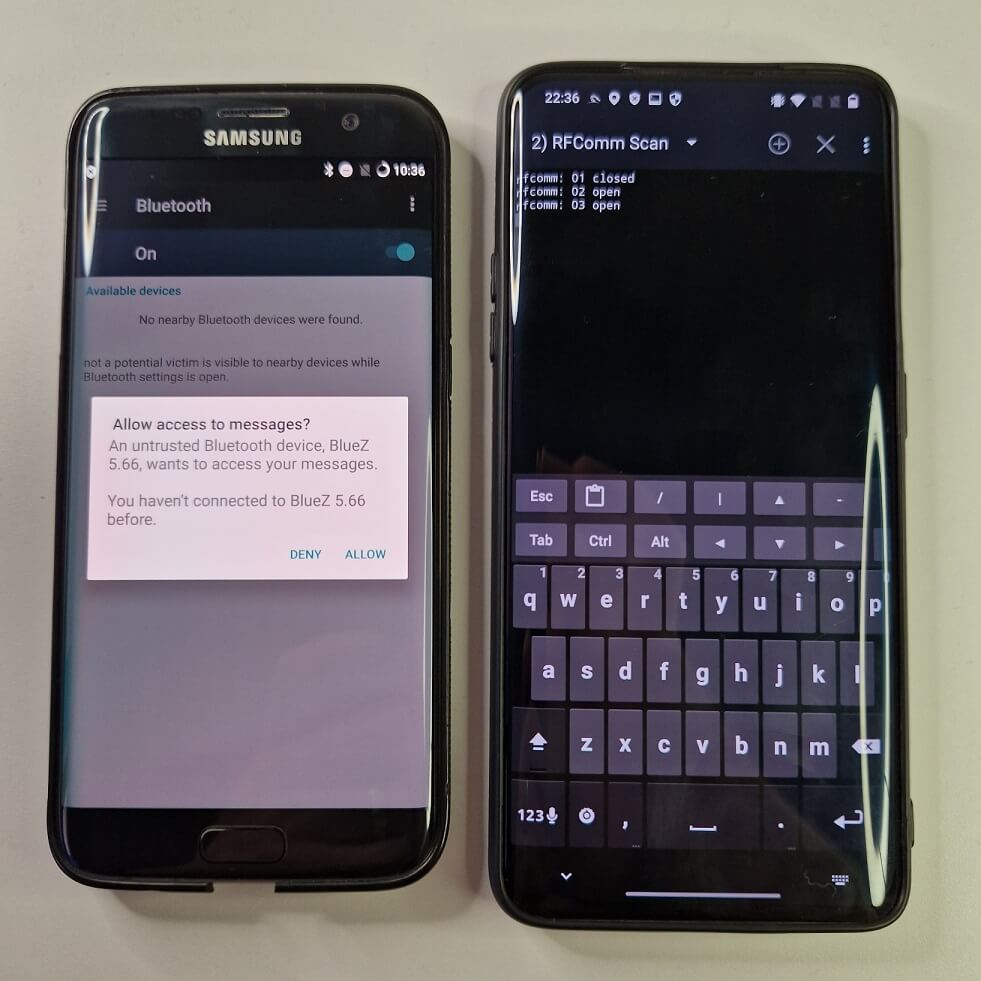
This seems very dangerous, but in all my test cases I was unable to actually exploit this vulnerability. In most cases – during the attack – Android would crash.
A mobile hacker would allow NetHunter to connect to a Bluetooth device at the same time as the user. This could result in the target device crashing or giving you control over it.
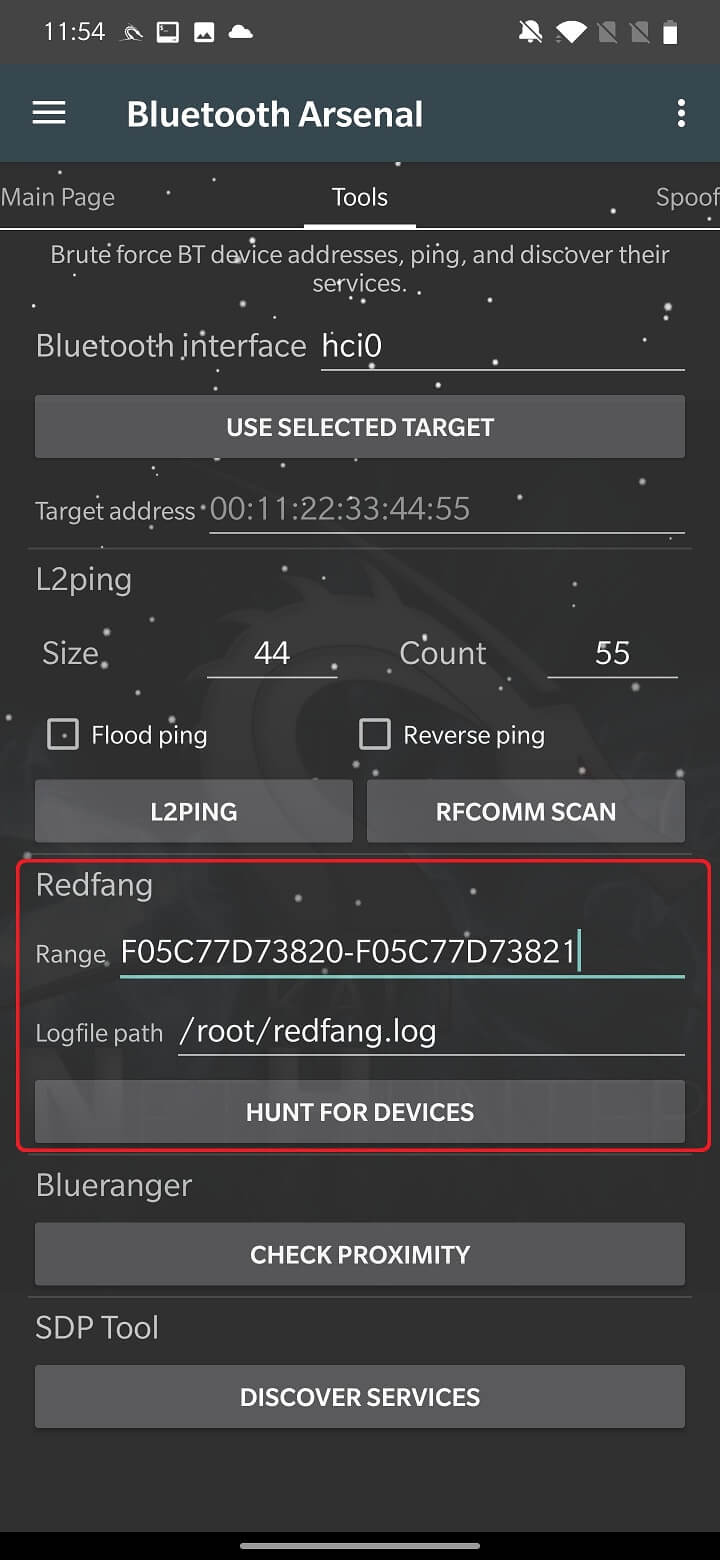
Bluetooth devices have two modes: visible and invisible. Redfang focuses on invisible devices using a brute force method. It attempts to connect to a range of user-defined MAC addresses to obtain detailed information about the device. This information is then stored in the redfang.log file.
To run Bluetooth reconnaissance, you need to set the range of MAC addresses to scan and the path to the scan log file, which defaults to /root/redfang.log. When you start HUNT FOR DEVICES, redfang will attempt to iterate over each MAC address in the range to detect invisible Bluetooth devices, as shown in Figure 6.
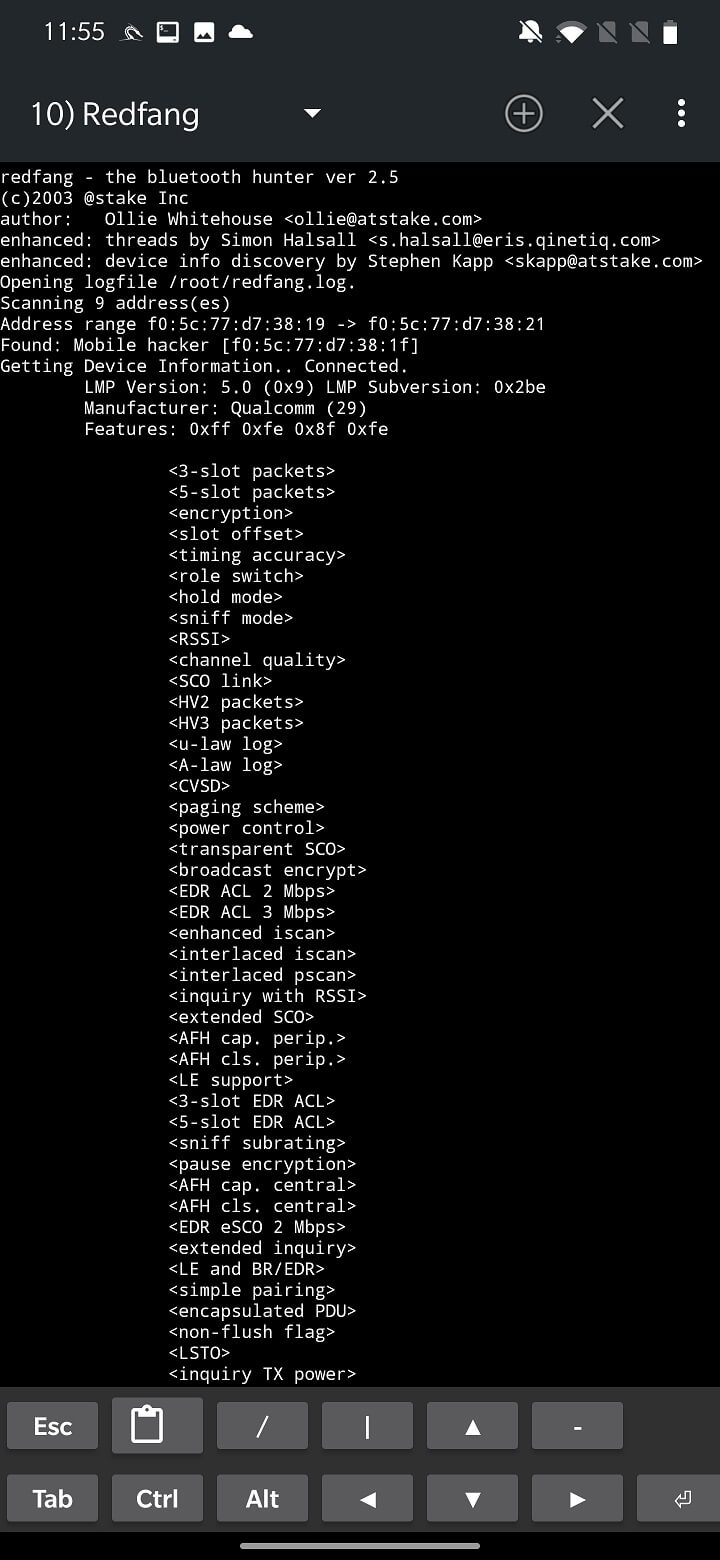
In my tests, when it detected devices, it displayed their information and crashed, so further brute force scanning did not proceed.
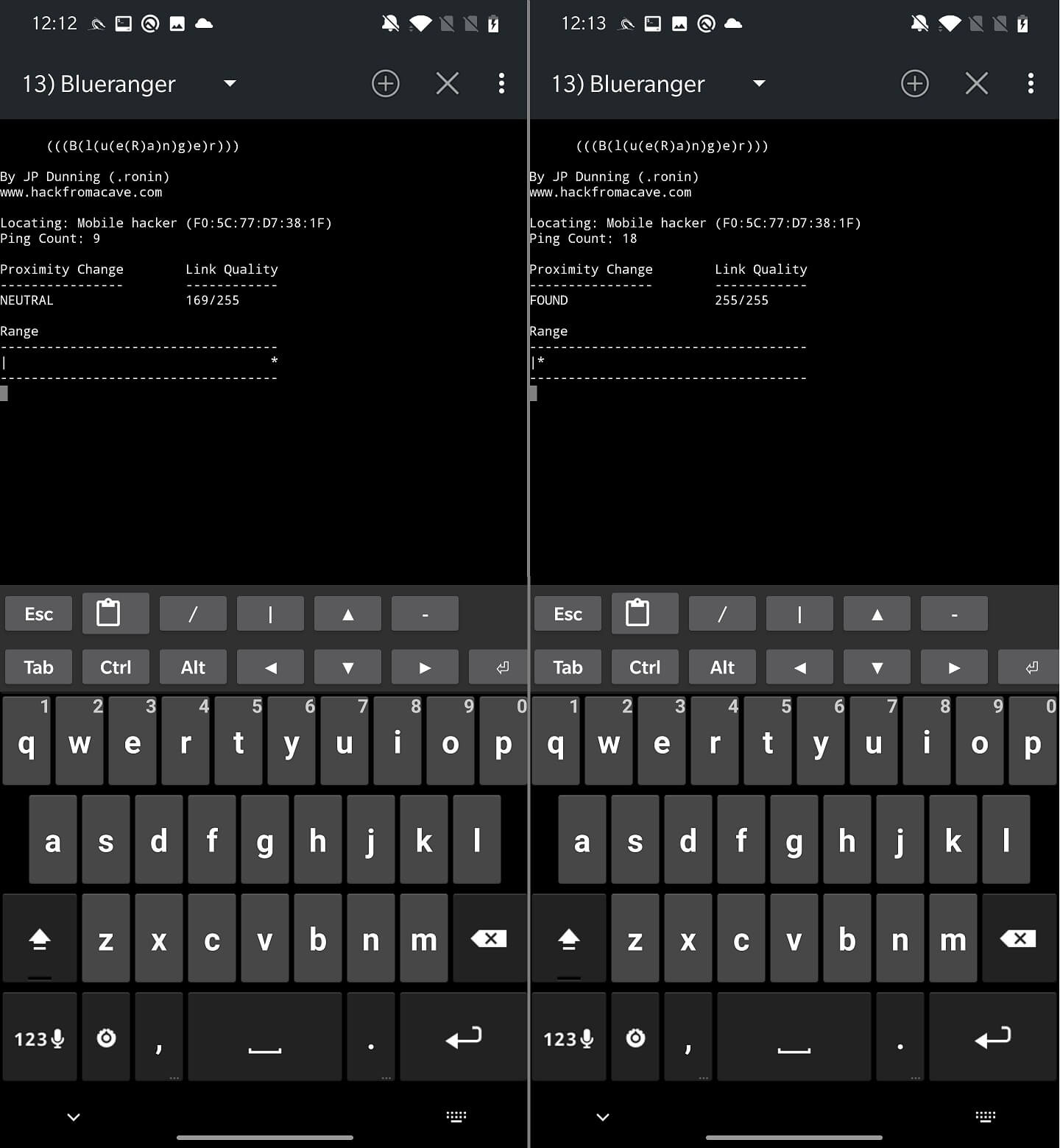
The BlueRanger script attempts to determine the distance to the target Bluetooth device. This is done by sending an l2cap ping, as we saw in the previous tool, to determine the quality of the connection. The higher the quality, the closer the device.
By clicking the CHECK PROXIMITY button, you will begin analyzing the range of the devices, as shown in Figure 8.
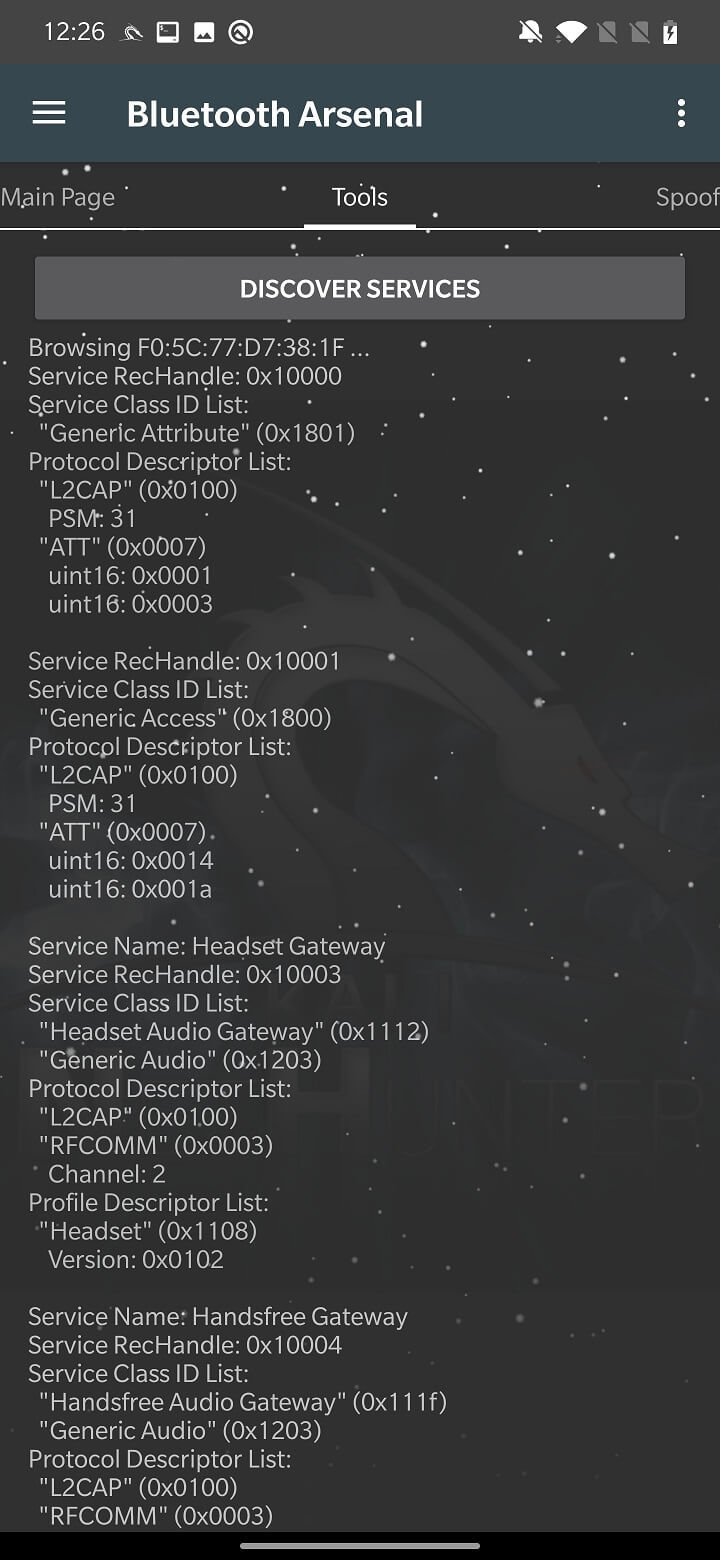
The functionality of the SDP tool is to perform service discovery on the target device. It will list all the running services to find the open one. The scan result is displayed under the DISCOVER SERVICES button as shown in Figure 9.
On the Tools tab, continue working with Parody.
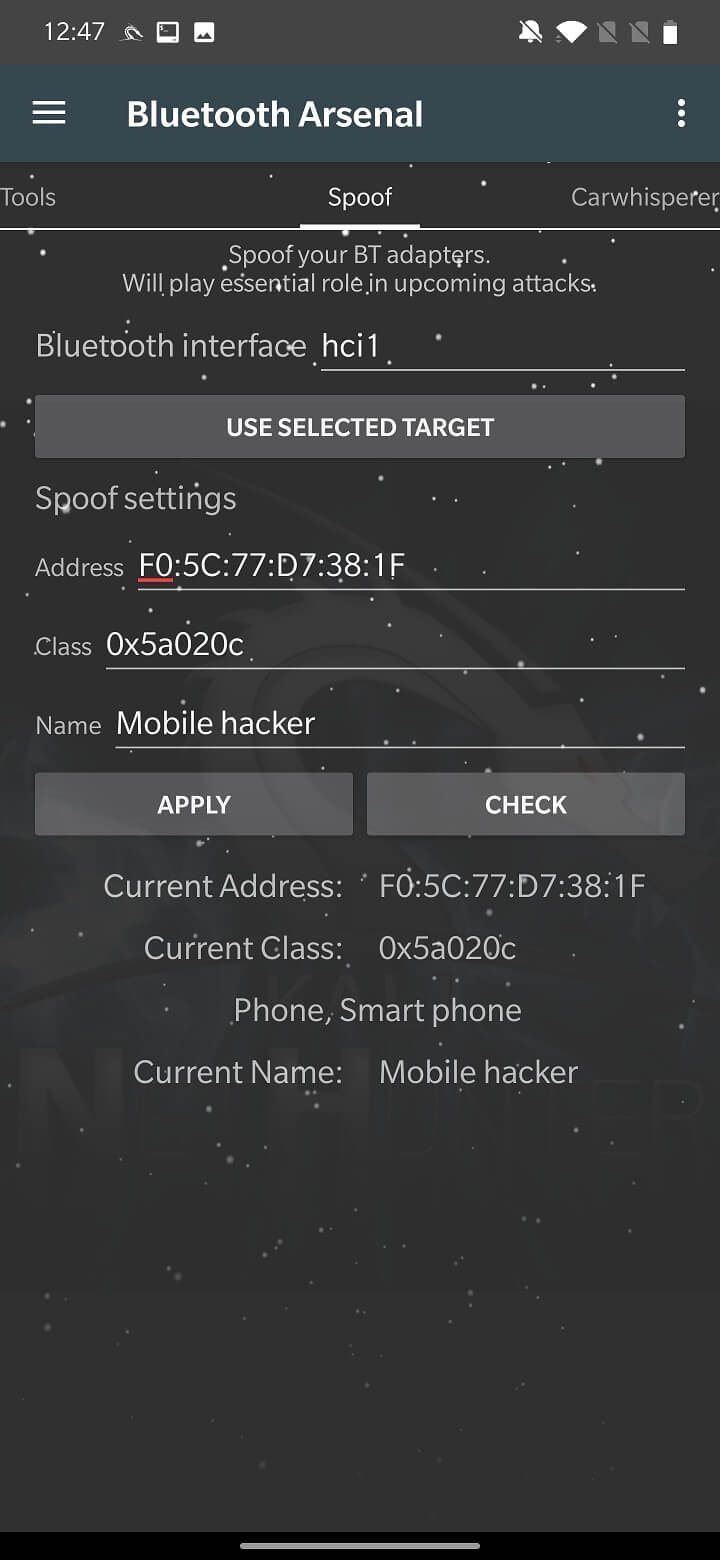
To spoof Bluetooth devices, NetHunter uses a tool called Spooftooph. Its purpose is to clone or spoof the device name, class, and MAC address. The result of the spoofing should allow the Bluetooth device to hide itself in plain sight, whatever that means. If you spoof or clone a Bluetooth device, you will not be able to interact with it, such as receive connections, pair with the device, or run any type of phishing.
In the settings, you need to select the Bluetooth interface. In my case, the internal hci0 was not supported, so I used an external adapter identified as hci1. Set the target to spoof or clone using the USE SELECTED TARGET that we set on the main page, or enter the MAC address, class, and name manually. Start the spoofing using the APPLY button. The CHECK button summarizes the fake settings, as you can see in Figure 10.
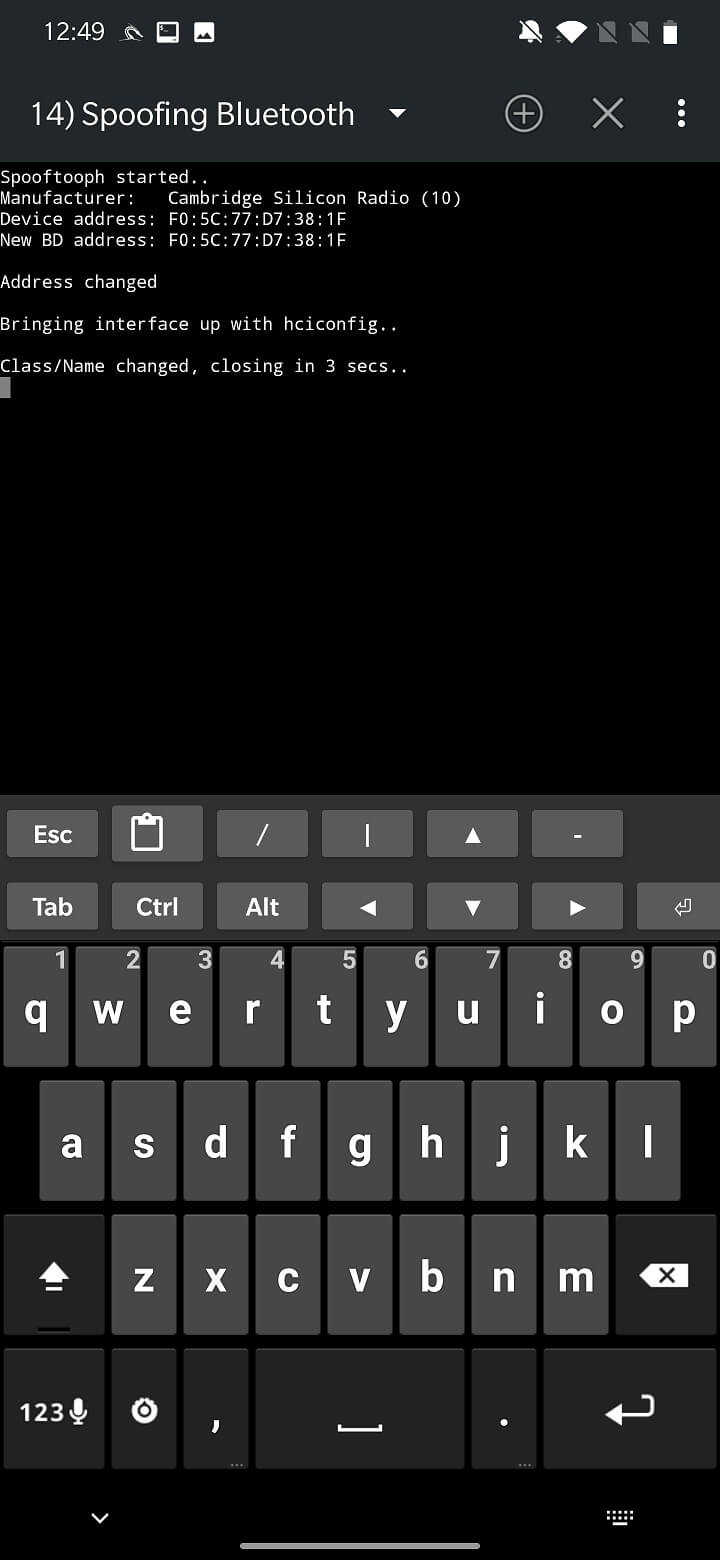
Unfortunately, I was unable to successfully swap any of my devices. The tool did not freeze, but rather closed after a few seconds without any errors.
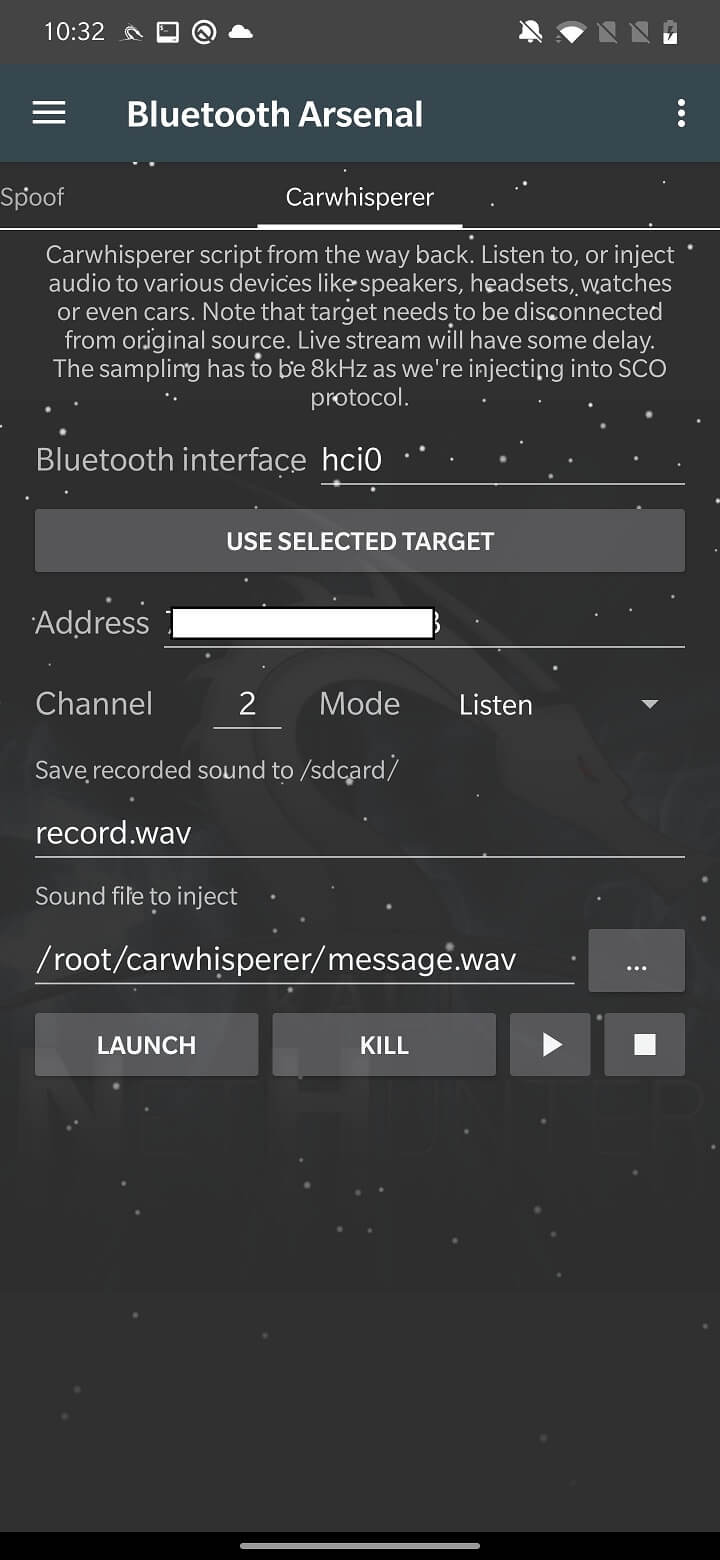
This tool is a proof of concept from 2005 that allows you to listen to audio from a headset microphone or insert your own audio into your car speaker, headset, speakers, etc. This is possible because these devices use a common security code such as “0000” or “1234”. It connects to the device and opens a control connection. The car transmitter starts transmitting sounds to the headset and recording audio from it as soon as the connection is established. It now allows you to insert audio data into the target devices.
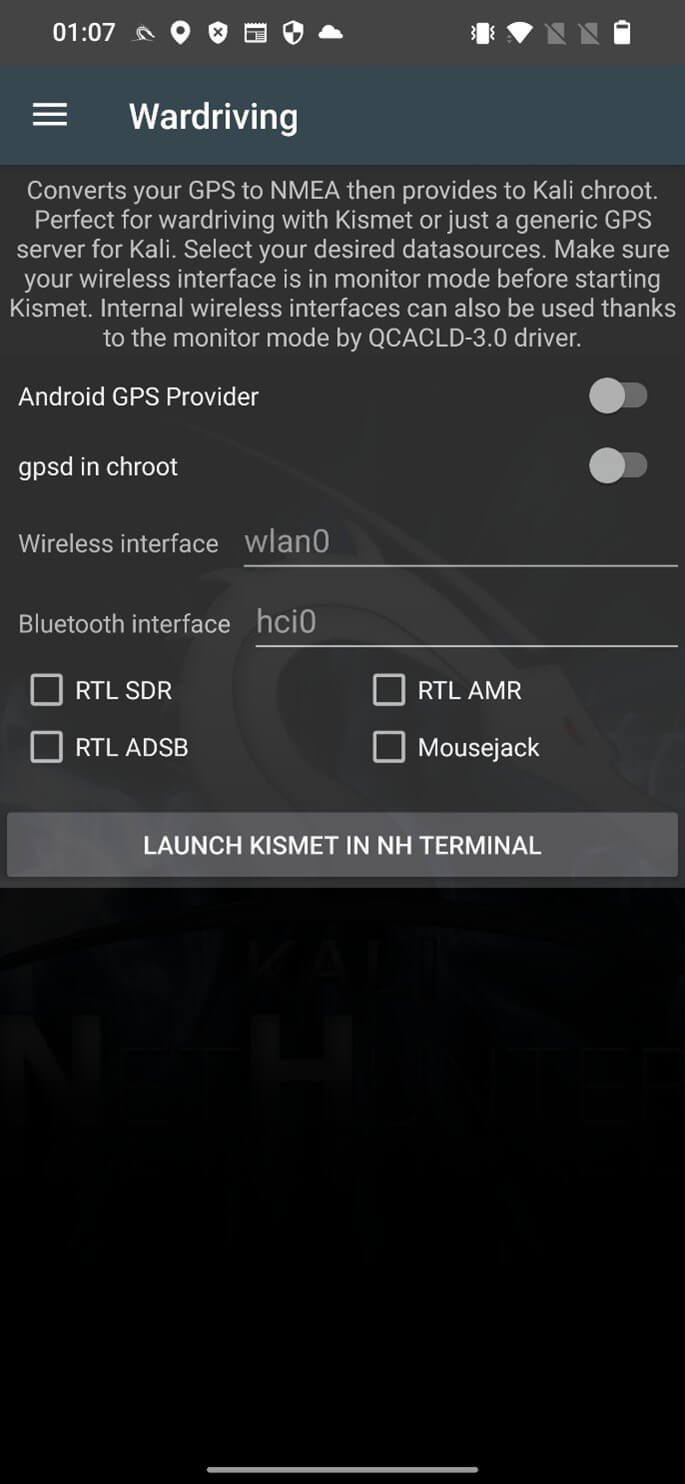
Bluetooth wardriving is the practice of searching for and identifying Bluetooth-enabled devices in a given area using a mobile device or computer. This can be done using specialized software and hardware, such as a Bluetooth scanner or sniffer. The goal of Bluetooth wardriving is often to identify vulnerable devices that can be hacked, or to gather information about the devices and their location. Bluetooth wardriving can be performed on a non-rooted Android device, for example, using the WiGLE WiFi Wardriving app. With NetHunter, you can scan for Bluetooth devices using Kismet. I already explained how to configure Kismet for Wi-Fi and Bluetooth in my post about the Nethunter wireless hacking tools.
Here are some tips to help prevent and protect yourself from Bluetooth attacks:
Update your devices’ operating systems: Regularly check for and install software updates for your devices to protect against known vulnerabilities.
Use passcodes: Be sure to use passcodes when connecting to other devices via Bluetooth to protect against unauthorized access.
Turn off Bluetooth when not in use: To reduce the risk of attack, it is best to turn off Bluetooth when you are not using it.
Be careful with public Bluetooth devices: Be careful when connecting to public Bluetooth devices, such as beacons, as they can be dangerous. Avoid entering sensitive information when connecting to a public Bluetooth device.
Bluetooth technology has become a ubiquitous part of our daily lives, but it also poses a security risk if not properly secured. Hackers can exploit Bluetooth vulnerabilities to gain unauthorized access to devices, steal personal information, stalk users using their broadcast MAC address, and inject data. It’s important to be aware of the risks and take steps to protect yourself.