01.07.2025
6 min
1637



Kali NetHunter is a full-featured mobile penetration testing platform that lets you run familiar Kali Linux tools directly on your Android device. In this article, we’ll take a detailed look at the NetHunter interface, key features, terminal, KeX, service management, and installing additional tools via the NetHunter Store.
This article will be useful for both beginners and experienced pentesters who want to learn the architecture of the system after it’s installed. You’ll learn how a chroot environment works, what Kali Services are, what types of terminals are available, and how to customize your own commands in the NetHunter App.

Now that NetHunter is installed and running, we will briefly take a look at the NetHunter menu, apps and their uses, tools, settings, etc. This will be a detailed explanation, but don’t worry, in future blog posts we will go into detail about all the tools and their uses. We will start with the tools that came with a rooted Android and NetHunter; starting with the unrooted Magisk and its modules.
This is a free, open-source software for rooting Android devices, developed by John Wu. Magisk supports devices running Android versions above 5.0.
Older versions of Magisk allowed the user to download and install modules directly from the app; however, after version 24, an additional module manager called FoxMagiskModuleManager (FMMM) must be installed.
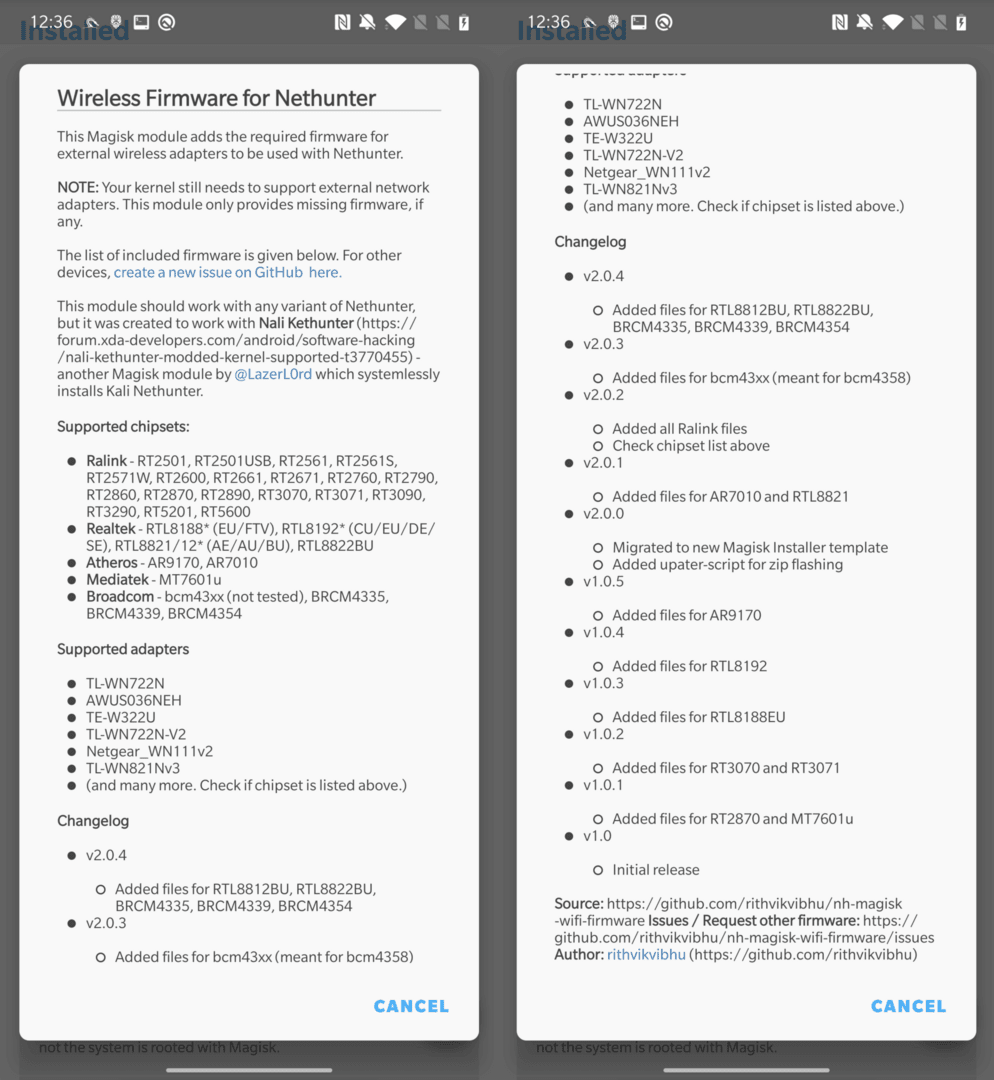
Using Magisk Manager or FMMM, we are particularly interested in one module – Wireless Firmware for Nethunter. If NetHunter cannot recognize your current external wireless adapter, this module can fix it. Installing this module will add firmware support for popular external Wi-Fi adapters. You can see a list of supported wireless adapters and chipsets in Figure 1.
NetHunter Store is an Android application specifically designed for Kali NetHunter. It provides users with access to several tools and applications useful for security analysis and penetration testing.
Users can install a variety of applications and tools specifically designed for use with NetHunter from the NetHunter Store, such as NetHunter Terminal, NetHunter KeX, cSploit, Shodan, Hacker’s Keyboard, Orbot, Open VPN, Wigle, and more.
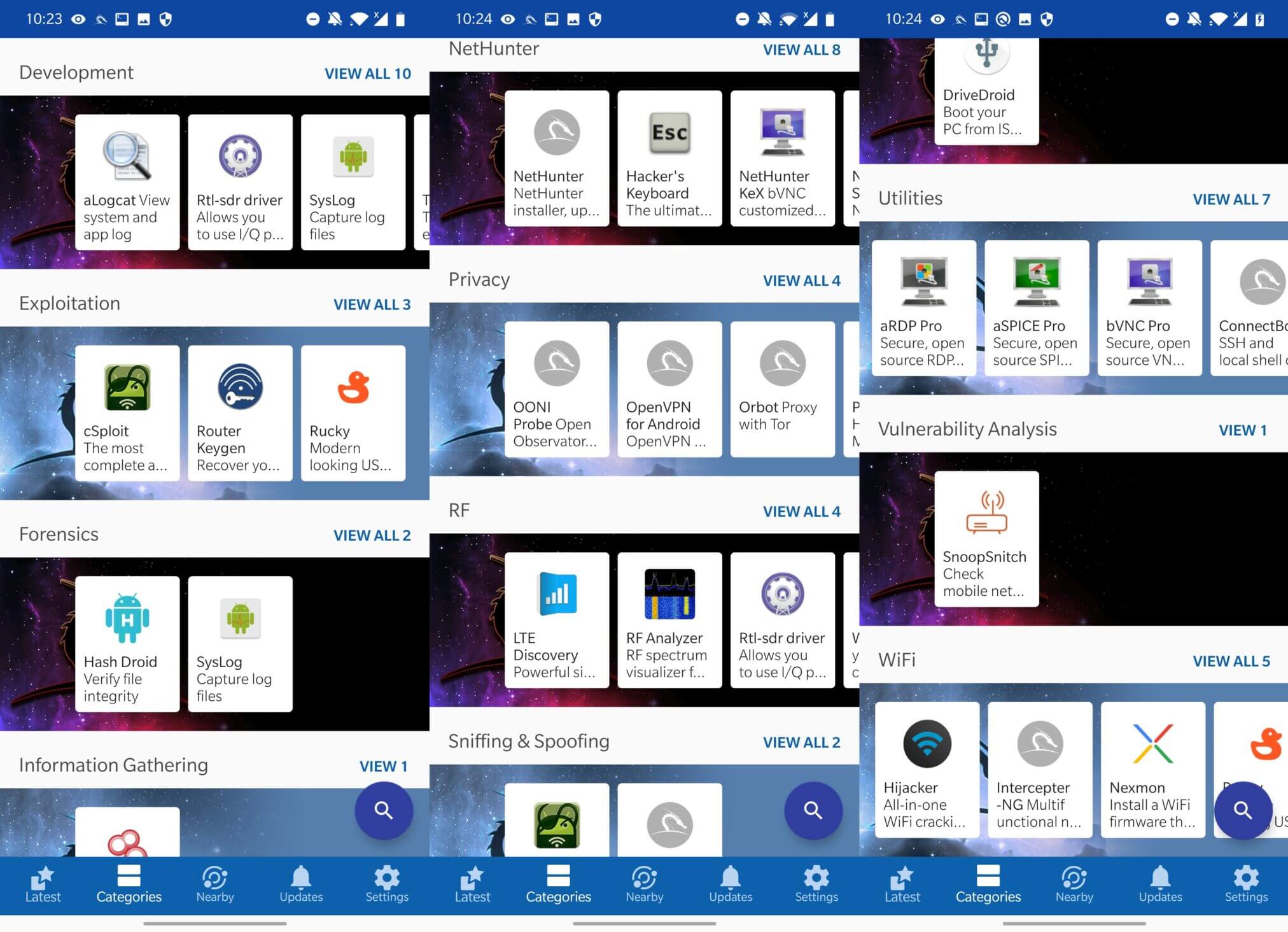
In addition, you can use to download programs Google Play, F-droid та Aurora.
It is a terminal emulator program that allows users to access the Android command line interface (CLI). Once launched, the user can choose from one of three options: KALI, ANDROID, and ANDROIDSU.
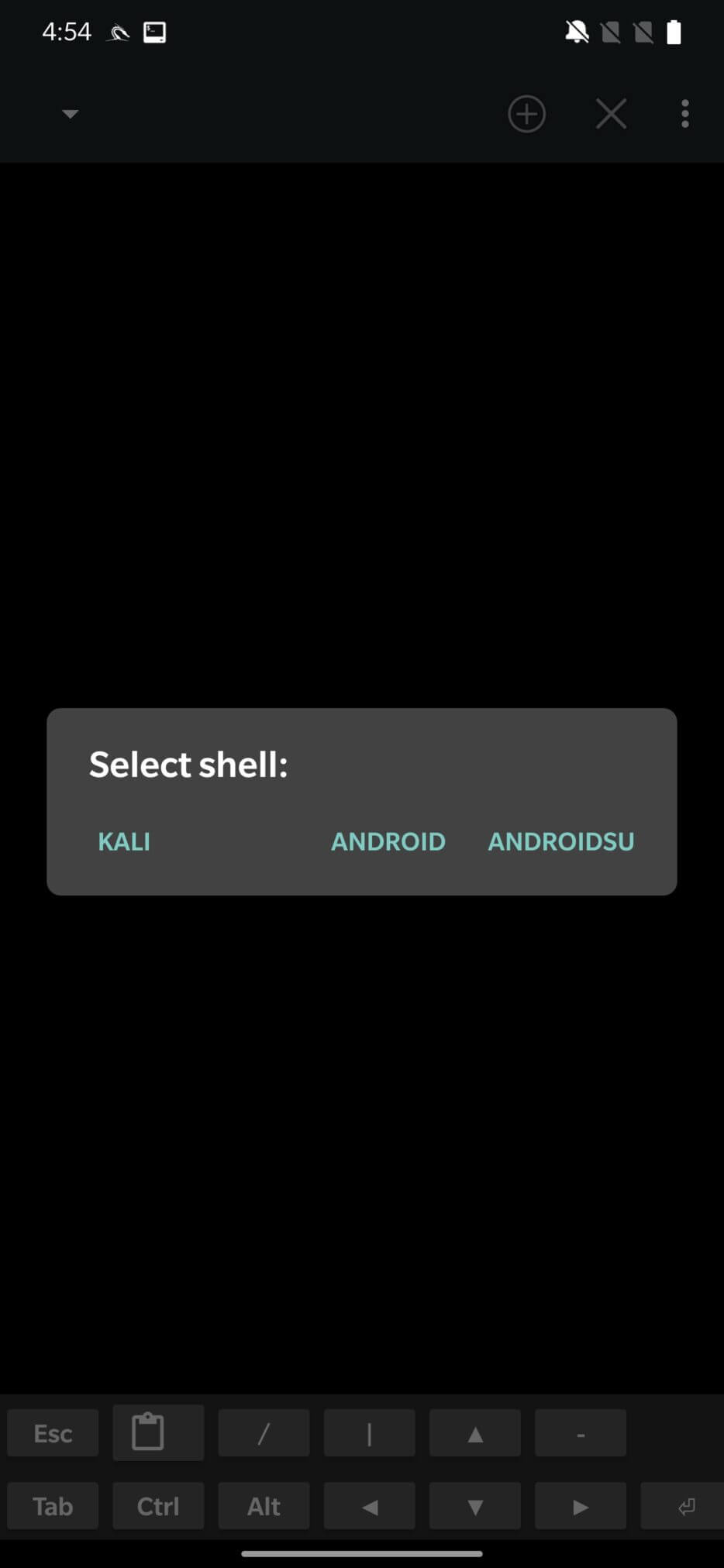
KALI shell, a customized variant of the Bash shell, was created specifically to work with Kali Nethunter. It contains several Nethunter-specific tools useful for penetration testing and security analysis. This shell runs under a chroot where the root path is /data/local/nhsystem/kali-arm64/.
ANDROID shell is a variant of the Bash shell designed for use with the Android operating system. It contains commands and tools specifically designed for Android that are useful for managing and configuring the operating system.
ANDROIDSU shell is an extension of the Bash shell that can be used to execute commands as the root user. With superuser privileges, users can perform operations such as modifying system files and installing software that are normally only available to a system administrator.
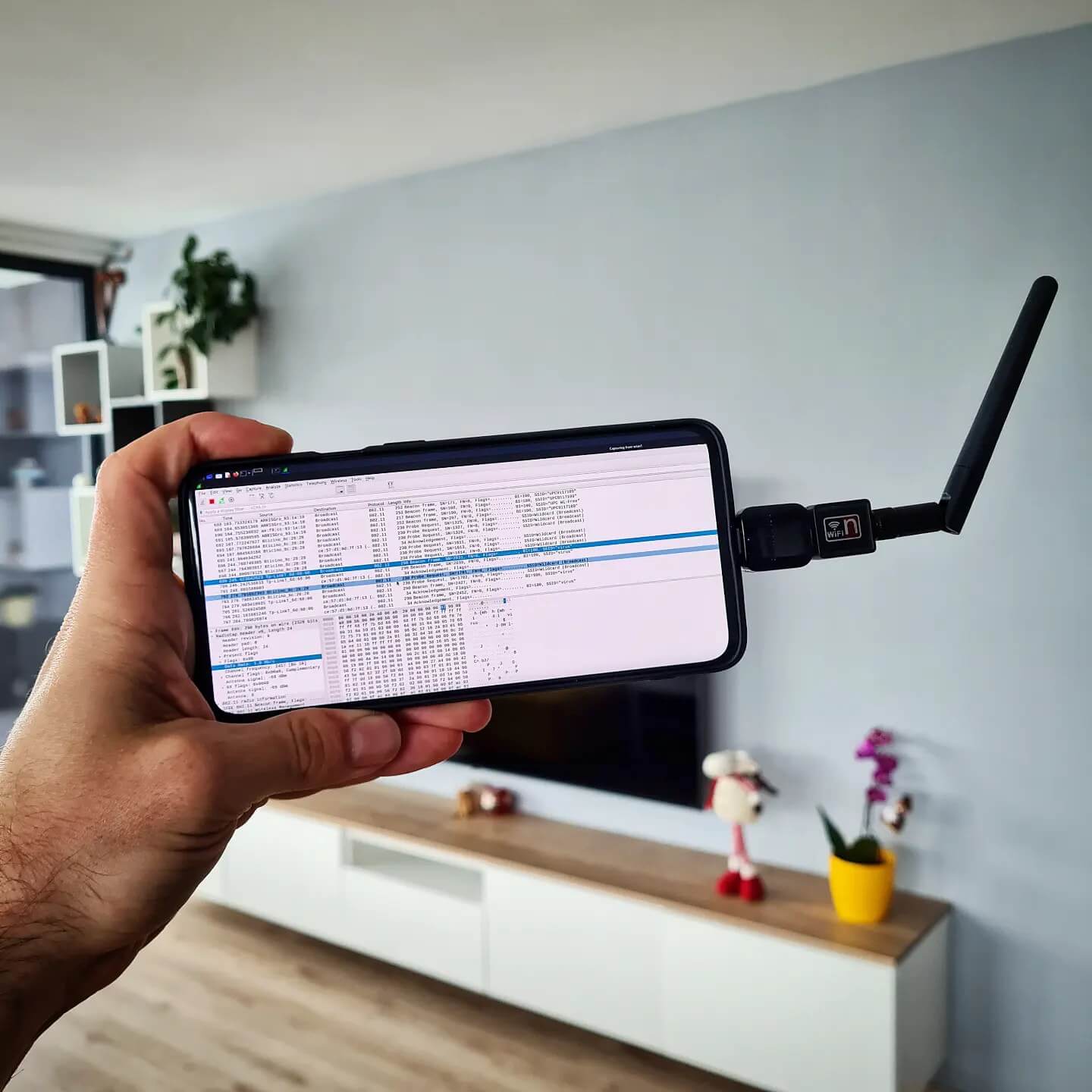
Nethunter KeX is a VNC client application that offers users a desktop environment comparable to Kali, allowing them to run GUI-based applications on their Android devices. Users who want to use the Kali Linux desktop environment on their Android device and are familiar with it may find it convenient. With Nethunter KeX, users can run several desktop applications on their Android device, including web browsers, text editors, Wireshark, and more.
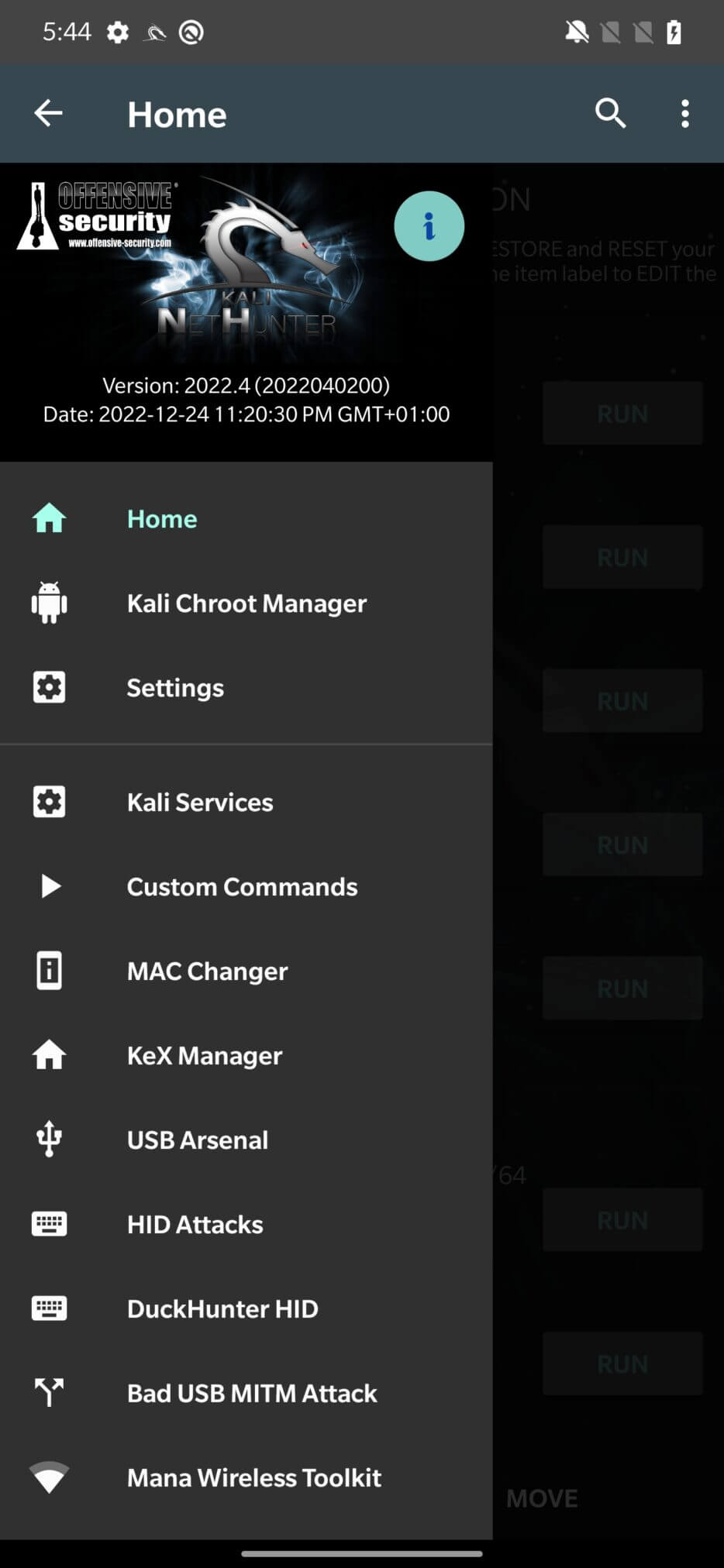
The NetHunter application contains a number of options that allow users to access and control various tools and features, as seen in Figure 5.
The first one is Home, which displays system information about the kernel, root, and HID status, as well as local and external IP addresses, as seen in Figure 6.
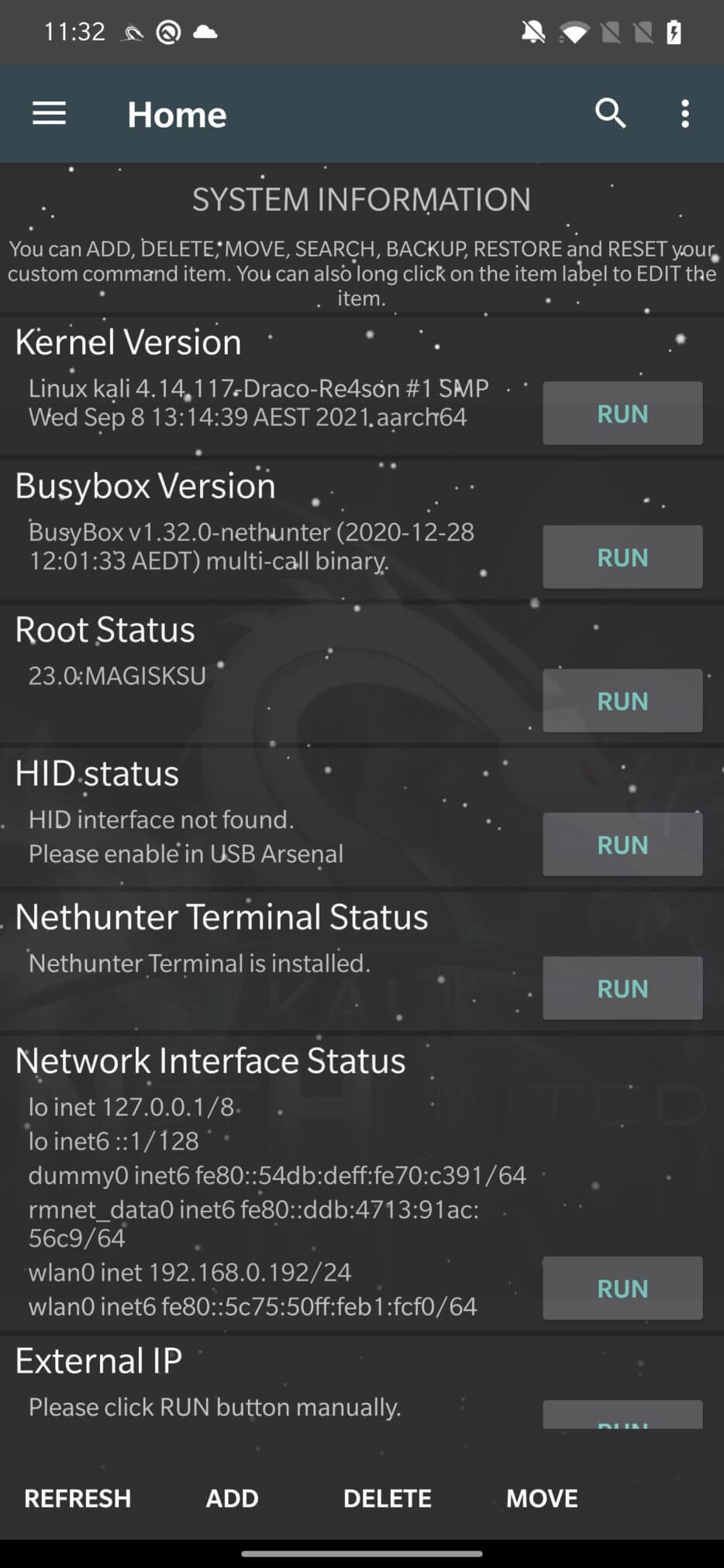
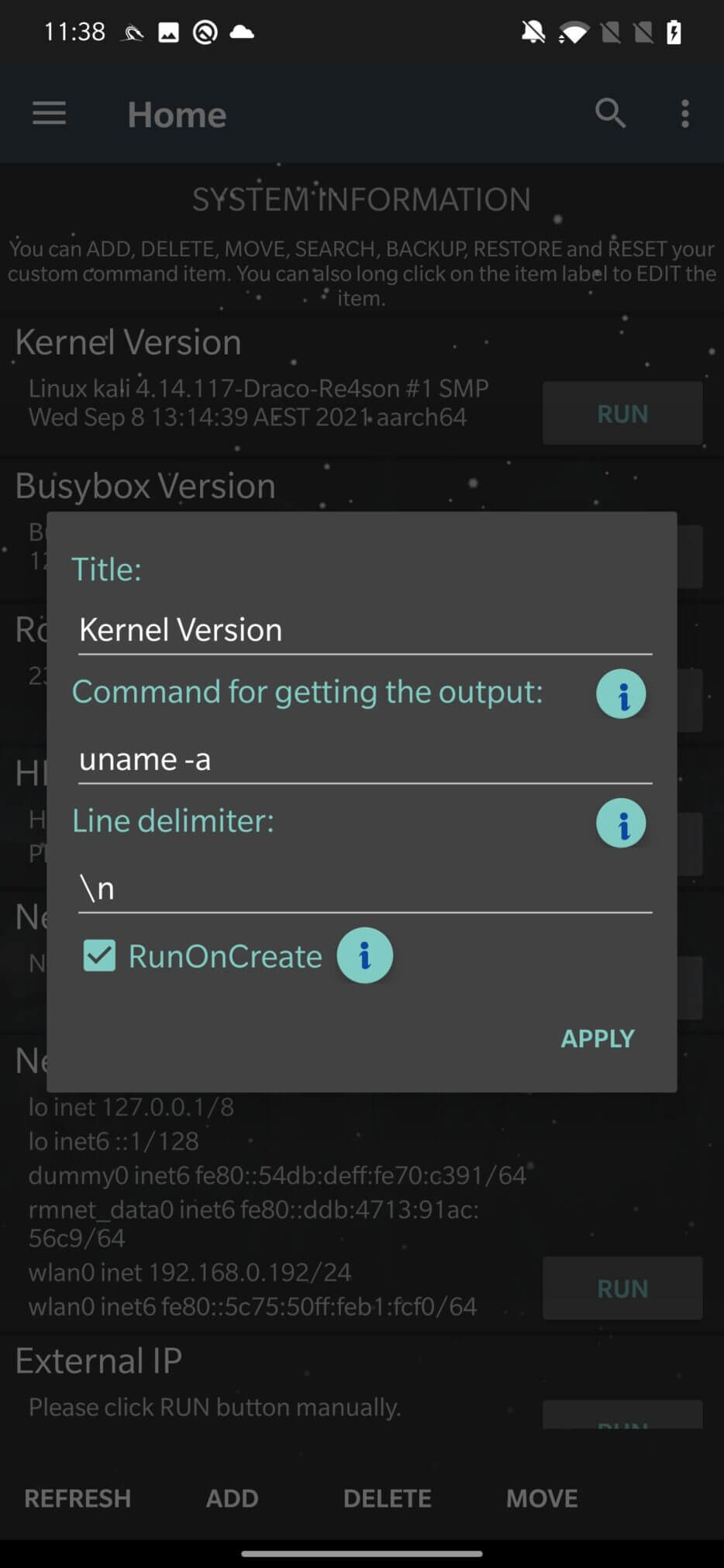
All this information is the result of executing shell commands at the Android system level, not the NetHunter chroot interface. All of them are executed after the first launch and can be updated by pressing the RUN button. If you long press the command name, as in Figure 6, you can see the command responsible for the output. You can change, add new ones, or delete them.
You can manage your Kali Linux chroot using the Kali Chroot Manager option. Chroot is a process that allows you to run another operating system within your current operating system. Kali Linux chroot allows you to use Kali tools and commands on your Android device without actually modifying your Android operating system.
You can install, upgrade, or uninstall the Kali Linux chroot environment by selecting one of the available options. You can start or stop the chroot environment, as well as check its status using the Chroot Manager. Once the chroot environment is set up and running, you can use the NetHunter interface to launch various tools and attacks from the NetHunter interface.
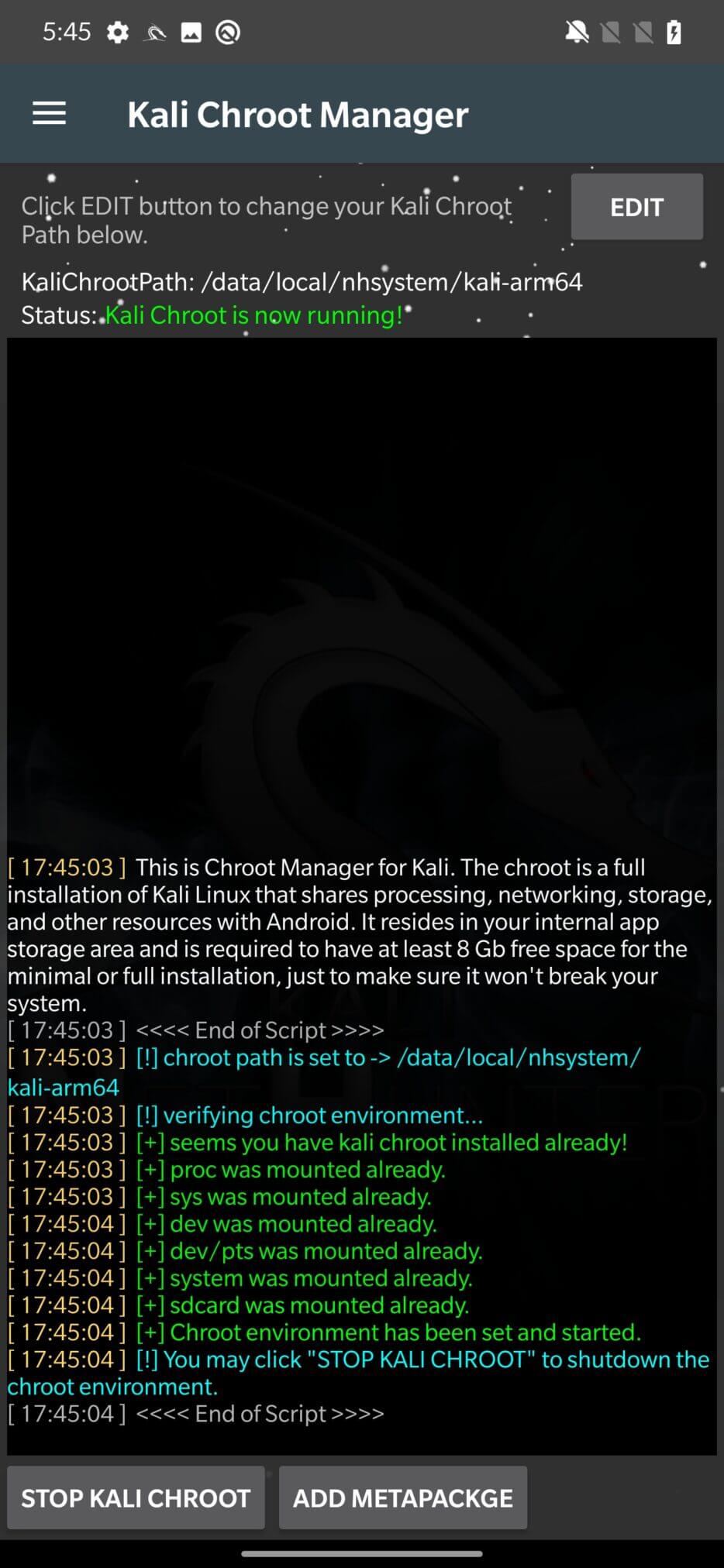
This ADD METAPACKAGE option allows you to install a metapackage, which is a package that contains a set of additional packages. Metapackages are used in Kali Linux to group related packages together and make it easier to install a set of packages needed for a specific task or purpose.
For example, if you want to use NetHunter to test wireless connectivity, you can install the metapackage “wireless”.
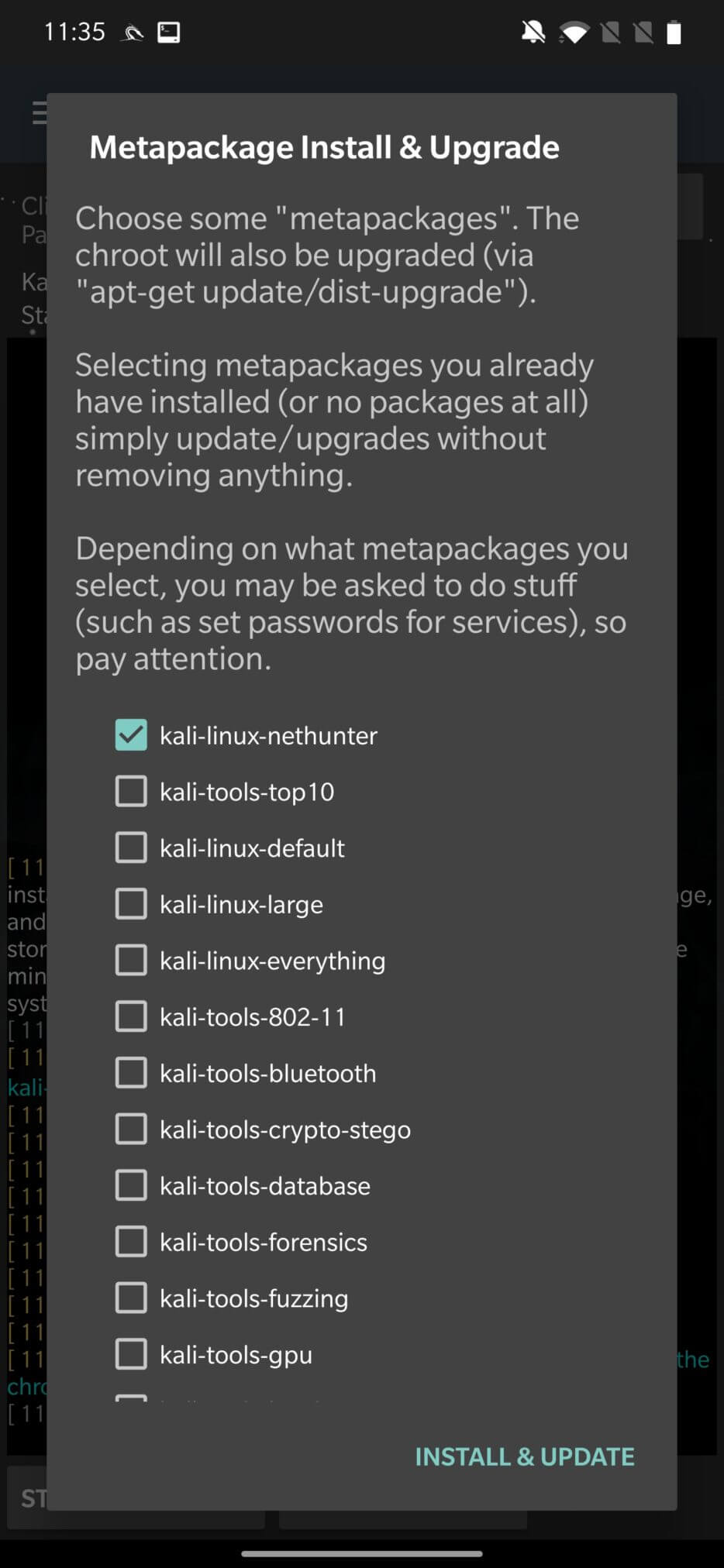
A list of all tools and binaries in each metapackage can be found here.
This menu allows you to customize NetHunter, including enabling or disabling certain features, changing the boot animation, creating and restoring backups, uninstalling NetHunter, changing the busybox version, and customizing the NetHunter terminal style.
To change the boot animation, Preview the animation you want. If you are satisfied with the image resolution, click MAKE BOOTANIMATION to create a bootanimation.zip file, then INSTALL BOOTANIMATIONcopy it to /system/media/bootanimation.zip. After rebooting, your new animation will be selected.
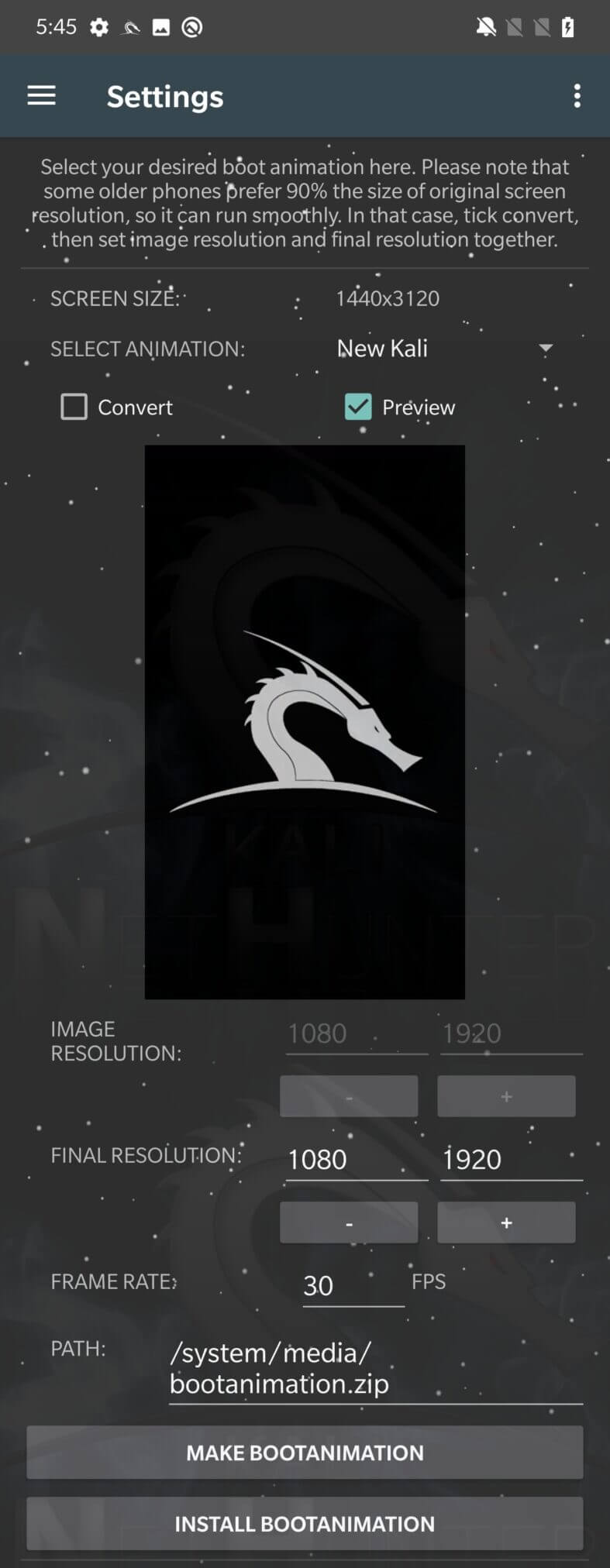
Now that you know where the boot animation is stored, you can extract it from your device, unzip it, and configure it. Unfortunately, there is always a risk of getting stuck in a boot loop due to tampering with system files. Because of this, always create a backup of the original bootanimation.zip. If your device doesn’t boot after changing the boot animation, you can always boot into recovery mode and replace it with the backup zip file.
To start or stop services running in the NetHunter chroot environment, you can use the Kali Services option. You can extend them with your own services. Compared to the commands from the Home menu, these services run in the Kali chroot shell, not the Android system shell. This means that tools installed in the Kali chroot are not visible to the Android system.
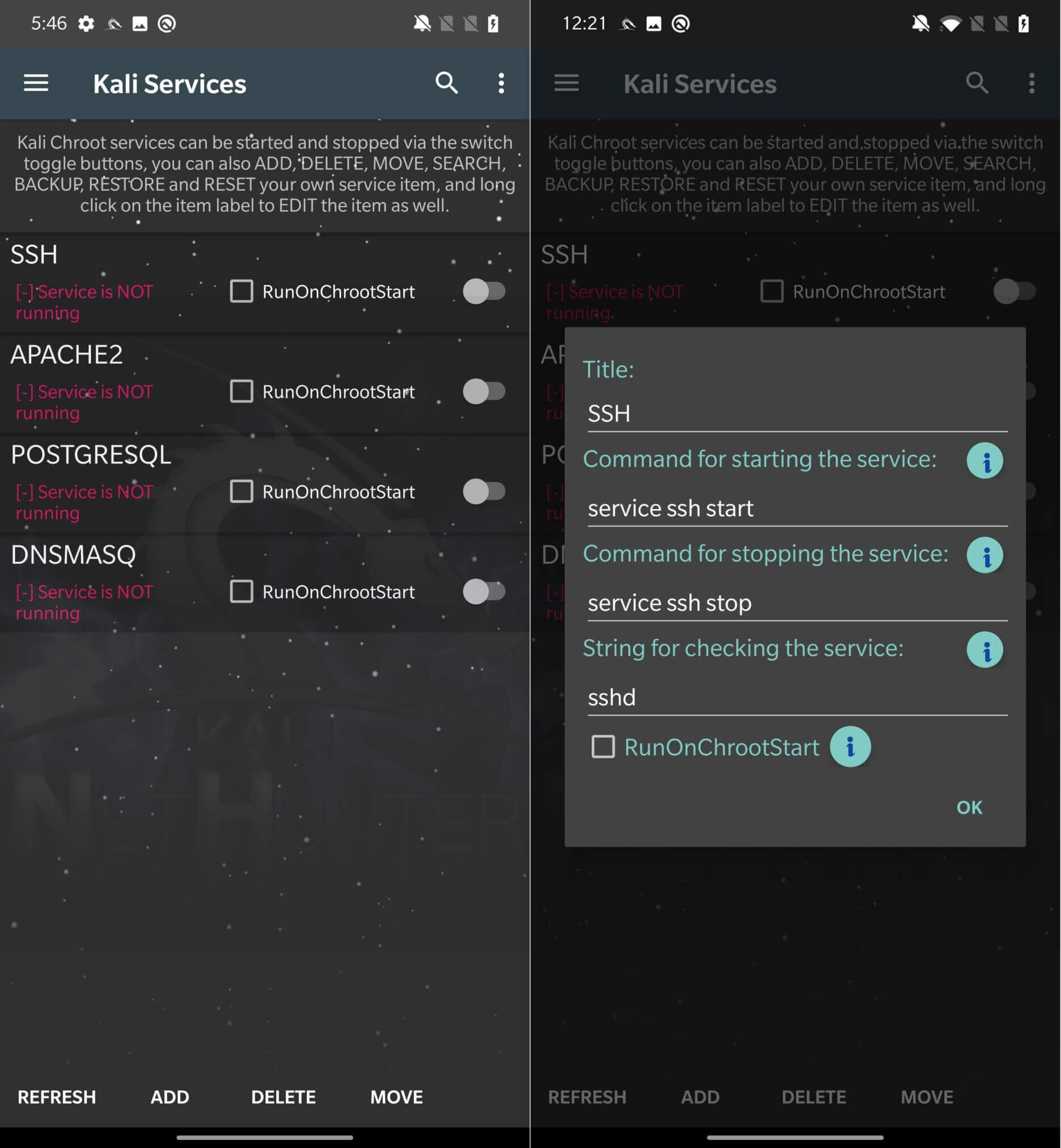
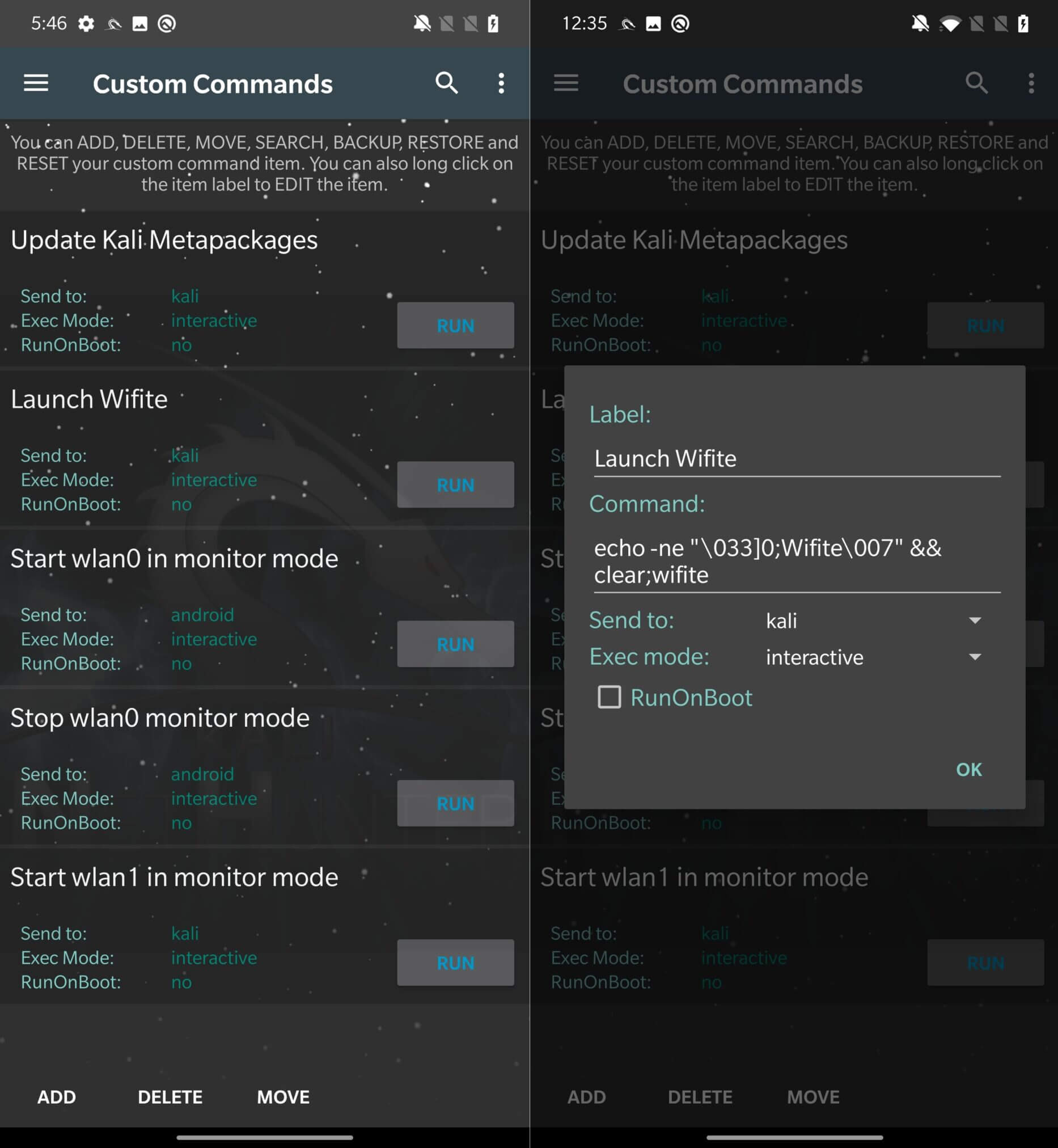
You can create and execute your own commands in NetHunter by selecting the “Custom Commands” option. This feature allows you to run scripts and other shell commands inside the NetHunter chroot environment.
These commands provide more options to the user. When compared to the Kali Services commands or Home commands, the user can decide whether to run them either in the Kali chroot or in Android, in the background or in the foreground, as shown in Figure 12.
If you want to dive deeper into the research and check out the source code of the NetHunter application, how it works, what commands are executed, or even compile your own NetHunter APK and contribute to the project, you can download the source code from the official GitLab repository.
The NetHunter platform runs on a Kali Linux chroot and comes with the NetHunter app, which makes it easy to install, manage, and remove the chroot.
NetHunter is a powerful and flexible Android security solution that also has several settings and tools, as well as the ability to run your own commands. We will continue to look at other tools in the next post.